
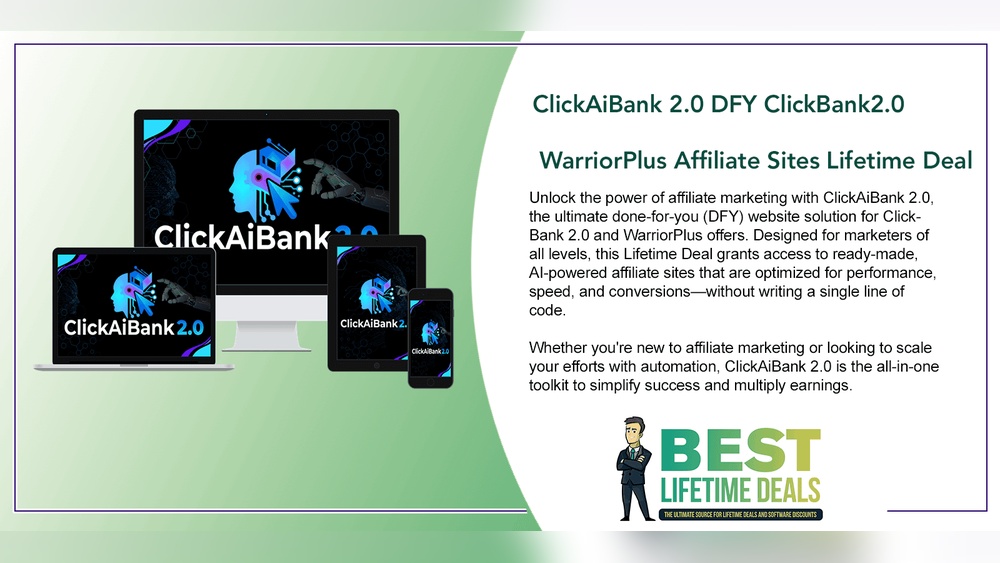
Top Warriorplus Click Tracking Software: Boost Your Sales Fast
If you’re working with WarriorPlus, you know how important click tracking is. Whether you’re running affiliate promotions, launching your own products, or building email campaigns, you need to know which links get clicks, which ads convert, and where your traffic actually comes from. The right click tracking software can make this easy, saving you time and boosting your results.
But choosing the best tool isn’t simple. There are dozens of options, each with different features, prices, and levels of complexity. Some tools are great for beginners; others offer advanced reporting for big affiliates. Many marketers also want tracking that integrates smoothly with WarriorPlus, so you can see exactly which campaigns make money.
This guide breaks down the top click tracking tools for WarriorPlus marketers. You’ll find strengths, weaknesses, real-world examples, and direct comparisons. You’ll also see what features really matter, what beginners often overlook, and how to avoid common mistakes. If you want to spend less time guessing and more time earning, you’re in the right place.
Why Click Tracking Matters For Warriorplus
Every WarriorPlus marketer faces a big question: Which traffic sources actually make sales? If you’re not tracking your links, you’re flying blind. You might waste money on ads that don’t work or miss out on high-converting sources.
With click tracking software, you can:
- See which emails, ads, or blog posts get clicks
- Track conversions and sales from each link
- Split-test landing pages and offers
- Protect your affiliate links from hijacking
- Find out which devices and countries your visitors use
For example, let’s say you run a Facebook ad and an email blast for the same offer. Tracking shows your ad gets more clicks, but your email list actually brings more sales. Without this data, you might keep spending on ads that don’t pay off.
Many WarriorPlus beginners focus only on “how many clicks” — but the real gold is in learning “which clicks become sales. ” That’s why smart marketers use tracking links for every campaign.
What To Look For In Warriorplus Click Tracking Software
Not all click trackers are created equal. Before you choose, consider these factors:
- Conversion Tracking: Does it track not just clicks, but actual sales or opt-ins?
- Ease of Use: Can a beginner set up tracking links in minutes?
- Integration: Does it work smoothly with WarriorPlus and your autoresponder?
- Reporting: Does it show clear stats—like which links convert best?
- Link Cloaking: Can you hide ugly affiliate links?
- Split Testing: Can you rotate offers and see which works best?
- Cost: Is pricing fair for your level—starter, pro, or agency?
- Support: Is help available if you get stuck?
Many marketers forget to check if tracking pixels work with WarriorPlus. Some tools need extra setup for WarriorPlus sales tracking. Another common mistake is ignoring click fraud or bot filtering—without this, your stats can get messy.
Now, let’s dive into the best software for WarriorPlus affiliates and vendors.
Top Warriorplus Click Tracking Software
There are many click tracking tools, but these stand out for reliability, features, and WarriorPlus compatibility. Each has its own strengths, so choose based on your needs and budget.
1. Clickmagick
ClickMagick is one of the most popular choices among WarriorPlus marketers. It’s cloud-based, easy to use, and packed with features.
Key Features:
- True conversion tracking (even for WarriorPlus sales)
- Advanced link cloaking and split testing
- Bot and fraud click filtering
- Detailed reports: Device, geo, time, and more
- Rotators for traffic distribution
Example: You can set up a tracking link for your WarriorPlus affiliate offer, add a pixel to the thank-you page, and see exactly which ad or email leads to each sale.
Strengths: Powerful yet simple interface. Excellent support and documentation. Integrates well with WarriorPlus using postback URLs.
Weaknesses: Monthly fee (no lifetime option). Some advanced features may need a learning curve for complete beginners.
Typical Pricing: Starts at $37/month for the basic plan.
2. Voluum
Voluum is a top-tier tracking tool used by many high-volume affiliates. It offers enterprise-grade analytics, especially for paid ads.
Key Features:
- Multi-step funnel tracking
- Real-time reporting
- API integrations with WarriorPlus and other platforms
- Anti-fraud features and bot filtering
- Mobile and desktop app
Example: If you run large ad campaigns on Facebook, Google, or native ads, Voluum lets you track every step from click to sale—even across multiple offers.
Strengths: Handles massive traffic without slowing down. Very detailed reports. Excellent for agencies or advanced marketers.
Weaknesses: Higher cost. Interface is more complex than some competitors.
Typical Pricing: Starts at $89/month.
3. Thrivetracker
ThriveTracker is a self-hosted tracker, meaning you install it on your own server. It’s popular with agencies and advanced affiliates.
Key Features:
- Unlimited tracking (no extra cost per click)
- Advanced funnel and campaign analytics
- Full data ownership (your data stays private)
- Split testing and traffic rotation
- Affiliate network integrations
Example: If you promote multiple WarriorPlus offers and want deep analytics, ThriveTracker lets you customize every detail.
Strengths: No ongoing “per click” fees. Ideal for high-traffic users. Good privacy for sensitive campaigns.
Weaknesses: Needs hosting setup. Some tech skills required.
Typical Pricing: $39/month (self-hosted) or $99/month (cloud).
4. Improvely
Improvely is designed for marketers who want simple link tracking plus fraud detection.
Key Features:
- Click and conversion tracking
- Simple link management dashboard
- Fraud/bot detection
- Team collaboration tools
- Integrates with WarriorPlus via tracking pixel
Example: If you want to quickly set up a link and track WarriorPlus sales, Improvely makes it straightforward.
Strengths: Clean interface. Focuses on both tracking and security.
Weaknesses: Fewer advanced features than ClickMagick or Voluum.
Typical Pricing: Starts at $29/month.
5. Redtrack
RedTrack is a cloud-based tracker built for affiliates and agencies. It offers deep analytics and automation.
Key Features:
- Accurate conversion tracking with postbacks
- Ad cost tracking and ROI calculation
- Traffic source integration (including WarriorPlus)
- Fraud and bot protection
- Automated reporting
Example: RedTrack can show you which WarriorPlus offers bring the most profit after ad costs.
Strengths: Great for scaling. Handles paid traffic well.
Weaknesses: Can be overkill for beginners. Price rises with traffic volume.
Typical Pricing: Starts at $49/month.
6. Bemob
BeMob is a budget-friendly cloud tracker with many features found in more expensive tools.
Key Features:
- Free plan (up to 100,000 events/month)
- Real-time reporting
- Click and conversion tracking
- Device and geo breakdowns
- Integrates with WarriorPlus
Example: If you’re new to tracking or have a small budget, BeMob lets you test without big costs.
Strengths: Free tier is generous. Easy to use. Good support.
Weaknesses: Some advanced features locked to paid plans.
Typical Pricing: Free for small campaigns; paid plans start at $49/month.
7. Linktrackr
LinkTrackr is made for affiliate marketers who want simple link tracking without a steep learning curve.
Key Features:
- Fast link creation and management
- Basic conversion tracking
- Link cloaking and split testing
- Simple integration with WarriorPlus
Example: If you just want to track which emails or ads make WarriorPlus sales, LinkTrackr is quick to set up.
Strengths: Beginner-friendly. Affordable.
Weaknesses: Limited advanced analytics.
Typical Pricing: Starts at $17/month.
8. Tonic
Tonic is newer but getting noticed for its fast, reliable tracking and anti-fraud features.
Key Features:
- Instant click and conversion tracking
- Real-time fraud detection
- Custom tracking domains
- Traffic routing and geo-targeting
Example: Tonic helps if you get traffic from multiple countries and want to send clicks to different offers based on location.
Strengths: Fast redirect speeds. Strong bot filtering.
Weaknesses: Smaller user base. Fewer integrations.
Typical Pricing: Custom pricing (starts around $49/month).
9. Clickmeter
ClickMeter is a cloud-based tool focused on easy link management and reporting.
Key Features:
- Track clicks, conversions, and sales
- Simple dashboard and reports
- Link cloaking and branded links
- Integrates with WarriorPlus using pixels
Example: Great for tracking basic performance of all your affiliate links in one place.
Strengths: Clean interface. Good for agencies (client reporting).
Weaknesses: Some advanced features only in higher plans.
Typical Pricing: Starts at $29/month.
10. Qliker
Qliker is a cloud tracker with a focus on email and solo ad marketers.
Key Features:
- Unlimited tracking and rotators
- Link cloaking
- Conversion tracking for WarriorPlus
- Basic split testing
Example: If you buy or sell solo ads for WarriorPlus offers, Qliker makes it easy to manage and track every link.
Strengths: Unlimited clicks. Good for email marketers.
Weaknesses: Interface is not as modern as some tools.
Typical Pricing: Starts at $25/month.
11. Bitly
Bitly is one of the best-known free link shorteners. The paid version offers more tracking features.
Key Features:
- Easy link shortening and sharing
- Basic click stats (location, device, referrer)
- Custom branded domains
- Integrates with many platforms
Example: If you want a quick way to shorten affiliate links and see click numbers, Bitly works.
Strengths: Free plan available. Very simple.
Weaknesses: No conversion tracking without advanced setup.
Typical Pricing: Free for basic, $35/month for more features.
12. Pretty Links
Pretty Links is a WordPress plugin for managing and tracking links from your own site.
Key Features:
- Create branded short links (yourdomain.com/offer)
- Basic click tracking
- Auto-link keywords in blog posts
- Integrates with WarriorPlus offers
Example: If you have a blog, you can cloak all your affiliate links and track clicks from your own dashboard.
Strengths: Keeps control on your site. Free version available.
Weaknesses: Only works with WordPress.
Typical Pricing: Free basic; Pro starts at $99/year.
13. Lasso
Lasso is a WordPress plugin with advanced affiliate link tracking and display options.
Key Features:
- Cloak and manage affiliate links
- Show product boxes for WarriorPlus offers
- Track clicks and conversions
- Auto-replace keywords in posts
Example: Lasso is great for content marketers who want to boost clicks on WarriorPlus links.
Strengths: Advanced link management. Good for bloggers.
Weaknesses: WordPress only. Price is higher than Pretty Links.
Typical Pricing: Starts at $39/month.
14. Trackingdesk
TrackingDesk is designed for affiliates with multiple traffic sources and networks.
Key Features:
- Multi-network tracking (WarriorPlus, CJ, ClickBank, etc.)
- Traffic source integration
- Conversion and ROI tracking
- Split testing and optimization
Example: If you run campaigns across WarriorPlus and other networks, TrackingDesk keeps all data in one dashboard.
Strengths: Handles complex setups. Good for agencies.
Weaknesses: Not as beginner-friendly.
Typical Pricing: Starts at $49/month.
15. Click.org
Click.org markets itself as “tracking for marketers.” It’s cloud-based and easy to use.
Key Features:
- Click and conversion tracking
- Link cloaking and geo-targeting
- Fraud and bot filtering
- Split testing
Example: Useful for quickly setting up and tracking WarriorPlus campaigns with minimal setup.
Strengths: Fast setup. Good for solo ad buyers.
Weaknesses: Some features only in higher plans.
Typical Pricing: Starts at $17/month.
Comparison Of Top Warriorplus Click Tracking Tools
To help you compare, here’s a side-by-side look at some key features:
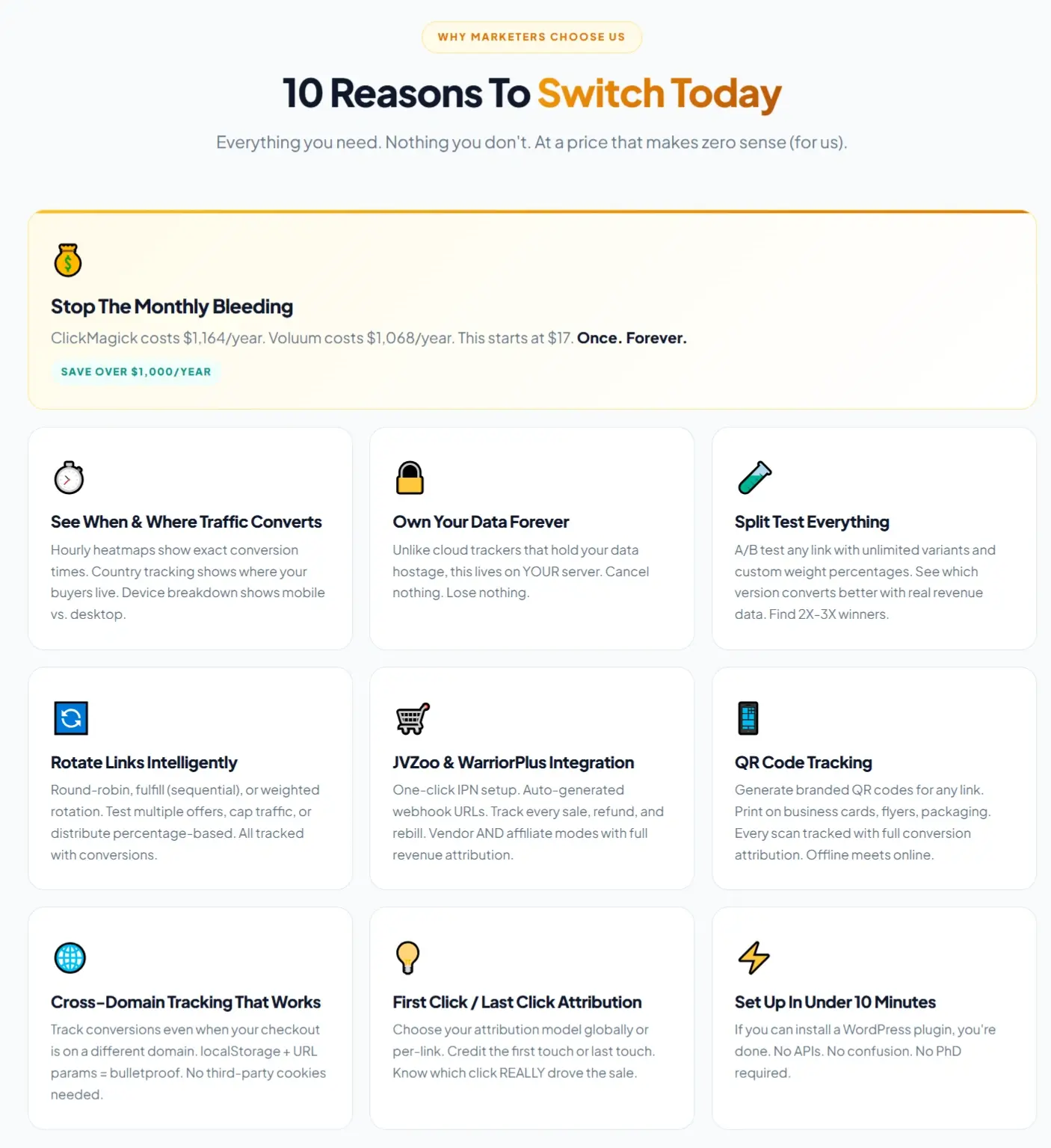
| Tool | Conversion Tracking | Split Testing | Bot Filtering | Price (Starting) | Ease of Use |
|---|---|---|---|---|---|
| ClickMagick | Yes | Yes | Yes | $37/mo | Easy |
| Voluum | Yes | Yes | Yes | $89/mo | Intermediate |
| BeMob | Yes | Yes | Yes | Free/$49/mo | Easy |
| LinkTrackr | Yes | Yes | No | $17/mo | Easy |
| Pretty Links | No | No | No | Free/$99/yr | Easy |
Credit: hudareview.com
Real-world Examples: How Click Tracking Improves Results
Many marketers ask, “Do I really need advanced tracking?” The answer depends on your goals. Here are a few scenarios where tracking makes a major difference:
- Email Campaigns: You send out two emails for a WarriorPlus product. Tracking shows Email A gets 100 clicks and 5 sales, while Email B gets 50 clicks but 10 sales. Now you know Email B converts better, even with fewer clicks.
- Ad Testing: You run Facebook and Google Ads for the same offer. Tracking links reveal Google Ads bring cheaper clicks, but Facebook ads lead to higher-value buyers.
- Split Testing Landing Pages: You send half your traffic to Landing Page 1, half to Landing Page 2. Tracking shows Page 2 converts 30% better, so you switch all traffic there.
Beginners often forget to track both clicks and sales. Without conversion tracking, you only see half the picture.
Advanced Features: What Sets Tools Apart
Some tools go beyond basic click counting. Here are features that matter as you grow:
Postback (s2s) Tracking
This method sends conversion data directly from WarriorPlus to your tracker using a secure URL. It’s more reliable than pixels, especially for paid ads.
Pro tip: ClickMagick, Voluum, and RedTrack offer easy postback setup for WarriorPlus.
Traffic Rotators
Rotators let you split traffic between different offers or pages. This is useful for split testing or sending solo ad buyers to multiple clients.
Example: You buy a solo ad for 100 clicks and send 50 to Offer A, 50 to Offer B. The tracker shows which converts better.
Bot And Fraud Filtering
Click fraud is a real risk, especially with paid ads and solo traffic. Good trackers detect and filter out bot clicks, so your stats stay accurate.
Pro tip: Always check “unique clicks” versus “total clicks” — big differences can mean bot traffic.
Geo-targeting
Some offers only work in certain countries. Trackers with geo-targeting let you send US traffic to one page, UK traffic to another.
Example: WarriorPlus offers with country restrictions.

Credit: doctoraffiliate.org
How To Set Up Click Tracking For Warriorplus
Setting up tracking doesn’t have to be hard. Here’s a basic outline:
- Create a tracking link in your chosen software.
- Cloak your WarriorPlus affiliate or sales URL (to prevent hijacking).
- Add a tracking pixel or postback URL to your WarriorPlus offer (usually in the “Integrations” tab).
- Test your link to make sure clicks and conversions are recorded.
- Check reports after your campaign runs to see what worked.
Common mistakes to avoid:
- Forgetting to test links before a campaign
- Not adding conversion pixels (so you only see clicks, not sales)
- Using the same tracking link for multiple sources (mixes up data)
Comparison: Cloud Vs Self-hosted Trackers
Should you choose a cloud tracker or install your own? Here’s a quick side-by-side:
| Type | Cloud Tracker | Self-Hosted Tracker |
|---|---|---|
| Examples | ClickMagick, Voluum, RedTrack | ThriveTracker (self-hosted), Prosper202 |
| Setup | Instant, no tech skills needed | Requires server and install |
| Data Ownership | Stored by company | Stored on your server |
| Scalability | Handles large traffic easily | Depends on your server |
| Maintenance | None (auto updates) | Your responsibility |
| Cost | Monthly fee | One-time or annual + hosting |
Tip: Most WarriorPlus users prefer cloud trackers for speed and simplicity.
How To Choose The Right Tracker For Your Needs
Here’s how to match a tool to your situation:
- Just starting out? Try BeMob (free), Pretty Links (if on WordPress), or LinkTrackr for simple needs.
- Running paid ads or big email lists? ClickMagick or RedTrack offer strong tracking and fraud filtering.
- Need deep analytics or manage many offers? ThriveTracker or Voluum are best.
- Care about privacy/data control? Go with a self-hosted option like ThriveTracker.
Non-obvious insight: Many beginners focus on price, but lose more by choosing a tracker with poor support or missing features. A $10/month savings can cost you hundreds in missed sales.
Integration With Warriorplus: What You Need To Know
WarriorPlus allows you to add tracking pixels or postback URLs for conversion tracking. Here’s how most trackers connect:
- In your WarriorPlus product or affiliate settings, look for “Tracking Pixel” or “Postback URL.”
- Copy the pixel/postback code from your tracking tool.
- Paste it into WarriorPlus and save.
- Test to ensure conversions are tracked.
Tip: Pixel tracking can fail if buyers block cookies or use privacy browsers. Postback (S2S) is more reliable.
Extra insight: If you’re using multiple trackers (for example, one for email, one for ads), be sure each has a unique link and pixel. Otherwise, you won’t know which source brought the sale.
Common Mistakes To Avoid
Even with good software, mistakes can ruin your data. Here are some to watch for:
- Using the same tracking link for all sources: Always create separate links for each traffic source or campaign.
- Not testing before launch: Run a test click and test sale to make sure tracking works.
- Ignoring bot clicks: Check your tracker’s bot report. If you see lots of non-human clicks, adjust your traffic sources.
- Forgetting about mobile traffic: Many WarriorPlus buyers use mobile. Make sure your tracker reports device type.
- Not backing up self-hosted trackers: If you use your own server, always back up your tracking data.
Practical Tips For Better Tracking
- Use naming conventions for your links (e.g., “FB-Ad1-WP-OfferA”) to keep reports clear.
- Review your stats regularly—not just clicks, but conversion rates and ROI.
- If you get traffic spikes with low conversions, check for click fraud.
- Rotate offers to avoid “offer fatigue” and improve results.
- Share reports with partners or clients (many trackers let you export or share dashboards).

Credit: diggitymarketing.com
Advanced Reporting Features
Some click trackers let you go deep into analytics:
- Multi-step funnel tracking: See drop-off points in your funnel.
- Cost and ROI calculation: Connect ad costs to see true profit.
- Custom reports: Build dashboards for clients or teams.
Example: If you run multiple WarriorPlus launches, you can compare which funnel step loses the most buyers.
Pro tip: Look for tools that let you schedule automated reports, so you don’t have to check stats manually every day.
When To Upgrade Your Tracker
Start with a simple tracker, but upgrade when:
- You spend $500+/month on ads or solo traffic
- You run multiple offers/campaigns at once
- You need more accurate fraud filtering
- You want to manage teams or clients
Paying more for accurate tracking can easily pay for itself with one extra sale or by stopping wasted ad spend.
Are Free Trackers Worth It?
Free tools like Bitly or BeMob’s starter plan are good for testing, but they miss advanced features:
- No conversion tracking (or limited)
- No bot filtering
- Limited reporting
For serious WarriorPlus marketers, investing in a paid tracker usually pays off quickly.
Resources For Learning More
Most top trackers offer free tutorials, webinars, and support. For WarriorPlus-specific setups, check:
- The official WarriorPlus help docs
- YouTube tutorials for your chosen tracker
- Forums like AffiliateFix or StackThatMoney
If you want to learn more about affiliate tracking, see this affiliate tracking overview.
Frequently Asked Questions
What Is The Best Click Tracker For Warriorplus Beginners?
For most beginners, ClickMagick or BeMob are the easiest to start with. Both offer simple setup, good WarriorPlus integration, and strong support. BeMob even has a free plan for small campaigns.
Can I Track Warriorplus Sales With These Tools?
Yes, most top trackers let you track WarriorPlus sales using tracking pixels or postback URLs. Always test your setup to be sure conversions are recorded correctly.
Is Link Cloaking Important For Warriorplus Affiliates?
Link cloaking helps protect your affiliate links from hijacking and makes them look cleaner. It’s especially useful for email and social media promotions, where long WarriorPlus links can scare off users.
Are Free Click Trackers Good Enough For Warriorplus Promotions?
Free trackers like Bitly are fine for counting clicks, but they don’t track sales or filter bots. If you want to earn serious money on WarriorPlus, a paid tracker with conversion tracking is a smart investment.
How Do I Avoid Click Fraud In My Warriorplus Campaigns?
Choose a tracker with bot filtering and fraud detection (like ClickMagick, RedTrack, or Voluum). Always check your “unique clicks” vs. “total clicks” and avoid buying traffic from unknown sources.
Choosing the right click tracking software can transform your WarriorPlus results. With the right data, you’ll stop guessing and start scaling. Take time to test a few options, focus on features you’ll actually use, and invest in tools that make your business smarter—not just cheaper.
With accurate tracking, you’re always one step ahead.


About author









Add comment