

Best Ai Browser Extensions for Productivity: Boost Your Workflow
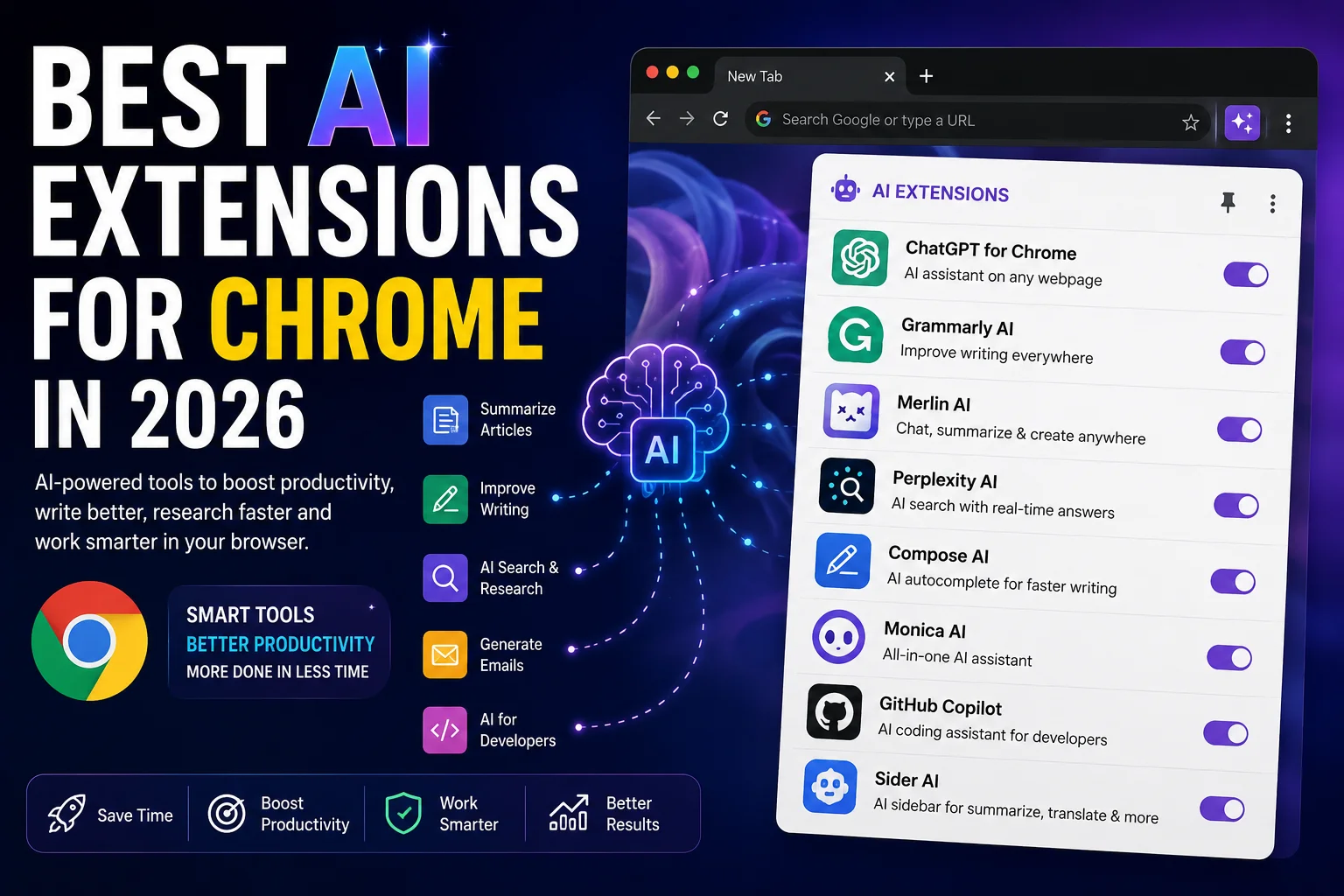
Staying productive online is harder than ever. Distractions are everywhere, work is nonstop, and your browser is often both your best tool and your biggest enemy. But what if your browser could be smarter? AI browser extensions are changing the way people work, learn, and manage their day. These small add-ons use artificial intelligence to save time, automate repetitive tasks, and help you focus on what really matters. Whether you want to write better emails, organize your schedule, or research faster, the right extension can make a real difference.
With so many options, it’s easy to feel lost. Which AI tools are actually helpful? What features matter most for productivity? This guide will show you the best AI browser extensions for productivity, explain how they work, and give you practical tips to get the most from each one.
You’ll also find comparisons, data, and real examples so you can choose tools that fit your needs—not just the most popular ones.
Why Use Ai Browser Extensions For Productivity?
AI browser extensions are more than just a trend. They combine smart algorithms with your daily online activities, making your workflow faster and smoother. Here’s why they’re worth considering:
- Automate boring tasks: AI can fill forms, summarize articles, and even reply to emails.
- Reduce distractions: Some extensions block time-wasting sites or help you stay focused.
- Personalize your experience: AI learns your preferences and adapts to your workflow.
- Boost creativity: Need to write or brainstorm? AI can generate ideas and drafts instantly.
- Improve accuracy: With grammar checks and data validation, you make fewer mistakes.
A recent survey by McKinsey found that knowledge workers spend over 60% of their time on “work about work”—things like searching for information or managing communication. AI extensions help cut this time, letting you focus on deep work.
How To Choose The Right Ai Extension
Not all extensions are created equal. Before adding a new tool, keep these factors in mind:
- Compatibility: Check if the extension works with your browser (Chrome, Firefox, Edge, etc. ).
- Privacy: Read the privacy policy. Some AI tools require access to your data.
- Features vs. simplicity: More features aren’t always better. Pick tools that do a few things well.
- Cost: Many AI extensions offer free plans, but advanced features may cost extra.
- User reviews: Ratings and feedback can reveal real-world issues or strengths.
Pro tip: Try one extension at a time. Adding too many can slow your browser and make troubleshooting harder.
Top Ai Browser Extensions For Productivity
Let’s dive into the best options. Each tool below was chosen for its usefulness, reliability, and unique features. You’ll find tools for writing, research, time management, and more.
1. Grammarly
Grammarly is one of the most popular writing assistants. It checks your spelling, grammar, and style as you type on almost any website—Gmail, LinkedIn, Twitter, and others.
- Key features: Real-time grammar checks, tone suggestions, plagiarism detection (premium), and clarity improvements.
- Use case: Drafting emails, social posts, or professional documents.
- Unique insight: Grammarly’s AI adapts to your writing style over time, making its suggestions more personal.
2. Chatgpt For Chrome (aiprm Or Merlin)
ChatGPT extensions bring the power of OpenAI’s language models directly to your browser. With tools like AIPRM or Merlin, you can generate emails, brainstorm ideas, or ask research questions without leaving your page.
- Key features: Contextual writing assistance, content summaries, instant answers.
- Use case: Customer support, content creation, quick research.
- Non-obvious tip: Use prompt templates for repeated tasks to save even more time.
3. Otter.ai
Otter.ai is known for real-time meeting transcription. Its browser extension lets you record, transcribe, and summarize meetings from Zoom, Google Meet, or your browser tab.
- Key features: Automatic transcription, meeting highlights, searchable transcripts.
- Use case: Note-taking during online meetings or interviews.
- Practical insight: You can share live transcripts with teammates for better collaboration.
4. Wordtune
Wordtune helps you rewrite sentences for clarity, tone, or length. Its AI suggests better ways to express your ideas, making your writing sharper and more persuasive.
- Key features: Sentence rewrites, tone adjustments (casual/formal), shortening/expanding text.
- Use case: Polishing reports, emails, and blog posts.
- Unique advantage: Wordtune’s suggestions often sound more human than other grammar tools.
5. Compose Ai
Compose AI automates writing with autocomplete and AI-powered sentence suggestions. It learns from your writing habits to offer smarter, faster recommendations.
- Key features: Autocomplete everywhere, smart suggestions, email templates.
- Use case: Writing repetitive emails or filling forms.
- Non-obvious benefit: Using Compose AI can cut your email writing time by up to 40%.
6. Jasper Chrome Extension
Jasper is an AI copywriter that helps marketers, bloggers, and business owners create high-quality content. The extension brings Jasper’s power to your browser for quick drafts, headlines, and more.
- Key features: Content templates, AI-powered copywriting, tone control.
- Use case: Marketing emails, ad copy, blog outlines.
- Insider tip: Use Jasper to overcome writer’s block—just type a topic and let the AI start.
7. Notion Web Clipper With Ai
Notion combines note-taking, project management, and AI in one platform. The Web Clipper extension lets you save web content, then use Notion AI to summarize, categorize, or create tasks.
- Key features: Save articles, summarize notes, create action items.
- Use case: Research organization, project tracking.
- Pro insight: Notion AI can turn clipped articles into meeting agendas or task lists instantly.
8. Perplexity Ai
Perplexity AI is a research assistant that finds direct answers from trusted sources. The extension lets you ask questions or summarize articles without leaving your browser.
- Key features: Instant Q&A, source citations, content summaries.
- Use case: Academic research, quick fact-checking.
- Non-obvious value: Perplexity AI can explain technical topics in plain English—great for non-experts.
9. Glasp
Glasp is an AI-powered web highlighter and note-taker. Highlight any text online, add notes, and get AI summaries in your own words.
- Key features: Web highlighting, AI summaries, note organization.
- Use case: Studying, research, or content curation.
- Unique advantage: Sharing your highlights with a learning community can deepen your understanding.
10. Scribe
Scribe creates step-by-step guides automatically as you work. Start the extension, perform a task, and Scribe generates a tutorial with screenshots and instructions.
- Key features: Automatic process documentation, editable guides, sharing options.
- Use case: Training new hires, standardizing processes.
- Practical insight: Scribe saves hours for teams that create a lot of documentation.
11. Fireflies.ai
Fireflies.ai is another meeting assistant, focusing on automated note-taking and action items. The extension joins calls, transcribes, and highlights important decisions.
- Key features: Meeting transcription, AI-powered summaries, action item tracking.
- Use case: Project meetings, interviews, or brainstorming sessions.
- Unique insight: Fireflies.ai can automatically send follow-up emails based on meeting notes.
12. Superpower Chatgpt
Superpower ChatGPT adds advanced features to ChatGPT, like saving chat history, organizing prompts, and searching past conversations.
- Key features: Prompt management, chat export, search and tagging.
- Use case: Research, content creation, learning.
- Non-obvious benefit: You can quickly find past answers, making this a time-saver for ongoing projects.
13. Quillbot
QuillBot is an AI paraphraser and grammar checker. It rewrites text to avoid plagiarism or improve clarity.
- Key features: Paraphrasing, summarization, grammar checking.
- Use case: Academic writing, blogging, professional communication.
- Insider tip: QuillBot’s summarizer can shorten long documents for faster reading.
14. Deepl Translator
DeepL uses AI to translate text with high accuracy. The browser extension lets you translate selected text instantly in your workflow.
- Key features: One-click translation, multiple languages, context-aware results.
- Use case: Reading foreign websites, writing emails in other languages.
- Non-obvious insight: DeepL often gives more natural translations than Google Translate, especially for European languages.
15. Wiseone
Wiseone is an AI research tool that helps you understand complex articles. It summarizes, defines terms, and answers questions as you read.
- Key features: Article summaries, term explanations, inline Q&A.
- Use case: Research, studying, reading news.
- Unique value: Wiseone’s instant Q&A can clarify technical jargon without extra searching.
16. Motion
Motion (usemotion.com) combines AI scheduling and task management. Its Chrome extension suggests the best time for meetings and tasks based on your calendar.
- Key features: AI scheduling, automatic task prioritization, smart reminders.
- Use case: Time management, project planning.
- Insider tip: Motion’s AI can reschedule tasks if your plans change, reducing stress.
17. Bardeen
Bardeen automates web workflows. With a few clicks, you can create automations like copying data from one site to another or sending info to Google Sheets.
- Key features: Workflow automations, integration with apps, ready-made recipes.
- Use case: Repetitive online tasks, data entry, process automation.
- Non-obvious benefit: Bardeen works even if you’re not a programmer—just pick a recipe and run it.
18. Tactiq
Tactiq captures live captions from Google Meet, Zoom, and MS Teams. It saves the transcript and highlights key points using AI.
- Key features: Live transcription, highlight extraction, searchable meeting notes.
- Use case: Team meetings, interviews, webinars.
- Unique advantage: You can quickly review just the highlights instead of reading the full transcript.
19. Browse Ai
Browse AI is a web automation extension. Set it up to monitor websites, scrape data, or track changes—no coding required.
- Key features: Website monitoring, data extraction, task automation.
- Use case: Market research, competitor tracking, news monitoring.
- Pro insight: Browse AI can send alerts when a page changes, so you never miss important updates.
20. Liner
LINER is an AI-powered web highlighter and search assistant. Highlight web content, save it, and get personalized search results.
- Key features: Highlighting, saving, AI-powered search, content organization.
- Use case: Research, studying, content curation.
- Unique benefit: LINER’s AI suggests related topics based on your highlights, making research faster.
Comparing Popular Ai Browser Extensions
To help you decide, here’s a quick look at how some top AI extensions compare on key features:
| Extension | Best For | AI Features | Free Plan | Privacy Rating |
|---|---|---|---|---|
| Grammarly | Writing, Email | Grammar, Tone, Clarity | Yes | High |
| ChatGPT for Chrome | Research, Q&A | Content Generation | Yes | Medium |
| Otter.ai | Meetings | Transcription | Yes | Medium |
| Notion AI | Notes, Projects | Summarization, Tasks | Limited | High |
| DeepL | Translation | Contextual Translation | Yes | High |
How Ai Extensions Boost Productivity
AI browser extensions change the way you work in several ways. Here’s a closer look:
Automating Repetitive Tasks
Many professionals waste time on small, repeated actions. For example, copying data between apps, rewriting the same email, or searching for meeting notes. AI extensions like Bardeen, Scribe, and Compose AI automate these steps, giving you more time for creative work.
Example: Instead of writing a weekly status update from scratch, let Compose AI suggest a draft, then tweak it. Or use Scribe to create a guide for onboarding new team members—no manual screenshots or writing needed.
Improving Focus
Extensions like Motion help you schedule your day and block distractions. By suggesting the best time for tasks or meetings, the AI frees your mind from constant planning. Some tools, like LINER or Wiseone, keep research organized so you don’t waste time searching for lost links or notes.
Statistic: According to the American Psychological Association, multitasking reduces productivity by up to 40%. AI tools that organize your workflow help you focus on one thing at a time.
Enhancing Writing And Communication
Communicating clearly is essential, but it’s easy to make mistakes—especially if English is not your first language. Grammarly, Wordtune, and QuillBot help you write with confidence. They catch grammar errors, suggest better words, and even adjust your tone to fit the audience.
Non-obvious insight: Grammarly’s tone detector can help avoid misunderstandings in work emails. For example, it can warn if your message sounds too harsh or too informal.
Smarter Research And Learning
When you need fast answers or to understand a complex topic, AI extensions like Perplexity AI and Superpower ChatGPT are invaluable. They summarize articles, explain terms, and even answer follow-up questions—all inside your browser.
Example: A student reading a difficult science article can use Wiseone to get instant definitions and a summary, making learning smoother and faster.
Meeting Productivity
Remote work means more meetings than ever. Tools like Otter.ai, Fireflies.ai, and Tactiq turn meetings into searchable transcripts, highlight key points, and even send follow-ups. This reduces the risk of missing important decisions and saves time on manual note-taking.
Practical tip: After a meeting, use Fireflies.ai to assign action items automatically, so everyone knows their next steps.
Privacy And Security Considerations
AI browser extensions often need access to your browser data—what you type, what you read, and sometimes even your emails or meetings. While these permissions are necessary for the AI to work well, they also carry risks.
What to check:
- Does the extension store your data locally or on the cloud?
- Is data encrypted?
- Can you delete your data or control what’s shared?
Non-obvious advice: Some popular AI tools have had security incidents in the past. Always update your extensions and check the developer’s reputation before installing. For sensitive work, consider using browser profiles or incognito mode to limit data access.
Credit: priygop.com
Real-world Examples And Case Studies
Seeing how AI extensions work in practice can help you pick the right tool. Here are some real-life scenarios:
Marketing Team Efficiency
A small marketing agency uses Jasper and Grammarly to draft ad copy and social media posts. With Jasper’s AI suggestions, they create three times more content in the same time. Grammarly ensures every post is clear and error-free, reducing editing time by 50%.
Academic Research
A graduate student uses Perplexity AI to find trusted sources and summarize scientific articles. They save highlights with Glasp, then organize notes in Notion. This process cuts research time in half and improves the quality of their papers.
Remote Team Collaboration
A remote company relies on Otter.ai and Fireflies.ai to record meetings and create automatic follow-ups. Team members who miss the meeting can catch up quickly, and managers use the transcripts to track project decisions.
Advanced Tips: Getting More From Ai Extensions
Most users only scratch the surface of what AI browser extensions can do. Here’s how to unlock even more value:
- Combine tools for unique workflows. For example, use DeepL to translate an article, then summarize it with QuillBot or Perplexity AI.
- Create prompt templates in ChatGPT or Jasper for repeated tasks—like standard customer replies or content outlines.
- Customize AI settings. Many tools let you adjust the tone, formality, or even the length of suggestions.
- Review permissions regularly. Remove unused extensions to keep your browser fast and secure.
- Join user communities. Many AI tools have forums or Discord channels where users share automation recipes, tips, and updates.

Credit: www.youtube.com
Common Pitfalls To Avoid
AI extensions are powerful, but they’re not magic. Watch out for these mistakes:
- Over-reliance: Don’t let AI replace critical thinking or personal judgment.
- Ignoring privacy settings: Failing to set permissions can expose sensitive data.
- Too many extensions: Running several at once can slow your browser and cause conflicts.
- Not updating: Outdated extensions may have bugs or security risks.
- Unrealistic expectations: AI tools are great assistants, but they’re not perfect—always review important work.
Data Table: Pricing And Availability Snapshot
Here’s a quick look at the pricing and browser support for some popular AI productivity extensions:
| Extension | Free Plan | Paid Plan Starting Price (USD) | Supported Browsers |
|---|---|---|---|
| Grammarly | Yes | $12/month | Chrome, Firefox, Edge, Safari |
| Jasper | Trial | $39/month | Chrome |
| Otter.ai | Yes | $8.33/month | Chrome, Edge |
| Wordtune | Yes | $9.99/month | Chrome, Edge |
| DeepL | Yes | $8.74/month | Chrome, Edge |
Note: Prices and browser support may change. Always check the official website for the latest info.
Maximizing Roi: Choosing The Best Ai Extension For Your Needs
With so many choices, picking the right extension can feel overwhelming. Focus on your main pain points:
- If you write a lot, prioritize Grammarly, Wordtune, or Compose AI.
- For meetings, try Otter.ai or Fireflies.ai.
- For research, Perplexity AI, Wiseone, or Glasp are excellent.
- If you need automation, choose Bardeen or Browse AI.
Non-obvious tip: Start with free plans to test features. Only upgrade if you use advanced tools regularly. Many users find the free version meets most needs.
For more ideas and up-to-date reviews, check resources like Zapier’s AI extension guide.
Frequently Asked Questions
What Is An Ai Browser Extension?
An AI browser extension is a small program you add to your browser, like Chrome or Firefox. It uses artificial intelligence to help with tasks—such as writing, research, or scheduling—directly inside your browser.
Are Ai Browser Extensions Safe To Use?
Most reputable AI extensions are safe, but you should always check permissions and privacy policies. Only download from trusted sources, and keep your extensions updated to avoid security risks.
Do I Need To Pay For Ai Browser Extensions?
Many AI extensions offer free plans with basic features. You may need to pay for advanced tools, higher usage limits, or premium support. Always try the free version first to see if it meets your needs.
Can Ai Extensions Work Offline?
Some features may work offline, but most AI extensions need an internet connection. This is because they use cloud-based AI models to process your requests and deliver results.
Which Ai Browser Extension Is Best For Non-native English Speakers?
Grammarly, Wordtune, and DeepL Translator are especially helpful for non-native English users. They check grammar, improve clarity, and translate text, making communication easier and more accurate.
Boosting your productivity doesn’t have to be complicated. With the right AI browser extensions, you can simplify your workflow, reduce stress, and get more done every day. Try a few of these smart tools, adjust your setup, and watch your online productivity reach a new level.

Credit: www.aifire.co


About author









Add comment