

Best Ai Extensions for Google Chrome Productivity: Top
Boosting productivity is a major goal for anyone working online today. With so many tasks and distractions on the internet, it’s easy to lose focus or waste time. Google Chrome, being the world’s most popular browser, offers a huge range of extensions. Some of the best new tools are powered by artificial intelligence (AI). These AI extensions can help you write faster, organize better, and reduce repetitive work. But with hundreds of options, which ones truly make a difference?
This guide explores the best AI extensions for Google Chrome that actually help you get more done. Whether you’re a student, professional, business owner, or casual user, you’ll discover tools that can change the way you work. We’ll look at their main features, unique benefits, and even compare some side by side.
If you want to save time, improve your writing, or just make your online life easier, these AI-powered Chrome extensions are worth trying.
Why Ai Extensions Matter For Productivity
AI is changing the way we work. In the past, browser extensions helped block ads or fill in passwords. Now, AI extensions can understand your writing, organize your emails, or even summarize long articles instantly. They can:
- Write and edit text for you
- Help manage your schedule
- Sort and reply to emails
- Summarize web pages and documents
- Translate languages more accurately
- Generate creative ideas and images
This means less time spent on boring tasks and more time for important work. With AI, your browser becomes a smart assistant that works in the background.
What To Look For In An Ai Productivity Extension
Choosing the right AI Chrome extension is not just about popularity. Here are key factors to consider:
- Ease of use: Is the interface simple? Can you use it without reading a manual?
- Speed: Does it work quickly without slowing down your browser?
- Accuracy: Are the AI suggestions or summaries correct and useful?
- Privacy: Does the extension protect your data?
- Compatibility: Does it work with your favorite websites and tools?
- Value: Is it free, or does it offer enough features to justify the price?
Many users overlook privacy—some extensions send your data to remote servers. Always check reviews and privacy policies before installing.
Top Ai Chrome Extensions For Productivity
Let’s dive into the best AI-powered extensions available for Google Chrome. Each one is chosen for its real-world impact, unique features, and positive user feedback. You’ll find tools for writing, reading, organizing, and more.
1. Grammarly
Grammarly is widely recognized for improving writing. Its AI checks grammar, spelling, tone, and even suggests better words. Whether you’re sending emails, writing reports, or posting on social media, Grammarly works in most text boxes online.
Key Features:
- Real-time grammar and spelling checks
- Tone and clarity suggestions
- Plagiarism detection (premium)
- Works across Gmail, Google Docs, LinkedIn, and more
Why It’s Great for Productivity: It saves you editing time and helps prevent embarrassing mistakes. The AI suggests improvements as you type, so you don’t need to copy and paste into another app.
Non-Obvious Insight: Grammarly’s tone detector can help you sound more confident or friendly, which is useful for business emails or customer support.
2. Chatgpt For Google
ChatGPT for Google integrates OpenAI’s ChatGPT right into your search results. Instead of searching for answers on different sites, you get clear, AI-generated answers next to your Google searches.
Key Features:
- AI summaries appear beside search results
- Supports multiple languages
- Can answer follow-up questions directly
Why It’s Great for Productivity: No need to click through multiple links. You get instant, reliable answers, saving research time.
Non-Obvious Insight: You can use it as a brainstorming partner for creative tasks, not just for finding facts.
3. Compose Ai
Compose AI is designed for writing emails, documents, and messages faster. Its AI can autocomplete sentences, suggest rephrasings, and help you write full paragraphs with a click.
Key Features:
- Autocomplete as you type
- Smart email and message suggestions
- Rewrites text in different tones or lengths
Why It’s Great for Productivity: Composing emails or messages often eats up your day. Compose AI speeds up routine communication and helps you avoid writer’s block.
Non-Obvious Insight: If you’re non-native, Compose AI can help you write in more natural-sounding English.
4. Otter.ai Chrome Extension
Otter.ai brings powerful AI transcription to your browser. It’s widely used for meetings, interviews, or lectures. The Chrome extension lets you record and transcribe audio from web calls and videos.
Key Features:
- Real-time transcription of meetings and videos
- Highlights and summary keywords
- Share transcripts easily
Why It’s Great for Productivity: You can focus on listening, not note-taking. Later, you can search for keywords in the transcript.
Non-Obvious Insight: Otter.ai recognizes different speakers, making team meeting notes much clearer.
5. Wordtune
Wordtune is an AI writing companion that helps you rewrite sentences to be clearer, shorter, or more formal. It’s perfect for editing emails, blog posts, or even social media.
Key Features:
- Sentence rephraser with multiple options
- Suggestions for casual or formal tone
- Works on most websites
Why It’s Great for Productivity: You can quickly improve your writing style without spending hours editing.
Non-Obvious Insight: Wordtune can help you adapt your writing for different audiences, such as making technical text simpler.
6. Superpower Chatgpt
Superpower ChatGPT adds advanced features to ChatGPT’s web interface. You get conversation history, search, export options, and more.
Key Features:
- Organize and search ChatGPT conversations
- Export chats to PDF or Markdown
- Pin important messages
Why It’s Great for Productivity: Easily manage your AI-powered conversations, especially if you use ChatGPT for research or writing.
Non-Obvious Insight: You can tag and categorize chats, making it easier to find past ideas or solutions.
7. Fireflies.ai
Fireflies.ai is an AI meeting assistant that records, transcribes, and summarizes your Zoom or Google Meet calls.
Key Features:
- Automatic meeting transcription
- AI-generated summaries and action items
- Searchable meeting history
Why It’s Great for Productivity: You never need to take manual notes in meetings again. Find decisions and tasks quickly.
Non-Obvious Insight: Fireflies.ai can integrate with CRMs to automatically update meeting notes for sales or support teams.
8. Jasper Ai Chrome Extension
Jasper AI brings advanced AI copywriting to your browser. It helps with emails, blog posts, ads, and more.
Key Features:
- AI-generated content in different styles
- Templates for emails, ads, and blogs
- Works inside Gmail, Google Docs, and more
Why It’s Great for Productivity: Create high-quality content much faster, especially for marketing or social media.
Non-Obvious Insight: Jasper can suggest topic ideas or outlines, not just finished text.
9. Merlin
Merlin acts as your universal AI assistant on Chrome. Highlight any text, and Merlin can summarize, explain, or rewrite it instantly.
Key Features:
- One-click summaries for articles or emails
- Paraphrasing and explanation tools
- Supports multiple languages
Why It’s Great for Productivity: Great for students or researchers who need to understand long or complex documents quickly.
Non-Obvious Insight: Merlin can help non-native speakers understand difficult vocabulary or grammar.
10. Bardeen
Bardeen automates repetitive browser tasks using AI. With simple commands, you can scrape data, auto-fill forms, or trigger workflows across websites.
Key Features:
- AI automation recipes
- Data extraction from websites
- Integration with Google Sheets, Trello, Notion
Why It’s Great for Productivity: Automate boring, repetitive tasks and focus on more valuable work.
Non-Obvious Insight: You can build your own automations without coding, unlike many other workflow tools.
11. Monica
Monica is an AI-powered assistant that helps you with writing, research, and even coding. You can ask Monica questions, summarize content, or translate text right from your browser.
Key Features:
- Natural language Q&A
- Summarization and translation
- Coding help for developers
Why It’s Great for Productivity: You don’t need to switch tabs or apps to get quick answers or summaries.
Non-Obvious Insight: Monica can help debug code snippets or explain programming errors in plain English.
12. Wiseone
Wiseone is designed for deeper reading and research. It helps you understand articles by adding definitions, summaries, and background information directly in your browser.
Key Features:
- Instant definitions and explanations
- Article summarization
- Fact-checking tools
Why It’s Great for Productivity: You can understand complex topics faster without searching elsewhere.
Non-Obvious Insight: Wiseone can help you spot unreliable sources by checking facts as you read.
13. Notion Web Clipper With Ai
Notion Web Clipper now includes AI features for organizing, summarizing, and tagging web content you save.
Key Features:
- Clip articles and webpages to Notion
- AI-powered summaries and tags
- Organize research easily
Why It’s Great for Productivity: Keeps all your research in one place, automatically sorted and summarized.
Non-Obvious Insight: Notion’s AI can suggest related pages or tasks based on your saved content.
14. Quillbot
QuillBot is a well-known AI paraphrasing tool. It helps you rewrite text, check grammar, and even summarize articles.
Key Features:
- Paraphrasing with different styles
- Grammar checker and summarizer
- Works in Google Docs and emails
Why It’s Great for Productivity: Instantly improve or change the style of your writing, or create summaries for quick reading.
Non-Obvious Insight: QuillBot’s citation generator is handy for students and academic writers.
15. Perplexity Ai
Perplexity AI is an AI-powered search assistant that provides direct answers, explanations, and sources for your questions.
Key Features:
- Direct, detailed answers in search
- Source links for every answer
- Follow-up questions supported
Why It’s Great for Productivity: You get reliable, cited information without hunting through multiple sites.
Non-Obvious Insight: Perplexity AI updates its knowledge base regularly, so answers are usually very current.
Comparison Of Key Features
Choosing the right extension often comes down to specific features. Here’s a side-by-side look at how some top AI Chrome extensions compare in core areas:
| Extension | Main Focus | Best For | Free Version? | Unique AI Feature |
|---|---|---|---|---|
| Grammarly | Writing, Editing | Emails, Docs, Social Media | Yes | Tone & Clarity Detection |
| ChatGPT for Google | Search Assistance | Research, Quick Answers | Yes | AI Answers in Search Results |
| Bardeen | Automation | Data Entry, Workflow | Yes | No-code AI Automations |
| Wordtune | Rewriting | Editing, Clarity | Yes | Casual/Formal Rewrites |
| Fireflies.ai | Meetings | Transcription, Summaries | Yes | Auto Action Items from Meetings |
Real-world Examples: How Ai Extensions Save Time
Understanding features is important, but seeing how they work in real life is even better. Here are some practical scenarios:
- Editing an important email: Grammarly corrects your grammar, suggests better words, and checks your tone. What used to take 10 minutes now takes 2.
- Researching a topic: ChatGPT for Google and Perplexity AI give you clear answers, so you don’t waste time reading unrelated articles.
- Summarizing meeting notes: Fireflies.ai automatically transcribes and summarizes, so you can focus on the discussion instead of typing.
- Writing a report: Jasper AI or Compose AI suggests sentences, paragraphs, or even outlines. You get more done, faster.
- Learning a new topic: Wiseone and Monica provide background info, definitions, and explanations as you read, helping you understand faster.
Some users find that using two or three AI extensions together covers almost every productivity need.
Table: Privacy And Data Handling
Privacy is a top concern for many users. Here’s how leading AI Chrome extensions handle your data:
| Extension | Stores Data? | Data Encryption | User Controls | Policy Transparency |
|---|---|---|---|---|
| Grammarly | Yes (account-based) | Yes | Delete/Export Data | Clear Privacy Policy |
| Fireflies.ai | Yes (meeting logs) | Yes | Manual Deletion | Transparent |
| Monica | No (local processing option) | N/A | Opt-in Cloud Use | Detailed Policy |
| Bardeen | No (local execution) | N/A | Local Only | Very Clear |
Tip: Always review privacy options in the extension settings. Some tools let you keep all data on your device.
Credit: www.simplilearn.com
Data And Trends: How Ai Chrome Extensions Impact Productivity
Recent surveys show that AI tools are making a real difference in workplace productivity:
- A 2026 report found that 61% of workers using AI extensions saved at least 30 minutes per day on writing and research tasks.
- Over 70% of users said AI tools helped reduce stress by automating repetitive work.
- The most popular AI use cases: Writing/editing (45%), summarizing information (33%), and automating workflows (22%).
The adoption of AI extensions is growing fast, not just in tech jobs, but in education, customer support, and even small businesses.
Common Mistakes When Using Ai Extensions
AI-powered tools are powerful, but they are not perfect. Many users make mistakes that reduce their benefits:
- Relying completely on AI suggestions: Always review and edit the final output, especially for important emails or documents.
- Ignoring privacy settings: Some extensions collect more data than you realize. Adjust settings to fit your needs.
- Overloading Chrome with too many extensions: Too many can slow down your browser. Choose the ones you really need.
- Not updating extensions: Old versions may have security risks or bugs.
- Missing out on hidden features: Many extensions offer shortcuts or deeper integrations—explore the settings and help guides.
Credit: voicedash.ai
How To Install And Manage Ai Chrome Extensions
Getting started with AI productivity extensions is simple, but a few best practices can make your experience smoother:
- Go to the Chrome Web Store and search for the extension by name.
- Check user reviews and ratings to spot any issues.
- Click “Add to Chrome” and follow the prompts.
- Review permissions before confirming the install.
- Pin your favorite extensions to the Chrome toolbar for quick access.
- Update regularly for security and new features.
- Remove unused extensions by right-clicking and choosing “Remove from Chrome.”
If you use a work or school computer, check if you have permission to install new extensions.
Ai Chrome Extensions: Choosing The Right Tool For Your Needs
With so many choices, how do you pick the best AI extension for your workflow? Here are some recommendations based on common needs:
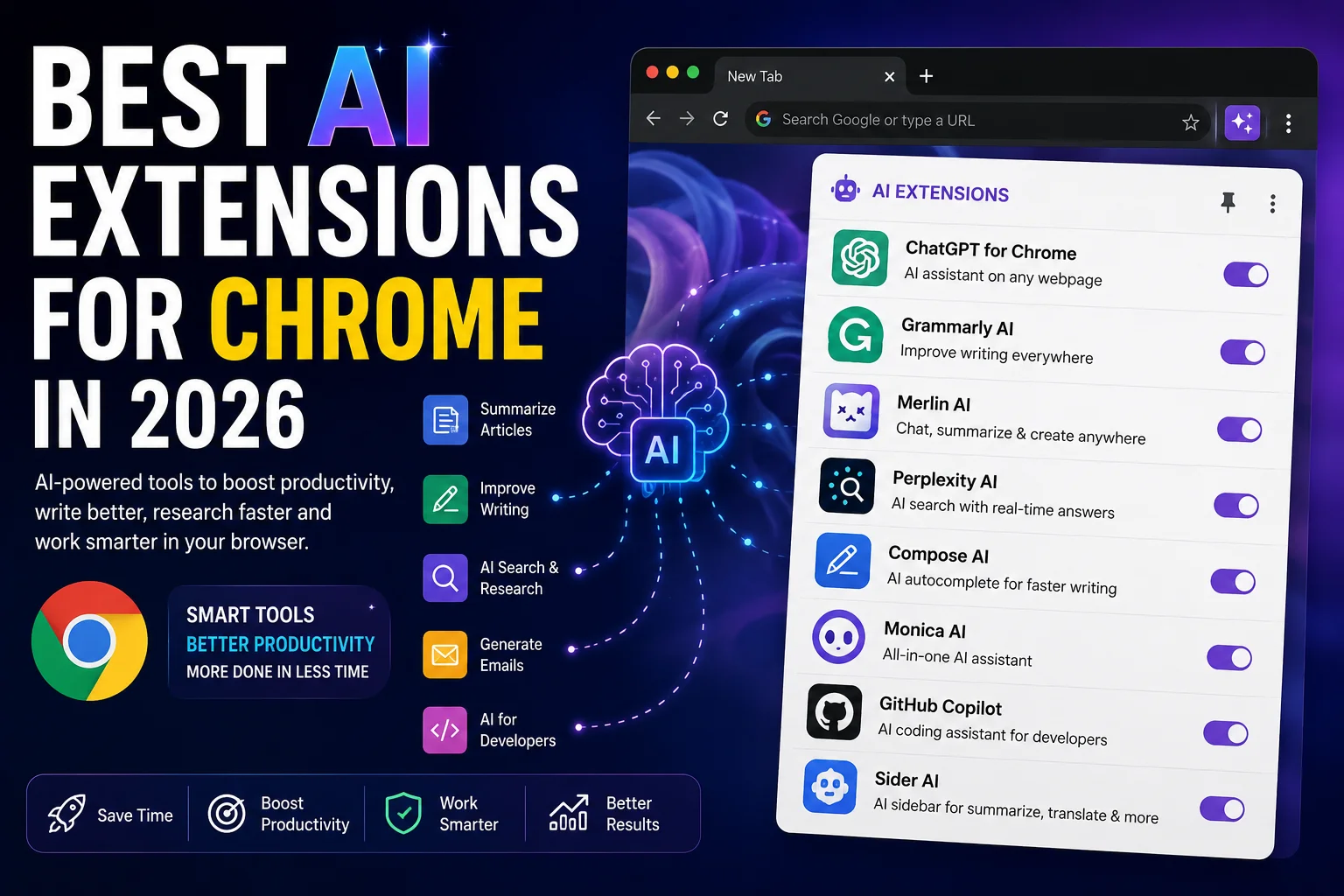
- For writing and editing: Try Grammarly, Wordtune, or QuillBot.
- For research and reading: ChatGPT for Google, Perplexity AI, Wiseone, and Merlin are excellent.
- For meetings and notes: Fireflies.ai and Otter.ai stand out.
- For automation: Bardeen saves hours on repetitive tasks.
- For organizing research: Notion Web Clipper with AI is a top pick.
- For all-around assistance: Monica or Jasper AI can cover many needs.
Pro tip: Start with one or two extensions, then add more if needed. Mixing too many at once can be overwhelming.
Credit: priygop.com
How Ai Is Shaping The Future Of Productivity
The growth of AI Chrome extensions is just the beginning. Soon, even more advanced tools will appear, offering:
- Personalized AI that learns your style and habits
- Automatic scheduling and meeting prep
- Real-time language translation in video calls
- Smarter search that understands context and intent
- Seamless integration with every web app you use
According to Gartner, by 2026, over 70% of organizations will use AI to automate tasks and workflows. This means learning to use these tools now can give you a strong advantage.
Table: Best Ai Chrome Extensions By User Type
Here’s a quick guide to which AI Chrome extensions suit different users best:
| User Type | Recommended Extensions | Main Benefit |
|---|---|---|
| Students | Grammarly, QuillBot, Merlin, Notion Web Clipper | Better writing and research help |
| Business Professionals | Jasper AI, Fireflies.ai, Grammarly, Bardeen | Faster content, meetings, automation |
| Researchers | Wiseone, ChatGPT for Google, Perplexity AI | Quick facts, summaries, deeper insights |
| Non-Native English Users | Wordtune, Compose AI, Monica | Clearer, more natural English |
| Developers | Monica, Jasper AI | Coding help, writing, explanations |
Frequently Asked Questions
What Is The Best Free Ai Chrome Extension For Writing?
Grammarly and QuillBot are excellent free options for writing. Grammarly checks grammar and spelling in real time, while QuillBot helps you paraphrase and summarize text. Both are great for emails, reports, or essays.
Are Ai Chrome Extensions Safe To Use?
Most popular AI extensions are safe, but always check privacy policies and permissions. Choose extensions with good reviews and avoid those that ask for unnecessary access to your data. For sensitive work, prefer tools that let you keep data locally.
Can Ai Extensions Work Offline?
Most AI Chrome extensions need an internet connection because they process data on remote servers. Some, like Bardeen, offer local (offline) features for simple automations, but advanced AI tasks generally require online access.
Will Using Many Extensions Slow Down My Browser?
Yes, too many extensions can slow Chrome, especially if they run in the background. To keep things fast, install only the extensions you need and disable or remove unused ones.
How Do I Update Or Uninstall An Ai Chrome Extension?
Go to Chrome’s “Extensions” menu (chrome://extensions/). Here you can update, disable, or remove any extension. Regular updates keep your extensions secure and working smoothly.
Staying productive online is easier than ever with the right AI-powered tools. Chrome extensions like Grammarly, Bardeen, and ChatGPT for Google bring real intelligence to your daily work. By choosing a few that fit your needs, you can save time, avoid mistakes, and focus on what matters most.
AI is not here to replace you—it’s here to help you shine.


About author









Add comment