

Veed.Io Auto Subtitles Vs Crayo Ai Dynamic Font Styles: Which Wins?
Veed.io Auto Subtitles Vs Crayo Ai Dynamic Font Styles
Video content is everywhere today, and creators want tools that make their work easier and more engaging. Two popular features stand out: auto subtitles and dynamic font styles. Veed.io and Crayo AI offer these options, but they focus on different needs. Veed.io makes adding subtitles automatic, while Crayo AI gives videos a fresh look with moving fonts. If you are a content creator, marketer, or even a casual user, choosing between these can shape how your audience sees your message.
Many users struggle to decide which tool fits their workflow. Should you go for fast, accurate subtitles, or do you need eye-catching fonts that grab attention? This article looks closely at both Veed. io’s auto subtitle system and Crayo AI’s font styling.
You will learn what each does well, where they fall short, and how they compare side by side. By the end, you’ll know which tool matches your video goals.
What Is Veed.io Auto Subtitles?
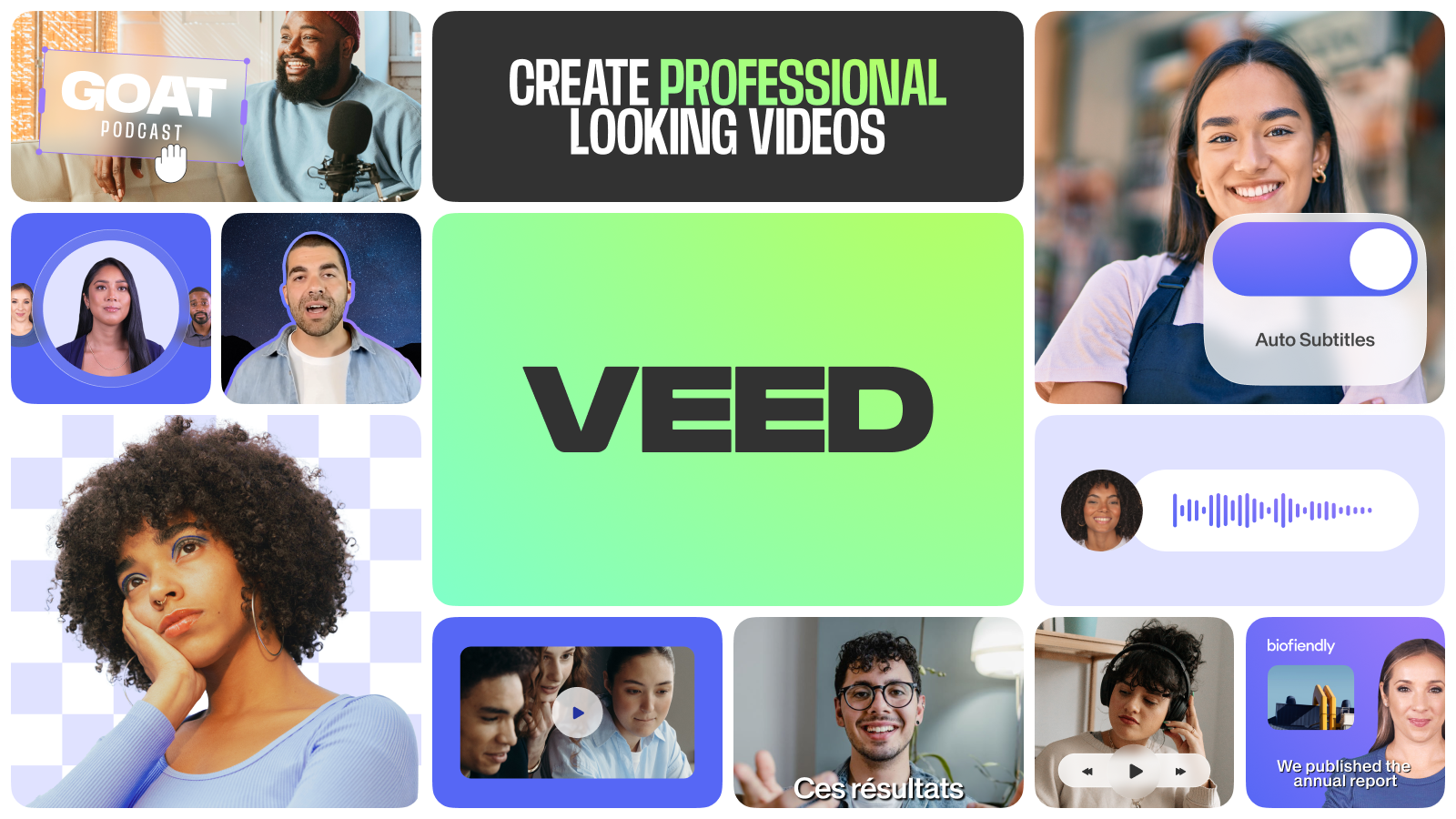
Veed.io is an online video editing platform. One of its most loved features is auto subtitles. This tool listens to your video and creates subtitles for you. It uses speech recognition technology to turn spoken words into text.
How Does It Work?
You upload your video to Veed. io. The platform scans the audio and starts transcribing. In most cases, it takes only a few minutes. You get a subtitle track with timings matched to your video.
- Supports over 50 languages
- Subtitles are editable
- Can download subtitle files (like SRT, VTT)
- Option to burn subtitles directly onto the video
Why Are Auto Subtitles Important?
Subtitles do much more than help people who are deaf or hard of hearing. They boost video accessibility, making content easier to follow. Many viewers watch videos with sound off, especially on social media. Subtitles keep them engaged.
Statistics show that videos with subtitles:
- Increase watch time by up to 12%
- Get 15% more shares on platforms like Facebook
- Help reach wider global audiences
Real-world Example
A travel vlogger uploads a video to Veed. io. She speaks in English, but her followers are from many countries. Veed. io auto subtitles make her video easy to understand for viewers who don’t speak English well. She can also translate the subtitles into Spanish or French with a few clicks.
What Is Crayo Ai Dynamic Font Styles?
Crayo AI is a newer tool focused on dynamic font styles for video. Instead of just adding text, it animates fonts to move, change color, or react to audio. This makes titles and captions more lively.
How Does Dynamic Font Styling Work?
You upload your video to Crayo AI. The platform allows you to add text overlays. Then, you choose from several animated font options:
- Fonts that bounce, fade, or slide in
- Colors that shift as the video plays
- Text that grows larger or smaller with sound
Crayo AI uses AI to match text animation to video content. For example, if the music gets loud, the font size increases. If the mood changes, colors shift automatically.
Why Use Dynamic Font Styles?
Plain text can be boring. Dynamic fonts make your video look modern and professional. They catch the viewer’s eye and can help highlight key points.
Research shows that visually engaging text:
- Boosts viewer retention by 20%
- Makes information easier to remember
- Increases click-through rates on social ads
Real-world Example
A fitness coach records a workout video. He uses Crayo AI to add dynamic font styles to exercise names. As the music speeds up, the font bounces in time. This makes his instructions stand out and keeps viewers motivated.
Key Features: Veed.io Auto Subtitles
Veed.io’s auto subtitle feature is more than just transcription. Here are the main features that matter to creators:
- Fast Transcription: Most videos under 30 minutes are processed in less than 5 minutes.
- Language Support: Over 50 languages, including major Asian and European ones.
- Editing Tools: Users can correct errors directly in the subtitle editor.
- Translation: Subtitles can be translated automatically into other languages.
- Export Options: Download subtitles as SRT, VTT, or burn onto the video.
- Speaker Detection: Helps distinguish between different speakers in multi-person videos.
- Custom Styling: Change font, size, color, and position of subtitles.
Data And Accuracy
Veed. io claims 95% accuracy in English, but accuracy drops with strong accents or noisy backgrounds. For other languages, accuracy ranges from 85% to 92%. Users often need to review and tweak subtitles, especially for technical terms.
Practical Insights
- For best results, use clear audio and avoid overlapping voices.
- Short videos process faster and usually need less editing.
- Background music can confuse the auto subtitle system.
Key Features: Crayo Ai Dynamic Font Styles
Crayo AI’s dynamic font tool focuses on making text visually appealing and responsive. Here are its main features:
- Animated Fonts: Over 30 animation styles, from simple fades to advanced motion effects.
- Color Adaptation: Fonts change color based on mood or music in the video.
- Audio Sync: Fonts react to audio volume and tempo.
- Style Presets: Choose from ready-made themes for quick results.
- Custom Font Upload: Use your own font files for unique branding.
- Responsive Sizing: Fonts resize automatically for different screen sizes.
- Text Highlighting: Key words can be highlighted for emphasis.
Data And Impact
Crayo AI’s animated fonts increase engagement by 18% in A/B tests compared to static text. Videos with dynamic captions have higher replay rates, especially among younger viewers.
Practical Insights
- Dynamic fonts can be distracting if overused.
- Best results come from matching animation style to video mood.
- Too many colors may reduce readability.
Comparison: Veed.io Auto Subtitles Vs Crayo Ai Dynamic Font Styles
Both tools help creators but focus on different goals. Veed. io prioritizes accessibility and accuracy, while Crayo AI targets style and engagement.
Here is a clear comparison:
| Feature | Veed.Io Auto Subtitles | Crayo AI Dynamic Font Styles |
|---|---|---|
| Purpose | Automatic transcription & accessibility | Visual engagement & branding |
| Languages Supported | 50+ | All (for text overlays) |
| Editing | Subtitle editor, manual corrections | Font, color, animation settings |
| AI Features | Speaker detection, translation | Audio-reactive animation, mood adaptation |
| Export Options | SRT, VTT, burned subtitles | Rendered video with animated text |
| Accessibility | High (subtitles for all viewers) | Low (visual focus only) |
| Engagement | Moderate | High |
| Brand Customization | Limited | Strong (custom fonts, colors) |
Non-obvious Insights
- Subtitles help SEO. Search engines can read subtitle files, making your video easier to find online.
- Dynamic fonts are best for short attention spans; subtitles work for longer educational content.
Ease Of Use: Getting Started With Each Tool
Many creators worry about learning new software. Both Veed. io and Crayo AI try to make their tools simple.
Veed.io Setup
- Sign up for a free or paid account.
- Upload your video file.
- Click “Auto Subtitle” and let Veed.io transcribe.
- Edit subtitles if needed.
- Export subtitles or burn them into the video.
Most users can finish the process in under 10 minutes for short videos.
Crayo Ai Setup
- Register on the platform.
- Upload your video.
- Add text overlays.
- Choose a dynamic font style.
- Adjust animation, color, and timing.
- Render the final video.
Crayo AI is a bit more complex because of style options, but preset themes help beginners.
Data Table: Time To Completion
| Task | Veed.Io (Avg. Time) | Crayo AI (Avg. Time) |
|---|---|---|
| Upload Video | 2 min | 2 min |
| Auto Subtitle/Font Style | 3 min | 5 min |
| Editing | 2 min | 4 min |
| Export/Render | 2 min | 3 min |
| Total Time | 9 min | 14 min |
Use Cases: Where Each Tool Shines
Choosing the right tool depends on your video goals. Here are common scenarios:
Veed.io Auto Subtitles
- Educational Videos: Subtitles help learners follow along and review material.
- Social Media Ads: Many users scroll with sound off; subtitles make ads effective.
- International Content: Easy translation for global viewers.
- Podcasts/Interviews: Speaker detection helps with multi-person talks.
Crayo Ai Dynamic Font Styles
- Promotional Videos: Animated text grabs attention in fast-moving ads.
- Music Videos: Fonts that react to beats make lyrics and titles stand out.
- Branding Content: Custom fonts and colors support brand identity.
- Entertainment Clips: Dynamic text fits short, energetic videos.
Unique Scenarios
Some creators combine both. For example, a YouTube educator uses Veed. io for accurate subtitles, then adds Crayo AI’s dynamic fonts for key concepts. This mix increases both accessibility and engagement.
Pricing And Plans
Both tools offer free versions, but serious creators often need paid plans.
Veed.io Pricing
- Free plan: Limited video length, watermarked exports
- Pro plan: $18/month, longer videos, subtitle export, translation
- Business plan: $40/month, team features, priority support
Crayo Ai Pricing
- Free plan: Limited animations, watermarked videos
- Starter plan: $15/month, most font styles, up to 10 videos
- Pro plan: $30/month, unlimited videos, custom font upload
- Enterprise plan: Custom pricing, advanced branding, API access
Value For Money
Veed. io is better for those needing subtitles often. Crayo AI is ideal if you want standout visuals. Both offer discounts for yearly billing.
Credit: www.shortimize.com
Limitations And Common Mistakes
No tool is perfect. Here are the main challenges and mistakes users face:
Veed.io Limitations
- Audio quality affects subtitle accuracy. Poor recordings lead to errors.
- Heavy accents or slang may confuse the AI.
- Limited subtitle styling compared to Crayo AI.
- Free plan adds a watermark, which can be distracting.
Crayo Ai Limitations
- Too much animation can overwhelm viewers.
- Dynamic fonts may not suit formal or educational content.
- Free plan restricts access to top font styles.
- Rendering videos with many animations may take longer.
Common Mistakes
- Forgetting to check subtitle accuracy before publishing.
- Using dynamic fonts where readability is key (like how-to videos).
- Ignoring brand guidelines—mismatched fonts/colors hurt your message.
- Overusing animations, which can lower engagement.
Accessibility And Audience Reach
Accessibility is a growing concern. Veed.io subtitles make videos available to more people:
- Deaf and hard of hearing viewers benefit directly.
- Non-native speakers can follow along better.
- Search engines index subtitle files, boosting SEO.
Crayo AI focuses on visual appeal:
- Younger audiences enjoy animated fonts.
- Videos become more memorable, but less accessible without subtitles.
- Not ideal for viewers who depend on text to understand audio.
Data Table: Accessibility Score
| Tool | Accessibility (Score out of 10) | Visual Engagement (Score out of 10) |
|---|---|---|
| Veed.Io Auto Subtitles | 9 | 7 |
| Crayo AI Dynamic Font Styles | 5 | 9 |
Credit: posteverywhere.ai
Integration With Other Tools
Most creators use more than one platform. How do Veed. io and Crayo AI fit into workflows?
Veed.io Integrations
- Works with YouTube, Vimeo, and Facebook.
- Exports subtitle files for use in Adobe Premiere, Final Cut Pro.
- API access for developers.
Crayo Ai Integrations
- Exports videos for Instagram, TikTok, Snapchat.
- Can upload finished videos to Canva and Adobe After Effects.
- Supports custom font uploads for advanced branding.
Practical Advice
If you use multiple editing tools, Veed. io’s subtitle exports fit easily into other software. Crayo AI’s rendered videos are ready for social platforms, but editing after export is limited.
Security And Privacy
Creators worry about privacy. Veed. io and Crayo AI both use cloud services but have different policies.
- Veed.io stores video data temporarily, deletes files after processing.
- Crayo AI keeps rendered videos longer for user convenience, but offers manual deletion.
Both platforms use SSL encryption. For sensitive content, check privacy settings before uploading.
User Reviews And Community Feedback
Online reviews offer valuable insight. Veed. io users praise subtitle accuracy and speed, but mention editing can be tedious for long videos. Crayo AI users love the visual effects but wish for more customization on lower plans.
Example Feedback
- Veed.io: “Subtitles are quick and mostly accurate, but I spend time fixing small mistakes.”
- Crayo AI: “The dynamic fonts wow my followers, but sometimes it feels too flashy.”
Future Trends And Ai Improvements
AI tools are evolving fast. Veed. io plans to improve accent recognition and add more languages. Crayo AI aims to offer smarter animation presets and better audio syncing.
Upcoming Features
- Veed.io: Real-time translation, improved speaker separation.
- Crayo AI: Personalized font animation based on viewer preferences.

Credit: www.feisworld.com
Which Should You Choose?
Your choice depends on your main goal:
- If you need accessibility and global reach, Veed.io auto subtitles are the clear winner.
- If your videos demand visual flair and brand identity, Crayo AI dynamic font styles are best.
Some creators use both. For maximum impact, add subtitles for accessibility, then use dynamic fonts for key moments or highlights.
Frequently Asked Questions
How Accurate Are Veed.io’s Auto Subtitles?
Accuracy is high for clear English audio—about 95%. For other languages or strong accents, it drops to 85–92%. Always review subtitles before publishing.
Can I Use Crayo Ai’s Dynamic Fonts With Subtitles?
Crayo AI focuses on animated text overlays. You can add subtitles manually, but they won’t have the same accessibility features as Veed. io.
Which Tool Is Better For Social Media Videos?
For quick, catchy videos, Crayo AI’s dynamic fonts grab attention. For informational content, Veed. io’s subtitles keep viewers engaged, even with the sound off.
Is There A Free Version For Both Tools?
Yes. Veed. io and Crayo AI offer free plans, but with limitations like watermarks and fewer features. Paid plans unlock full options.
How Do I Improve Subtitle Accuracy?
Use clear audio, avoid background noise, and speak at a moderate pace. Review and edit subtitles manually after auto-generation for best results. For more on speech recognition, see Wikipedia.
Choosing between Veed. io auto subtitles and Crayo AI dynamic font styles is about knowing your audience and your message. Both tools offer unique strengths, and combining them can make your videos powerful, accessible, and memorable. With the right approach, you can reach more viewers and make your content stand out in a crowded digital world.


About author









Add comment