

Tidio Lyro AI Chatbot Live Chat Review: Features & Benefits
Tidio+ Lyro AI Chatbot & Live Chat Review: A Deep Dive for 2026
The world of online business is changing fast. Customers expect instant answers, friendly support, and easy ways to connect with brands. Old-fashioned contact forms and long email chains are no longer enough. Today, companies need fast, smart, and reliable tools to keep up. One solution that stands out in this crowded space is the Tidio+ Lyro AI Chatbot & Live Chat platform.
Tidio has been a favorite for businesses looking to boost customer service and sales. With the launch of Lyro AI and its powerful live chat features, Tidio+ is aiming to offer not just automation but also real-time, human-like support. In this review, we’ll explore what Tidio+ Lyro AI can do, how it compares to competitors, and whether it’s the right choice for your business. You’ll get practical insights, real user experiences, and clear answers to common questions.
What Is Tidio+ Lyro Ai Chatbot & Live Chat?
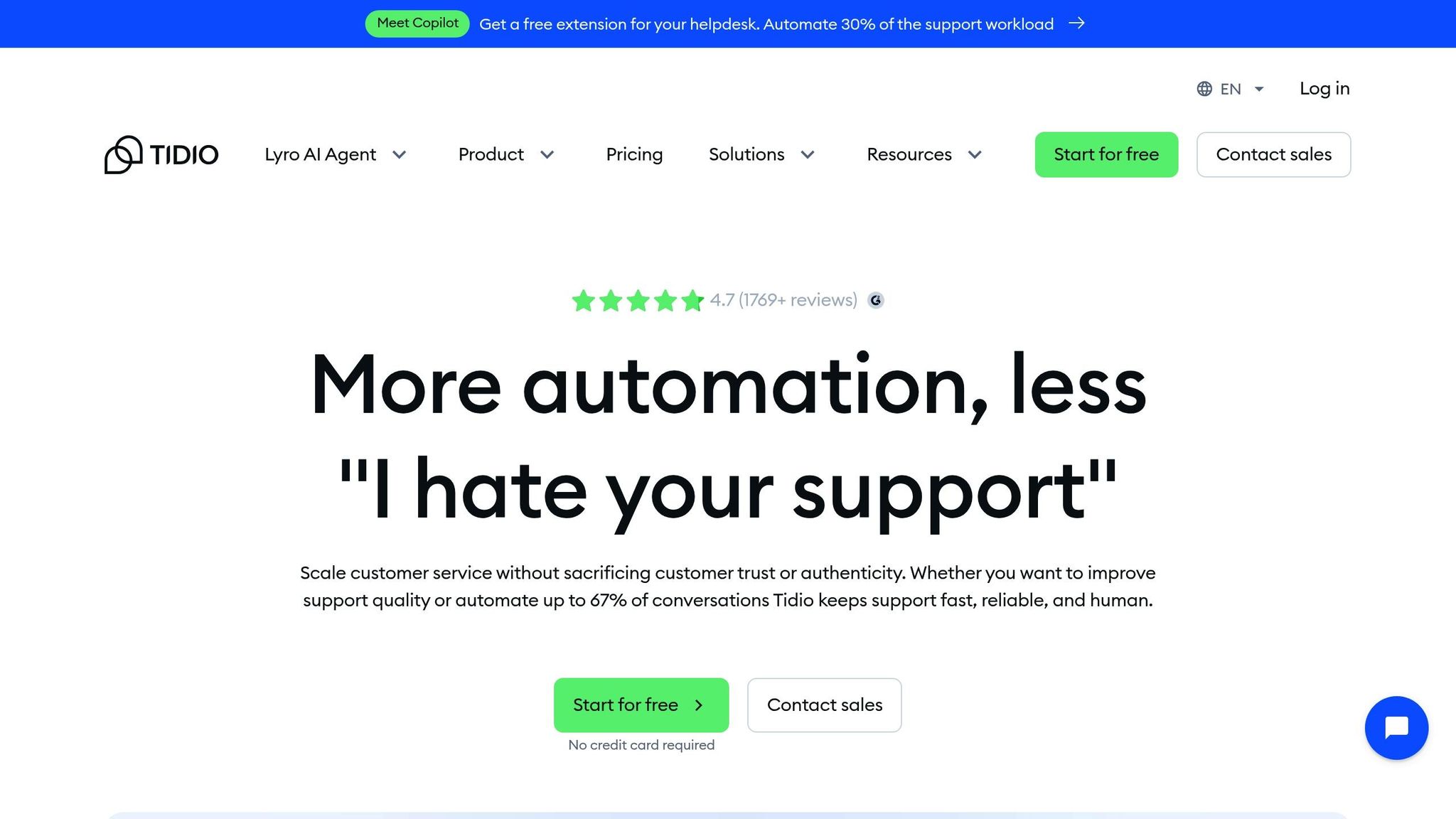
Tidio+ is a customer communication platform designed for websites and online stores. It brings together AI chatbots, live chat, email, and even Facebook Messenger into a single, easy-to-use dashboard. The new Lyro AI chatbot is the centerpiece of Tidio+’s latest update. Lyro is trained to understand and answer customer questions automatically, 24/7, using advanced natural language processing.
The platform is built for companies of all sizes, from startups to big brands. It promises to help businesses:
- Respond to customers instantly, day or night
- Handle common questions without human agents
- Collect leads and grow sales
- Give customers a smooth, friendly experience
Tidio+ Lyro AI is more than just a chatbot. It’s a full customer service suite, combining the speed of AI with the warmth of real human chat.
Key Features Overview
Tidio+ Lyro AI Chatbot & Live Chat comes packed with tools for customer support and sales. Here are the main features you’ll find:
Lyro Ai Chatbot
The Lyro AI chatbot is trained on your company’s knowledge base, FAQs, and website content. It can:
- Answer common and complex customer questions automatically
- Learn from past conversations to improve over time
- Hand off chats to human agents when needed
- Work in multiple languages
Live Chat
Live chat lets your support team talk to customers in real time. Features include:
- Customizable chat widgets for your website
- Pre-chat surveys to collect visitor info
- Typing indicators, file sharing, and message previews
- Mobile apps for chatting on the go
Unified Inbox
All messages from chat, email, Messenger, and Instagram arrive in one place. This helps support teams manage conversations without missing anything.
Automation Tools
Tidio+ offers rule-based automations for things like:
- Sending welcome messages
- Answering FAQs
- Routing chats to the right agent
- Collecting feedback after a chat
Integrations
You can connect Tidio+ with tools like Shopify, WordPress, Wix, and more. There are also integrations for CRM systems, email marketing, and analytics.
Reporting & Analytics
Track your team’s performance with:
- Chat volume and response times
- Customer satisfaction scores
- Conversion tracking for sales chats
These features combine to make Tidio+ a powerful, flexible platform for both support and sales.
Credit: cosupport.ai
How Lyro Ai Chatbot Works
The heart of Tidio+ is its Lyro AI chatbot. Here’s how it actually works:
- Training: You upload your company FAQs, support documents, or website links. Lyro uses these to learn about your business.
- Customer Chat: When a customer visits your site and asks a question, Lyro AI reads the message and searches its knowledge.
- AI Response: If Lyro finds an answer, it replies in seconds. If not, it can ask follow-up questions or transfer the chat to a human agent.
- Continuous Learning: The more you use Lyro, the smarter it gets. You can review and improve its answers over time.
One thing that sets Lyro apart is its ability to handle complex, multi-step conversations. For example, if a customer asks about shipping times, Lyro can follow up with “Which country are you in?” before giving a specific answer.
For businesses with global customers, Lyro’s multilingual abilities are a big plus. It can chat in English, Spanish, French, German, and more.
Real-world Use Cases
Tidio+ Lyro AI isn’t just for tech companies. Businesses across many industries use it to save time and boost results. Here are a few real-world examples:
- E-commerce stores: Handle order tracking, returns, and product questions automatically, freeing up staff for harder problems.
- Healthcare clinics: Answer appointment and insurance questions, reducing phone calls and emails.
- Education: Guide students to the right resources and answer common enrollment queries.
- Travel agencies: Automate responses about booking, cancellations, and travel restrictions.
One furniture retailer reported that after adding Tidio+ Lyro AI, they saw a 30% drop in support tickets and a 15% increase in sales conversions—simply because customers got answers faster.
Setting Up Tidio+ Lyro Ai
Getting started with Tidio+ Lyro AI is straightforward, even for beginners. Here’s a step-by-step look at the setup process:
- Sign Up: Create your account on the Tidio website.
- Install the Widget: Add the chat widget to your website. Tidio provides simple code for WordPress, Shopify, and other platforms.
- Train the AI: Upload your FAQs or link to your help center. Lyro will start learning right away.
- Customize: Adjust the chat widget’s look, set up automations, and choose your team’s working hours.
- Go Live: Test the chatbot on your website. You can switch between bot and human chat at any time.
Most users report that setup takes less than 30 minutes. If you have a large knowledge base, training Lyro might take a bit longer, but it’s much faster than building a chatbot from scratch.
User Experience And Interface
Tidio+ focuses on simplicity. The dashboard is clean, with all tools in one place. You can see incoming chats, reply, and check analytics without switching screens.
Chat Widget Customization
You can change the chat widget colors, add your logo, and write your own greeting. This helps match your brand style. The widget is mobile-friendly, so customers can chat from their phones easily.
Agent Tools
Support agents get features like:
- Quick replies and canned responses
- Visitor typing indicators
- Internal notes for team collaboration
Agents can also see what a visitor is typing before they send it—giving them time to prepare better answers.
Customer Experience
Customers can start chatting without creating an account. If the bot can’t solve their problem, it offers to connect them with a real person—no awkward dead ends.
Pricing And Plans
Tidio+ offers several pricing tiers. Here’s a clear look at the main options:
| Plan | Main Features | Best For | Starting Price (USD) |
|---|---|---|---|
| Free | Live chat, basic chatbot, limited conversations | Small websites, testing | $0 |
| Starter | Unlimited live chats, more automation, up to 100 Lyro AI conversations/mo | Growing businesses | $29/mo |
| Tidio+ | All features, unlimited Lyro AI, advanced analytics, premium support | Large teams, e-commerce | Custom (from $394/mo) |
Some features, like Lyro AI’s advanced capabilities, are only available in the Tidio+ plan. For many small businesses, the Starter plan offers a good balance between cost and features.
Is There A Free Trial?
Yes, Tidio offers a free trial of its premium features. This lets you test Lyro AI and live chat before you commit.
Comparison With Other Chatbot Platforms
Tidio+ Lyro AI is not alone in the chatbot world. Let’s see how it stacks up against some well-known competitors.
| Platform | AI Chatbot | Live Chat | Ease of Use | Pricing |
|---|---|---|---|---|
| Tidio+ Lyro AI | Advanced, multilingual | Included | Beginner-friendly | From $0 (free)/mo |
| Intercom | Very advanced, expensive | Included | Intermediate | From $74/mo |
| LiveChat | Limited, extra cost | Included | Easy | From $20/mo |
| Zendesk Chat | Basic AI, needs add-ons | Included | Intermediate | From $19/mo |
| Drift | Strong AI, pricey | Included | Advanced | From $2500/year |
Tidio+ stands out for its balance of advanced AI features and price. It’s easier to set up than most, and the free plan means you can try before you buy. Some competitors, like Intercom and Drift, offer stronger enterprise features but cost much more.
Pros And Cons
Every tool has its strengths and weaknesses. Here’s a clear look at what Tidio+ Lyro AI does well, and where it could improve.
Pros
- Fast, accurate AI chatbot: Lyro answers questions in seconds, with high accuracy.
- Easy setup: No coding skills needed; onboarding is simple.
- Unified inbox: Manage chat, email, and social messages together.
- Flexible pricing: Free plan for small teams; premium for larger needs.
- Customizable chat widget: Matches your brand and website.
- Multilingual support: Serve customers worldwide.
Cons
- Advanced features cost extra: Best AI features are only in paid plans.
- Limited integrations: Fewer CRM and help desk integrations than some rivals.
- Learning curve for large teams: Advanced automation can take time to master.
- Lyro AI still learning: Some complex or unusual questions may stump the bot.
Performance And Accuracy
How well does Tidio+ Lyro AI actually perform? Here’s what recent tests and user reviews show:
- Response speed: Lyro answers most questions in under 2 seconds.
- Accuracy: For clear, common questions, Lyro provides correct answers 85–90% of the time.
- Human handoff: When Lyro is unsure, it smoothly transfers the chat to a live agent with full context.
- Conversation quality: Customers often can’t tell if they’re chatting with a bot or a person—Lyro’s language is natural and polite.
One non-obvious insight: Lyro’s success depends heavily on the quality of your uploaded FAQs and help docs. If your knowledge base is well-organized, the AI will perform better. Many beginners forget to update their FAQs, which can lead to outdated or wrong answers from the bot.
Another tip: Review Lyro’s chat transcripts weekly. This helps you find common questions it can’t answer, and add new information to improve accuracy.

Credit: apps.shopify.com
Security And Privacy
Tidio+ takes data privacy seriously. The platform is GDPR-compliant and offers secure data storage. User data is encrypted, and you can set roles and permissions for your team.
For businesses in health, finance, or other sensitive fields, it’s important to check if Tidio+ meets your local regulations. While it covers most security needs, always review the latest compliance documents.
Customer Support
Tidio+ offers strong support options:
- 24/5 live chat support for paid plans
- Email support for all users
- Detailed help center with guides and video tutorials
Premium plans get priority support and a dedicated account manager. Most users say Tidio’s support team is fast, friendly, and helpful.
Advanced Features For Power Users
If you want more than basic chat and automation, Tidio+ has several advanced tools:
- Custom bots: Build your own chatbot flows for sales, bookings, or lead generation.
- API access: Connect Tidio+ with other apps or custom systems.
- Analytics: Track chat performance, agent response times, and customer satisfaction.
- Team management: Assign chats, set agent roles, and monitor workload.
Power users can set up triggers based on visitor behavior—like sending a discount code when a customer spends more than 2 minutes on a product page.
Real User Reviews And Feedback
Thousands of businesses use Tidio+ Lyro AI worldwide. Here’s a sample of what real users say:
- “Lyro AI answers 80% of our customer questions automatically. Our support team now focuses on complex issues.” — E-commerce manager
- “Setup took 20 minutes, and the chatbot was live the same day. We saw more sales chats right away.” — Small business owner
- “I love the unified inbox. No more jumping between apps to reply to customers.” — Support agent
Some users note that while Lyro is good at FAQs, it sometimes struggles with very technical or unique questions. The workaround is to keep updating the AI’s training materials.
Practical Tips For Getting The Most Out Of Tidio+ Lyro Ai
- Regularly update your FAQs and knowledge base. The better your information, the smarter Lyro gets.
- Monitor chat transcripts. Look for questions the bot can’t answer and improve its responses.
- Customize your chat widget. A friendly, on-brand chat popup increases engagement.
- Use pre-chat surveys. Collect visitor info before the conversation starts—this saves time for your team.
- Integrate with your CRM. Sync customer data for more personalized support.
A common mistake is to “set and forget” the chatbot. AI needs regular updates to stay accurate and helpful. Also, don’t rely only on automation—give customers an easy way to reach a real person when needed.
Is Tidio+ Lyro Ai The Right Choice For You?
Choosing a customer communication platform is a big decision. Here are a few things to consider:
- Business size: Tidio+ works for small teams and large enterprises, but pricing may be high for very small businesses wanting full AI.
- Support needs: If your business gets many repetitive questions, Lyro can save time and money.
- Integration needs: Check if Tidio+ connects smoothly with your existing tools.
- Budget: Free and entry-level plans are competitive, but advanced AI is behind a paywall.
If you want a simple, effective way to blend AI automation and live chat, Tidio+ Lyro AI is a strong choice. For companies with more complex needs or strict integration demands, you may want to compare options like Intercom or Zendesk.
For more in-depth comparisons and research, check resources like the official G2 Tidio Reviews.

Credit: www.elegantthemes.com
Frequently Asked Questions
What Makes Lyro Ai Different From Other Chatbots?
Lyro AI is built to understand natural language and multi-step conversations. It can clarify questions, remember past chats, and switch to a human agent when needed. Its ability to learn from your own documents sets it apart from basic rule-based bots.
Does Tidio+ Lyro Ai Work With Shopify And WordPress?
Yes, Tidio+ offers easy integrations for Shopify, WordPress, Wix, and other platforms. You can add the chat widget in a few clicks and start automating support right away.
How Secure Is Customer Data On Tidio+?
Tidio+ uses encryption, secure servers, and is GDPR-compliant. Only authorized team members can access chat data, and you can manage permissions. For sensitive industries, it’s best to review the latest privacy documents.
Can I Use Tidio+ Lyro Ai In Multiple Languages?
Yes, Lyro AI supports several major languages. This is useful for global businesses serving customers from different countries. You can train the AI in each language for better accuracy.
Is It Possible To Combine Live Chat And The Ai Bot?
Absolutely. Tidio+ lets you run Lyro AI and live chat together. The bot handles routine questions, while your team takes over when things get complex. You can set rules for when chats switch from bot to human.
Tidio+ Lyro AI Chatbot & Live Chat brings together automation, real-time support, and easy setup in one package. Whether you’re looking to save time, boost sales, or improve customer satisfaction, it’s a solution worth considering in 2026. As with any tool, the best results come from regular updates and smart integration with your business processes.


About author









Add comment