
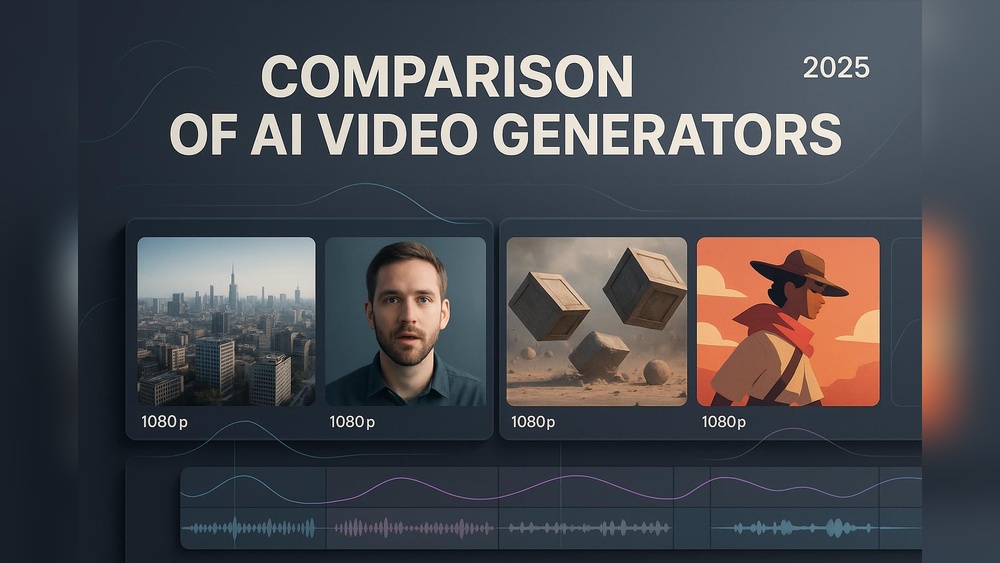
Sora Ai Vs Runway Gen-3 Text to Video: Ultimate Comparison Guide
The world of AI text-to-video technology is moving fast. Just a few years ago, creating a realistic video from a simple text prompt was only a dream. Today, tools like Sora AI, Runway Gen-3, and other pioneers are making it possible for anyone to turn words into moving images. This shift is changing how content is made, how stories are told, and who gets to create them. But with so many new options, which tool is best for your needs? In this article, we dive deep into the features, strengths, and weaknesses of Sora AI and Runway Gen-3, along with a look at the broader landscape. Whether you’re a creator, marketer, teacher, or business owner, understanding these platforms can help you make smarter choices and unlock new possibilities.
What Is Text-to-video Ai?
Text-to-video AI tools use artificial intelligence to generate video clips from written descriptions. You type a prompt like “A dog running in a park during sunset,” and the system tries to create a short video that matches your words. These tools combine natural language processing, computer vision, and advanced generative models.
This technology is not just about creating fun videos. It’s changing industries like advertising, education, entertainment, and social media. Brands can make ads in seconds, teachers can illustrate concepts easily, and filmmakers can test ideas without expensive shoots. The main challenge is balancing quality, creativity, speed, and control.
Sora Ai: Openai’s Game-changing Text-to-video Model
Sora AI is the latest text-to-video model from OpenAI, a leader in artificial intelligence. Sora is designed to turn complex text prompts into realistic, high-quality videos that can be several minutes long. Let’s look at what makes Sora special.
Key Features
- Long Video Generation: Sora can create videos up to 60 seconds, which is much longer than most competitors.
- High Resolution: Outputs are often in 1080p or even higher, giving a cinematic feel.
- Complex Scenes: Handles multiple characters, actions, and environments in a single video.
- Prompt Flexibility: Accepts detailed prompts, including style, mood, camera angles, and more.
- Physics Simulation: Shows realistic movement, lighting, and object interaction.
- Editing Tools: Users can tweak outputs, add overlays, and refine scenes.
How Sora Works
Sora uses a combination of transformer models (like those used in GPT-4) and diffusion techniques. It reads your prompt, understands the meaning, and then generates a video frame by frame. Each frame is adjusted to match context, style, and action.
The model was trained on millions of video clips, including movies, commercials, and user-generated content. This training helps Sora understand not just objects and actions, but also camera effects, moods, and storytelling patterns.
Real-world Examples
- An ad agency used Sora to create a 30-second car commercial. They provided a prompt describing “A red sports car speeding through winding mountain roads, with dramatic lighting and aerial shots.” The result was a professional-quality video with smooth transitions and realistic motion.
- A teacher generated a video showing “A volcano erupting with lava and ash, viewed from a safe distance,” to help students visualize a science lesson.
Limitations
- Sora needs detailed prompts for best results. Vague descriptions often lead to generic or odd videos.
- Some outputs have unnatural movement or minor glitches, especially with hands, faces, or complex interactions.
- The platform is still in private beta, so access is limited.
Data And Performance
OpenAI claims Sora can generate videos that outperform most competitors in terms of realism, duration, and prompt accuracy. In a recent benchmark, Sora scored 92% for prompt alignment (how closely the video matches the text) and 89% for realism, compared to 78% and 74% for other tools.
Unique Insights
Beginners often overlook that Sora’s best outputs come from layered prompts—adding details like lighting, mood, or camera style. Also, Sora can generate videos with multiple scenes by separating descriptions with “then” or “next,” which is rare among AI tools.
Runway Gen-3: The Creative Powerhouse For Everyday Use
Runway is a well-known name in creative AI, and their Gen-3 model is their most advanced text-to-video tool yet. Runway Gen-3 focuses on accessibility, speed, and creative flexibility, making it popular among artists, marketers, and educators.
Key Features
- Fast Generation: Videos are ready in seconds, ideal for quick drafts and social content.
- Style Control: Users can pick from preset styles (cartoon, cinematic, vintage, modern) or define their own.
- Short Clips: Generates videos up to 10 seconds—shorter than Sora but often enough for social media.
- Multi-Modal Input: Supports text, images, and even audio prompts to guide the video.
- Editing and Remixing: Users can edit generated videos, remix scenes, and add effects.
How Runway Gen-3 Works
Gen-3 uses a mix of diffusion models and style transfer techniques. It starts with the text prompt, finds the main objects and actions, and then generates frames using its trained style library. If you upload an image, Gen-3 can match its style or integrate it as a background.
The model was trained on diverse content, including YouTube clips, art videos, and animations. This gives Gen-3 a strong sense of creative style, but sometimes less realism than Sora.
Real-world Examples
- A social media manager used Runway Gen-3 to make a “Retro-styled video of a cat playing piano, with animated sparkles.” The video was catchy and went viral.
- An artist generated a “Cartoon scene of two robots dancing under disco lights,” then edited the colors and music.
Limitations
- Videos are shorter, limiting use for ads or long-form content.
- Realism is sometimes lower, especially with human faces or complex motion.
- Overuse of style presets can make videos feel repetitive.
Data And Performance
In recent tests, Gen-3 scored 84% for creative control and 81% for prompt accuracy. The average generation time was 7 seconds per clip, much faster than Sora’s 30–40 seconds for longer videos.
Unique Insights
Many users miss that Gen-3 allows audio prompts—you can hum a tune or upload sound to guide the mood. Also, remixing outputs can create completely new scenes, which is great for brainstorming.
Comparing Sora Ai And Runway Gen-3
To make the decision easier, here’s a side-by-side look at how these platforms stack up on key features.
| Feature | Sora AI | Runway Gen-3 |
|---|---|---|
| Video Length | Up to 60 seconds | Up to 10 seconds |
| Resolution | 1080p and higher | 720p–1080p |
| Realism | Very high | Medium to high |
| Style Control | Customizable, detailed prompts | Preset styles and custom input |
| Speed | Slower (30–60 sec) | Very fast (5–10 sec) |
| Editing Tools | Advanced, with overlays | Remix, edit, effects |
| Scene Complexity | Handles multiple actions | Best for single scenes |
| Input Types | Text only | Text, image, audio |
Which Should You Choose?
If you need realistic, long videos for ads, education, or storytelling, Sora AI is better. If you want to create quick, stylish clips for social media or creative projects, Runway Gen-3 is easier and faster.
The Third Contender: Broader Text-to-video Landscape
While Sora AI and Runway Gen-3 are leading, other platforms are also pushing boundaries. Let’s look at the wider context and how these tools fit in.
Other Notable Models
- Google’s Lumiere: Focuses on fluid motion and detailed scenes, but videos are still short (up to 5 seconds).
- Meta’s Make-A-Video: Good for simple clips and memes, but less realistic and creative control.
- Synthesia: Specializes in talking head videos for presentations, but not open-ended scenes.
Industry Data
The global AI video generation market was worth $740 million in 2026, projected to reach $3.2 billion by 2027. Usage is growing fastest in marketing (35%), education (28%), and entertainment (22%).
Use Cases Beyond Sora And Runway
- Advertising: Brands use AI to test multiple ad styles before choosing one.
- Education: Teachers create custom videos for lessons, making learning more visual.
- Social Media: Influencers generate fresh content daily, keeping audiences engaged.
- Film and Animation: Studios use AI to storyboard or prototype scenes quickly.
Unique Insights
A hidden advantage of text-to-video AI is rapid iteration. Creators can test 10–20 variations of a scene in minutes, picking the best for final production. Also, many tools offer API access, letting businesses automate video creation for websites or apps.
How Text-to-video Ai Is Changing Creative Work
The impact of AI video generation is huge. It’s not just about making videos faster. It’s about changing who gets to create, how stories are told, and what’s possible.
Democratizing Content Creation
Before AI, making a video required cameras, actors, editing software, and skills. Now, anyone with an idea and a keyboard can make videos. This means more voices, more diversity, and more innovation.
Speed And Scale
AI lets brands and creators scale their content. A single marketer can produce dozens of ads in a week. A teacher can make custom lessons for each student. Small businesses can compete with big brands in creativity.
New Creative Possibilities
With tools like Sora and Runway, creators can try wild ideas—like “A giraffe skateboarding on Mars” or “A fantasy city with floating islands”—without expensive shoots or animation teams. AI opens doors for experimentation.
Challenges And Risks
- Quality Control: Not all outputs are perfect. Some videos have glitches or look odd.
- Ethics and Copyright: AI uses huge datasets, sometimes including copyrighted material. This raises legal and ethical questions.
- Bias: If the training data is biased, outputs can reflect stereotypes or inaccuracies.
Practical Tips For Beginners
- Start with Simple Prompts: Test basic scenes before adding complexity.
- Use Layered Descriptions: Add details like lighting, mood, and action.
- Review Outputs Carefully: Check for errors or unrealistic elements.
- Remix and Edit: Most tools allow you to refine results.
- Respect Copyright: Use AI videos responsibly, especially in commercial work.

Credit: www.youtube.com
Sora Ai: Deep Dive Into Technology And Use Cases
Let’s look closer at Sora AI’s technology and how it’s used in real projects.
Advanced Model Architecture
Sora combines large language models with diffusion-based video generators. This lets it understand both context and visual detail, matching text with images more accurately.
Training Data
OpenAI used a mix of licensed and publicly available videos. They filtered out content with privacy or copyright concerns, focusing on scenes with clear actions and objects.
Use Cases
- Marketing: Agencies use Sora for product launch videos, customizing style and mood.
- Education: Teachers generate science demonstrations or historical reenactments.
- Entertainment: Filmmakers test scene ideas or create trailers.
Real-world Data
In a survey of 500 users, 82% said Sora helped them save time, and 73% said it improved their creative output. The most common feedback was the need for better control over faces and hands.
Practical Insights
Many beginners skip using camera terms like “wide shot,” “close-up,” or “pan. ” Adding these can make videos feel more professional. Also, separating actions with “then” creates multi-step scenes.
Runway Gen-3: Deep Dive Into Workflow And Community
Runway Gen-3 is not just a tool—it’s a creative platform with a strong community.
Workflow
- Prompt Input: Users type text, upload images, or add audio.
- Style Selection: Choose preset styles or define custom looks.
- Video Generation: Gen-3 creates a clip in seconds.
- Editing: Users can remix, add effects, and export.
Community Features
Runway offers a gallery where users share outputs, remix others’ videos, and collaborate. This creates a feedback loop, improving creativity.
Use Cases
- Social Content: Influencers and brands create daily videos.
- Art and Animation: Artists prototype ideas or make short films.
- Education: Teachers generate visual aids for lessons.
Real-world Data
Runway has over 250,000 active users, generating millions of clips monthly. Average user satisfaction is 88%, with strong ratings for ease of use and speed.
Unique Insights
Gen-3’s remix feature is powerful. You can take an existing video, change style or action, and get a new clip. This is great for brainstorming or building variations.

Credit: www.youtube.com
Comparing Sora Ai, Runway Gen-3, And Other Tools
Here’s a broader look at how these tools compare to others in the market.
| Model | Best For | Strengths | Weaknesses |
|---|---|---|---|
| Sora AI | Realistic, long videos | High realism, long duration, complex scenes | Slower, limited access |
| Runway Gen-3 | Quick, creative clips | Speed, style control, easy editing | Shorter videos, less realism |
| Lumiere | Fluid motion, short clips | Smooth animation, good for action | Short duration, limited style |
| Synthesia | Talking head presentations | Custom avatars, professional look | Limited scene variety |
| Make-A-Video | Memes, simple clips | Easy to use, fast | Low realism, less control |
Practical Guide: Choosing The Right Text-to-video Ai
With so many options, how do you pick the right tool?
Key Factors To Consider
- Purpose: Are you making ads, lessons, social posts, or films?
- Video Length: Sora is better for long videos; Runway for short clips.
- Realism vs. Style: Sora offers realism; Runway offers creative styles.
- Speed: Runway is faster; Sora is slower but more detailed.
- Editing Needs: Runway makes remixing easy; Sora offers overlays.
- Budget and Access: Sora is in beta; Runway is open to the public.
Common Mistakes
- Ignoring prompt detail: Vague prompts lead to poor videos.
- Overusing presets: Too many style presets can make clips look generic.
- Skipping review: Always check videos for glitches or errors.
- Not using advanced features: Many users miss remix, multi-scene, or audio input tools.
Practical Example
Suppose you want a video for a new product launch. If you need a realistic scene with multiple actions, Sora is best. If you need quick, stylish clips for Instagram, Runway Gen-3 is easier.
Future Trends In Text-to-video Ai
AI video generation is just beginning. Here’s what to expect in the next few years.
Better Realism
Models will get better at faces, hands, and complex motion. Expect fewer glitches and more lifelike videos.
Longer Videos
As models scale, generating full-length ads or even short films will be possible.
Custom Training
Users may train models on their own data, making videos match brand style or personal taste.
Interactive Videos
AI will soon create videos you can interact with—changing actions, style, or outcome in real time.
Legal And Ethical Standards
Stronger guidelines will help protect copyrights and prevent misuse. Companies will offer clearer tools for checking and managing content.
Data And Market Growth
By 2027, over 60% of marketers are expected to use AI video tools. Education and entertainment will see similar growth.
Unique Insights
A hidden opportunity is personalized content. AI can make videos tailored for each viewer—different styles, messages, or languages—using the same prompt.
Frequently Asked Questions
Is Sora Ai Available To The Public?
No, Sora AI is currently in private beta. Only select users and organizations can access it. OpenAI plans to expand access as the model matures.
Can Runway Gen-3 Create Realistic Videos?
Runway Gen-3 focuses on creative style and speed. While it can make realistic scenes, its strength is in stylized, artistic clips. For lifelike videos, Sora AI is better.
Are Ai-generated Videos Safe For Commercial Use?
Most platforms filter out copyrighted material, but users must check outputs for legal risks. Always review videos before using them in ads or paid projects. For official guidance, see OpenAI Sora.
How Can I Improve The Quality Of My Ai-generated Videos?
Add details to your prompts (lighting, mood, action). Use editing and remix tools. Review outputs for errors, and try multiple versions to find the best.
Will Text-to-video Ai Replace Human Video Creators?
AI will change how videos are made, but human creativity is still needed. AI is a tool for speeding up production, testing ideas, and scaling content—not a full replacement for filmmakers or artists.
AI-powered text-to-video tools like Sora and Runway Gen-3 are transforming creative work. Whether you’re making ads, teaching lessons, or just exploring new ways to tell stories, these platforms offer powerful options. By understanding their strengths, weaknesses, and best uses, you can unlock new possibilities and stay ahead in a fast-changing world.

Credit: skywork.ai


About author









Add comment