
Respona Link Building Tool Appsumo Deal: Save Big Today
If you’re trying to get your website on Google’s first page, you’ve probably heard about link building. It’s one of the most important parts of SEO. But let’s be honest: building good links is hard. You need to find the right people, reach out to them, track your emails, and follow up—again and again. That’s where tools like Respona come in. And when there’s a special AppSumo deal, it gets even more interesting. In this article, you’ll learn what Respona is, what makes its AppSumo deal special, how it compares to other link building tools, and whether it’s right for you. If you want to save time and grow your website, you’ll find what you need here—even if you’re new to SEO or don’t speak perfect English.
What Is Respona?
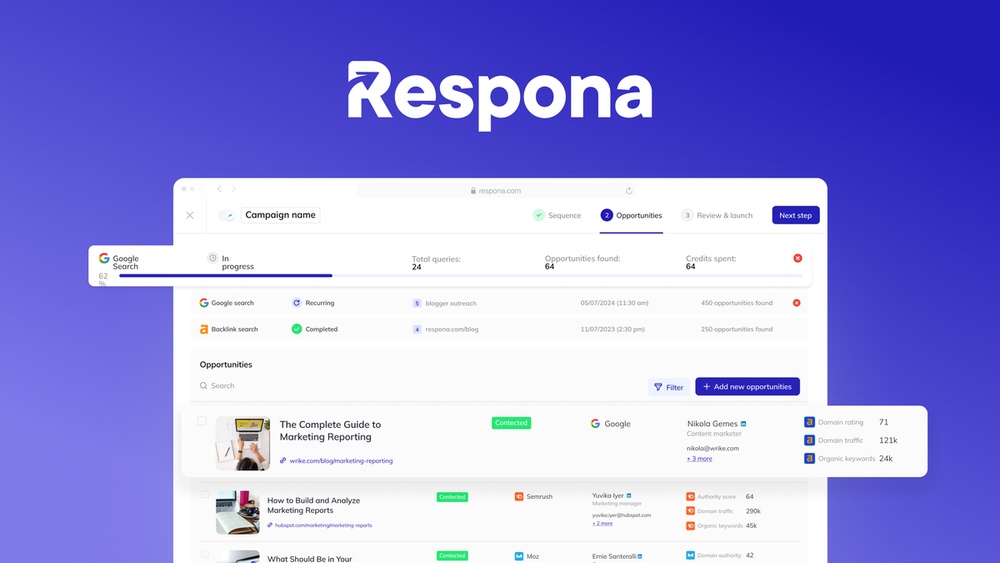
Respona is an outreach automation tool designed mainly for link building. It helps you find prospects, send personalized emails, and manage your campaigns—all in one place. If you’ve ever tried manual outreach, you know how time-consuming it can be. Respona tries to make this process faster and smarter.
Some tools help you find emails. Others help you send them. A few help you manage your follow-ups. But Respona puts everything together: search, email finding, templates, personalization, and tracking. It’s often called an “all-in-one” link building tool.
Who Uses Respona?
- SEO agencies who need to build links for many clients
- Content marketers who want to get more traffic
- Business owners trying to improve their Google rankings
- Bloggers looking to grow their audience
What Makes Respona Different?
Respona’s biggest selling point is its automation and built-in search. You can search for prospects, find contact details, and create outreach emails without leaving the tool. It also uses smart personalization, so your emails don’t look like spam.
Most link building tools focus on one part of the process. Respona covers almost everything, which saves time and reduces mistakes. It also connects with tools like Ahrefs, so you can use your SEO data directly inside Respona.
The Appsumo Deal: What’s On Offer?
AppSumo is a popular platform that offers lifetime deals on software for a one-time payment. Normally, tools like Respona are sold as monthly subscriptions. But when Respona appears on AppSumo, you pay once and use it forever—without monthly fees.
Key Features Of The Appsumo Deal
- Lifetime access: No ongoing payments. You get updates and new features as long as Respona exists.
- All core features: Prospecting, email finding, outreach, and tracking are included.
- User seats: Most deals offer a set number of users per code. You can stack codes for more seats.
- Campaign limits: Check the limits for campaigns, emails per month, and team members.
- Support and updates: Lifetime deals usually include future updates and standard support.
Example: What Was In A Recent Appsumo Deal?
- 1,000 email lookups per month
- 5,000 emails sent per month
- 1 user seat (more seats with additional codes)
- Unlimited campaigns
- Lifetime product updates
These numbers may change, so always check the deal page before buying.
Why Is The Appsumo Deal Important?
SEO tools can get expensive, especially for small businesses. Lifetime deals help you save thousands of dollars over time. If you plan to use Respona long-term, this type of deal can be a smart investment. But make sure the deal fits your needs—some lifetime deals have lower limits than regular plans.
Respona’s Core Features
Respona isn’t just a simple email sender. Here’s a closer look at what it can do for your link building efforts.
Prospecting
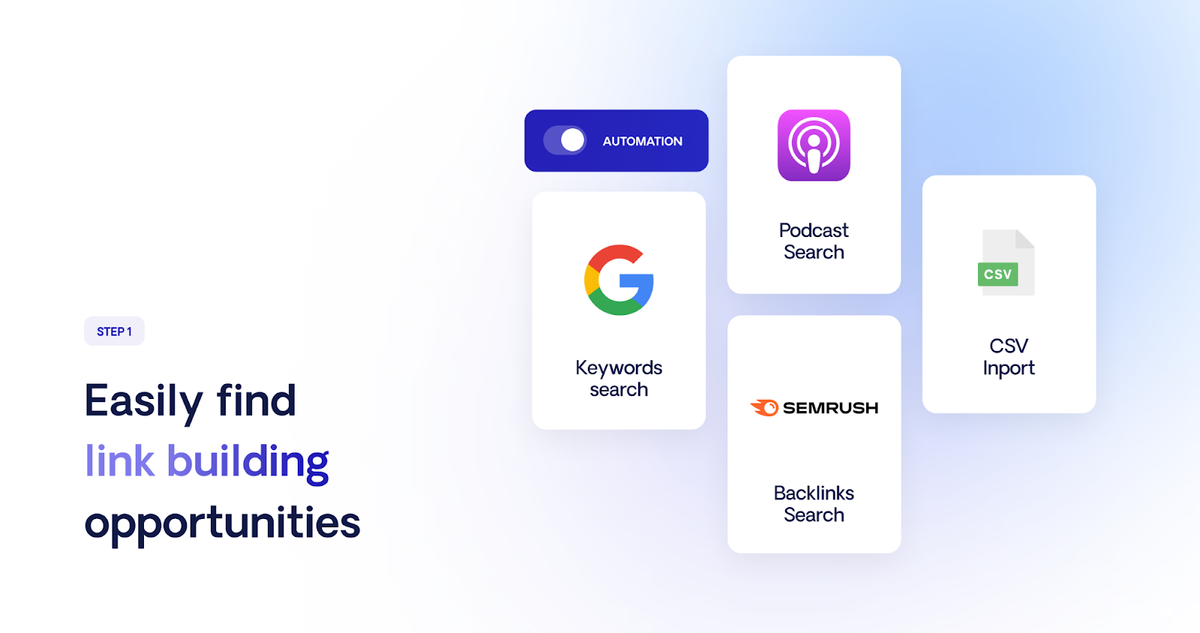
Finding the right people to contact is hard. Respona has a built-in search engine that helps you find:
- Blog authors
- Journalists
- Website owners
- Influencers
You can search by keyword, topic, or website. You can also filter by domain authority, traffic, or country. This helps you focus on prospects who can actually help your rankings.
Email Finding
Once you find a prospect, Respona tries to find their verified email address. It uses databases and smart algorithms to increase accuracy. This saves hours compared to manual searching.
Email Personalization
No one likes spam. Respona lets you add personal touches to every email, such as:
- Name and company
- Recent articles or achievements
- Custom opening lines
These small details increase your reply rate. You can also create templates and save your best messages.
Campaign Management
Link building isn’t just about sending emails. You need to track who replied, who needs a follow-up, and who said no. Respona’s dashboard lets you:
- See all your campaigns in one place
- Track open and reply rates
- Manage follow-ups automatically
Integrations
Respona connects with popular SEO tools like Ahrefs and SEMrush. This means you can import target lists, analyze backlink profiles, and track progress without switching between tools.
Reporting
You get detailed reports on:
- Emails sent
- Open rates
- Replies
- Successful links built
This helps you see what’s working—and what’s not.
Security And Compliance
Respona follows industry standards for data privacy, including GDPR compliance. Your data is encrypted and not shared with third parties.
How Respona Helps With Link Building
Link building is about relationships. Respona makes this process smoother and more effective.
Types Of Link Building Campaigns You Can Run
- Guest posting: Reach out to blogs for guest article opportunities.
- Resource page outreach: Ask webmasters to list your site as a useful resource.
- Broken link building: Notify site owners about broken links and suggest your content as a replacement.
- Skyscraper technique: Share your improved content with sites linking to similar articles.
- HARO (Help A Reporter Out): Respond to journalist requests for expert quotes.
Each campaign type has different steps, but Respona covers them all.
Real-world Example
Imagine you want to build links for an article about “Healthy Recipes.” You use Respona to:
- Search for food bloggers and nutrition sites.
- Find their contact emails automatically.
- Create a personalized email, mentioning their recent blog post.
- Send the emails and set up automatic follow-ups.
- Track replies and update your list.
This process, which could take days, now takes hours.
Data: How Much Time Can You Save?
According to Respona, users report saving up to 70% of their outreach time. Manual prospecting and email finding can take 10+ hours per week for medium campaigns. With automation, you can focus on strategy and relationships, not on busywork.
Common Beginner Mistakes
- Not personalizing enough: Sending generic emails leads to low reply rates.
- Ignoring follow-ups: Most replies come after 1-2 reminders. Respona automates this.
- Targeting poor-quality sites: Reaching out to low-authority sites wastes your time and doesn’t help SEO.
Comparing Respona To Other Link Building Tools
There are many link building tools. Some focus on finding emails, others on sending them, and a few try to do both. Here’s how Respona stacks up against some popular options.
Feature Comparison Table
Below is a comparison of Respona with other well-known link building tools:
| Tool | Prospecting | Email Finding | Email Automation | Reporting | Integrations | Pricing Model |
|---|---|---|---|---|---|---|
| Respona | Yes | Yes | Yes | Yes | Ahrefs, SEMrush, others | Subscription or Lifetime (AppSumo) |
| Pitchbox | Yes | Yes | Yes | Yes | SEMrush, Moz | Subscription |
| BuzzStream | Yes | Yes | Yes | Yes | Limited | Subscription |
| NinjaOutreach | Yes | Yes | Yes | Yes | Limited | Subscription |
| Hunter.io | No | Yes | No | No | None | Subscription |
Key Differences
- All-in-one approach: Respona combines prospecting, email finding, and outreach in one place.
- Lifetime deal option: With AppSumo, you can avoid ongoing fees. Most competitors require monthly payments.
- SEO integrations: Direct data imports from Ahrefs and SEMrush are rare in other tools.
Pricing Comparison
Monthly costs for top link building tools can add up quickly. Here’s a quick look at typical pricing (as of 2026):
| Tool | Entry-Level Monthly Price | Annual Cost | Lifetime Deal? |
|---|---|---|---|
| Respona | $99 | $1,188 | Yes (AppSumo, limited time) |
| Pitchbox | $195 | $2,340 | No |
| BuzzStream | $24 | $288 | No |
| NinjaOutreach | $49 | $588 | No |
If you get the AppSumo deal for Respona, you can save hundreds or even thousands over time.
When Should You Choose Respona?
- You want an all-in-one tool
- You plan to do regular link building
- You want to save on long-term costs
- You prefer automation and integrated SEO data
But if you only need a simple email finder, a tool like Hunter. io may be cheaper.
Non-obvious Insights
- Lifetime deals can change: Sometimes, features or limits on lifetime plans are different from regular plans. Read the fine print to avoid surprises.
- Your success depends on strategy, not just the tool: Even the best outreach software can’t help if you target the wrong sites or send poor messages.
How To Use Respona For Maximum Results
Getting a good tool is only the start. Here’s how to use Respona (especially with an AppSumo deal) to get better links and more replies.
Step 1: Set Clear Goals
Decide what you want to achieve. Do you want guest post links, resource page mentions, or something else? Clear goals help you focus your campaigns.
Step 2: Build A Target List
Use Respona’s search to find relevant websites. Filter by:
- Domain authority (aim for DA 30+ if possible)
- Niche (health, finance, tech, etc.)
- Country (if targeting specific markets)
Step 3: Personalize Every Message
Even with automation, add personal touches. Mention a recent article, a specific achievement, or a pain point. Respona lets you add custom fields for this.
Step 4: Set Up Follow-ups
Don’t give up after one email. Most successful campaigns include 1-2 polite follow-ups. Respona can schedule these automatically.
Step 5: Track And Improve
Check your open and reply rates. Test different subject lines and email bodies. Over time, you’ll learn what works best for your audience.
Example Campaign Workflow
- Search for “marketing blogs” with DA 40+
- Export list and review for quality
- Use Respona to find email addresses
- Write a template with custom fields (e.g., blog name, recent post)
- Launch campaign and schedule two follow-ups
- Review responses and update your records
Tips For Beginners
- Start with a small campaign to learn the tool
- Don’t buy extra codes on AppSumo until you know how many users or emails you really need
- Use Respona’s support and help docs—they’re helpful for new users
Common Pitfalls To Avoid
- Sending too many emails too quickly (can hurt deliverability)
- Using the same template for every prospect
- Not checking email accuracy (bounce rates can hurt your sender reputation)
Pros And Cons Of The Respona Appsumo Deal
No tool or deal is perfect. Here’s a balanced look at the positives and negatives.
Pros
- One-time payment: No ongoing costs
- All-in-one features: Prospecting, outreach, tracking
- User-friendly interface: Easy for beginners
- Automation: Saves time
- Regular updates: Lifetime deals usually include new features
Cons
- Feature limits: Email and user limits may be lower than full-price plans
- Support level: Lifetime deals sometimes get lower priority support
- No refunds after redemption: AppSumo has a refund window, but once you activate, it’s final
- Not always available: AppSumo deals are time-limited
Is Respona Right For You?
Choosing the right link building tool depends on your needs, budget, and experience level. Here are a few scenarios to help you decide.
Best For
- SEO professionals handling multiple clients
- Bloggers wanting to grow faster
- Marketers who need reliable outreach automation
- Agencies looking for a scalable solution
Not Ideal For
- People only needing to find a few emails per month
- Those who want highly advanced, custom workflow automation
- Users who already have a favorite tool and don’t need change
Real-world Feedback
Many users praise Respona for its simple interface and powerful features. Some say it helped them double their reply rates compared to manual outreach. However, a few noted that if you already have a large, complex system, switching can take time.
Credit: appsumo.com
Data And Statistics: Why Link Building Matters
It’s easy to wonder if link building is still worth the effort. Here’s what the data says:
- Backlinks remain a top ranking factor: According to a study by Backlinko, the number of domains linking to a page is the #1 factor for high Google rankings.
- Outreach works: Studies show that personalized outreach can achieve reply rates of 8-15% (compared to 1-2% for generic emails).
- Automation saves time: Marketers using outreach tools report up to 60% more links built per month than those using manual methods.
These numbers show why investing in a good tool, and using it well, can make a big difference for your website’s growth.
A Quick Guide To Getting Started With Respona
If you buy the AppSumo deal, here’s how to start fast:
- Sign up and redeem your code: Follow the instructions from AppSumo.
- Connect your email account: This is needed for sending outreach emails.
- Set up your first campaign: Use the built-in search or import a list.
- Create your email template: Use merge fields to personalize.
- Start small: Test with a few contacts before scaling up.
- Analyze results: Use the dashboard to see what’s working.
Many new users find the interface easy to learn, but it pays to watch a tutorial or read the help docs first.

Credit: www.youtube.com
What To Watch Out For With Lifetime Deals
Lifetime deals are attractive, but not all are created equal. Here are two non-obvious points:
- Limited features or quotas: Sometimes, lifetime plans include fewer features or lower quotas than monthly plans. Always read the details.
- Company stability: If a company goes out of business, your lifetime deal may disappear. Choose deals from well-funded, established companies.
For Respona, the team is experienced in SaaS, and their parent company is Visme, a well-known name in online tools. Still, no deal is ever 100% risk-free.
How To Get The Most Value From Your Appsumo Purchase
- Plan your campaigns: Don’t just buy and forget. Use the tool regularly.
- Join user groups: AppSumo and Respona communities share tips and updates.
- Stack codes only if you need them: Don’t overspend on features you won’t use.
- Check for updates: Lifetime deals often get new features over time.

Credit: www.youtube.com
Alternatives To Consider
While Respona is powerful, it’s not the only choice. If you want to compare, here are some options:
- BuzzStream: Strong for relationship management, but less automation.
- Pitchbox: Advanced features, but expensive and no lifetime deal.
- Hunter.io: Excellent for finding emails, but no outreach automation.
- NinjaOutreach: Good for influencer outreach, but interface can be complex.
Each tool has its own strengths. If you’re mainly interested in cost savings and all-in-one features, Respona’s AppSumo deal is hard to beat.
Should You Buy Respona On Appsumo? A Final Word
If you need a complete link building tool and want to avoid monthly payments, the Respona AppSumo deal is a great opportunity—if it’s still available. You get automation, prospecting, email finding, and reporting in one package. Most users find it saves time and increases reply rates, especially for guest posting and resource page outreach.
Just remember to check the limits, understand what’s included, and be ready to use the tool regularly. The deal is best for people serious about SEO or content marketing. Beginners can start small, learn the system, and grow into more advanced campaigns.
If you want more background or industry statistics, you can check Ahrefs’ Link Building Guide for further reading.
Frequently Asked Questions
What Is Included In The Respona Appsumo Deal?
The deal usually includes lifetime access to Respona, a set number of email lookups and sends per month, one or more user seats, and all core features. You also get product updates. Check the AppSumo page for exact details, as features and quotas may change between offers.
How Does Respona Find Verified Email Addresses?
Respona uses multiple databases and algorithms to search for accurate, up-to-date contact emails. It tries to verify emails before adding them to your list, which reduces bounce rates and improves deliverability compared to manual searches.
Can Respona Be Used For Other Types Of Outreach Besides Link Building?
Yes, while it’s designed for link building, you can also use Respona for PR outreach, influencer marketing, guest posting, and even sales prospecting. The automation and personalization features work for any cold outreach campaign.
How Does Respona Compare To Tools Like Pitchbox Or Buzzstream?
Respona offers an all-in-one solution with built-in search, email finding, and automation. Pitchbox and BuzzStream are also strong, but usually cost more and don’t offer lifetime deals. Respona’s interface is simpler for beginners, but advanced users may prefer the deep customization of other tools.
What Happens If I Exceed My Monthly Limits On The Lifetime Plan?
If you reach your email or lookup limits, you will need to wait until the next month for them to reset. Some lifetime deals let you stack more codes for higher limits, or you can upgrade to a paid plan for extra usage. Always review your quotas before launching big campaigns.
Link building is one of the hardest parts of SEO, but with the right tool—and a smart deal—you can save time, money, and effort. Respona’s AppSumo offer gives you a rare chance to get premium software without ongoing costs. If you decide it’s right for you, act quickly—these deals don’t last long.


About author









Add comment