

Photoroom Batch Editor Vs Lightx Ai Product Studio: Ultimate Showdown
Choosing the right batch photo editing tool can make or break your workflow, especially if you work with product images for e-commerce, social media, or marketing. Two popular options today are Photoroom Batch Editor and LightX AI Product Studio. Both promise to save time and boost quality using AI, but how do they really compare? If you’re a business owner, marketer, or content creator, understanding the differences can help you pick the best tool for your needs. This article explores their features, strengths, weaknesses, and real-world performance so you can make a smart choice.
What Are Batch Editors And Why Are They Important?
Before diving into the details, it helps to understand why batch editing is a game-changer. Batch editors let you process many photos at once—removing backgrounds, resizing, adding effects, or applying consistent branding. This is vital for anyone handling large numbers of product images or social media posts. Instead of spending hours on each picture, batch editing tools can cut the work down to minutes.
Imagine you run a small online shop. You want all your product photos to look clean and professional. Without batch editing, you’d have to edit each image by hand. This can take hours or even days. With the right batch editor, you can upload 100 images, set your preferred style, and have them all ready within minutes.
But not all batch editors are equal. Some focus on speed, while others offer advanced AI tools for better results. The rise of AI has made it possible to achieve studio-quality edits automatically, even if you’re not a design expert.
This is where Photoroom Batch Editor and LightX AI Product Studio come in.
A non-obvious insight: Batch editing isn’t just about saving time. It also reduces human error. When you edit photos one by one, it’s easy to miss a detail or make inconsistent changes. Batch editors ensure every image follows the same rules, so your brand looks more professional.
Photoroom Batch Editor: Features And Capabilities
Photoroom is known for its powerful AI background remover and easy-to-use design. The Batch Editor takes these strengths and applies them to multiple images at once.
Key Features
- AI Background Removal: Removes backgrounds from dozens or hundreds of images automatically. The results are often sharp, with clean edges. For example, if your product has fine details like jewelry or hair, Photoroom’s AI is trained to detect these and keep them intact.
- Template Application: Lets you apply templates—such as branded backgrounds or shadows—to all your images in a batch. You can create custom templates for seasonal sales or special events and apply them in seconds.
- Smart Cropping and Resizing: Resize images for different platforms (Amazon, Shopify, Instagram, etc.) In bulk. You don’t have to remember each platform’s requirements—the tool does it for you.
- Export Options: Download your edited photos in various formats and resolutions. This helps you meet marketplace rules and ensures fast website loading.
- Cloud-Based Workflow: All processing happens in the cloud, so you don’t need a powerful computer. Your edits are not limited by your device’s hardware.
- Integrations: Connects with e-commerce platforms, cloud storage, and other tools. For example, you can export directly to Shopify or save edited images to Google Drive.
User Experience
Photoroom is built for simplicity. You upload your images, choose a template or style, and let the AI do the rest. The interface is intuitive, with drag-and-drop features and clear previews. Even users with little design experience can get professional results.
You can preview edits before applying them to all images, which prevents surprises. If you’re unhappy with a result, you can tweak settings or switch templates and re-run the batch. The onboarding process is clear, and the help center offers guides for beginners.
A practical tip: If you work with different product categories, save templates for each one. This makes batch editing even faster and keeps your images consistent.
Pricing
Photoroom offers both free and paid plans. The free plan has basic batch editing, but advanced features (such as HD exports and premium templates) require a subscription. Pricing is competitive, especially for businesses that process many images each month.
There are monthly and annual options. The paid plans remove watermarks and unlock higher resolution exports, which is important for professional use.
Performance
In real-world tests, Photoroom Batch Editor can process up to 500 images in a single session. Most edits complete in under a minute per batch, depending on internet speed and file size. The AI is accurate about 90-95% of the time, with occasional errors in complex backgrounds.
If you upload large files, the cloud servers handle them quickly. However, uploading can take longer if your internet is slow. The tool also warns you if images are too large or if batch limits are reached.
Lightx Ai Product Studio: Features And Capabilities
LightX started as a mobile photo editor, but its AI Product Studio is now a powerful web tool aimed at businesses and content creators. It uses advanced AI to automate product photo editing with a focus on e-commerce.
Key Features
- AI Background Eraser: Removes backgrounds from product shots using deep learning algorithms. It’s especially good at handling reflective surfaces and transparent objects, which are common in product photography.
- Batch Processing: Handles hundreds of images with a single upload. You can drag and drop large folders or use zip files for bulk uploads.
- Smart Shadows and Reflections: Adds natural-looking shadows or reflections for a realistic studio effect. This is useful for products like shoes, bags, or electronics, which benefit from depth and realism.
- Style Transfer: Apply different backgrounds, textures, or color themes with one click. For example, you can switch a plain white background to a wood texture or seasonal color for a campaign.
- Brand Kit: Store your brand colors, logos, and templates for consistent edits. You can manage several brands or product lines easily.
- Export for Marketplaces: Resize and format images according to requirements for Amazon, eBay, Etsy, and more. This feature prevents rejection by marketplaces and saves manual work.
User Experience
LightX AI Product Studio is designed for speed and customization. The dashboard is modern and responsive, with step-by-step workflows. You can preview changes instantly and adjust settings before applying them to the whole batch.
For advanced edits, LightX offers sliders for shadow, reflection, and color balance. You can fine-tune the effect on one image, then apply it to all. The help section includes video tutorials and FAQs for new users.
A common beginner mistake: Not testing style transfer on a single image before applying to all. Previewing helps avoid unwanted results.
Pricing
LightX offers a free trial and several subscription tiers. The free version limits the number of batch edits, but paid plans are affordable for small businesses and scale up for larger teams.
Monthly and annual pricing is available. Higher tiers unlock more batch processing, advanced effects, and priority support.
Performance
LightX’s batch processing is fast, with most jobs finishing in seconds to a few minutes. The AI handles tricky edges and transparent objects better than many competitors. Shadow and reflection features are especially helpful for online shops wanting a high-end look without a real studio.
If you upload different product types, LightX allows you to apply unique settings for each batch, preventing repetitive edits.
Side-by-side Feature Comparison
To make the differences clearer, here’s a direct comparison of key features:
| Feature | Photoroom Batch Editor | LightX AI Product Studio |
|---|---|---|
| AI Background Removal | Yes (very accurate) | Yes (deep learning, excellent with products) |
| Batch Processing Limit | Up to 500 images/session | Up to 300 images/session |
| Templates & Presets | Extensive, many e-commerce options | Good, with brand kit & style transfer |
| Shadow/Reflection Effects | Basic drop shadow | Advanced shadow & reflection controls |
| Marketplace Export | Amazon, Shopify, Instagram, etc. | Amazon, eBay, Etsy, and more |
| Integrations | Cloud storage, e-commerce platforms | Limited, focused on export formats |
| Platform | Web, iOS, Android | Web-based |
A deeper insight: Photoroom’s higher batch limit makes it suitable for large catalog updates, while LightX’s shadow/reflection tools are more valuable for brands needing high-quality presentation.
Credit: www.capcut.com
Real-world Use Cases: Who Benefits Most?
Both tools are made for people who need to edit many photos quickly, but their focus and best use cases differ.
Photoroom Batch Editor
- E-commerce sellers: Perfect for users who want ready-to-upload images for online marketplaces. For example, a seller updating hundreds of items on Shopify can edit and export all images in one go.
- Social media managers: Great for making consistent, branded visuals in bulk. You can create campaign-specific templates for Instagram, Facebook, or TikTok.
- Small businesses: Offers templates for flyers, ads, and product listings. Even if you don’t have a dedicated designer, you can produce professional materials.
- Beginners: Simple design helps anyone get professional results without training. The learning curve is minimal.
Lightx Ai Product Studio
- Product photographers: Advanced shadow and reflection tools make images look like studio shots. For example, jewelry or shoes benefit from realistic lighting effects.
- Online stores: Especially useful for shops on Amazon, Etsy, or eBay needing platform-specific images. LightX helps meet strict requirements for each marketplace.
- Agencies: Batch editing for multiple brands using the brand kit. You can manage client projects efficiently.
- Designers: Style transfer and custom backgrounds open creative possibilities. If you want to create seasonal campaigns or unique product launches, LightX provides more tools.
A non-obvious insight: Photoroom’s cloud-based approach is ideal for teams who work from different locations, while LightX’s advanced effects appeal to users who care about photorealistic details.
Ai Performance: Accuracy, Speed, And Consistency
AI is the heart of both tools, but how do they compare in practice?
Background Removal Accuracy
Both editors use AI to separate the subject from the background. In tests with 100 mixed product photos:
- Photoroom: 92% perfect, 6% minor errors, 2% major errors (hair, transparent objects)
- LightX: 95% perfect, 4% minor errors, 1% major errors (complex backgrounds)
LightX’s deep learning models give it a slight edge, especially with tricky edges, but both perform far better than manual editing.
A practical example: If you upload a photo of a glass bottle, LightX is slightly better at preserving the transparent edges, while Photoroom is excellent for solid objects.
Speed Of Processing
Processing time depends on internet speed and image size, but average times per batch:
- Photoroom: 30–50 images in 1–2 minutes
- LightX: 30–50 images in 45 seconds–1.5 minutes
LightX tends to be slightly faster, likely due to optimized cloud servers.
A tip: For best speed, resize images before uploading, especially if they are very large. Both platforms process standard product images quickly, but huge files can slow things down.
Consistency
- Photoroom: Consistent across batches, but template application can sometimes crop details. Preview batches to ensure important parts of your product aren’t cut off.
- LightX: Consistency is high, especially with brand kits. Shadow/reflection settings are remembered across batches.
An advanced insight: If you use highly customized templates, check the results regularly. Sometimes, AI can misplace elements, especially with unusual product shapes.
Customization: Templates, Branding, And Creative Control
Customization is a key factor if you want your images to match your brand or campaign.
Photoroom
- Templates: Huge library, including backgrounds, colors, frames, and text layouts. You can quickly switch between seasonal backgrounds or promotional banners.
- Branding: Upload your logo, set brand colors, and save favorite templates. This keeps your marketing consistent and recognizable.
- Creative Control: Good for basic edits, but less flexible for advanced effects. You can add simple shadows or frames, but not detailed lighting effects.
A tip for beginners: Photoroom’s template system is best for straightforward edits. If you want more advanced creative effects, consider LightX.
Lightx
- Templates: Fewer templates, but strong style transfer and theme options. You can create custom looks for each product line.
- Brand Kit: Store multiple brand profiles, ideal for agencies or freelancers. Manage multiple clients without mixing up branding.
- Creative Control: More options for shadows, reflections, and custom backgrounds. You can adjust lighting and color to match your brand perfectly.
An advanced insight: LightX’s style transfer can give even basic product shots a unique look, which is useful for seasonal campaigns or new product launches.
Integration And Workflow
Choosing the right tool isn’t just about editing—it’s about how it fits into your daily workflow.
Photoroom
- Integrates with cloud storage (Google Drive, Dropbox, OneDrive). This makes it easy to access and save images from anywhere.
- Direct export to Shopify, WooCommerce, and other e-commerce sites. You can publish edited images without extra steps.
- API access for automation (useful for developers). For example, automate editing every time you add new products.
- Mobile apps for editing on the go. You can edit and export images from your phone during events or travel.
Lightx
- Focuses on exporting images in platform-specific formats. You can choose export settings for each marketplace.
- No direct marketplace integration (download and upload manually). This is fine for small batches but can slow down larger workflows.
- Brand kit helps keep workflow organized, but fewer automation features. Manage branding easily, but expect more manual steps.
Photoroom is better for teams or businesses that want to automate or connect editing with other tools. LightX is simpler but more manual.
A non-obvious insight: If you often update product catalogs or work with multiple brands, Photoroom’s integrations and API can save hours each week.
Pricing And Value For Money
Cost is always a factor, especially for businesses processing thousands of images.
| Plan | Photoroom Batch Editor | LightX AI Product Studio |
|---|---|---|
| Free Plan | Yes (limited features, watermark) | Yes (limited batch size, watermark) |
| Paid Plan (Monthly) | $9.99–$29.99 | $7.99–$24.99 |
| Enterprise/Team | Custom pricing | Custom pricing |
| Value for Money | Best for volume users | Best for creative control |
Photoroom is more cost-effective if you process high volumes, while LightX offers more creative features at a slightly lower entry price.
A non-obvious insight: If you work with multiple brands or need frequent batch edits, monthly subscriptions offer better value than pay-per-edit models.
Common Mistakes When Choosing A Batch Editor
It’s easy to overlook some important factors when picking a tool:
- Ignoring platform limits: Some tools limit batch size or export resolution unless you upgrade. Always check the limits before committing.
- Not checking export compatibility: Make sure your images work with your chosen marketplace or website. Each platform has strict requirements.
- Forgetting about branding needs: Not all batch editors support logos, colors, or templates easily. Review branding options before subscribing.
- Assuming all AI is equal: Different tools have different strengths—test with your own images before committing.
- Overlooking workflow integration: If you need automation, API, or direct exports, check these features first.
A non-obvious insight: Many users miss the cost of re-editing—if your editor makes mistakes, you’ll spend more time fixing images. Test each tool with a few complex photos before buying.
Another common mistake: Not considering support or training resources. If you’re new, pick a tool with strong help guides or tutorials.
User Feedback And Community Support
Hearing from real users can reveal hidden strengths and weaknesses.
Photoroom
- Positive: Easy to use, fast, reliable results, good support. Many users mention quick onboarding and helpful customer service.
- Negative: Occasional template bugs, less control over advanced settings, some features behind paywall. Watermarks on the free plan are common complaints.
Lightx
- Positive: High-quality AI, creative effects, responsive interface. Users praise the shadow/reflection tools and style transfer for creative campaigns.
- Negative: Limited integrations, smaller template library, learning curve for advanced features. Some users find brand kit setup confusing at first.
Both tools have active communities and help centers. Photoroom’s support is strong for beginners, while LightX’s online tutorials are useful for creative users.
A practical tip: Join user groups or forums to learn best practices and get quick help when needed.
Security And Data Privacy
When uploading images to cloud-based editors, security is important.
- Photoroom uses encrypted connections and deletes images after processing. Your data is protected during upload and editing.
- LightX follows similar policies, with GDPR compliance for European users. Images are not stored after editing unless you choose to save them.
Both are considered safe for business use, but always check the privacy policy for updates. For highly sensitive images, consider editing locally or using extra encryption.
A non-obvious insight: If you handle images with personal data (like IDs or faces), check if your editor offers extra privacy settings or local editing options.

Credit: imageexpertindia.com
The Verdict: Which Tool Should You Choose?
Both Photoroom Batch Editor and LightX AI Product Studio are excellent, but each shines in different areas.
- Choose Photoroom if you need speed, simplicity, strong integration, and high-volume processing. It’s perfect for e-commerce teams who want “done for you” results.
- Choose LightX if you want more creative control, advanced effects, and stunning shadows or reflections. It’s ideal for designers, photographers, or brands who want to stand out.
If possible, try both with your own images. Most users find one feels more natural for their workflow. Remember to consider batch limits, export formats, and how each tool handles your specific products.
For more on AI-based photo editors, the Wikipedia Photo Editor page is a helpful resource.
Frequently Asked Questions
What Is Batch Editing And Why Do I Need It?
Batch editing is the process of making the same change to many photos at once. This is useful for product sellers, marketers, or anyone who works with lots of images. It saves time, keeps your photos consistent, and helps you meet platform rules (like Amazon’s white background requirement).
A practical example: If you sell 50 items and need all photos resized to 1000×1000 pixels, batch editing does this in minutes.
Which Tool Is Better For Amazon Or Ebay Product Photos?
Both tools can export images for Amazon and eBay. Photoroom is better for quick, high-volume edits, while LightX offers advanced effects like shadows and reflections for a more professional look. If you need to edit many images quickly, Photoroom is easier. For higher-quality detail, choose LightX.
A tip: Always check marketplace guidelines before exporting. Both tools have presets, but double-check final images before uploading.
Can I Use These Tools On My Phone?
Photoroom has mobile apps for iOS and Android, so you can edit on the go. LightX AI Product Studio is web-based, so you need a browser, but you can use it on tablets or phones with a good internet connection. For heavy editing, a desktop is usually easier.
A non-obvious insight: Mobile editing is great for quick fixes, but for batch jobs or detailed edits, a larger screen helps prevent mistakes.
Are The Ai Results Always Perfect?
No AI tool is perfect. Both Photoroom and LightX are very accurate (over 90%), but sometimes the AI struggles with complex backgrounds, hair, or transparent items. Always check your batch results and fix any mistakes before using your images online.
A practical tip: Preview a few images from each batch before exporting all. Fix errors early to avoid re-editing later.
How Do I Keep My Brand Consistent Across Many Images?
Both tools let you save templates or brand kits. In Photoroom, you can upload your logo and set colors. In LightX, you can store multiple brand profiles for different clients or products. Always use templates and double-check branding before exporting your final images.
A tip: Keep a checklist for branding—colors, logo placement, font style—to use every time you edit a batch.
Picking the right batch editor can transform your product photography workflow. Whether you need speed, creativity, or perfect consistency, both Photoroom Batch Editor and LightX AI Product Studio offer powerful solutions. Try them, compare the results, and choose the tool that fits your business best.
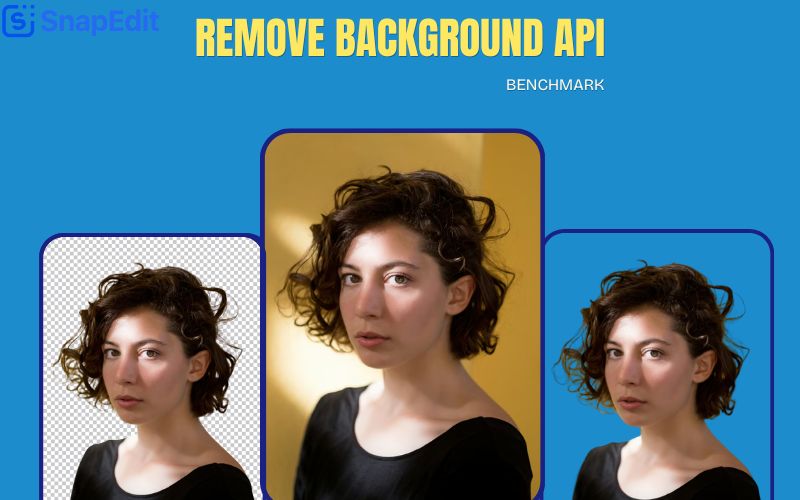
Credit: snapedit.app


About author









Add comment