
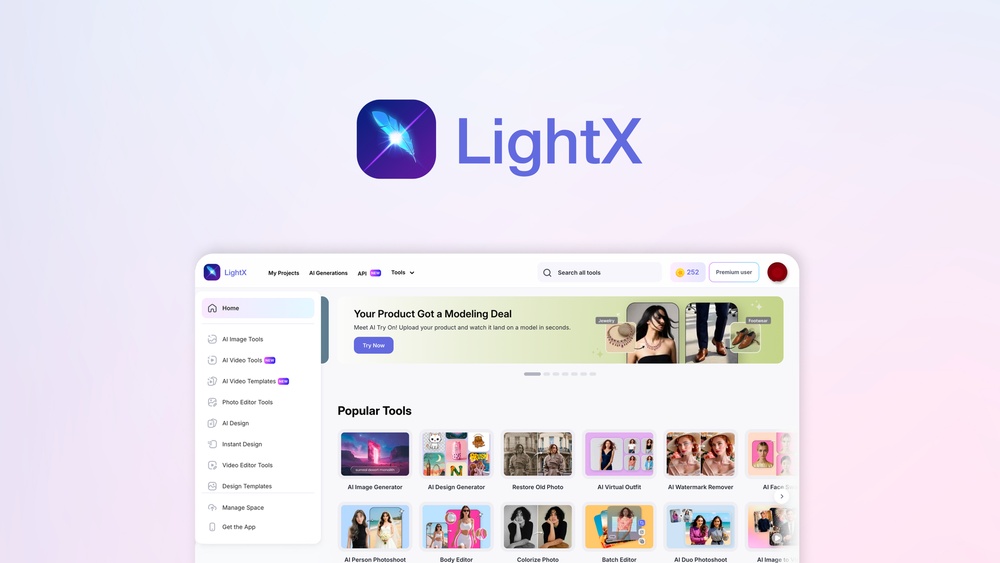
Lightx Ai Photo Studio App Alternative: Top Picks for 2026
Finding the Right LightX AI Photo Studio App Alternative: A Complete Guide
Photo editing has changed a lot in recent years. With AI-powered apps like LightX AI Photo Studio, anyone can create beautiful images with just a few taps. But LightX is not the only option. Many users look for alternatives because they want different features, better pricing, or a fresh experience. Whether you are a beginner, a content creator, or someone who just enjoys editing photos, knowing your choices matters. This guide will help you discover the best LightX AI Photo Studio app alternatives. We will compare features, prices, ease of use, and why people switch. By the end, you will know which app suits your needs best.
Why People Search For Lightx Ai Photo Studio Alternatives
LightX AI Photo Studio is popular, but it does not fit everyone. Some users find its interface confusing, others want more advanced tools, and some dislike the subscription model. Here are the main reasons people look for alternatives:
- Feature Limitations: LightX offers basic editing, but it may lack advanced options like batch processing, RAW support, or specialized retouching.
- Pricing Concerns: Many apps charge monthly fees or have expensive one-time costs. Users often look for cheaper or free options.
- Performance Issues: Some users report slow loading, crashes, or bugs, especially with larger files.
- Compatibility: LightX works well on most devices, but some alternatives support more platforms or file types.
- User Experience: The layout and workflow may not suit everyone. People want apps that feel comfortable and easy to use.
Understanding these reasons helps you choose the right replacement.
Top 7 Alternatives To Lightx Ai Photo Studio
There are many alternatives, but seven apps stand out for their AI features, quality, and popularity. Each has unique strengths and weaknesses. Let’s explore them.
- Adobe Photoshop Express
- Picsart
- Remini
- Snapseed
- Fotor
- Pixlr
- PhotoRoom
1. Adobe Photoshop Express
Adobe Photoshop Express is a trusted name in photo editing. It offers AI-powered tools, quick fixes, and advanced filters. The app is available for both Android and iOS.
- Strengths: Strong AI tools, simple interface, wide format support.
- Weaknesses: Some premium features require subscription, advanced editing is limited compared to full Photoshop.
Key Features:
- One-tap enhancements
- Background removal
- Collage maker
- AI-powered filters
- Cloud sync
Price: Free basic version, premium features available via subscription.
2. Picsart
Picsart is popular among young creators. It blends AI editing, social sharing, and creative tools. The app is known for its filters and stickers.
- Strengths: Large creative community, frequent updates, easy sharing.
- Weaknesses: Ads in the free version, advanced tools locked behind subscription.
Key Features:
- AI background changer
- Sticker and text overlays
- Drawing tools
- Batch editing
Price: Free with ads, premium available.
3. Remini
Remini specializes in AI photo enhancement, especially for old or blurry photos. It is famous for turning low-quality images into sharp, clear ones.
- Strengths: Best for restoring old photos, strong facial enhancement.
- Weaknesses: Limited editing beyond enhancement, daily free usage limit.
Key Features:
- AI face enhancement
- Image restoration
- Video enhancement
Price: Free with daily limits, premium options.
4. Snapseed
Snapseed by Google offers professional-grade editing with a simple interface. It’s less focused on AI but supports advanced adjustments.
- Strengths: Detailed editing, supports RAW, free with no ads.
- Weaknesses: No social sharing, limited AI automation.
Key Features:
- 29 editing tools
- RAW support
- Healing brush
- Selective filters
Price: Free.
5. Fotor
Fotor is a versatile app with AI enhancements, collage tools, and design templates. It’s good for both quick edits and creative projects.
- Strengths: Easy to use, wide range of features, good for beginners.
- Weaknesses: Some features require payment, ads in free version.
Key Features:
- One-tap AI enhancement
- Design templates
- Batch processing
Price: Free basic version, premium subscription.
6. Pixlr
Pixlr offers fast, simple editing with AI-powered tools. It’s web-based and mobile, great for quick edits.
- Strengths: No download needed, fast processing, easy interface.
- Weaknesses: Limited advanced options, ads in free version.
Key Features:
- AI auto-enhance
- Filters and overlays
- Collage tools
Price: Free, premium available.
7. Photoroom
PhotoRoom focuses on AI background removal and product photography. It’s perfect for e-commerce, social media, and business use.
- Strengths: Fast background removal, easy templates.
- Weaknesses: Limited general editing, watermark in free version.
Key Features:
- AI cutout tool
- Product templates
- Batch editing
Price: Free with watermark, premium removes watermark.
Comparing Lightx And Its Alternatives
Choosing the right app depends on your needs. Let’s compare the most important factors: features, price, ease of use, and performance.
| App | Main AI Feature | Price | Platform |
|---|---|---|---|
| LightX | AI background change | Subscription | Android/iOS |
| Photoshop Express | AI auto-enhance | Free/Premium | Android/iOS |
| Picsart | AI filters, stickers | Free/Premium | Android/iOS/Web |
| Remini | AI photo restoration | Free/Premium | Android/iOS |
| Snapseed | Manual editing, less AI | Free | Android/iOS |
| Fotor | AI enhancement | Free/Premium | Android/iOS/Web |
| Pixlr | AI auto-enhance | Free/Premium | Android/iOS/Web |
| PhotoRoom | AI background removal | Free/Premium | Android/iOS/Web |
Feature Deep Dive: What Makes An Alternative Stand Out?
Some apps shine in areas LightX may not cover. Here are a few unique features:
- Batch Editing: Apps like Fotor and PhotoRoom can edit multiple photos at once, saving time for businesses.
- RAW Support: Snapseed and Photoshop Express let you edit professional camera files, which LightX lacks.
- Community & Sharing: Picsart has a creative community, letting you share edits and join challenges.
- AI Restoration: Remini can bring old or damaged photos back to life, a feature LightX does not offer.
- Design Templates: Fotor and PhotoRoom offer ready-made templates for social media, ads, and products.
These features matter if you edit lots of photos, work professionally, or want creative options.
Pricing Comparison: What Do You Get For Your Money?
Budget matters. Some apps are free, while others charge for advanced tools. Here’s a look at pricing and what you get.
| App | Free Version | Premium Cost (Monthly) | Premium Features |
|---|---|---|---|
| LightX | Limited | $4.99 | AI tools, no ads |
| Photoshop Express | Basic | $9.99 | Extra filters, cloud sync |
| Picsart | Basic | $7.99 | No ads, advanced effects |
| Remini | Daily limits | $4.99 | Unlimited enhancements |
| Snapseed | Full | Free | All features included |
| Fotor | Basic | $8.99 | Extra templates, batch editing |
| Pixlr | Basic | $4.99 | No ads, extra overlays |
| PhotoRoom | Watermark | $9.99 | No watermark, batch export |
Tip: Snapseed stands out as the only fully free app with no ads or paid features. Remini and LightX are the most affordable for AI enhancements.
User Experience: Which App Feels Best?
Photo editing should be easy and enjoyable. The best alternative is one you feel comfortable with. Here’s a closer look at usability:
- Photoshop Express: Clean interface, guided editing steps, easy for beginners.
- Picsart: Fun, colorful design, lots of creative options, but can feel crowded.
- Remini: Simple, focused on enhancement, few extra tools.
- Snapseed: Professional, sliders and tool menus, learning curve but powerful.
- Fotor: Straightforward menus, easy navigation, good for quick edits.
- Pixlr: Fast, minimal design, web version removes device limits.
- PhotoRoom: Streamlined for background removal, quick workflow.
Non-obvious insight: Apps with too many features can overwhelm new users. Sometimes, simpler apps like Remini or PhotoRoom provide faster results.
Performance: Speed, Stability, And Ai Quality
A good app must work smoothly and deliver high-quality results. Performance depends on device, file size, and AI capabilities.
- LightX: Handles most files well, but slow with large images.
- Photoshop Express: Fast, rarely crashes, cloud sync helps with storage.
- Picsart: Moderate speed, occasional lag with heavy edits.
- Remini: AI enhancement is slow for big files, but results are impressive.
- Snapseed: Reliable, handles RAW well, quick filters.
- Fotor: Fast for basic edits, slows with batch processing.
- Pixlr: Very fast, low resource use, web version is stable.
- PhotoRoom: AI cutouts are quick, batch mode can lag on older devices.
Advanced tip: If you edit hundreds of photos, look for apps with batch processing and cloud support.
Hidden Features And Tips For Beginners
Many users miss out on powerful features because they are hidden or not advertised. Here are two non-obvious tips:
- Batch Mode Saves Hours: Apps like Fotor and PhotoRoom let you edit many photos at once. For business owners or influencers, this is a game changer.
- AI Retouch for Faces: Remini and Photoshop Express have tools that automatically smooth skin, fix blemishes, and brighten eyes. These tools are often in the “Portrait” or “Enhance” menus.
Extra tip: Most apps offer tutorials or help guides. Don’t ignore them; they can teach you shortcuts and advanced tricks.
Real-world Scenarios: Choosing The Right Alternative
Let’s see which app fits best in different situations.
Scenario 1: Social Media Content Creator
You need fast edits, fun effects, and sharing tools. Picsart is best for its creative filters and community. Fotor also works well for design templates.
Scenario 2: Business Owner Selling Products
You want clean backgrounds, professional templates, and batch editing. PhotoRoom stands out. Pixlr is good for quick edits.
Scenario 3: Restoring Old Family Photos
You need powerful AI enhancement and restoration. Remini is the clear winner.
Scenario 4: Professional Photographer
You require RAW editing, precise controls, and advanced tools. Snapseed and Photoshop Express are top choices.
Scenario 5: Casual User Wanting Simple Edits
You want easy-to-use, free features. Pixlr and Snapseed are perfect.
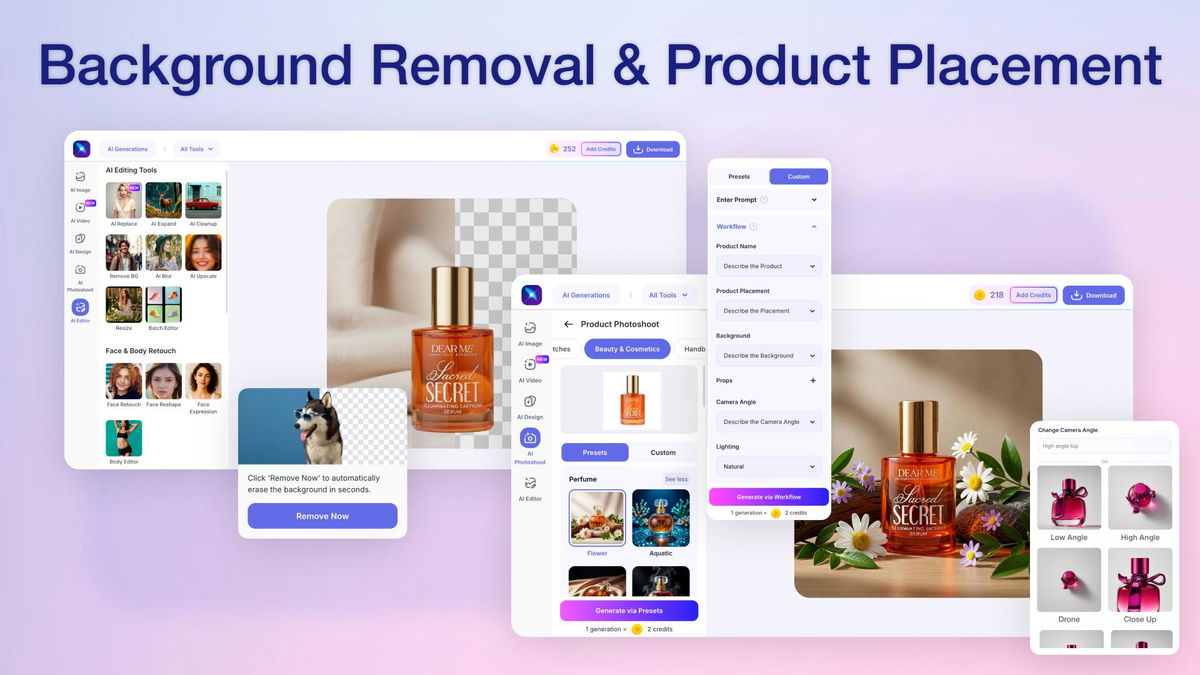
Credit: appsumo.com
User Ratings And Popularity
Numbers help us understand what people like. Here are average ratings from Google Play and App Store (as of 2026):
- LightX: 4.3 stars, 10M+ downloads
- Photoshop Express: 4.6 stars, 100M+ downloads
- Picsart: 4.2 stars, 500M+ downloads
- Remini: 4.5 stars, 50M+ downloads
- Snapseed: 4.5 stars, 100M+ downloads
- Fotor: 4.4 stars, 20M+ downloads
- Pixlr: 4.4 stars, 50M+ downloads
- PhotoRoom: 4.7 stars, 10M+ downloads
Observation: PhotoRoom has the highest rating but fewer downloads. Picsart is most popular but rated lower, likely because of ads and crowded features.
Security, Privacy, And Data Handling
AI photo apps often require access to your photos and sometimes use cloud processing. Here’s what to know:
- LightX and its alternatives use cloud servers for AI tasks, which means your photos may be uploaded.
- Photoshop Express and Pixlr offer local editing, reducing privacy concerns.
- Remini and PhotoRoom process images on servers, so check their privacy policy.
Common mistake: Not reading privacy policies. Always check what happens to your photos after editing.
For more on privacy, visit Consumer Reports.
How To Switch From Lightx To An Alternative
Switching is easy, but there are a few steps to make the move smooth.
- Backup Your Photos: Save edited photos from LightX before uninstalling.
- Download Alternative App: Use the App Store or Google Play. For web apps, visit the official site.
- Explore Tutorials: Most apps have in-app guides or YouTube tutorials.
- Import Your Photos: Open your photos in the new app, test basic edits.
- Try Free Features First: Before buying premium, see if the free features meet your needs.
Pro tip: Try two or three apps for a week. This way, you will know which fits your workflow best.
Common Mistakes When Choosing An Alternative
Many people switch apps but regret their choice. Here are mistakes to avoid:
- Ignoring File Compatibility: Make sure the app supports your image formats (JPEG, PNG, RAW).
- Not Checking Subscription Terms: Some apps auto-renew, so review the terms.
- Choosing Based Only on Price: Free apps can lack important tools. Balance cost with features.
- Skipping User Reviews: Read recent reviews for real-world feedback on bugs and updates.
- Overlooking Privacy: Some apps share your photos for AI training. Always check privacy settings.
Future Trends: Ai Photo Editing In 2026 And Beyond
AI is changing fast. Here are trends to watch:
- AI Auto-Editing: More apps will offer one-click fixes for lighting, color, and detail.
- Cloud Collaboration: Editing with friends or teammates is becoming common.
- Personalized Filters: AI will create filters based on your style and past edits.
- Voice-Control Editing: Some apps are testing voice commands for hands-free editing.
- Augmented Reality (AR): Editing will combine real and digital elements for unique effects.
Non-obvious insight: The next big thing may be AI-generated backgrounds and objects, letting you create scenes from text prompts.
How To Decide Which Alternative Is Best For You
Choosing an app is personal. Ask yourself these questions:
- What do you edit most? (Portraits, products, landscapes)
- Do you need batch editing or advanced AI?
- Is price more important than features?
- Do you care about privacy and local editing?
- Which interface feels comfortable?
Straight-to-the-point guidance: Try apps based on your needs. If you want quick results, start with Remini or PhotoRoom. If you prefer creative control, go with Snapseed or Photoshop Express.

Credit: www.bettershot.ai
Frequently Asked Questions
What Is The Best Free Alternative To Lightx Ai Photo Studio?
The best fully free alternative is Snapseed. It offers professional-grade tools, no ads, and full access without payment.
Which Alternative Is Best For Business Or E-commerce?
PhotoRoom stands out for product photos and background removal. Its batch editing and templates are ideal for online sellers.
Are Ai Photo Apps Safe To Use?
Most are safe, but privacy depends on the app. Always check privacy policies, especially if the app uses cloud processing for AI features.
Can I Use These Alternatives On Both Android And Ios?
Yes, all top alternatives listed here support Android and iOS. Some, like Pixlr and Fotor, also work on web browsers.
How Do I Transfer My Photos From Lightx To Another App?
Save your edited photos from LightX to your device. Then, open them in the new app using its import or open function. There is no automatic transfer, but manual import is fast.
Final Thoughts
Choosing the right LightX AI Photo Studio app alternative can make photo editing easier, faster, and more fun. From professional tools like Snapseed and Photoshop Express to AI-powered wonders like Remini and PhotoRoom, there is an option for every need and budget. Before you switch, think about your editing style, privacy needs, and which features matter most. Try free versions first, check real user reviews, and never ignore tutorials—they unlock hidden power. As AI technology keeps improving, new features and apps will appear, so stay curious and keep exploring. Your best photo editing experience is just one download away.

Credit: appsumo.com


About author









Add comment