
How to Prevent Cold Emails from Landing in Spam Folders Fast
Cold email is a powerful tool for reaching new customers, building partnerships, and growing your business. But there’s a big problem: many cold emails never reach the inbox. Instead, they land in the spam folder, where your prospects will never see them. This can crush your response rates and waste your efforts. Why does this happen? And, more importantly, what can you do to make sure your emails avoid the dreaded spam box?
Let’s break down the steps you need to take so your cold emails reach real people and get real results. You’ll learn what triggers spam filters, how to build trust with email providers, and the best practices that top senders use.
Whether you’re new to cold outreach or you’ve been doing it for years, this guide will help you send emails that actually get read.
Why Cold Emails Go To Spam
Understanding why emails get flagged as spam is the first step to fixing the problem. Spam filters are more advanced than ever. They look at many factors—not just keywords, but also sender reputation, email content, technical setup, and recipient behavior. Here are some of the most common reasons your cold emails might end up in spam:
- Poor sending reputation: If your email domain or IP address has a history of sending spam, filters will block your emails.
- Lack of authentication: Without proper email authentication (SPF, DKIM, DMARC), your emails look suspicious to receiving servers.
- Spammy content: Overuse of sales language, too many links, or certain trigger words can set off alarms.
- High bounce rates: If you send to invalid or outdated addresses, your sender reputation suffers.
- Low engagement: If most people ignore, delete, or mark your emails as spam, filters take notice.
- Technical mistakes: Bad formatting, missing unsubscribe links, or large attachments also trigger filters.
Spam filters are designed to protect users from unwanted or dangerous messages. So, if your cold emails look or behave like spam—even by mistake—they’ll be blocked. Many beginners miss that spam filters use machine learning and learn from user behavior, not just fixed rules.
Also, even good emails can be caught if sent from a “cold” domain with no history.
Setting Up Your Email Infrastructure Correctly
A strong email infrastructure is the foundation for safe, effective cold outreach. If you skip this step, your emails are at risk before you hit send.
Choose The Right Email Domain
Don’t use your main business domain for cold emails. Create a separate domain (or subdomain) dedicated to outreach. This way, if something goes wrong, your main business email reputation stays safe.
For example:
- Main domain: Yourcompany.com (used for clients, partners)
- Outreach domain: Yourcompanymail.com or outreach.yourcompany.com
Warm Up Your Domain And Email Address
New domains and email addresses are seen as risky by spam filters. You need to warm up your email—gradually increasing the number of emails you send each day. Start with just a few (5-10), then slowly build up over several weeks.
Automated tools like Mailwarm and Lemwarm can help you simulate real conversations, which builds a positive reputation.
Set Up Email Authentication
Authentication tells email providers that you’re a real sender, not a spammer. Three key protocols are:
- SPF (Sender Policy Framework): Proves that your emails come from servers you control.
- DKIM (DomainKeys Identified Mail): Adds a digital signature to your emails.
- DMARC (Domain-based Message Authentication, Reporting, and Conformance): Sets rules for how your emails are handled if they fail SPF or DKIM.
Ask your IT team or hosting provider to set these up. You can test your setup using tools like MXToolbox or Mail-Tester.
Avoid Free Email Providers
Sending cold emails from Gmail, Yahoo, or Outlook addresses is a red flag. Always use a custom business domain.
Limit Sending Volume
Don’t send hundreds of emails at once from a new address. Keep daily volume low (under 50 per day at first), then slowly increase.
Non-obvious insight: Even if your cold emails get replies, sending too many too fast can still damage your reputation. Consistency and patience pay off.
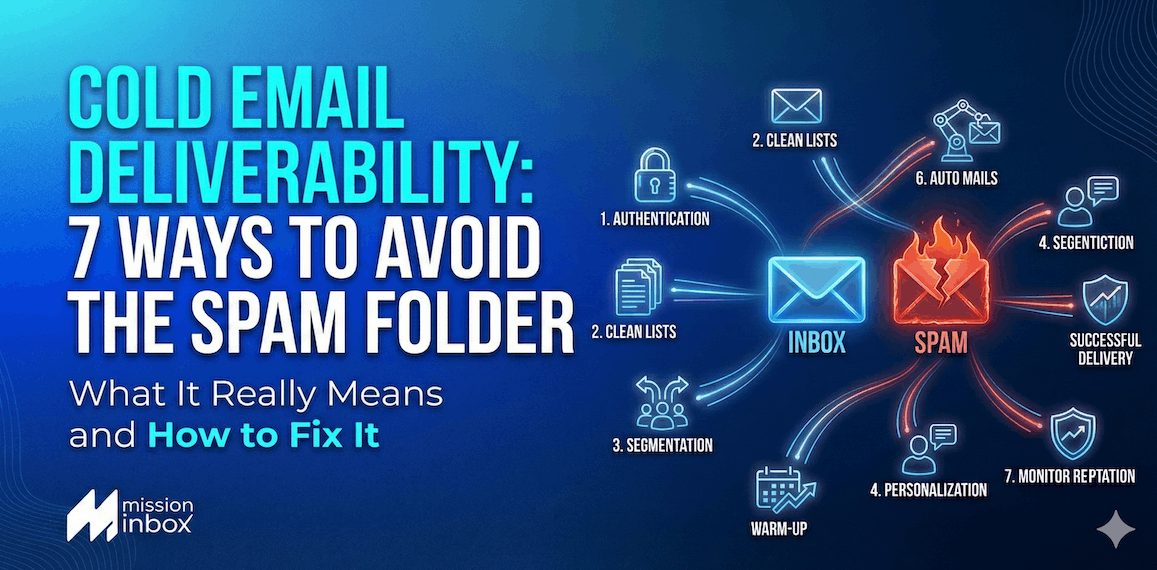
Credit: missioninbox.com
Crafting Emails That Pass Spam Filters
The content of your cold email matters just as much as your setup. Spam filters look for certain patterns, so write your emails to look and feel like real, human messages.
Write Like A Person, Not A Robot
Spam filters spot generic, mass-sent emails. Personalize your messages with real names, company details, and references to the recipient’s work. Avoid obvious sales pitches in your opening message.
Example:
- Bad: “Buy now and get 50% off! Limited time offer!”
- Good: “Hi Sarah, I saw your recent article on sustainable design and thought you might find this tool useful for your team at GreenTech.”
Avoid Spam Trigger Words
Certain words and phrases are linked to spam. While you can’t avoid all “sales” language, be careful with terms like:
- “Free”
- “Earn money fast”
- “Act now”
- “Limited time”
- “Risk-free”
Instead, use natural, conversational language.
Limit Links And Attachments
Too many links or large attachments signal spam. Use a maximum of 1-2 links per email. Avoid attachments in the first message—use cloud links (like Google Drive) if you must share files.
Keep Formatting Simple
Heavy use of bold, colors, images, and unusual fonts looks suspicious. Stick to plain text or very simple HTML. Make sure your emails look clean on both desktop and mobile.
Add An Unsubscribe Option
Legally, you must let people opt out. Even a simple line like, “If you don’t want to hear from me, just reply ‘unsubscribe’,” helps. Not including this can lead to more spam complaints.
Use A Real Signature
End your email with your real name, company, and contact details. This builds trust and shows you’re a real person.
Pro tip: Don’t copy and paste the same signature image everywhere. Use text for better delivery.
Building And Maintaining A Good Sender Reputation
Your sender reputation is like a credit score for your email address. If it drops, your messages go to spam—even if your content is perfect.
Focus On Quality Over Quantity
It’s better to send 20 well-targeted emails than 200 generic blasts. Low-quality lists and high bounce rates hurt your reputation.
Clean Your Email List Regularly
Remove invalid, outdated, or unresponsive addresses. Use email verification tools like NeverBounce or ZeroBounce before sending.
Encourage Engagement
When recipients reply, open, or move your email to their inbox, it signals to spam filters that you’re a trusted sender.
Tip: Ask questions or invite a short reply. For example, “Is this something you’d like to discuss further?”
Monitor Your Metrics
Track your open, click, bounce, and spam complaint rates. High bounce rates (>5%) or complaint rates (>0. 1%) are warning signs.
Avoid Sending To Generic Addresses
Emails like info@, sales@, or contact@ often go to shared mailboxes and are more likely to mark messages as spam.
Use Consistent Sending Patterns
Sending a huge batch once a month is riskier than sending smaller, regular batches. Consistency builds trust.
Non-obvious insight: Changing your email “From Name” too often can also hurt your reputation, as filters may see this as suspicious.
Technical Best Practices For Deliverability
Great content and a healthy sender reputation aren’t enough. You need to get the technical details right to win the trust of spam filters.
Check Blacklists
If your domain or IP address is on a blacklist, your emails won’t reach the inbox. Regularly check tools like MXToolbox or Spamhaus to see if you’ve been listed. If you are, follow their process to request removal.
Test Before Sending
Send test emails to different inboxes (Gmail, Outlook, Yahoo, corporate) to see where your messages land. Tools like Mail-Tester can score your emails for spam risk.
Use A Professional Sending Platform
Platforms like Mailshake, Lemlist, or Woodpecker are built for cold outreach. They handle sending limits, personalization, and tracking—helping you avoid mistakes.
Set Up A Custom Tracking Domain
If you use tracking links, set up a custom tracking domain. Generic tracking links (like click.mailservice.com) can look spammy.
Avoid Url Shorteners
Services like bit. ly or tinyurl are often used in spam, so avoid them in your emails.
Include Both Plain Text And Html Versions
Sending both versions helps your email look more natural and reach more inboxes.
Keep Email Size Small
Large emails load slowly and are more likely to be flagged. Keep your message under 100 KB.
Make Sure Your Reverse Dns Is Set
This technical setting links your IP address with your domain name. It’s a trust signal for email servers.
Examples: Good Vs. Bad Cold Emails
Let’s see how small changes can make a big difference in deliverability. Here’s a simple side-by-side comparison:
| Bad Cold Email | Good Cold Email |
|---|---|
|
Subject: Act Now! Limited Time Offer Body: Hi, Buy our product now and get 50% off! Click here: bit.ly/offer123 Free trial available. Unsubscribe here. Thanks, John |
Subject: Quick question about your marketing process Body: Hi Jessica, I noticed your company is growing fast. Are you open to new tools that could save your team time? If not, just reply and I won’t reach out again. Best, John Smith Acme Solutions john@acmesolutions.com |
Notice how the good example uses a personal greeting, specific details, natural language, and a clear opt-out.

Credit: hunter.io
Legal Considerations: Can-spam, Gdpr, And Beyond
Sending cold emails isn’t just about deliverability. You must also follow the law to avoid fines and protect your reputation.
Understand Can-spam (us Law)
The CAN-SPAM Act sets rules for all commercial emails in the US. Key rules include:
- Don’t use false or misleading headers/subject lines.
- Clearly identify your message as an ad if it is.
- Include a physical mailing address.
- Offer a clear opt-out method.
- Honor opt-out requests quickly.
Violating CAN-SPAM can result in penalties up to $43,792 per email.
Know Gdpr (eu Law)
If you email people in the EU, GDPR applies. You need a legitimate interest or prior consent before contacting someone. Also, give clear information about how you use data and offer an easy way to opt out.
Other Countries
Laws vary by country. Canada’s CASL law is stricter than CAN-SPAM. Always check local regulations before starting a campaign.
Practical Tip
Even if you don’t operate in the US or EU, following these best practices helps keep your emails out of spam and builds trust with recipients.
Advanced Tips For Better Cold Email Deliverability
Once you’ve covered the basics, here are some advanced tactics to take your cold email game to the next level.
Rotate Sending Accounts Safely
If you need to send large volumes, don’t overload one account. Use several warmed-up addresses on different domains, but keep each one’s sending volume low. Make sure each address has its own unique signature and sending pattern.
Use Inbox Rotation Tools
Inbox rotation tools send your emails from different accounts automatically, reducing the risk of any one address being flagged.
Personalize Beyond The First Line
Don’t just use the recipient’s name. Mention recent company news, shared connections, or specific pain points. The more unique each message, the less likely it’s flagged as spam.
Segment Your List
Divide your recipients into smaller, targeted groups. Tailor your message to each group for higher engagement.
Monitor Blacklists And Feedback Loops
Sign up for feedback loops with major email providers (like AOL, Yahoo). This lets you know if recipients mark your emails as spam, so you can remove them from your list.
Analyze Spam Reports
Check your email platform for deliverability reports. If you notice a drop in open rates or higher bounces, investigate quickly.
Stay Up To Date
Spam filters change constantly. Stay current with industry blogs and updates (like Postmark’s deliverability guide) to keep your approach fresh.
Common Mistakes And How To Avoid Them
Even experienced senders make errors that can hurt deliverability. Here are some common mistakes and how to fix them:
- Sending to purchased lists: These lists are low quality and often full of spam traps. Always build your own list.
- Sending too frequently or inconsistently: Find a steady rhythm. Don’t go from zero to 500 emails overnight.
- Ignoring reply handling: If you get replies, answer quickly. Ignoring them increases the chance of being marked as spam.
- Using only templates: Personalization is key. Templates should be a starting point, not the final product.
- Not testing before sending: Always check your emails using test inboxes and deliverability tools.
- Neglecting mobile optimization: Most emails are read on phones. Make sure your messages look good on small screens.
Real-world Data: What Works And What Doesn’t
Let’s look at some real numbers from industry studies on cold email deliverability.
| Factor | Impact on Deliverability | Source |
|---|---|---|
| Personalized Subject Line | +22% open rate | Experian |
| Proper Authentication (SPF/DKIM) | +15% inbox placement | Return Path |
| High Bounce Rate (>5%) | -20% sender reputation | HubSpot |
| No Unsubscribe Option | Marked as spam 43% more often | Litmus |
As you can see, small improvements can make a big difference in whether your emails get seen.
How To Monitor And Troubleshoot Deliverability
It’s not enough to set up everything and hope for the best. You need to monitor your campaigns and fix problems fast.
Use Deliverability Tools
Platforms like GlockApps, Mail-Tester, and Postmark can check your spam score, authentication, and blacklist status. Use these before every major campaign.
Track Key Metrics
- Open rate: If this drops suddenly, your emails may be going to spam.
- Bounce rate: High bounces mean your list needs cleaning.
- Spam complaints: Even a few can hurt your reputation.
- Reply rate: Low replies may mean your emails look like spam or aren’t personalized.
Fix Issues Quickly
If you spot problems:
- Pause your campaign.
- Clean your list.
- Adjust your content or sending volume.
- Check your technical setup.
Ask For Feedback
If you have a good relationship with a recipient, ask if your emails landed in spam. This real-world feedback is valuable.
Non-obvious insight: Gmail and other providers use “engagement signals.” If people open, reply, or move your email to their inbox, this can “train” the filter to trust you more over time.
Deliverability Checklist For Every Campaign
Before you send your next cold email campaign, run through this quick checklist:
- Is your domain properly authenticated (SPF, DKIM, DMARC)?
- Is your sending address warmed up?
- Have you cleaned and verified your list?
- Is your email personalized and free of spammy language?
- Are you sending a reasonable number of emails per day?
- Do you include a clear unsubscribe option?
- Have you tested your email in different inboxes?
- Are your links and attachments minimal and safe?
- Do you monitor key deliverability metrics after sending?
Sticking to these basics will protect your sender reputation and keep your emails out of spam.

Credit: www.youtube.com
Frequently Asked Questions
Why Do My Cold Emails Go To Spam Even If I Follow Best Practices?
Even if you do everything right, a new domain or sudden changes in your sending patterns can still cause issues. Sometimes, filters learn from user behavior and may catch good emails by mistake. Keep testing and adjusting, and build your reputation over time for best results.
How Long Does It Take To “warm Up” A New Email Address?
It usually takes 2-4 weeks to fully warm up a new address. Start with 5-10 emails per day, then slowly increase by 5-10 more each week. Use warm-up tools or manual conversations to build credibility before sending large campaigns.
Can I Use Images And Html In My Cold Emails?
You can use simple HTML, but avoid heavy formatting or lots of images, especially in your first message. Plain text is safest for deliverability. If you do use HTML, always include a plain text version as well.
What Happens If Someone Marks My Email As Spam?
If enough people mark your messages as spam, your sender reputation drops, and more of your emails will go to the spam folder. Remove anyone who complains from your list immediately, and review your content for possible red flags.
Is Buying Email Lists A Good Idea For Cold Outreach?
No, buying lists is risky and often illegal in many countries. These lists are low quality, full of invalid addresses and spam traps, and hurt your sender reputation. Always build your own list through research and opt-in methods.
Reaching the inbox is never guaranteed, but with the right steps, your cold emails can avoid the spam folder and get seen by real people. By focusing on quality, personalization, and technical best practices, you’ll stand out from the noise—and see real results from your outreach.


About author









Add comment