
How to Grow an Email List Using Sendfox: Proven Strategies
Growing an email list is one of the smartest moves you can make for your business or personal brand. With the right email strategy, you get direct access to your audience—no social media algorithm can block your message. But finding the right tools and tactics is often the hard part, especially if you’re not a tech expert or don’t want to spend a lot of money. This is where Sendfox stands out. Designed for creators and small businesses, Sendfox is simple, affordable, and powerful for building and managing your email list.
If you’re tired of overcomplicated platforms or high costs, learning how to grow your email list using Sendfox is a practical solution. In this guide, you’ll discover step-by-step methods, practical tips, and advanced insights for using Sendfox to attract subscribers, keep them engaged, and grow your influence.
Whether you’re starting from zero or looking to double your current list, you’ll find clear answers and real examples here.
Why Building An Email List Still Matters
Many people ask if email is still important in 2026. With social media, messaging apps, and new marketing channels, why focus on email? The answer is simple: email delivers results. Studies show that for every $1 spent on email marketing, you can expect an average return of $36. That’s higher than most other digital marketing channels.
Here’s why an email list is so valuable:
- Direct access: You control your list. Social media platforms can change rules or limit your reach, but email lets you speak to your audience whenever you want.
- Higher engagement: Emails are more likely to be seen and opened than social posts. Average open rates are around 21%, while organic Facebook reach is often less than 5%.
- Long-term asset: Your list grows in value over time. Even if you change platforms, your subscribers stay with you.
- Personal touch: Email lets you build relationships, not just broadcast messages.
If you’re serious about your brand, business, or project, growing your email list should be a top priority.
What Makes Sendfox Different
There are many email marketing tools—Mailchimp, ConvertKit, MailerLite, and more. But Sendfox is unique because it was made for creators and entrepreneurs who want simplicity and savings. Here’s what sets it apart:
- Lifetime deal: Pay once, use forever. No monthly fees for basic features.
- User-friendly: The dashboard is clean and easy to understand. You don’t need a tech background.
- Automation included: You can set up automatic welcome emails, sequences, and more.
- Subscriber focus: Sendfox limits fancy design but focuses on what works—getting your message to inboxes.
- List management: It helps you avoid overcomplicated segmentation and tagging.
Here’s a quick comparison with two other popular tools:
| Feature | Sendfox | Mailchimp | ConvertKit |
|---|---|---|---|
| Pricing | One-time payment | Monthly subscription | Monthly subscription |
| Automation | Included | Included (higher plans) | Included |
| Design Options | Simple, text-focused | Many templates | Text-focused |
| Best For | Creators, bloggers | Businesses, ecommerce | Bloggers, creators |
For most creators, coaches, and small business owners, Sendfox offers the perfect balance of affordability and function.
Setting Up Your Sendfox Account
Getting started with Sendfox is straightforward. Here’s how to do it the right way:
- Sign up: Go to the Sendfox website and create a free account. You can upgrade later if you need more features.
- Verify your email: Sendfox will ask you to confirm your email address. Follow the link in your inbox.
- Connect your domain: For better deliverability and branding, set up a custom sending domain. This means your emails come from “you@yourwebsite.com” instead of a generic Sendfox address. Sendfox gives you step-by-step DNS instructions.
- Set up your profile: Add your name, business info, and logo. This builds trust with subscribers.
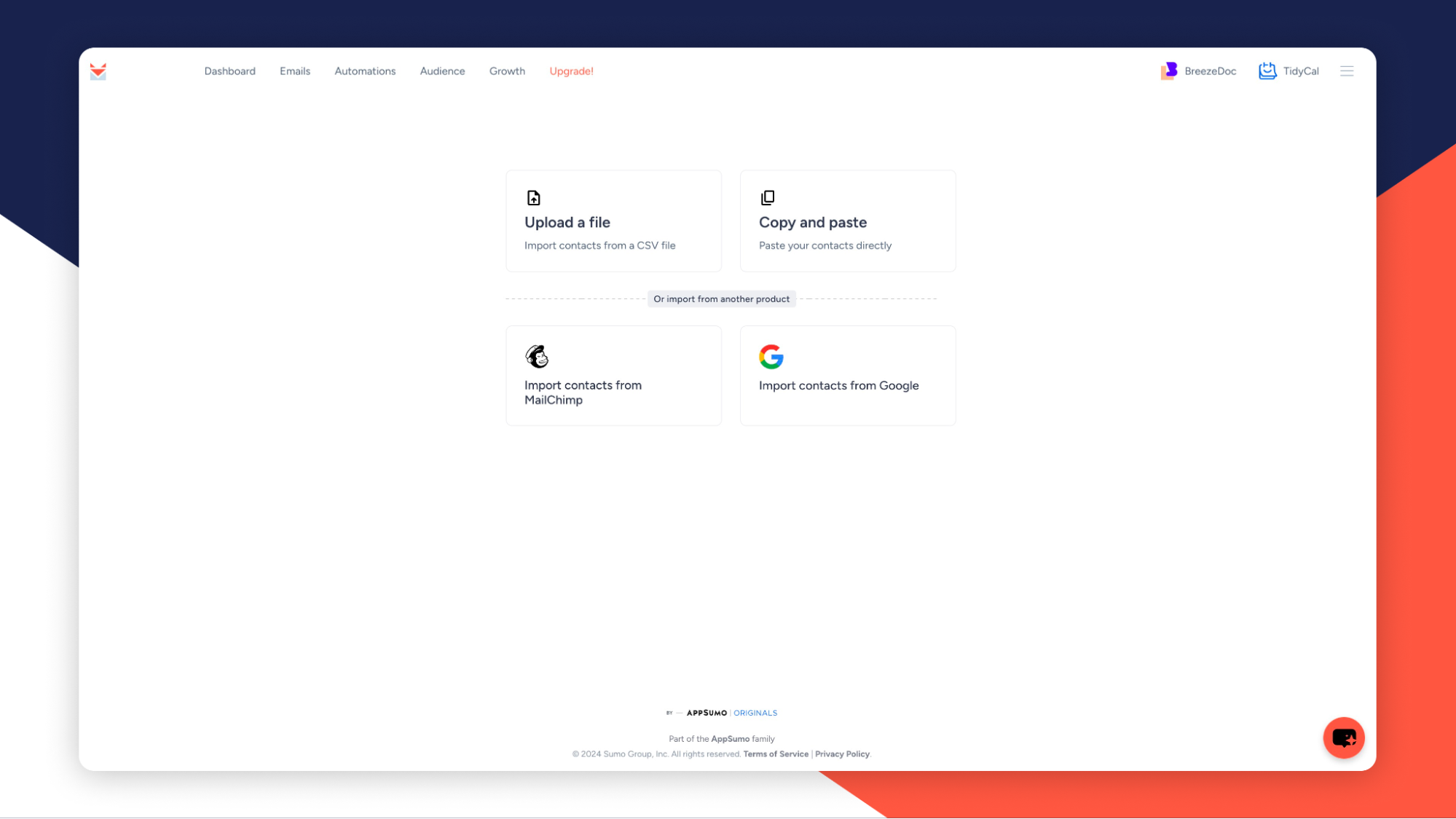
- Import contacts (if you have them): If you already have a list, import it as a CSV file. Clean your list before importing—remove duplicates and inactive emails.
A common beginner mistake is skipping domain authentication. Not setting your own domain can lead to your emails landing in spam folders. Spend time on this step—it’s worth it.
Creating Your First List
In Sendfox, you organize subscribers into lists. You might have one list for your main newsletter, another for a course, and another for event updates.
To create your first list:
- In your Sendfox dashboard, go to “Lists” and click “Create New List.”
- Name your list something clear, like “Main Newsletter” or “VIP Updates.”
- Add a short description. This helps you remember the list’s purpose.
You can add people manually, import them, or let them join through signup forms. Keep your first list simple—don’t overcomplicate with too many lists at the start.
Credit: appsumo.com
Designing Signup Forms That Convert
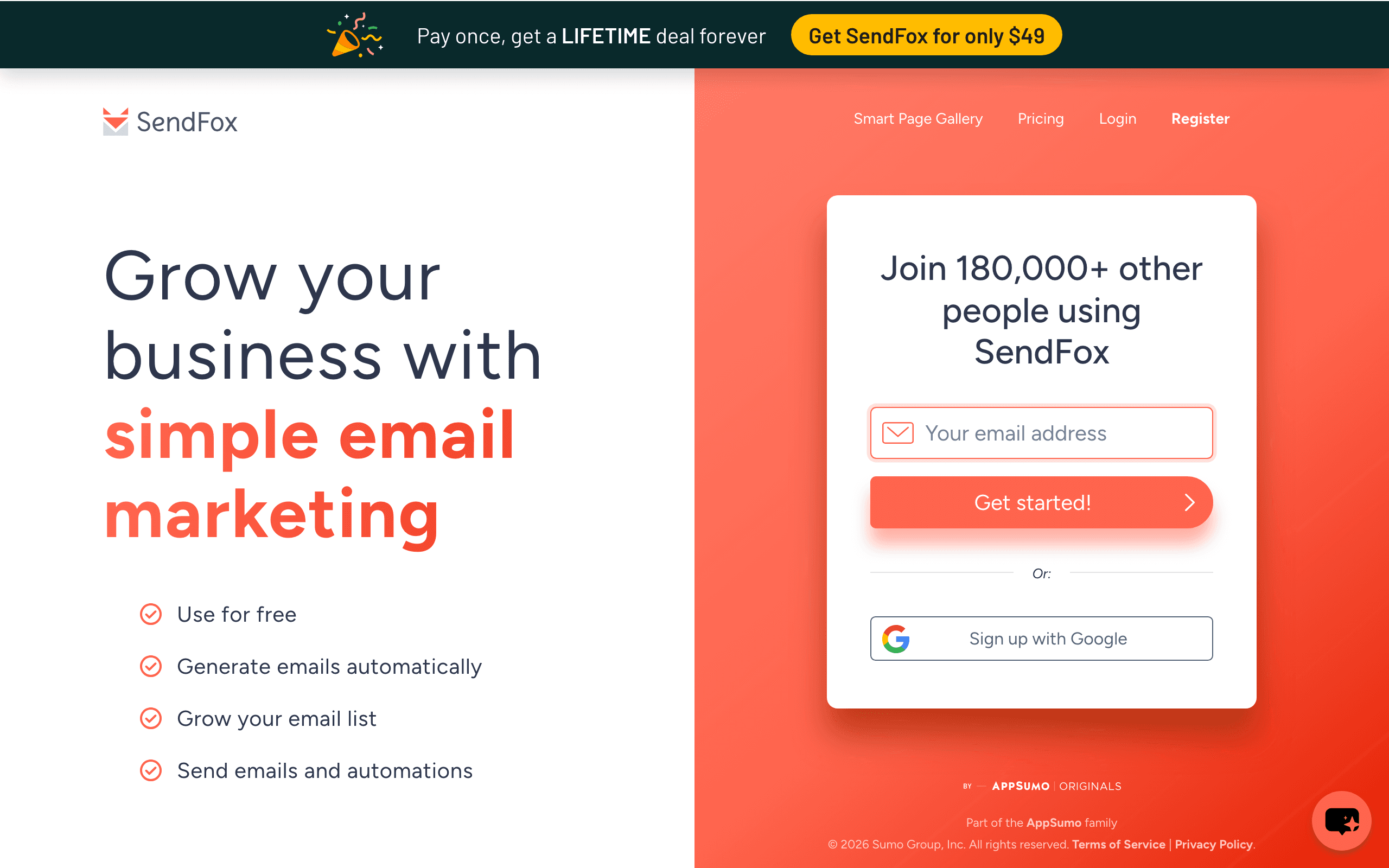
Your signup form is the front door to your email list. If it looks unprofessional or asks for too much info, people won’t join. Sendfox gives you easy tools to create and share signup forms.
Key Elements Of A High-converting Signup Form
- Headline: Use clear, benefit-focused language. Example: “Get Weekly Tips to Grow Your Business.”
- Short description: Explain what subscribers get and how often.
- Minimal fields: Only ask for what you need. Usually, just email address and maybe first name.
- Call to action (CTA): Use action words like “Join Free,” “Get Updates,” or “Send Me Tips.”
- Trust signals: Add a note like “No spam. Unsubscribe any time.”
Sendfox lets you create a landing page or embed forms on your website. If you have a blog, put the form in your sidebar, footer, or as a pop-up.
Example Signup Form (sendfox Style)
- Headline: “Join 3,000+ readers. Get my best productivity hacks every week.”
- Field: Email address
- CTA button: “Send Me Hacks”
- Small text: “No spam. Just value.”
Non-obvious insight: Many beginners forget to test their forms. Always sign up yourself to see if the process is smooth and the confirmation email works.
Using Lead Magnets To Attract Subscribers
People rarely give their email without a good reason. A lead magnet is a free offer you give in exchange for their address. It could be:
- An ebook or checklist
- A short course or video
- Templates or tools
- Exclusive newsletter content
Sendfox makes it easy to deliver lead magnets automatically. When someone signs up, you can send them a welcome email with the download link.
How To Set Up A Lead Magnet In Sendfox
- Create your lead magnet (PDF, video, etc. ).
- Upload it to Dropbox, Google Drive, or your website.
- In Sendfox, set up an automation that sends a welcome email with the download link after signup.
Practical tip: Make your lead magnet specific, not generic. “5 Steps to Start a Podcast in 2026” is better than “Free Marketing Guide.”
Credit: www.sequenzy.com
Creating Automated Welcome Sequences
A welcome sequence is a series of emails sent automatically to new subscribers. This is your chance to introduce yourself, share value, and guide them to your best content.
In Sendfox, automations are easy to set up:
- Go to “Automations” and click “Create.”
- Choose your trigger—usually “when someone joins a list.”
- Add your emails. For example:
- Email 1: Welcome, deliver lead magnet, introduce yourself.
- Email 2 (after 2 days): Share your most popular blog post or video.
- Email 3 (after 5 days): Ask what they want to learn or offer a quick survey.
- Set delays between emails.
Example Welcome Sequence
- Day 0: “Welcome! Here’s your free checklist.”
- Day 2: “My story: How I started my business.”
- Day 5: “Top resources for beginners.”
Advanced insight: Most beginners send only one welcome email. Adding a short sequence builds trust and keeps subscribers engaged.
Promoting Your Signup Forms
Even the best signup form won’t help if nobody sees it. You need to actively promote your forms in places your audience visits.
Where To Share Your Signup Form
- Website: Place forms in your homepage, blog sidebar, and at the end of posts.
- Social media: Add your signup link to your Instagram bio, Twitter profile, Facebook page, and LinkedIn.
- YouTube: Mention your email list in videos and add the link in your description.
- Guest posts: If you write for other blogs, include a call to action to join your list.
- Email signature: Add “Join my newsletter” to your signature.
- Events and webinars: Collect emails during online or live sessions.
Non-obvious insight: Use a unique URL for each signup source. Sendfox tracks where signups come from, so you’ll know what’s working.
Segmenting Your Audience For Higher Engagement
As your list grows, not all subscribers want the same content. Segmentation means grouping people based on their interests or actions. Sendfox keeps segmentation simple, but you can still get powerful results.
How To Segment In Sendfox
- Multiple lists: Create different lists for different topics or products.
- Tags: Add tags based on actions (like clicking a link).
- Manual segmentation: Move subscribers between lists as they engage.
Example Segmentation
If you’re a fitness coach, you might have:
- Main Newsletter (everyone)
- Weight Loss Tips (people who download your diet plan)
- Muscle Building (people who join your workout challenge)
Sendfox’s automation can move or tag subscribers based on which lead magnets they download or which emails they click.
Practical tip: Don’t over-segment too soon. Start with broad groups, then get more detailed as your list grows.
Crafting Emails That People Want To Open
Your list will only succeed if people open and read your emails. Good email content is simple, personal, and valuable.
Tips For Writing Better Emails
- Write like a friend: Use simple language, short sentences, and a conversational tone.
- Subject lines: Make them clear and specific. Example: “3 tools I use every day (and why)”
- Personalize: Use the subscriber’s name, if possible.
- Be consistent: Email on a regular schedule—weekly or bi-weekly works for most creators.
- Focus on value: Each email should give a tip, story, or resource the reader can use.
Example Email Structure
- Greeting: “Hi [Name],”
- Hook: “Last week, I discovered a simple trick for getting more done…”
- Main content: Share your tip, story, or lesson.
- Call to action: “Reply and tell me what you think!” or “Check out this new blog post.”
- Sign-off: “Talk soon, [Your Name]”
Non-obvious insight: Many beginners write long, formal emails. Short, friendly emails often get more replies and higher open rates.
Measuring And Improving Your Results
You can’t improve what you don’t measure. Sendfox gives you basic but useful analytics to track your list growth and email performance.
Key Metrics To Watch
- Open rate: Percentage of subscribers who open your email. Aim for 20–30% or higher.
- Click rate: Percentage who click a link. Good rates are 2–5%.
- Unsubscribe rate: Less than 0.5% per email is ideal.
- List growth: How many new subscribers you add each month.
Here’s a quick look at how your stats might compare:
| Metric | Beginner | Advanced |
|---|---|---|
| Open Rate | 10-20% | 25-35% |
| Click Rate | 1-2% | 4-6% |
| Unsubscribe Rate | 0.7-1% | 0.2-0.5% |
| List Growth/Month | 0-50 | 100+ |
Use these numbers as a reference, but remember: every audience is different.
How To Improve Your Results
- Test different subject lines and content styles.
- Clean your list regularly—remove inactive emails.
- Ask subscribers to reply to your emails (this boosts deliverability).
- Send emails at different times and days to see what works best.
Advanced insight: If your open rates drop, check your email content, sender reputation, and whether your emails land in the Promotions or Spam tab.
Advanced Sendfox Features For List Growth
Once you’ve mastered the basics, Sendfox offers a few advanced tools to help you scale faster.
Referral And Viral Growth
Sendfox lets you add a referral system to your signup forms. When someone joins your list, they get a unique link to share. If they refer friends, you can reward them with bonus content, discounts, or shout-outs.
Example: “Refer 3 friends, get my exclusive ebook free!”
Api And Integrations
If you have a website or use other tools (like Zapier), you can connect Sendfox to automate tasks. For example:
- Add new customers to your email list automatically.
- Send reminders or special offers based on purchases.
Rss-to-email
If you run a blog, you can connect your RSS feed to Sendfox. Every time you publish a new post, it automatically goes out to your list.
Practical tip: Set your RSS emails to send only your best posts—don’t flood your subscribers with every update.
Credit: flodesk.com
Common Mistakes And How To Avoid Them
Many beginners make simple mistakes that slow their list growth. Here are some to watch out for:
- Not using a custom domain: This hurts deliverability and looks unprofessional.
- Overcomplicating segmentation: Start simple—one or two lists are enough at first.
- Sending too many sales emails: Build trust before you sell.
- Ignoring GDPR and privacy rules: Always use double opt-in and give people a clear way to unsubscribe.
- Neglecting to clean your list: Remove inactive or fake emails every few months.
Non-obvious insight: Don’t wait until you have a product to start your list. Growing an audience takes time, so start now—even if you only email once a month at first.
Case Study: How A Blogger Grew From 0 To 5,000 Subscribers With Sendfox
Let’s look at a real-world example to bring all these ideas together.
Background: Sarah is a productivity blogger. She started her blog in early 2026 and wanted to grow an audience without spending much money.
Step 1: Sarah created a simple lead magnet, “The 7-Day Productivity Challenge,” and set up a Sendfox signup form on her homepage.
Step 2: She promoted her form at the end of every blog post and in her Instagram bio.
Step 3: Sarah set up a three-part welcome sequence that introduced herself, delivered the lead magnet, and shared her top resources.
Step 4: She used Sendfox’s referral system, rewarding subscribers who invited friends with exclusive templates.
Results: In 18 months, Sarah grew her list to over 5,000 engaged subscribers. Her average open rate is 31%, and her blog traffic doubled from repeat visitors who came from her emails.
Takeaway: Start with a clear offer, promote everywhere, and use automations—even if your audience is small.
How Sendfox Compares To Other Email Tools For List Growth
Choosing the right tool can make or break your email strategy. Here’s how Sendfox stacks up against other popular options for building your list:
| Tool | Best For | Pricing | List Growth Features | Ease of Use |
|---|---|---|---|---|
| Sendfox | Creators, bloggers, solopreneurs | One-time, low cost | Referral, automations, lead magnets | Very easy |
| Mailchimp | Businesses, ecommerce | Monthly fee | Advanced forms, integrations | Moderate |
| ConvertKit | Creators, online courses | Monthly fee | Powerful automations, tagging | Easy |
| MailerLite | Small businesses | Low monthly fee | Landing pages, automation | Easy |
Sendfox may not have all the design bells and whistles, but for building and nurturing a list, it’s one of the most cost-effective choices.
If you want to dig deeper into different email marketing tools, check out this helpful comparison on Wikipedia.
Practical Tips For Faster List Growth
Here are some advanced but easy-to-apply tips to speed up your list growth:
- Run time-limited offers: “Join my list by Friday and get a free guide.” Deadlines boost signups.
- Use pop-ups smartly: Show a signup pop-up after someone reads 60% of your article, not right away.
- Collaborate with others: Do joint webinars or giveaways with people in your niche and share lists (with permission).
- Share results: Mention your subscriber count in your form (“Join 2,000+ readers”)—social proof works.
- Ask in person: At events or meetups, ask people to join your list directly on your phone or tablet.
Non-obvious insight: Use a “waitlist” for upcoming products or events. People love to join early, and this builds a sense of exclusivity.
Staying Compliant: Privacy And Permissions
Email laws are strict. If you don’t follow them, you risk getting blocked or fined. Sendfox helps you stay compliant, but you must do your part.
Best Practices
- Use double opt-in: Subscribers confirm by clicking a link in their email.
- Include your business address: This is required by law.
- Easy unsubscribe: Every email must have an unsubscribe link.
- Don’t buy lists: Only email people who joined your list willingly.
If you serve people in the EU, follow GDPR rules. If you’re in the US, check CAN-SPAM rules. For more, see the official guidelines on the FTC website.
Frequently Asked Questions
How Many Emails Can I Send With Sendfox?
Sendfox’s basic plan allows unlimited emails to your subscribers, but there are daily sending limits to prevent spam. You can increase your sending limits by verifying your domain or upgrading your account. For most creators, these limits are more than enough.
Can I Move My List From Another Platform To Sendfox?
Yes. Sendfox lets you import subscribers from a CSV file. Make sure your list only includes people who agreed to receive your emails. After importing, set up a welcome sequence to re-engage your audience and explain the move.
Is Sendfox Good For Beginners?
Absolutely. Sendfox is designed for non-technical users. The interface is simple, and you don’t need coding skills. Start with basic features, then try automations and integrations as you grow.
How Do I Avoid My Emails Going To Spam?
Use a custom sending domain, write personal and relevant content, and avoid spammy words or too many links. Ask subscribers to add your email to their address book. Clean your list regularly to remove inactive addresses.
What If I Want Fancier Email Designs?
Sendfox focuses on simple, text-first emails that perform well. If you need advanced designs, tools like Mailchimp or ConvertKit offer more templates. But most tests show simple emails get higher engagement and better deliverability.
—
Building your email list with Sendfox isn’t just about numbers—it’s about creating genuine connections with your audience. Start small, stay consistent, and use the practical steps here. Over time, you’ll see your influence and opportunities grow. Remember: the best day to start building your list was yesterday. The second-best day is today.


About author









Add comment