
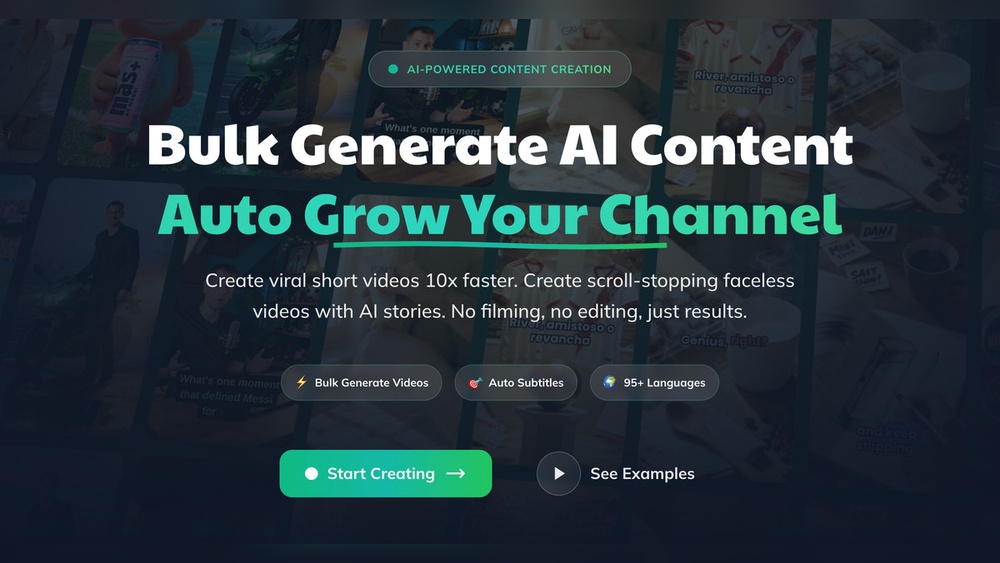
How to Create Viral Short Videos Using Followr Studio: Expert Tips
Creating viral short videos is no longer just for celebrities or big brands. Today, anyone can reach millions with the right tools and a bit of creativity. But how do you actually make a video that people want to share again and again? And how can you do it even if you are not a video expert? This is where Followr Studio comes in. It is an all-in-one platform designed to help you create, edit, and publish short videos that people love to watch. Whether you want to grow your personal brand, promote your business, or simply have fun, Followr Studio gives you the power to go viral.
In this guide, you will learn how to use Followr Studio to create short videos that stand out. We will explore why short videos go viral, what features Followr Studio offers, and the step-by-step process to make your own viral content.
You will also get real examples, practical tips, and advanced strategies—even if you have never made a video before. Ready to unlock the secrets behind viral videos? Let’s get started.
Why Short Videos Go Viral
Short videos are everywhere—Instagram Reels, TikTok, YouTube Shorts, and more. But what makes them so popular? First, our attention spans are shrinking. According to a Microsoft study, the average attention span has dropped to just 8 seconds. Short videos fit perfectly into this fast-paced world. People can watch, enjoy, and share them in seconds.
Another reason is the power of algorithms. Platforms like TikTok and Instagram use smart systems to show popular videos to even more people. If your video catches on, it can quickly reach millions. Finally, short videos are easy to create and consume.
You do not need expensive equipment or a big budget. All you need is a good idea and the right tool.
But going viral is not just about luck. It’s about understanding what works and using the best platform. That’s why so many creators are turning to Followr Studio.
What Is Followr Studio?
Followr Studio is a modern video creation platform built for speed, simplicity, and results. Unlike complex editing software, it is designed for quick video production and easy sharing. You can use Followr Studio on your computer or mobile device, making it perfect for creators on the go.
Some of the key features include:
- Smart templates for different social platforms (TikTok, Reels, Shorts)
- Auto-captioning and translation for global reach
- AI-powered video enhancement (filters, effects, color correction)
- Music and sound library for copyright-safe tracks
- Drag-and-drop editing with no experience needed
- Scheduling and analytics to track your video’s performance
These tools help you focus on your story, not the technical details. But how does Followr Studio compare to other video tools? Here’s a quick look:
| Feature | Followr Studio | Traditional Editors | Mobile Apps |
|---|---|---|---|
| Ease of Use | Very easy | Moderate to hard | Easy |
| Templates | Wide variety | Few or none | Limited |
| AI Features | Advanced | Basic or none | Some |
| Analytics | Built-in | Rarely included | Limited |
| Price | Affordable/free | Expensive | Free/cheap |
Setting Up Followr Studio
Before you start creating, you need to set up your account. Follow these steps:
- Go to the official Followr Studio website and sign up with your email or social media account.
- Verify your email address (check your inbox for a confirmation message).
- Log in and choose your preferred language and region settings.
- Set up your profile. Add a profile picture and short bio. This helps others recognize your brand if you use the community features.
- Choose a plan. Followr Studio offers a free version with basic features and paid plans with advanced tools. Beginners can start with the free plan and upgrade later.
Once you are inside, you will see a simple dashboard. From here, you can start a new project, browse templates, or check your analytics.
Understanding The Viral Video Formula
Most viral short videos share a few key traits. If you want your video to spread quickly, keep these points in mind:
- Strong hook: Grab attention in the first 2-3 seconds.
- Clear story: Even short videos need a simple, clear message.
- Emotion: Make people laugh, feel surprised, or inspired.
- Easy to share: The video should be relatable or useful.
- Good timing: Post when your audience is most active.
Many beginners think you need fancy effects or a big budget. In reality, most viral videos succeed because they connect with viewers quickly and clearly. With Followr Studio, you can focus on the creative part, not the technical side.

Credit: imusician.pro
Planning Your Viral Short Video
Before you open Followr Studio, spend a few minutes planning your video. Even a quick plan can make a big difference.
1. Define Your Goal
Ask yourself: What do you want people to do after watching your video? Possible goals include:
- Share the video
- Visit your website
- Follow your account
- Try a tip or product
Clear goals make your video focused and effective.
2. Choose Your Topic
Pick a topic that fits your audience and is likely to spread. Some popular short video ideas:
- Quick how-to tips (e.g., “How to tie a tie in 10 seconds”)
- Surprising facts or hacks
- Reaction videos
- Challenges or trends
- Before/after transformations
Research what’s trending in your niche. Use tools like TikTok Discover or Instagram Explore for inspiration.
3. Write A Simple Script
Keep your script short. For a 15-second video, 3-4 lines are enough. Focus on your main message and the hook. Example:
- Hook: “Did you know you can peel garlic in 5 seconds?”
- Show the trick
- End with: “Try this next time and save time!”
4. Decide On Format And Style
Do you want to speak on camera, use captions, or just show visuals? Decide what fits your idea. Remember, you do not need to show your face to go viral. Many top videos use only hands, text, or animation.
Using Followr Studio To Create Your Video
Now you are ready to start creating. Here’s a step-by-step process using Followr Studio:
Step 1: Choose A Template
From the dashboard, click “New Project. ” Followr Studio offers templates for TikTok, Instagram Reels, YouTube Shorts, and more. Pick one that matches your platform and video style. Templates save you time and ensure your video fits the right size and format.
Step 2: Upload Or Record Your Clips
You can upload videos you already have or record new ones directly in Followr Studio. Use your phone or webcam for quick shots. If you record inside the app, you can pause and resume, making it easy to capture the perfect take.
Step 3: Edit With Drag-and-drop Tools
Followr Studio’s editor is simple but powerful. You can:
- Trim clips
- Rearrange scenes
- Add transitions
- Insert text and stickers
Use the timeline to organize your video. Make sure your hook is at the very start.
Step 4: Add Captions And Graphics
Studies show that 85% of short videos are watched with the sound off. Always add captions to your key lines. Followr Studio’s auto-caption feature saves time and increases accessibility. You can also add animated text, emojis, or branding (like your logo).
Step 5: Enhance With Music And Effects
Browse the built-in music library for copyright-safe tracks. Choose upbeat music for energy or calm tunes for tutorials. Use sound effects for emphasis. Add filters or color correction if needed, but do not overdo it—keep your video clear and easy to watch.
Step 6: Preview And Fine-tune
Watch your video from start to finish. Check:
- Is the hook strong enough?
- Are captions correct and easy to read?
- Do visuals match the message?
- Is the pacing fast enough? (Most viral videos move quickly)
Edit as needed. Ask a friend to watch and give honest feedback.
Step 7: Export And Optimize
When you are happy with your video, export it in the right format. Followr Studio automatically chooses settings based on your platform. You can also adjust quality and size for faster uploads.
Credit: www.enzuzo.com
Publishing Your Video For Maximum Reach
Creating a great video is only half the battle. You also need to publish it the right way. Here are some tips:
Use The Right Hashtags
Hashtags help people find your video. Use a mix of trending hashtags and niche tags. Followr Studio suggests popular hashtags based on your topic.
Write An Engaging Caption
Your video will do most of the work, but a good caption can boost shares and comments. Ask a question, add a call to action, or include a fun fact.
Post At The Best Time
Algorithms reward videos that get quick engagement. Post when your audience is online. For example, evenings and weekends are often best for young audiences.
Share Across Platforms
Don’t limit your video to one app. Use Followr Studio’s cross-platform export to share on TikTok, Instagram, YouTube, and even Facebook. Each platform has its own audience.
Tracking Performance With Followr Studio Analytics
Followr Studio’s analytics dashboard gives you real-time data on your video’s performance. You can see:
- Views
- Likes and shares
- Watch time
- Audience demographics
This data is essential. It shows what works and what doesn’t. For example, if your video has high drop-off rates after 3 seconds, your hook may need improvement. If a certain topic gets more shares, make more videos like it.
Here’s how Followr Studio’s analytics compare with platform-native analytics:
| Metric | Followr Studio | Platform Analytics |
|---|---|---|
| Cross-platform view | Yes | No (one platform only) |
| Audience demographics | Detailed | Basic |
| Retention tracking | Advanced | Basic |
| Hashtag performance | Yes | Limited |
| Exportable reports | Yes | Sometimes |
Advanced Tips For Creating Viral Videos With Followr Studio
Once you master the basics, try these advanced tips to boost your chances of going viral:
1. Use Trends, But Add Your Twist
Trends are popular for a reason—they are proven to work. But copying exactly what others do rarely goes viral. Instead, add your own twist. Change the context, add humor, or use a unique location.
2. Collaborate With Others
Partner with other creators. Followr Studio makes it easy to combine clips from different people. Collaborations can double your audience and add fresh ideas.
3. Optimize The First Frame
The first frame of your video acts like a thumbnail. Make it eye-catching, with bright colors or an interesting action. This increases clicks and watch time.
4. A/b Test Different Versions
Don’t rely on just one video. Create two or three versions with different hooks or formats. Use analytics to see which one performs best.
5. Repurpose Old Content
If you have longer videos or old clips, cut them into new short videos. Add new captions, music, or effects. This is a fast way to keep your channel active.
6. Use Ai Tools For Inspiration
Followr Studio’s AI can suggest video ideas based on what’s trending in your niche. Use these suggestions to plan your next viral hit.
7. Experiment With Length
Most viral short videos are between 7 and 20 seconds. Try different lengths to see what your audience prefers.
8. Engage With Your Viewers
Reply to comments, ask questions, and encourage shares. Engaged viewers are more likely to share your video with friends.
Avoiding Common Mistakes
Even with great tools, some mistakes can hold you back. Watch out for these pitfalls:
- Too much text: Don’t cover the screen with words. Keep captions short and readable.
- Poor lighting: Dark or blurry videos rarely go viral. Use natural light or a simple ring light.
- Ignoring audio: Even if many watch with the sound off, good audio helps. Use clear voiceovers and avoid background noise.
- No call to action: Always tell viewers what you want them to do next—share, follow, or comment.
- Over-editing: Too many effects can distract from your message. Keep it simple and clear.
Real Examples Of Viral Videos Made With Followr Studio
Let’s look at some real-world examples:
Example 1: Quick Cooking Hack
A food blogger used Followr Studio to show how to peel an egg in 5 seconds. She used a strong hook (“You’ve been peeling eggs wrong your whole life!”), clear captions, and a funny reaction at the end. The video got over 2 million views and 300,000 shares.
Example 2: Fitness Challenge
A fitness coach created a 15-second push-up challenge. He used split-screen to show beginner and advanced versions. The video included upbeat music and a timer graphic. Using the right hashtags, the video reached the platform’s trending page.
Example 3: Language Learning Tip
An English teacher shared a trick for remembering irregular verbs. She used Followr Studio’s auto-caption and translation tools to reach both English and Spanish speakers. The video was shared in language learning groups and brought thousands of new followers.
These examples show that you do not need fancy equipment or a big team. Smart ideas and the right tool are enough.
How Followr Studio Helps You Stay Ahead
Video trends change fast. What worked last month might not work today. Followr Studio helps you stay ahead by updating templates and music regularly. Its AI tools scan social media for rising trends, so you can jump on them early.
One non-obvious insight: Many viral videos are actually planned, not random. Creators often test ideas with small audiences before posting them widely. Followr Studio lets you share private links or test videos with a select group.
Another insight: Consistency is more important than perfection. You do not need every video to go viral. Posting regularly builds your audience and improves your skills over time.
Credit: www.enzuzo.com
The Power Of Community
Followr Studio is not just a tool—it is a community. You can join groups, ask for feedback, and even enter video contests. Many creators find inspiration and support from others on the platform.
If you are stuck or need help, the community forums and help center are excellent resources. You can also connect with experienced creators who share tips and answer questions.
Common Myths About Viral Videos
It’s easy to believe myths about going viral. Let’s clear up a few:
- Myth: You need to be famous already.
- Fact: Many viral creators started from zero. The right content can make anyone famous overnight.
- Myth: Only funny videos go viral.
- Fact: Educational and inspirational videos also get millions of views.
- Myth: You must spend hours editing.
- Fact: With tools like Followr Studio, you can create quality videos in under 30 minutes.
- Myth: Viral videos are always planned.
- Fact: Many happen by accident, but you can increase your chances with good planning.
Comparing Followr Studio To Competing Tools
If you are wondering how Followr Studio stacks up against other popular video tools, here’s a quick comparison:
| Software | Best For | AI Features | Community Support | Learning Curve |
|---|---|---|---|---|
| Followr Studio | Viral short videos | Advanced | Active | Very easy |
| Adobe Premiere Rush | Professional editing | Basic | Limited | Medium |
| CapCut | Mobile creators | Some | Moderate | Easy |
| InShot | Quick edits | Minimal | Moderate | Easy |
Frequently Asked Questions
How Much Does Followr Studio Cost?
Followr Studio offers a free plan with basic features. Paid plans start around $10 per month and include advanced templates, analytics, and AI tools. You can try the free version and upgrade later if you need more features.
Can I Use Followr Studio On My Phone?
Yes, Followr Studio works on both desktop and mobile devices. The mobile version has all the key features, so you can create and edit videos anywhere.
Is It Safe To Use Music From Followr Studio’s Library?
Absolutely. The music and sound effects in Followr Studio’s library are copyright-safe. You can use them without worrying about takedowns or copyright claims.
How Do I Know What’s Trending?
Followr Studio’s AI scans platforms like TikTok and Instagram to suggest trending topics and hashtags. You can also check trending sections on each social platform or use external sources like Social Media Examiner for more insights.
What If I Have No Experience With Video Editing?
No problem. Followr Studio is designed for beginners. The drag-and-drop editor, simple templates, and built-in guides make it easy to create professional-looking videos, even if you have never edited before.
Making viral short videos is not about luck. With the right approach and tools like Followr Studio, anyone can create content that spreads fast and wide. Focus on simple, shareable ideas, use the features wisely, and keep learning from your analytics.
Your next video could be the one everyone is talking about.


About author









Add comment