

Best AI Scheduling Tools: Top TidyCal Alternatives for 2026
Finding the right AI scheduling tool can transform your daily routine, save hours each week, and even reduce stress. But with so many options available, it’s easy to feel lost—especially if you’ve tried TidyCal and want something different. Maybe you need more powerful automation, a smoother user experience, or simply a tool that fits your workflow better.
In this article, you’ll discover the best AI scheduling tools that serve as strong alternatives to TidyCal, complete with honest comparisons, real-world examples, and tips that most beginners don’t realize until it’s too late.
Why Look For A Tidycal Alternative?
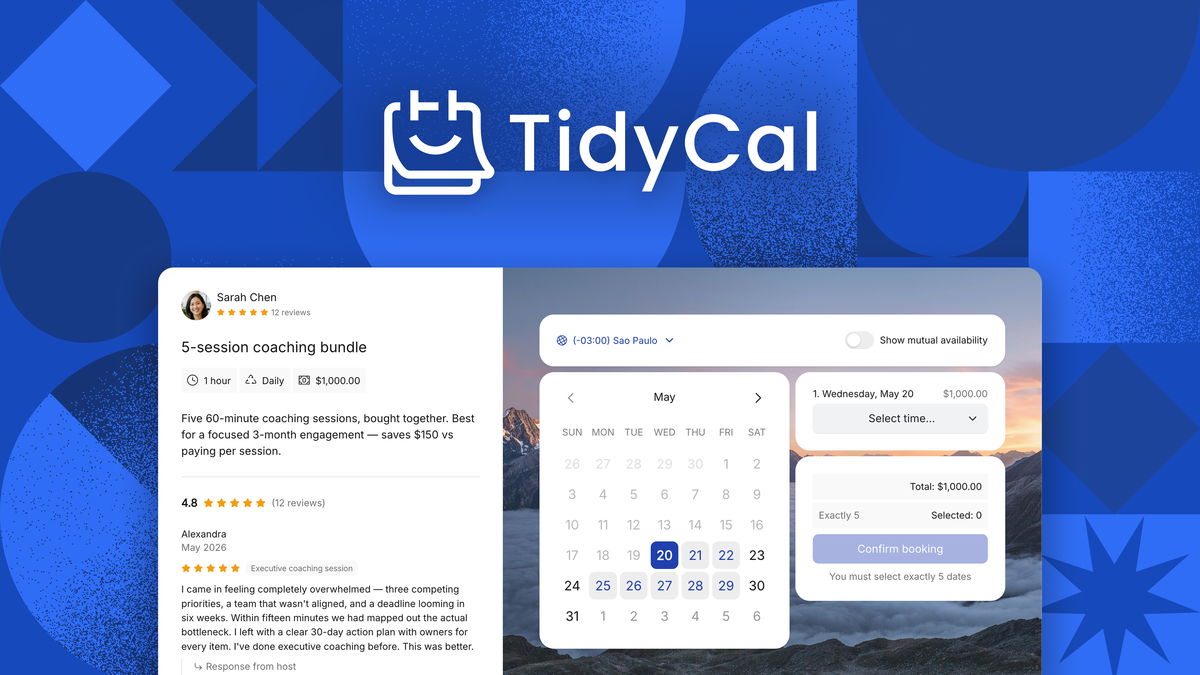
TidyCal is popular for its simple interface and low price. However, it has some limits. Many users outgrow its basic features as their needs change. For example, maybe you want deeper calendar integrations, smart meeting reminders, or advanced booking options. Others look for better team scheduling, more customization, or tools that use artificial intelligence to save even more time.
Switching to a new scheduling tool is not just about new features. It’s about solving real problems—like double-booked meetings, forgotten calls, or endless email chains. With the rise of remote work and global teams, the demand for smarter, AI-powered scheduling tools is higher than ever.
Let’s explore what matters most when picking the right TidyCal alternative.
What To Consider When Choosing An Ai Scheduling Tool
Choosing a scheduling tool is not just about price or looks. Here are some points you should keep in mind:
- AI Capabilities: Does the tool use real artificial intelligence? Look for features like automatic meeting suggestions, smart reminders, or even natural language booking.
- Integrations: Can you connect it with Google Calendar, Outlook, Zoom, Slack, or your favorite CRM?
- Customization: How much can you change the look, booking rules, and user experience?
- Ease of Use: Is it simple for both you and your clients or team to use?
- Team Features: Does it support group meetings, round-robin scheduling, or pooled availability?
- Pricing & Value: Is it affordable as your needs grow, or do costs jump quickly?
- Security & Privacy: Does it protect your data, especially if you handle sensitive information?
Many new users focus only on the basics—like calendar sync or booking links. But advanced features such as automated follow-ups or AI-powered conflict resolution can make a much bigger difference over time.
The Best Ai Scheduling Tools As Tidycal Alternatives
Below you’ll find the top AI scheduling tools that stand out as alternatives to TidyCal. Each one is unique, so you’ll get a clear idea of what makes them special, along with real-life examples and insights that beginners often miss.
1. Calendly
Calendly is often the first choice for those leaving TidyCal. It’s known for its smooth interface and deep integrations.
Key AI Features:
- Smart meeting detection: Suggests the best times based on everyone’s calendar.
- Automated workflows: Sends reminders, follow-ups, and feedback requests.
- Group scheduling: Handles round-robin, collective, and one-on-one meetings.
Integrations:
- Google, Outlook, iCloud, and Office 365 calendars
- Zoom, Teams, Slack, Zapier, Salesforce, and more
Best for: Professionals, teams, and salespeople who need a reliable, scalable solution.
Unique Insight: Calendly’s AI-powered time zone detection automatically adjusts for international clients—no more confusion about meeting times.
Pricing: Free for basic use; paid plans add advanced features.
2. Motion
Motion is more than a booking tool. It uses AI to plan your entire day, combining meetings, tasks, and projects.
AI Features:
- Automatic scheduling: AI fits meetings around your tasks and priorities.
- Real-time conflict resolution: If a meeting moves, Motion will re-balance your day.
- Focus time protection: Blocks off time for deep work.
Best for: Busy professionals who need both scheduling and task management.
Insight: Many users don’t realize Motion can automatically reschedule tasks if you miss a meeting or need more time—no manual adjustments needed.
Pricing: Premium only; higher than TidyCal but includes full productivity suite.
3. Clara
Clara is an AI-powered virtual assistant for scheduling. It feels like a real person handling your emails.
AI Features:
- Email-based booking: Clara reads and replies to scheduling emails.
- Natural language understanding: Handles complex requests and preferences.
- Learning: Gets smarter as you use it.
Best for: Executives and busy teams who get lots of meeting requests by email.
Insight: Clara can manage follow-up emails for late replies, something most tools miss.
Pricing: Starts at a premium price; aimed at professionals who want a human-like experience.
4. Reclaim.ai
Reclaim.ai brings AI to time management. It protects your focus by blending meetings and tasks.
AI Features:
- Smart scheduling: AI moves events to minimize conflicts.
- Task auto-scheduling: Automatically finds the best time for your to-dos.
- Habits and routines: Blocks time for lunch, breaks, or exercise.
Best for: People who need to balance many meetings with personal work.
Insight: Beginners often miss how Reclaim can automatically schedule personal tasks (like workouts) alongside meetings.
Pricing: Free for basic use; paid plans unlock more features.
5. Savvycal
SavvyCal offers a flexible, user-friendly alternative with a strong focus on the booking experience.
AI Features:
- Overlapping calendar view: Lets users see their own calendar alongside yours.
- Smart time suggestions: Recommends best times for both parties.
- Personalized booking links: Adapts to each guest.
Best for: Anyone who wants a simple but professional booking process.
Insight: SavvyCal’s calendar overlay lets your guests pick times without leaving their own workflow, reducing drop-offs.
Pricing: Mid-range, with discounts for startups.
6. Chili Piper
Chili Piper is built for teams, especially in sales and marketing.
AI Features:
- Instant lead routing: AI directs new meeting requests to the right person.
- Automated qualification: Filters bookings based on custom rules.
- Smart reminders: Reduces no-shows.
Best for: Sales teams who want to capture leads and book demos fast.
Insight: Chili Piper’s real-time routing is a game-changer for companies with many sales reps.
Pricing: Higher than individual tools; team-focused.
7. X.ai
x.ai is a full AI scheduling assistant that interacts naturally through email.
AI Features:
- Email-based scheduling: Handles back-and-forth like a human assistant.
- Group coordination: Finds the best time for multiple people.
- Self-learning: Improves with each meeting.
Best for: Professionals who want hands-off scheduling through email.
Insight: x.ai can coordinate multi-person meetings with complex availability, something most tools struggle with.
Pricing: Subscription-based.
8. Doodle
Doodle is famous for group scheduling and polls, but it has added more AI features in recent years.
AI Features:
- Poll-based scheduling: AI suggests best times based on group input.
- Automatic reminders: Keeps everyone updated.
- Calendar integration: Syncs with your main calendar.
Best for: Teams or groups trying to find the best meeting time.
Insight: Many skip Doodle’s hidden integrations with Zoom and Slack, which can save extra steps.
Pricing: Free and paid plans.
9. Kronologic
Kronologic uses AI to automatically book meetings with leads, without human input.
AI Features:
- Automatic outreach: AI emails leads with suggested times.
- Smart follow-ups: Adjusts based on replies.
- Calendar sync: Directly books confirmed meetings.
Best for: Sales and marketing teams focused on outbound leads.
Insight: Kronologic’s AI-driven follow-up increases meeting rates by up to 30% compared to manual booking.
Pricing: Enterprise-level.
10. Book Like A Boss
Book Like A Boss (BLAB) is a versatile tool for entrepreneurs and small teams.
AI Features:
- Automated notifications: Sends reminders and confirmations.
- Smart calendar sync: Avoids double-booking.
- Customizable booking pages: Adapt to your brand.
Best for: Solopreneurs, coaches, and consultants.
Insight: BLAB includes built-in payment collection—no need for extra tools.
Pricing: One-time and subscription options.
11. Oncehub
OnceHub (previously ScheduleOnce) is designed for high-volume scheduling and lead qualification.
AI Features:
- Smart workflows: Automates booking, reminders, and follow-ups.
- Lead routing: Directs requests to the right team member.
- Advanced rules: Customizes who can book and when.
Best for: Large teams or businesses with complex scheduling needs.
Insight: Many users overlook OnceHub’s conditional logic for booking flows, which can automate even complex workflows.
Pricing: Free basic plan; more features in paid plans.
12. Meetfox
MeetFox combines scheduling with video calls and payments.
AI Features:
- Automated scheduling: Finds open times and sends confirmations.
- Integrated video calls: No need for Zoom or Skype.
- Payment collection: Clients pay when booking.
Best for: Consultants, coaches, and freelancers.
Insight: MeetFox’s all-in-one approach means fewer tools to manage and more seamless client experiences.
Pricing: Free and paid plans.
13. Cogsworth
Cogsworth is a user-friendly, privacy-first scheduling platform.
AI Features:
- Smart reminders: Reduces no-shows.
- Availability management: Handles different time zones.
- Custom intake forms: Collects information before meetings.
Best for: Healthcare, education, and anyone concerned with data privacy.
Insight: Cogsworth’s privacy controls are stricter than most, making it suitable for regulated industries.
Pricing: Tiered plans.
14. Youcanbook.me
YouCanBook.me is known for its deep customization and ease of use.
AI Features:
- Automated booking: Syncs with your calendar in real time.
- Personalized reminders: Custom messages for guests.
- Flexible scheduling rules: Set your own limits and buffers.
Best for: Educators, recruiters, and customer support.
Insight: Beginners often miss the conditional notifications, which can change based on who books or what they book.
Pricing: Free trial; paid plans.
15. Fantastical
Fantastical is a premium calendar app with smart scheduling.
AI Features:
- Natural language input: Type “Lunch with Alex next Tuesday” and it schedules for you.
- Meeting proposals: Suggests times and manages responses.
- Task integration: Combines meetings and to-dos.
Best for: Apple users who want everything in one place.
Insight: Fantastical can auto-combine multiple calendars and show all your commitments—reducing surprises.
Pricing: Subscription model.
Feature Comparison: Tidycal Vs. Top Alternatives
To help you visualize the differences, here’s a comparison of key features between TidyCal and the most popular alternatives.
| Tool | AI Scheduling | Integrations | Team Features | Customization | Pricing |
|---|---|---|---|---|---|
| TidyCal | Basic | Limited | No | Low | Low |
| Calendly | Smart suggestions | Extensive | Yes | Medium | Mid-range |
| Motion | Full day planning | Google, Outlook | Yes | High | Premium |
| Clara | Email AI | Email, Calendar | Yes | Medium | Premium |
| Reclaim.ai | Smart auto-scheduling | Google, Slack | Limited | Medium | Free/Paid |
| SavvyCal | Smart suggestions | Google, Outlook | Yes | High | Mid-range |
Real-world Examples: How Teams Use Ai Scheduling Tools
It’s helpful to see how real people use these tools to solve their problems.
- A global sales team uses Chili Piper to route meeting requests to the right sales rep in real time. This cuts their response time from 2 hours to less than 10 minutes, increasing their closed deals by 20%.
- A consulting coach switched from TidyCal to MeetFox. Now, clients can book, pay, and join video calls—all in one place. This saves the coach about 5 hours of admin work each week.
- A small agency uses Reclaim.ai to protect deep work time. Instead of meetings filling every open slot, the AI blocks focus time automatically, leading to a 30% boost in project delivery speed.
Comparing Booking Experience: Guest Perspective
Guest experience can make or break your business relationships. Here’s how different tools perform for your clients or meeting guests.
| Tool | Guest Booking Flow | Reminders | Mobile Experience | Unique Guest Feature |
|---|---|---|---|---|
| Calendly | 3 clicks, no signup | Email/SMS | Excellent | Auto time zone detection |
| SavvyCal | Calendar overlay | Very good | See both calendars | |
| Clara | Email conversation | Email follow-ups | Good | Feels like a human assistant |
| Doodle | Poll-based | Good | Vote on best times | |
| MeetFox | Book & join call | Email/SMS | Good | One-click video meetings |
Credit: appsumo.com
Key Advantages Of Ai Scheduling Tools Over Tidycal
Many users only realize the true value of AI scheduling after switching. Here are some advantages that go beyond the obvious:
- Real-time conflict resolution: AI can spot overlapping meetings and suggest new times instantly.
- Automatic follow-ups: Some tools chase down guests who forget to reply—no more lost meetings.
- Personalization: AI can adjust reminders, emails, and even booking pages based on the guest’s preferences or history.
- Time zone intelligence: No more confusion over international meetings—AI handles it smoothly.
- Deeper integrations: Connect with CRM, video calls, payments, and more for a seamless workflow.
Common Mistakes When Choosing A Tidycal Alternative
It’s easy to get lost in features and forget what really matters. Here are mistakes to avoid:
- Ignoring integrations: If your scheduling tool can’t talk to your CRM or video platform, you’ll waste time on manual steps.
- Overpaying for features you don’t use: Fancy AI is great, but only if it solves your real problems.
- Skipping guest experience: Complicated booking flows can scare off clients or prospects.
- Not testing mobile usability: Many guests book from their phones—make sure the experience is smooth.
- Forgetting data privacy: Always check how your tool handles sensitive information.

Credit: lifestack.ai
How To Switch From Tidycal To A New Ai Scheduling Tool
Switching can be smooth if you follow the right steps:
- Export your current bookings and contacts from TidyCal.
- Sign up for a trial of your chosen alternative.
- Set up your calendar and integrations (like Zoom, Slack, Google Calendar).
- Customize your booking page with your logo, colors, and booking rules.
- Test the guest experience—book a meeting as a client would.
- Migrate future bookings (if needed) and notify your clients or team.
- Disable or cancel TidyCal once you’re sure everything works.
A pro tip: Start with a small group or a few clients before fully switching. This lets you catch any issues early.
Security And Privacy: What To Watch For
AI scheduling tools handle sensitive data—names, emails, meeting details, and sometimes payment info. Here’s what to look for:
- Encryption: Is your data protected both in transit and at rest?
- Data ownership: Can you export or delete your data easily?
- Compliance: Does the tool meet GDPR or other regulations, if you need them?
- Permissions: You should control who can access your schedules and info.
Some tools, like Cogsworth, are designed with privacy in mind, making them a good choice for healthcare or education.
Credit: www.tenzo.ai
Tips To Get The Most Out Of Your Ai Scheduling Tool
To maximize value, don’t just set and forget your new tool:
- Connect all your calendars (work, personal, side projects) for the best availability.
- Use smart buffers to avoid back-to-back meetings and reduce stress.
- Automate reminders—both for you and your guests.
- Set up workflows (like sending a thank-you email or a follow-up survey).
- Review analytics to see when no-shows happen or which meeting types are most popular.
Many users forget to revisit their settings as their work changes. Reviewing your setup every few months can save hours and keep your schedule running smoothly.
When To Stick With Tidycal
TidyCal remains a good choice if you:
- Only need simple, one-on-one bookings
- Don’t care about advanced integrations or AI features
- Want the lowest possible price
- Have a small client base
But if your business or team is growing, or you want more automation, it’s worth exploring the alternatives listed above.
Where Ai Scheduling Tools Are Headed Next
AI scheduling is evolving fast. New trends include:
- Voice booking: Schedule meetings by speaking to your phone or smart assistant.
- Automatic rescheduling: AI finds new times for canceled meetings without your input.
- Predictive scheduling: Tools learn your habits and suggest the best work patterns.
- Deeper CRM integration: Scheduling tools will soon be able to update customer records and trigger sales workflows automatically.
The next generation of AI schedulers will do much more than just book meetings—they’ll become central to how you manage your workday.
Frequently Asked Questions
What Makes An Ai Scheduling Tool Different From A Regular Scheduler?
An AI scheduling tool uses artificial intelligence to automate tasks like finding the best meeting times, sending smart reminders, and handling complex booking flows. Regular schedulers often require more manual setup and can’t adapt as easily to changing schedules or preferences.
Can I Migrate My Bookings From Tidycal To Another Tool?
Yes, most tools allow you to export your bookings and contacts from TidyCal. You can then import them into your new tool, though the process may require some manual adjustment. Always test with a few bookings first to make sure everything transfers correctly.
Are Ai Scheduling Tools Safe For Sensitive Information?
Most leading tools use encryption and follow strict privacy rules. Look for platforms that mention compliance with GDPR or other data protection laws. If privacy is critical—such as for healthcare or education—choose a tool like Cogsworth that offers enhanced privacy controls.
How Do Ai Schedulers Handle Time Zones?
AI schedulers automatically detect and adjust for time zones, both for you and your meeting guests. This reduces confusion and prevents missed meetings, especially for international teams.
Where Can I Find More Information About Ai Scheduling Technology?
A great resource for learning more about the future of AI scheduling is the Wikipedia page on Intelligent Personal Assistants, which covers advances in virtual assistants and how they apply to scheduling and productivity.
Choosing the best AI scheduling tool as a TidyCal alternative depends on your needs, budget, and workflow. By understanding your options, testing them in real situations, and focusing on what matters most, you’ll find a tool that saves you time and helps your work run smoother than ever.


About author









Add comment