

Best Ai Background Removers for Ecommerce: Top Tools Reviewed
Ecommerce is a fast-moving world. Images are everything. When people shop online, they want to see clear pictures of products. A messy or distracting background can make a product look unprofessional and reduce sales. This is why background removal is essential for ecommerce. But removing backgrounds by hand takes time and money. Now, AI background removers have changed the game. These tools make it possible to get clean, sharp product photos in seconds. But with so many options, which AI background removers are best for ecommerce? Let’s dive deep and find out.
Why Background Removal Matters For Ecommerce
The first impression shoppers get is from product photos. If the image looks messy or unclear, buyers may not trust the seller. Clean backgrounds highlight the product and make it look more appealing. Many ecommerce sites, like Amazon and eBay, even require product photos with white or plain backgrounds.
Having a professional image can increase conversion rates by up to 40% according to some studies. Clear photos also help with SEO, as search engines value quality images. Sellers who use high-quality images stand out, build trust, and sell more.
How Ai Background Removers Work
AI background removers use machine learning to detect the main object in an image and separate it from the background. This technology analyzes pixels, shapes, and colors. It can handle complex images, like jewelry or clothing with fine edges.
Most tools use a process like this:
- Upload an image.
- The AI scans for the object.
- The background is removed or replaced.
- The final image is ready for download or editing.
Some tools allow extra editing, such as shadow adjustments or adding new backgrounds. The best AI background removers are quick, accurate, and easy to use—even for beginners.
Key Features To Look For
Not every tool is the same. Before choosing an AI background remover, consider these features:
- Accuracy: Does it handle tricky edges like hair or transparent objects?
- Speed: How fast can it process large batches?
- Ease of use: Can you use it without special training?
- Integration: Does it work with your ecommerce platform (Shopify, WooCommerce, etc. )?
- Pricing: Is it affordable for your business?
- File formats: Does it support JPG, PNG, etc. ?
- Bulk processing: Can you remove backgrounds from many images at once?
- Post-editing tools: Can you adjust shadows, add backgrounds, or retouch?
Some tools also offer API access, which helps automate background removal for thousands of images.
Best Ai Background Removers For Ecommerce
Let’s explore the top AI background removers. Each has strengths, and some are better for certain types of ecommerce stores.
1. Remove.bg
Remove.bg is one of the most popular AI background removers. It is known for its accuracy and speed. You just upload an image, and it removes the background in seconds.
- Accuracy: Excellent, even with hair, fur, and transparent objects.
- Ease of Use: Simple interface—drag and drop.
- Bulk Processing: Available with paid plans.
- Integration: Works with Photoshop, Shopify, WooCommerce, and more.
- Pricing: Free for small images, paid plans for high-resolution and bulk use.
- Post-editing: Allows adding new backgrounds.
Remove. bg supports API access for automation. It is trusted by brands like Canva and Adidas.
2. Adobe Photoshop (ai-powered Remove Background)
Adobe Photoshop now includes an AI-powered Remove Background feature. It uses Adobe’s Sensei AI to detect the main subject.
- Accuracy: High, especially for complex products.
- Ease of Use: Requires basic Photoshop skills, but new feature is one-click.
- Bulk Processing: Possible with actions/scripts.
- Integration: Works with all Adobe tools.
- Pricing: Subscription required.
- Post-editing: Advanced—full Photoshop suite.
Photoshop is best for sellers who want extra editing tools. It is the industry standard for professional ecommerce photography.
3. Fotor
Fotor is an online photo editor with a strong AI background remover.
- Accuracy: Good, handles most product images well.
- Ease of Use: Very easy, no design skills needed.
- Bulk Processing: Limited but possible.
- Integration: Web-based, integrates with some platforms.
- Pricing: Free for basic use, paid for advanced features.
- Post-editing: Add backgrounds, adjust colors.
Fotor is ideal for small businesses or sellers who want quick results.
4. Photoroom
PhotoRoom is designed for ecommerce sellers, especially those using smartphones.
- Accuracy: Good, especially for clothing and accessories.
- Ease of Use: Mobile and desktop apps, very user-friendly.
- Bulk Processing: Available in paid plans.
- Integration: Works with Shopify, eBay, Amazon.
- Pricing: Free version with watermark, paid removes watermark.
- Post-editing: Add backgrounds, shadows, text.
PhotoRoom is popular for quick, mobile-based product photos.
5. Clipping Magic
Clipping Magic offers smart AI tools plus manual editing options.
- Accuracy: High, allows manual touch-ups for tricky edges.
- Ease of Use: Simple, but advanced features available.
- Bulk Processing: Supports batch uploads.
- Integration: API available.
- Pricing: Subscription, based on image credits.
- Post-editing: Adjust edges, add drop shadows.
Clipping Magic is great for sellers who want both automation and control.
6. Canva (background Remover Tool)
Canva is a favorite for marketing and ecommerce. Its background remover uses AI and is part of the Pro plan.
- Accuracy: Good for most products.
- Ease of Use: Drag and drop, very simple.
- Bulk Processing: Limited.
- Integration: Works with Canva’s design tools.
- Pricing: Included in Canva Pro.
- Post-editing: Full design suite.
Canva is perfect for sellers who want to make marketing materials and product images.
7. Slazzer
Slazzer is an AI tool focused on quick background removal.
- Accuracy: Good, especially for product photos.
- Ease of Use: Simple web interface.
- Bulk Processing: Available for paid users.
- Integration: Supports Shopify, WooCommerce, API.
- Pricing: Free for small images, paid for high-res and bulk.
- Post-editing: Add backgrounds, minor adjustments.
Slazzer is fast and efficient for ecommerce sellers.
8. Pixlr (remove Bg)
Pixlr is an online photo editor with a strong AI background remover.
- Accuracy: Good, handles most product images.
- Ease of Use: Simple, web-based.
- Bulk Processing: Limited.
- Integration: Works with Pixlr’s editing tools.
- Pricing: Free and paid versions.
- Post-editing: Full editing suite.
Pixlr is ideal for sellers who want both editing and background removal.
9. Trace By Sticker Mule
Trace is a free tool from Sticker Mule, designed for fast background removal.
- Accuracy: Good, quick for basic product shots.
- Ease of Use: Very easy, just upload and go.
- Bulk Processing: Not available.
- Integration: Limited.
- Pricing: Free.
- Post-editing: Add backgrounds.
Trace is good for quick, simple background removal.
10. Removal.ai
Removal. ai offers fast AI background removal plus bulk processing.
- Accuracy: Good, handles hair and tricky edges.
- Ease of Use: Simple, web-based.
- Bulk Processing: Supports batch uploads.
- Integration: API and plugin support.
- Pricing: Free for small images, paid for high-res and bulk.
- Post-editing: Add backgrounds, adjust shadows.
Removal. ai is great for sellers with many products.

Credit: www.rewarx.com
Side-by-side Comparison: Accuracy And Speed
To help you choose, here’s a quick comparison of the top tools for accuracy and processing speed:
| Tool | Accuracy (1-10) | Speed (Seconds/Image) | Bulk Processing |
|---|---|---|---|
| Remove.bg | 9 | 2 | Yes |
| Adobe Photoshop | 10 | 5 | Yes |
| PhotoRoom | 8 | 3 | Yes |
| Clipping Magic | 9 | 4 | Yes |
| Canva | 8 | 3 | No |
| Slazzer | 8 | 2 | Yes |
| Fotor | 7 | 3 | Limited |
| Pixlr | 7 | 3 | No |
| Trace | 7 | 2 | No |
| Removal.ai | 8 | 2 | Yes |
Remove.bg and Photoshop are leaders in accuracy, while Remove.bg, Slazzer, Trace, and Removal.ai offer the fastest processing speeds.
Pricing Breakdown
Pricing is important for ecommerce sellers. Here’s a comparison of pricing plans for the most popular tools.
| Tool | Free Plan | Paid Plan (per image) | Bulk Pricing |
|---|---|---|---|
| Remove.bg | Yes (low-res) | $0.20 | Discounts for 500+ images |
| Adobe Photoshop | No | Subscription ($20.99/mo) | Unlimited |
| PhotoRoom | Yes (watermark) | $9.99/mo | Unlimited |
| Clipping Magic | No | $0.39 | Subscription ($8.99/mo) |
| Canva | No | Included in Pro ($12.99/mo) | Unlimited |
| Slazzer | Yes (low-res) | $0.12 | Discounts for bulk |
| Fotor | Yes | $8.99/mo | Limited |
| Pixlr | Yes | $4.90/mo | No |
| Trace | Yes | Free | No |
| Removal.ai | Yes (low-res) | $0.15 | Discounts for bulk |
Non-obvious insight: Many tools offer free trials or low-res images for free. This is useful for testing before buying. Also, some platforms like Shopify offer built-in background removal, but these are often powered by third-party AI tools.
Real-world Examples: Ecommerce Success Stories
Many ecommerce brands have seen big improvements after switching to AI background removers:
- Small jewelry store: Saved 15 hours per week by automating background removal, leading to a 25% increase in listings.
- Fashion retailer: Improved conversion rate by 34% after switching to clean, white backgrounds using Remove.bg.
- Electronics seller: Used Photoshop’s batch processing to update 2,000 images for Amazon compliance in two days.
- Handmade crafts shop: Used PhotoRoom on mobile to quickly create product photos for Etsy, cutting turnaround time by 50%.
A common mistake beginners make is not checking image quality after removal. Always review results and use post-editing tools to fix rough edges.
Practical Tips For Using Ai Background Removers
Even the best AI tools need some guidance. Follow these tips for the best results:
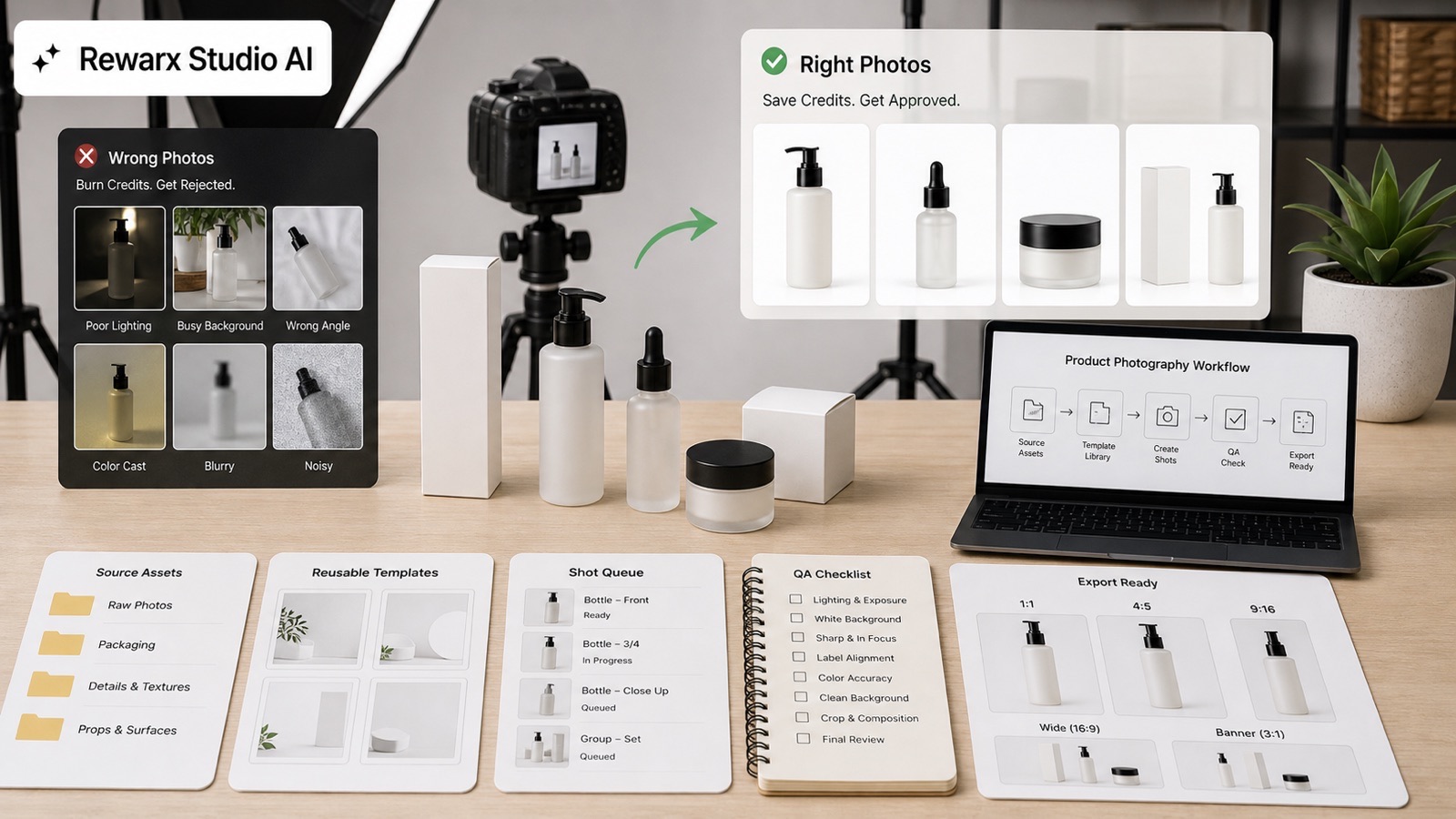
- Use high-resolution images: AI works better with clear photos.
- Check edges: Zoom in to see if there are any rough or missing parts.
- Test multiple tools: Some tools work better for certain product types.
- Save original files: If the AI makes a mistake, you can retry or use manual editing.
- Batch process: For large catalogs, use tools with bulk processing or API access.
- Keep backgrounds consistent: Use the same background color or style for all product photos.
- Adjust shadows and lighting: Many tools let you add shadows to make products look natural.
Non-obvious insight: Some ecommerce platforms compress images automatically. After removing backgrounds, always upload the highest quality version to avoid losing detail.
Credit: www.rewarx.com
What Matters Most For Ecommerce Sellers?
Picking the right AI background remover depends on your needs:
- Large catalogs: Choose tools with bulk processing and API access (Remove.bg, Removal.ai, Clipping Magic).
- Mobile sellers: Use PhotoRoom or Canva for fast, on-the-go editing.
- Advanced editing: Photoshop and Clipping Magic offer more control for difficult images.
- Budget-conscious: Slazzer, Trace, and Fotor offer free or low-cost options.
The best tool for you is the one that fits your workflow and budget. Don’t just pick the cheapest—test accuracy, speed, and ease of use.
Integration With Ecommerce Platforms
Many AI background removers offer plugins or direct integration with ecommerce platforms:
- Shopify: Remove.bg, PhotoRoom, Slazzer, and Canva plugins.
- WooCommerce: Remove.bg, Slazzer.
- Amazon/eBay: PhotoRoom, Remove.bg, Clipping Magic.
Integration saves time by automating the upload and editing process. APIs are useful for larger stores who need to process thousands of images.
Common Mistakes Beginners Make
- Ignoring image quality: Low-quality photos produce poor results.
- Not checking for compliance: Each platform (Amazon, eBay) has its own rules for backgrounds and image sizes.
- Skipping manual touch-ups: AI is good, but not perfect. Always review and adjust.
- Uploading inconsistent backgrounds: Makes your store look unprofessional.
- Overpaying for unused features: Choose a plan that fits your actual needs.
Learning from these mistakes can save time, money, and improve your sales.
Advanced Features To Consider
Some tools offer advanced features that can help your ecommerce business:
- Smart shadows: Adds realistic shadows to product images.
- Automatic cropping: Fits images to required sizes for platforms.
- Background replacement: Lets you add branded or lifestyle backgrounds.
- Edge smoothing: Makes cut-out objects look more natural.
- Watermark removal: Useful for resellers.
These features are often available in paid plans. If you plan to scale your business, consider tools that offer these options.
Ai Background Removers Vs. Manual Editing
Manual editing with Photoshop or GIMP can produce perfect results, but it is slow and expensive. AI tools are fast, affordable, and good for most ecommerce needs. For complex products (like jewelry or glass), manual touch-ups may still be necessary.
Here’s a quick comparison:
| Method | Speed | Cost | Accuracy | Best For |
|---|---|---|---|---|
| AI Background Removers | Seconds per image | Low to medium | Very good | Most product photos |
| Manual Editing | 10–30 min per image | High | Perfect | Complex, high-value items |
For most ecommerce sellers, AI background removers offer the best balance between speed, cost, and quality.
Ai Trends: What’s Next?
AI tools are improving fast. In 2026, many background removers now use deep learning for even better accuracy. Some tools are starting to offer automatic product tagging, smart cropping, and integration with 3D modeling.
As AI gets better, expect:
- Faster processing
- Better edge detection
- Automatic compliance with platform rules
- More customization options
Ecommerce sellers who keep up with these trends will have a big advantage.
Credit: www.rewarx.com
Where To Learn More
If you want to learn more about how AI background removers work or about ecommerce image best practices, check out this Shopify Product Photography Guide. It covers tips for taking great product photos and using editing tools.
Frequently Asked Questions
What Is The Best Ai Background Remover For Amazon Sellers?
For Amazon sellers, Remove.bg and PhotoRoom are top choices. Both handle Amazon’s strict requirements for white backgrounds and offer fast bulk processing. Adobe Photoshop is also excellent if you need advanced editing.
Can Ai Background Removers Handle Complex Objects Like Jewelry?
Yes, tools like Remove.bg, Clipping Magic, and Adobe Photoshop do well with jewelry and other tricky products. They use advanced edge detection. However, manual touch-ups may still be needed for perfect results.
Are Free Ai Background Removers Good Enough For Ecommerce?
Free tools work well for simple products and small catalogs. For large stores or high-value items, paid tools offer better accuracy, resolution, and bulk features. Always test free tools before upgrading.
How Do I Integrate Ai Background Removers With My Ecommerce Store?
Many tools offer plugins for Shopify, WooCommerce, or APIs for custom integration. Remove.bg, PhotoRoom, Slazzer, and Canva all support popular ecommerce platforms. APIs let you automate bulk processing.
What Image Formats Do Ai Background Removers Support?
Most tools support JPG and PNG. PNG is best for ecommerce since it supports transparency. Some tools also offer TIFF or WebP formats. Always check before uploading.
Final Thoughts
Clear product photos are the backbone of ecommerce success. Using the right AI background remover can save time, cut costs, and boost sales. Whether you run a large store or just started selling, there’s a tool that fits your needs.
Test a few, check accuracy, and pick the one that matches your workflow. With AI, you can focus on growing your business—while your product images look their best.


About author









Add comment