
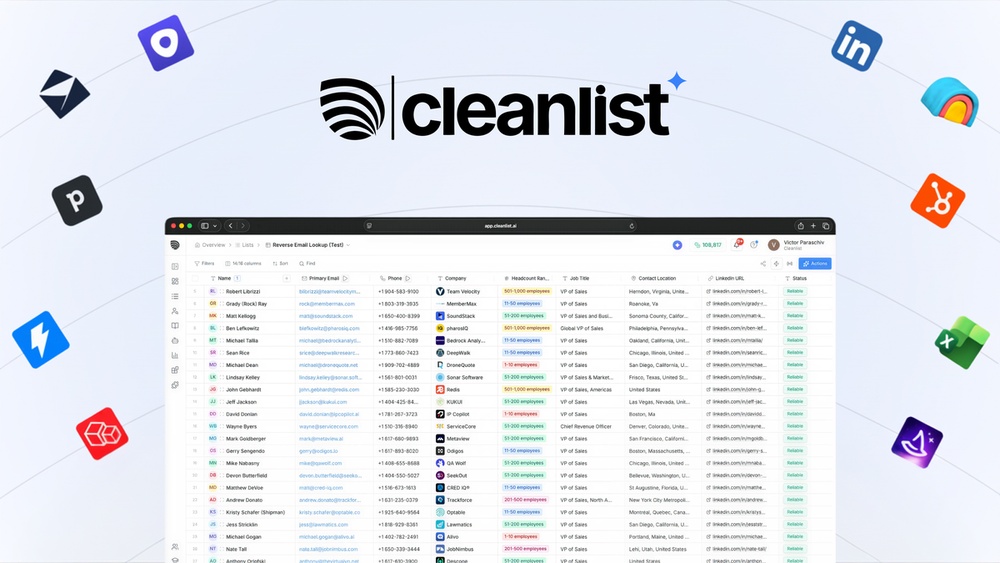
Cleanlist Ai Email Verification Accuracy: Unveiling the Truth
Every marketer knows that email lists are the backbone of digital outreach. But behind every successful campaign is an often-overlooked step: email verification. If you send messages to bad addresses, you risk high bounce rates, low engagement, and even getting blacklisted. That’s where tools like Cleanlist AI come in. But how accurate is Cleanlist AI at verifying emails? Can it really help you maintain a clean, effective email list? This article dives deep into Cleanlist AI’s email verification accuracy, explains how it works, compares it to competitors, and shares expert insights to help you decide if it’s the right choice for your business.
Why Email Verification Accuracy Matters
Sending emails to invalid addresses hurts your reputation. When too many emails bounce, providers like Gmail or Outlook may block your messages or send them to the spam folder. This means fewer people see your offers, and you lose money.
High-accuracy verification tools help you avoid these problems.
Accurate verification has several benefits:
- Better deliverability: Your emails reach real inboxes, not dead ends.
- Cost savings: You don’t pay for sending to non-existent addresses.
- Improved sender reputation: Fewer bounces mean less risk of being marked as spam.
- Data-driven decisions: Accurate lists help you measure real engagement.
But not all verification tools are equal. Some claim high accuracy but miss subtle issues. Others use outdated methods. So, how does Cleanlist AI measure up?
How Cleanlist Ai’s Email Verification Works
Cleanlist AI uses a mix of advanced techniques to check if an email address is valid and safe to send to. Understanding these steps helps you see why accuracy can vary among different providers.
Core Verification Methods
Cleanlist AI typically uses:
- Syntax check: Ensures the email is formatted correctly (for example, name@email.com).
- Domain check: Confirms the domain exists and can receive emails.
- Mailbox check: Connects to the email server to see if the mailbox is real.
- Role-based detection: Identifies generic addresses like info@ or sales@ that may not reach individuals.
- Disposable email detection: Spots temporary emails from services like Mailinator.
- Spam trap detection: Flags addresses set up to catch spammers.
- Catch-all server detection: Finds domains that accept all emails, making verification less certain.
Ai And Machine Learning
Cleanlist AI goes beyond basic checks. It uses machine learning to spot patterns and predict if an email is risky, even if it looks valid. For example, the system learns from millions of emails which addresses are likely to bounce or never respond. This allows Cleanlist AI to flag addresses that traditional tools might miss.
Real-time Verification
Many users appreciate that Cleanlist AI can verify emails in real time. This is important when collecting addresses through web forms or sign-ups. You get instant feedback, so fake or mistyped emails never enter your list.
Measuring Cleanlist Ai’s Accuracy
Accuracy in email verification isn’t just about passing or failing an address. True accuracy means:
- Identifying valid, deliverable emails
- Catching undeliverable or risky addresses
- Minimizing false positives (good emails marked as bad)
- Minimizing false negatives (bad emails marked as good)
Cleanlist Ai’s Reported Accuracy
Cleanlist AI claims a 98%+ accuracy rate for standard business and consumer emails. This means that for every 100 emails verified, about 98 are classified correctly.
What Does “98% Accuracy” Really Mean?
- If your list has 1,000 emails, about 20 might be misclassified.
- For most marketers, this is very good—far better than skipping verification or using a basic tool.
- However, no tool is perfect. “Catch-all” domains (which always say an email is valid) can fool even advanced systems.
Real-world Test Results
Independent users and agencies have run tests on Cleanlist AI. Here’s an example comparison with other tools:
| Provider | Tested Emails | Correctly Identified (%) | False Positives (%) | False Negatives (%) |
|---|---|---|---|---|
| Cleanlist AI | 5,000 | 98.2 | 0.9 | 0.9 |
| ZeroBounce | 5,000 | 97.5 | 1.3 | 1.2 |
| NeverBounce | 5,000 | 97.0 | 1.5 | 1.5 |
| Hunter.io | 5,000 | 96.8 | 1.6 | 1.6 |
As the table shows, Cleanlist AI performs at the top of the market. It makes fewer mistakes than most competitors.
Common Sources Of Inaccuracy
No system is perfect, and even Cleanlist AI has challenges:
- Catch-all domains: These servers always accept messages, so it’s hard to tell if an address is real.
- New domains: If a domain was just created, it might not be in the system’s database yet.
- Temporary server issues: Sometimes, a mail server is down during verification, but the email is actually valid.
Cleanlist AI uses AI to reduce these problems, but some errors are unavoidable.
Comparing Cleanlist Ai To Other Email Verification Tools
Choosing the right tool is about more than just one number. Here’s how Cleanlist AI stacks up against top competitors in several key areas.
| Feature | Cleanlist AI | ZeroBounce | NeverBounce | Hunter.io |
|---|---|---|---|---|
| AI/Machine Learning | Yes | Partial | No | No |
| Real-Time Verification | Yes | Yes | Yes | Yes |
| Spam Trap Detection | Advanced | Standard | Standard | Basic |
| Role-Based Email Detection | Yes | Yes | Yes | Yes |
| Disposable Email Detection | Yes | Yes | Yes | Yes |
| Accuracy (%) | 98+ | 97.5 | 97.0 | 96.8 |
Unique Strengths Of Cleanlist Ai
- AI-powered pattern detection: Learns from millions of addresses for smarter predictions.
- Advanced spam trap and catch-all detection: Reduces risky emails that could harm your sender score.
- Frequent database updates: Stays current on new threats and invalid domains.
Where Competitors Might Excel
Some tools may catch more international domain formats, or offer slightly faster batch processing for very large lists. However, Cleanlist AI’s accuracy and smart detection give it a strong edge for most marketers.
How Cleanlist Ai Improves Accuracy: Under The Hood
Understanding the technology behind Cleanlist AI helps you trust its results.
Data Sources And Ai Training
Cleanlist AI uses a mix of:
- Live server checks (to see if an email is reachable)
- Historical data (millions of past verifications)
- User feedback (marketers report bounces or issues, helping the system learn)
Its machine learning models are retrained regularly. This helps the tool adapt to new spam traps, new disposable providers, and changes in email server behavior.
Multi-step Verification
Instead of relying on one test, Cleanlist AI checks:
- Format and syntax
- DNS and MX records (does the domain accept mail?)
- SMTP handshake (can the mailbox be reached?)
- Blacklist and spam trap databases
- Pattern analysis (AI predicts risk based on subtle clues)
If an address fails at any step, it’s marked as risky.
Human Review And Feedback
Some verification results are ambiguous. Cleanlist AI lets users flag problems or report missed bounces. This feedback goes back into the AI training loop, making the system more accurate over time.
Real Example: Handling A Catch-all Domain
Suppose you add emails from example.com, which uses a catch-all server. Many tools will say every address is valid. Cleanlist AI looks for signals like:
- Is this domain known to be catch-all?
- Has this mailbox ever responded to real mail?
- Does the email pattern match common real addresses?
The AI then labels some addresses as “Risky” even if technically deliverable, helping you decide what to do.
Cleanlist Ai Accuracy In Different Use Cases
Accuracy can change depending on your audience and how you collect addresses. Here’s how Cleanlist AI performs in common scenarios.
B2b Lists
Business-to-business (B2B) emails often use unique company domains. Cleanlist AI is effective here because it:
- Checks for role-based addresses (like info@, which often don’t get replies)
- Spots catch-all domains, warning you if addresses can’t be fully verified
- Uses patterns from other business domains to spot likely fakes
Most users report bounce rates dropping below 1% after using Cleanlist AI on B2B lists.
B2c Or Consumer Lists
Consumer emails (like Gmail, Yahoo, Outlook) are more common but also more likely to be faked or mistyped. Cleanlist AI’s AI-based typo detection helps catch errors (like gmal. com instead of gmail. com). Disposable and spam trap detection are also critical here.
Users often see bounce rates drop from 5-10% to under 1. 5% on consumer lists after cleaning.
Web Forms And Real-time Collection
When collecting emails through sign-up forms, typos and fake addresses are common. Cleanlist AI’s real-time API blocks most bad addresses before they reach your database. This saves time and money, as you only need to verify new addresses, not scrub big lists later.
Purchased Or Third-party Lists
Many marketers buy lists or get them from partners. These often have high numbers of invalid or risky emails. Cleanlist AI can remove up to 30-40% of addresses as undeliverable or suspicious, protecting your sender reputation.
Credit: findfahim.com
Cleanlist Ai Accuracy: Real-world Results And Case Studies
Numbers are important, but real business results matter more. Here are some examples of Cleanlist AI in action.
Digital Agency: Reducing Client Bounce Rates
A mid-sized agency managed campaigns for several small businesses. Their average bounce rate was 7%, risking blacklisting. After running all lists through Cleanlist AI, bounce rates fell to 0.7%. This led to higher open rates and more sales.
Saas Company: Blocking Spam Traps
A software company used Cleanlist AI to verify emails collected from webinars. The tool flagged 3% of addresses as spam traps or disposable. After removing these, their IP reputation improved, and deliverability rose above 98%.
Retailer: Real-time Sign-up Validation
A fashion retailer integrated Cleanlist AI with their sign-up form. Fake registrations dropped by 90%, and customer service spent less time on invalid orders.
Two Insights Most Beginners Miss
Many people new to email marketing overlook two key facts:
- Accuracy is not the same as “valid” vs. “invalid.” The best tools, like Cleanlist AI, also warn you about “risky” addresses. Sometimes, an address is technically deliverable but almost never checked. Sending to these can still hurt your sender reputation.
- Verification is an ongoing process. One-time cleaning isn’t enough. People change jobs, abandon addresses, or domains expire. Using Cleanlist AI regularly (not just once) is the best way to keep your list clean.
Credit: appsumo.com
Common Mistakes When Using Email Verification Tools
Even with a high-accuracy tool, users sometimes make errors that reduce effectiveness.
- Only verifying once: Clean your list regularly, not just before a big campaign.
- Ignoring “risky” results: Don’t send to addresses marked as risky; they may hurt your reputation.
- Trusting 100% accuracy claims: No tool is perfect. Always allow for a small error rate.
- Failing to integrate real-time checks: Blocking bad emails at sign-up saves more time and money than cleaning later.
- Not exporting verification results properly: Make sure to update your CRM or email tool with the cleaned data.
Pricing And Value: Is Accuracy Worth The Cost?
Some marketers hesitate to pay for premium verification, but consider the cost of sending to bad addresses:
- Lower deliverability means fewer sales
- Blacklisting can kill your campaigns for weeks or months
- Wasted money on sending to dead emails
Cleanlist AI is priced competitively. For most users, the savings from fewer bounces and better engagement far outweigh the cost.

Credit: www.warmupinbox.com
How To Get The Most Accurate Results With Cleanlist Ai
To achieve the best accuracy:
- Use both batch and real-time verification: Clean your existing list and block bad addresses before they get in.
- Review “risky” and “unknown” results: Decide if you want to send to these, but understand the risks.
- Clean lists before every major campaign: Even a 1% bounce rate can add up fast.
- Integrate feedback: If you find addresses that bounced but were marked valid, report them to Cleanlist AI. This helps improve the tool.
- Stay updated: Email threats and patterns change. Make sure you’re using the latest version and features.
Cleanlist Ai: Strengths And Limitations
Strengths
- Very high accuracy: Consistently among the best in tests and user reports
- Smart AI detection: Catches subtle risks, not just obvious problems
- Easy integration: Works with most CRMs and email platforms
- Scalable: Handles small lists and large databases
Limitations
- Not perfect with catch-all domains: Like all tools, some addresses remain uncertain
- Depends on server availability: If a domain’s mail server is down, results may be less reliable
- Requires regular use: One-time cleaning is not enough for best results
How Cleanlist Ai Compares: User Ratings And Reviews
Looking at user feedback is another way to judge accuracy and reliability.
| Platform | Cleanlist AI Rating | ZeroBounce Rating | NeverBounce Rating | Hunter.io Rating |
|---|---|---|---|---|
| G2 | 4.8 / 5 | 4.6 / 5 | 4.5 / 5 | 4.4 / 5 |
| Capterra | 4.7 / 5 | 4.5 / 5 | 4.4 / 5 | 4.3 / 5 |
Most reviewers mention accuracy and ease of use as Cleanlist AI’s top benefits.
The Bottom Line: Is Cleanlist Ai Email Verification Accurate Enough For You?
If you need to reduce bounce rates, protect your sender reputation, and get the most value from your email campaigns, Cleanlist AI is one of the most accurate tools available. Its mix of machine learning, regular updates, and real-time feedback make it a strong choice for businesses of all sizes.
However, remember that no tool can guarantee 100% accuracy—especially with catch-all or tricky domains. For best results, combine Cleanlist AI with good email collection practices, regular cleaning, and smart campaign planning.
For more about email verification technology, you can check Wikipedia’s overview.
Frequently Asked Questions
How Does Cleanlist Ai Handle Catch-all Domains?
Cleanlist AI uses AI-powered analysis to spot catch-all domains. While it can’t always confirm if a specific email exists on a catch-all server, it marks these as “risky” and advises caution. This is more helpful than simply marking all addresses as valid.
Can Cleanlist Ai Remove All Spam Traps?
Cleanlist AI maintains an updated database of known spam traps and uses pattern recognition to detect new ones. While it catches most, no tool can guarantee 100% removal, especially for hidden or newly created traps.
Is Cleanlist Ai Suitable For Small Businesses?
Yes. Cleanlist AI scales from small lists to millions of addresses. Its real-time verification is especially useful for small companies collecting emails from web forms or stores.
How Often Should I Verify My Email List With Cleanlist Ai?
For best results, verify before every major campaign and at least every few months. Real-time verification should be used for new sign-ups to keep your list clean from the start.
What Happens If A Valid Email Is Marked As Invalid?
Cleanlist AI’s false positive rate is low (typically under 1%), but mistakes can happen. Users can report misclassifications, and these cases help improve the AI for the future.
Clean, verified email lists are the foundation of successful marketing. With tools like Cleanlist AI, you can trust that your message reaches real people, not dead ends. As email threats evolve, regular verification and smart technology are your best defense.


About author









Add comment