
Browse Ai Vs Octoparse Web Scraper Test: Ultimate Comparison Guide
Web scraping has become a must-have tool for businesses, researchers, and anyone who wants to collect data from websites. Two popular platforms leading this field are Browse Ai and Octoparse. Both offer different ways to automate data extraction, but their features, usability, and performance vary. If you are deciding which scraper to use, or just curious about how they stack up, this article will help you. We tested both tools in real-world conditions, compared their strengths and weaknesses, and looked at key factors like speed, accuracy, ease of use, and pricing. You’ll also find practical advice and honest insights that many beginners overlook.
What Makes Web Scraping Important Today?
Web scraping lets you collect data from websites quickly. It is used for price tracking, market research, lead generation, and even academic projects. With millions of websites online, manual copying is not practical. Scrapers automate the process, saving time and reducing errors.
But scraping is not always easy. Websites often change layouts, add anti-bot protections, or load data dynamically. That’s why the right tool matters. Some scrapers handle simple sites, while others tackle complex pages with logins, captchas, or JavaScript.
For example, an online store may update its price layout every few weeks, or a news website may load its articles only when you scroll down. If your scraper can’t adapt, you’ll spend more time fixing problems than collecting data.
Choosing a robust tool is crucial if you want reliable results over time.
Browse Ai and Octoparse are two of the most searched platforms. Both claim to make scraping easier—even for beginners. But how do they perform when tested side by side?
Overview: Browse Ai And Octoparse
Before diving into the test results, let’s look at what each tool offers.
Browse Ai
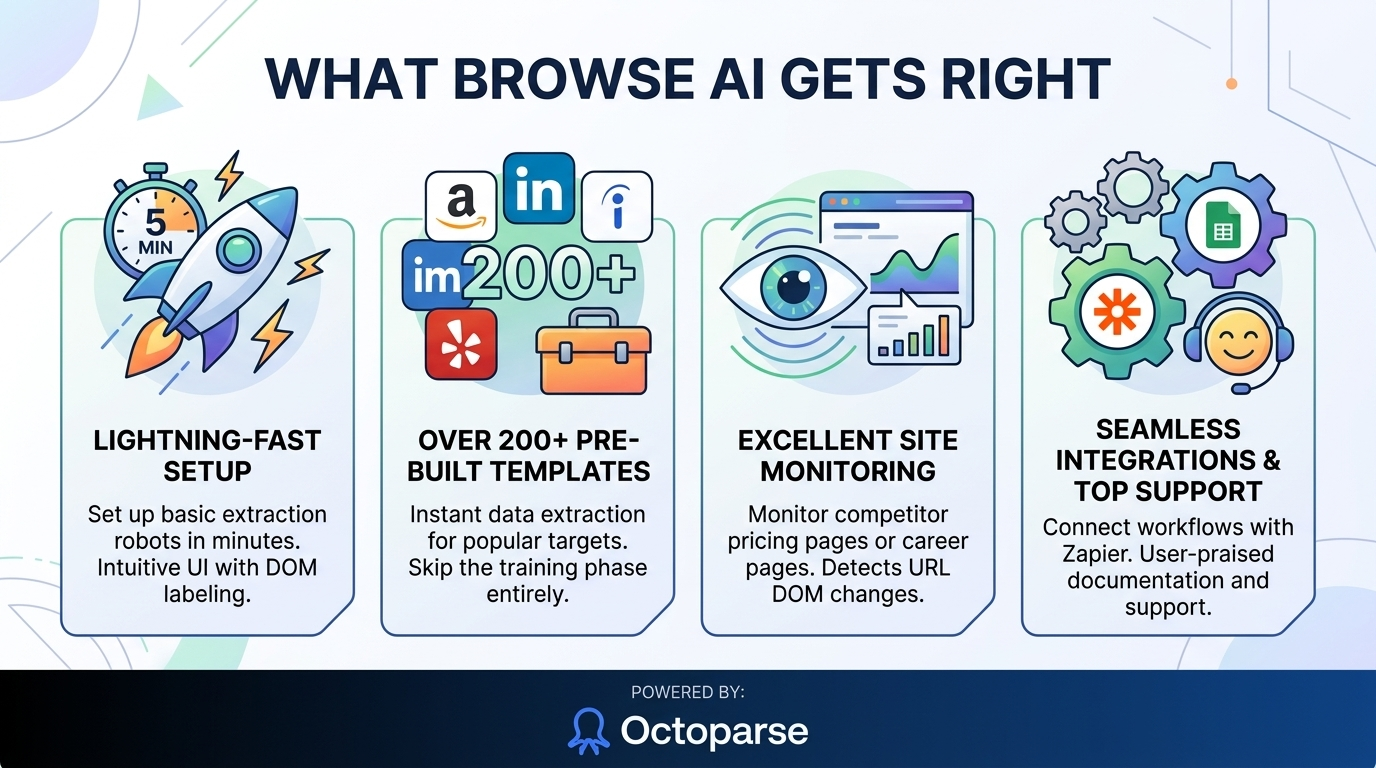
Browse Ai is a cloud-based scraper focused on simplicity. It uses bots that you “train” by showing what data you want. Browse Ai has a clean interface, easy setup, and built-in integrations with Google Sheets, Zapier, and more. It is designed for users who don’t want to code. Its “robot” system makes it easy to automate repetitive tasks.
Key features:
- No coding required
- Visual bot training
- Cloud-based runs (no software install)
- Automated scheduling
- Integrations with popular apps
Browse Ai’s interface feels modern and uncluttered. You can access your robots from any device, and there’s no need to worry about system requirements. This is a big plus for teams with mixed hardware or remote users.
Octoparse
Octoparse is a more advanced scraping platform. It offers both cloud and desktop versions. Octoparse supports point-and-click data selection, but also lets you customize workflows. It is made for users who need flexibility and control. Octoparse can handle complex sites, logins, infinite scroll, and captchas.
Key features:
- Desktop and cloud options
- Visual workflow designer
- Advanced settings for complex sites
- Data export to multiple formats
- API and integration options
Octoparse’s desktop app is powerful, with many hidden features for those willing to learn. You can create multi-step workflows, use proxies, and even schedule scrapes to run overnight. If you manage large projects or scrape protected data, these options are valuable.
Test Setup: How We Compared Browse Ai And Octoparse
To give a fair comparison, we tested both tools on three types of websites:
- Simple static page: No login, no dynamic content.
- Dynamic page with JavaScript: Data loads as you scroll.
- Site with login and anti-bot protection: Harder to scrape, requires authentication.
For each site, we measured:
- Setup time
- Ease of use
- Data accuracy
- Scraping speed
- Handling of dynamic content
- Error handling
- Export options
We used trial plans for both tools and followed official tutorials to avoid bias. All tests ran on a standard laptop and a cloud account.
To simulate real-world use, we chose a public product page (static), a news website with infinite scroll (dynamic), and a small job portal that requires login (protected). This mix reflects common scraping scenarios for both beginners and professionals.
User Experience: Getting Started
Setup Process
Both tools claim fast setup, but the experience is different.
Browse Ai asks you to add a URL, then “train” a robot by highlighting what data you want. The interface guides you step by step. It feels like using a browser extension. Most users can start scraping in minutes.
Octoparse starts with a desktop download (unless you use the cloud). It opens a detailed dashboard. You choose a template or build a workflow. The learning curve is steeper, but templates help beginners. Advanced users get more control.
One important detail: Octoparse’s desktop app is only for Windows. Mac users must use the cloud version or run a virtual machine, which adds complexity. Browse Ai’s browser-based system works on any device, making it more accessible for teams with mixed operating systems.
Insight: Many beginners miss that Octoparse’s desktop version needs Windows. Browse Ai works entirely in the browser, which is easier for Mac users.
Training And Data Selection
Browse Ai uses a visual “recording” system. You click the data you need, and the robot remembers. It’s intuitive and quick. Octoparse lets you click elements, but also offers XPath and custom rules. This is powerful, but can confuse new users.
A small but useful detail—Browse Ai shows you a preview of the data as you select it. If you miss a field, you’ll notice right away. Octoparse’s workflow preview is more technical, showing nodes and steps, which can look complex at first.
Common mistake: Beginners often skip XPath in Octoparse, missing out on precise scraping.
Scraping Performance: Accuracy And Speed
Static Pages
On a simple static page, both tools performed well. Browse Ai finished setup and scraping in about 3 minutes. Octoparse took slightly longer (5 minutes), mainly due to workflow settings.
Accuracy: Both returned 100% correct data. No errors or missing fields.
For small projects, either tool is fine. If you need to scrape a product table or directory, Browse Ai’s fast setup saves time. Octoparse’s extra options help if the table changes often—you can add backup selectors or logic to catch changes.
Dynamic Pages
For a page with infinite scroll (like a product listing), Browse Ai’s robot struggled after the first 20 items. It needed manual adjustment to handle scrolling. Octoparse’s workflow designer let us set up scroll actions, capturing all items.
Speed: Browse Ai scraped 20 items in 1 minute. Octoparse scraped 100 items in 3 minutes, but setup took longer.
A key lesson: If your target site uses endless scrolling or loads more data as you interact, Octoparse’s ability to automate mouse and keyboard actions is a major advantage. Browse Ai works best when the data is visible without user actions.
Sites With Login And Anti-bot Protection
Browse Ai robots cannot log in or bypass captchas. Octoparse’s desktop version can handle logins and solve simple captchas. On a job board requiring login, Octoparse scraped 50 entries after login. Browse Ai failed.
Non-obvious insight: Many users expect Browse Ai to handle logins, but it is not designed for this. Octoparse’s desktop mode is needed for protected pages.
Another detail: If a site uses advanced anti-bot measures (like frequent captchas or IP bans), even Octoparse can struggle. Adding proxies or manual captcha solving is sometimes needed, and only Octoparse gives you the settings to do that.
Data Export And Integration
Browse Ai focuses on easy exports. You can send data to Google Sheets, CSV, or connect to Zapier. Octoparse offers more formats—CSV, Excel, SQL, API—and can push data to custom databases.
Integration: Browse Ai is best for users who want data in common tools. Octoparse suits users who need custom exports.
It’s worth noting that Browse Ai’s Google Sheets integration is very smooth: with a few clicks, your scraped data appears in your spreadsheet, ready for analysis. Octoparse’s API and database options are excellent for advanced users who need to push data into business systems automatically.
Export Options Comparison
Here’s a quick comparison of export features:
| Feature | Browse Ai | Octoparse |
|---|---|---|
| Google Sheets | Yes | Yes |
| CSV/Excel | Yes | Yes |
| API | Limited | Full |
| SQL/Database | No | Yes |
| Zapier Integration | Yes | Yes |
Another small tip: If you need to automate data reporting every day, Browse Ai’s Zapier integration can send scraped data to Slack, email, or any app Zapier supports.
Error Handling And Reliability
Web scraping often fails due to site changes or blocking. How do these tools handle errors?
Browse Ai
Browse Ai robots stop if the site changes layout. You get a notification, but must retrain the robot. There is no automatic recovery. If the site uses heavy JavaScript or anti-bot tools, scraping may fail.
One limitation to remember: If a site adds a pop-up or changes a button label, your Browse Ai robot won’t adapt. For simple, static sites, this isn’t a problem, but for changing environments, it can be frustrating.
Octoparse
Octoparse can use advanced error handling. It has retry settings, conditional workflows, and logs. If a page changes, you can adjust the workflow without starting over. Captchas and logins require manual setup.
Practical tip: For high-volume scraping, Octoparse’s cloud mode offers better reliability. Browse Ai suits low-volume, simple projects.
An extra benefit: Octoparse provides logs showing where and why a scrape failed. This helps you fix problems quickly, which is useful if you run scrapes on a schedule.
Pricing And Plans
Pricing matters for most users. Both tools use a subscription model, but their plans are different.
Browse Ai Pricing
Browse Ai offers a free plan with limited runs. Paid plans start at $39/month for 1,000 tasks. Higher plans increase task limits and add integrations.
A nice feature is that all Browse Ai plans include cloud execution, so you don’t need your computer on for robots to run.
Octoparse Pricing
Octoparse has a free plan with limited tasks and features. Paid plans start at $75/month for personal use, and go up for business plans. Cloud scraping and advanced features cost more.
Non-obvious insight: Octoparse’s desktop features are mostly free, but cloud features require a paid plan. Browse Ai’s cloud is included in all plans.
Cost Comparison Table
Here’s a clear comparison of entry-level plans:
| Plan | Browse Ai | Octoparse |
|---|---|---|
| Free | Limited (50 runs/month) | Limited (10,000 records/month) |
| Paid | $39/month (1,000 runs) | $75/month (cloud, more features) |
| Enterprise | Custom pricing | Custom pricing |
A practical note: If you only need to scrape once a week, Browse Ai’s free plan may be enough. For daily, high-volume tasks, Octoparse’s business plans are better suited.
Credit: www.octoparse.com
Real-world Use Cases
Both scrapers suit different users. Here’s how they fit common needs:
- Market research: Browse Ai is good for tracking prices on retail sites, exporting to Sheets. Octoparse handles multi-page listings and competitor analysis.
- Lead generation: Octoparse can scrape contact info from directories with logins. Browse Ai can collect public profiles.
- Academic research: Browse Ai is easy for students collecting basic data. Octoparse is better for large datasets or protected sites.
- E-commerce: Octoparse can scrape full catalogs, including dynamic pages. Browse Ai is good for monitoring a few products.
Practical tip: For ongoing scraping, Octoparse’s cloud mode offers scheduling and automation. Browse Ai’s robots work well for daily checks but may need retraining.
One more example: If you run a small shop and want to watch competitor prices, Browse Ai can send you daily updates in Google Sheets. If you work in a large company tracking thousands of SKUs, Octoparse’s cloud and database features make bulk updates smoother.
Support And Documentation
Good support makes a big difference. Browse Ai offers chat support and short tutorials. Octoparse has detailed guides, forums, and email support.
Browse Ai: Fast responses, but less technical detail. Good for beginners.
Octoparse: Deep documentation, but sometimes complex. Suits power users.
A small detail: Browse Ai’s support is often praised for being patient with beginners, while Octoparse’s support is better for solving complex scraping errors or setup issues.
Credit: dataimpulse.com
Security And Compliance
Scraping can raise legal and ethical issues. Both platforms warn users to follow website terms.
- Browse Ai: Encourages scraping only public data. No tools for bypassing logins.
- Octoparse: Lets users scrape protected pages but warns about compliance.
Insight: Beginners often forget that scraping private data may be illegal. Always check site policies.
For example, some job boards do not allow scraping, even if you can log in. Violating these terms can get your account banned or lead to legal problems. If you’re not sure, it’s best to contact the site owner or choose data that’s clearly public.
Automation And Scheduling
Automation is key for ongoing data collection.
Browse Ai
Browse Ai lets you schedule robots to run daily, weekly, or monthly. It is simple to set up and suits small tasks.
A handy feature: You can set email alerts for when a robot finishes, making it easier to monitor results without logging in every time.
Octoparse
Octoparse offers advanced scheduling, including cloud runs, conditional triggers, and email alerts. It is designed for large-scale automation.
Non-obvious insight: Octoparse’s cloud automation can run multiple tasks at once. Browse Ai is limited to one robot per schedule.
If you manage many scrapes (for example, tracking prices on 20 different sites), Octoparse can run all at the same time. Browse Ai will queue them, which can slow down data collection for large projects.
Handling Complex Sites
Some sites use infinite scroll, pop-ups, or heavy JavaScript. This is where the tools differ.
Browse Ai
Browse Ai robots handle simple sites well. But for infinite scroll, pop-ups, or hidden data, robots need manual retraining.
A real-world example: Scraping a real estate portal with pop-up filters caused Browse Ai to stop when the filter appeared. Manual retraining was required every time the pop-up changed.
Octoparse
Octoparse’s workflow designer lets you set up scroll actions, click through pop-ups, and extract hidden data. It can also solve simple captchas.
Example: Scraping a travel site with pop-ups and filters worked in Octoparse after setting actions. Browse Ai failed to collect all results.
A helpful detail: Octoparse’s “loop” function lets you repeat actions for each item, making it effective for pages with hidden or dynamic content.
Customization And Advanced Settings
Advanced users want more control. Octoparse offers custom XPath, regex, and conditional logic. Browse Ai is more limited; it focuses on visual selection.
Custom Workflow Comparison Table
| Customization | Browse Ai | Octoparse |
|---|---|---|
| XPath/Regex | No | Yes |
| Conditional Logic | No | Yes |
| Workflow Designer | Limited | Full |
| Custom Actions | No | Yes |
Another advantage for advanced users: Octoparse supports using proxies and user agents to mimic human browsing, which helps avoid blocking on sensitive sites.
Beginner Mistakes To Avoid
Many first-time users struggle with these issues:
- Ignoring site terms: Scraping private or copyrighted data can get you banned.
- Expecting robots to handle everything: Browse Ai robots need retraining if the site changes. Octoparse workflows must be updated.
- Skipping advanced settings: Octoparse’s XPath and logic can make scraping more robust, but many beginners avoid them.
- Overloading free plans: Both platforms limit tasks on free plans. Plan your runs carefully.
Practical advice: Start with a small scrape, check results, then expand. Test workflows on sample data before running large tasks.
A detail often missed: Always check your scraped data for errors—sometimes a missed field means your export is incomplete. Schedule regular checks, especially if the target site is updated often.
Browse Ai Vs Octoparse: Which Should You Choose?
Choosing between Browse Ai and Octoparse depends on your needs:
- Simple, fast scraping: Browse Ai is best if you want quick setup and easy exports.
- Complex, large-scale scraping: Octoparse handles dynamic sites, logins, and custom actions.
- Automation: Octoparse’s cloud mode offers more scheduling options.
- Budget: Browse Ai is cheaper for small projects. Octoparse costs more but offers advanced features.
Example scenario: A small business tracking prices on a few products can use Browse Ai. A researcher scraping thousands of records from a protected site should use Octoparse.
One last tip: If you’re still unsure, test both tools on your actual target website. This will quickly show you which fits your workflow and saves you time in the long run.
Credit: www.octoparse.com
External Reference
For a deeper dive into web scraping legal issues, see Wikipedia’s Web Scraping.
Frequently Asked Questions
What Is The Main Difference Between Browse Ai And Octoparse?
Browse Ai focuses on simplicity and quick setup for basic scraping tasks. Octoparse offers advanced customization and can handle complex websites with logins, dynamic content, and workflows.
Can Browse Ai And Octoparse Scrape Sites With Infinite Scroll Or Pop-ups?
Browse Ai robots struggle with infinite scroll and pop-ups, needing manual retraining. Octoparse’s workflow designer lets you set up actions to handle these features, making it more reliable for complex pages.
Are There Legal Risks With Web Scraping?
Yes. Both platforms warn users to follow website terms and privacy laws. Scraping private or copyrighted data can be illegal or lead to bans. Always check the site’s policies before scraping.
Which Tool Is Better For Beginners With No Coding Experience?
Browse Ai is easier for non-coders. Its visual interface lets you train robots quickly. Octoparse is more powerful, but has a steeper learning curve. Beginners can use Octoparse templates to get started.
How Does Pricing Compare Between Browse Ai And Octoparse?
Browse Ai offers cheaper entry-level plans ($39/month), while Octoparse’s paid plans start higher ($75/month) but offer more features. Both have free plans with limited tasks.
Final Thoughts
Web scraping can open doors to valuable data, but the right tool makes all the difference. Browse Ai is best for those who want speed and simplicity, especially for small, public sites. Octoparse shines for advanced users who need to scrape complex or protected pages, automate large tasks, or customize workflows.
While both platforms deliver solid results, their strengths are different. Beginners often miss the importance of workflow setup, error handling, and legal compliance. Take time to test each tool, understand your data needs, and start with small projects. If you’re unsure, try both free plans and see which fits your workflow best.
With careful planning and the right scraper, you can turn web data into actionable insights—without manual effort or headaches.

About author









Add comment