
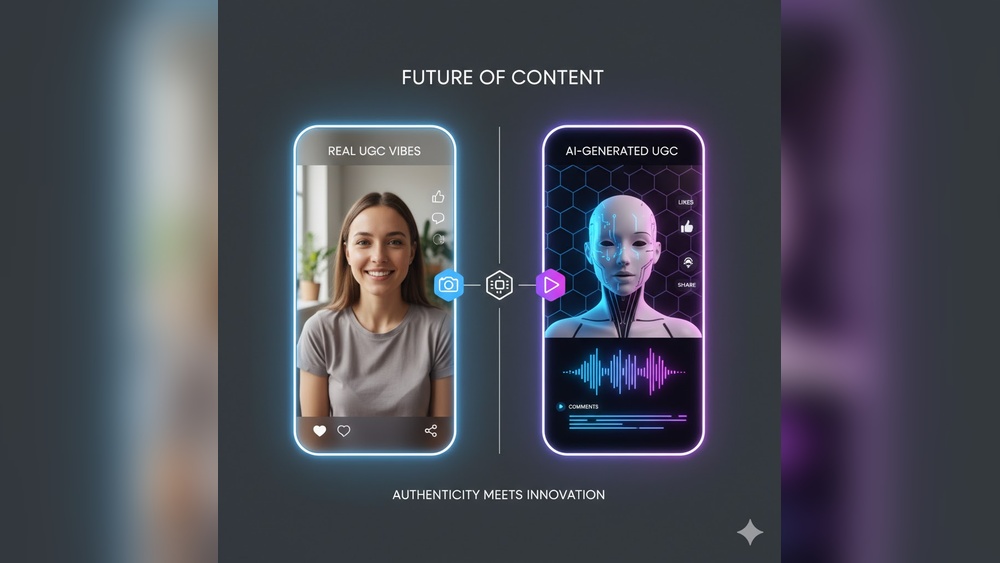
How to Build an Organic Audience Using AI Video Clips Effectively
Building an audience online is harder than ever. With new content flooding social media every minute, standing out feels almost impossible—unless you know how to use the latest tools. Today, AI video clips are changing the game for creators, brands, and entrepreneurs. These tools allow you to make short, engaging videos in minutes, even if you don’t have editing skills or a big budget. But using AI video clips alone won’t guarantee growth. To build an organic audience—real followers who care about your message—you need the right strategy, consistent effort, and a clear understanding of what works.
This guide will show you, step by step, how to use AI video clips to attract and grow an organic audience. You’ll learn how to choose the right tools, what types of video clips work best, and how to avoid common mistakes that waste time and money.
You’ll also see real examples, practical tips, and the latest data so you can make confident decisions. Whether you’re new to content creation or want to take your social media growth to the next level, you’ll find everything you need here.
Why Ai Video Clips Are A Game-changer For Organic Growth
AI video tools have changed the content landscape. What once took hours—writing scripts, recording, editing, and adding effects—can now be done in minutes. This speed and efficiency open doors for creators who want to focus on ideas and audience, not just production. But the benefits go deeper:
- Accessibility: You don’t need expensive cameras or editing software. AI platforms work in your browser or on your phone.
- Consistency: AI helps you create and publish more content, which is key for organic growth.
- Customization: Many tools let you adjust style, tone, and branding, so your clips match your message.
A recent report from Wyzowl found that 91% of businesses use video as a marketing tool, and 87% said video gave them a good return on investment. The rise of TikTok, Instagram Reels, and YouTube Shorts shows that short video clips are now the most powerful format for reaching new audiences.
What Makes Ai Video Clips Different?
Traditional video editing is slow and technical. AI video tools use machine learning to automate:
- Scriptwriting: Generate video scripts from a topic or keywords.
- Scene selection: Pick the best moments or visuals automatically.
- Voiceovers: Use realistic AI voices in multiple languages.
- Subtitles and captions: Add accurate, synced subtitles for accessibility.
- Branding: Add your logo, colors, and style in seconds.
These features make it possible for anyone—from solo creators to teams—to scale their video output and reach more people organically.
Choosing The Right Ai Video Clip Tools
There are dozens of AI video tools out there. Some focus on social media clips, others on explainer videos or product demos. Choosing the right one depends on your goals, budget, and content style.
Here’s a comparison of three leading AI video clip tools:
| Tool | Best For | Key Features | Pricing (Monthly) |
|---|---|---|---|
| InVideo | Social Media Clips | Templates, stock footage, AI scriptwriting | $15–$30 |
| Descript | Podcasts, Interviews | Overdub AI voices, text-based editing, auto captions | $12–$24 |
| Synthesia | Explainer Videos | AI avatars, voice cloning, multi-language support | $30–$99 |
Key things to consider:
- Ease of use: Look for simple interfaces if you’re a beginner.
- Output formats: Ensure the tool exports in the size and shape you need (vertical for TikTok, square for Instagram, etc. ).
- Branding: Check if you can add your logo, colors, and custom fonts.
- AI features: Some tools offer better voiceovers, automatic subtitle generation, or smarter scene selection.
Non-obvious insight: Many beginners overlook the export settings. Always pick a tool that lets you control bitrate and resolution, as these affect video quality on platforms like YouTube and Instagram.
Planning Your Ai Video Clip Content
Before creating videos, you need a plan. Random clips may get a few views, but consistent, strategic content builds a real audience.
Understand Your Audience
Start by answering these questions:
- Who do you want to reach? (Age, interests, language, problems)
- What platforms do they use most? (TikTok, Instagram, LinkedIn, YouTube)
- What questions or problems do they have?
Use this data to shape your content themes. For example, if your audience is busy professionals, make short, actionable tips. If they’re hobbyists, share tutorials or behind-the-scenes clips.
Set Clear Goals
Decide what you want your audience to do after watching your videos:
- Follow your account
- Visit your website
- Share your content
- Join your email list
Setting clear goals helps you measure success and adjust your strategy.
Create A Content Calendar
Consistency is key to organic growth. Plan your video topics in advance. A simple calendar might include:
- Monday: Quick tip
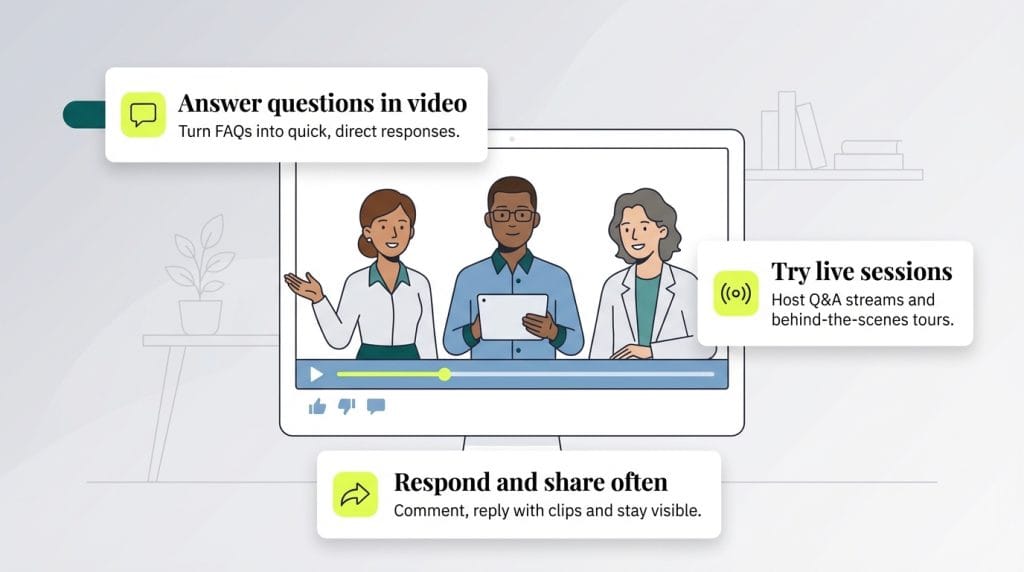
- Wednesday: Answer a common question
- Friday: Showcase a customer story
Pro tip: Batch-create your video scripts and visuals. Many AI tools let you automate parts of this process, saving hours each week.
Scripting And Storytelling For Ai Video Clips
Even the best AI can’t save a boring story. Good scripts are short, clear, and focused on the viewer’s needs.
Keep It Simple
- Use short sentences and simple words.
- Start with a hook: Ask a question or state a surprising fact.
- Focus on one idea per video.
For example, instead of “How to grow your business online,” try “The #1 mistake that stops small businesses from growing online. ”
Structure Your Clip
A strong video clip usually follows this flow:
- Hook: Grab attention in the first 3 seconds.
- Message: Share your main point or tip.
- Action: Tell viewers what to do next (like, follow, comment).
Here’s a sample script for a 30-second AI video:
- Hook: “Are you tired of wasting hours editing videos?”
- Message: “Try this free AI tool. It turns your script into a finished video in minutes.”
- Action: “Follow for more AI tips.”
Non-obvious insight: Many creators forget to add a call to action. Even a simple “Follow for more” can double your engagement rates.
Producing Ai Video Clips: Step-by-step
Once you have your plan and script, it’s time to produce your video clips.
Step 1: Choose Your Tool And Template
Log in to your AI video platform. Pick a template that fits your message—motivational, educational, news, etc. Most tools offer pre-built templates for different platforms.
Step 2: Upload Or Write Your Script
Paste your script or main talking points. Some tools can generate scripts from a topic or keywords if you’re stuck.
Step 3: Select Visuals And Audio
- Use stock footage or upload your own images.
- Choose an AI voiceover or record your own.
- Add background music if the tool allows.
Make sure visuals match your message. For example, if you’re sharing a tip about time management, show clocks or busy people.
Step 4: Customize Branding
Add your logo, brand colors, and any custom fonts. Consistent branding makes you recognizable and builds trust.
Step 5: Add Subtitles And Captions
Many viewers watch with sound off. Always include clear, synced subtitles. Most AI tools can auto-generate these, but check for errors before publishing.
Step 6: Export And Review
Export your video in the right format (vertical, square, or horizontal). Watch the full clip to catch any mistakes.
Pro tip: Test different thumbnail images. A good thumbnail can increase clicks by up to 30%.
Distributing Ai Video Clips For Maximum Reach
Creating great clips is only half the battle. Distribution decides how many people actually see your content.
Pick The Right Platforms
Each platform has its own audience and video style:
| Platform | Best For | Recommended Length | Special Features |
|---|---|---|---|
| TikTok | Viral clips, Gen Z | 15–60 seconds | Music overlays, effects |
| Instagram Reels | Trendy, lifestyle | 15–90 seconds | Hashtags, Stories integration |
| YouTube Shorts | All ages, evergreen | 15–60 seconds | Monetization, searchability |
| Professional, B2B | 30–90 seconds | Native posting, company pages |
Timing And Frequency
Post when your audience is online. Research suggests:
- TikTok: 6–10 pm local time
- Instagram: 11 am–2 pm and 7–9 pm
- YouTube: Evenings and weekends
- LinkedIn: Early mornings and lunchtime on weekdays
Aim for 3–5 posts per week per platform. Too few, and you’ll lose momentum; too many, and you risk burnout.
Optimize For Each Platform
- Hashtags: Use relevant hashtags to increase discoverability.
- Captions: Write engaging captions that add context or prompt action.
- Engage: Reply to comments, ask questions, and encourage sharing.
Non-obvious insight: Many creators post the same clip everywhere. Instead, tweak your intro or call to action for each platform. For example, invite LinkedIn viewers to connect, but tell TikTok viewers to duet your video.
Credit: overlap.ai
Growing Your Organic Audience
Organic growth means gaining followers and engagement without paid ads. It takes patience, but the results are lasting and loyal.
Engage With Your Audience
Reply to comments and messages quickly. Ask questions at the end of your videos to spark conversations. The more you interact, the more your content gets shown to others.
Collaborate With Other Creators
Team up with creators in your niche. This exposes you to their audience. You can:
- Make duet videos
- Host interviews or Q&A sessions
- Share each other’s clips
Analyze Your Results
Track key numbers to see what’s working:
| Metric | What It Shows | How to Improve |
|---|---|---|
| Views | Reach and interest | Improve hooks and thumbnails |
| Watch time | How long people stay | Keep clips short and punchy |
| Engagement (likes, comments) | Audience connection | Ask questions, reply to comments |
| Followers | Audience growth | Post consistently, use CTAs |
Review your analytics weekly. Double down on topics and formats that work best.
Experiment And Adapt
The algorithms change, and so do audience preferences. Test new video lengths, styles, and topics. Don’t be afraid to make mistakes—each one teaches you something valuable.
Pro tip: Save your best-performing clips and repurpose them. For example, turn a popular 60-second tip into a 15-second teaser for another platform.
Mistakes To Avoid When Using Ai Video Clips
AI makes video creation easy, but it’s still possible to waste time and miss growth if you’re not careful.
1. Relying Only On Automation
AI can speed up editing and scriptwriting, but human creativity wins. Always review and tweak your videos. Add your personality and unique insights.
2. Ignoring Platform Guidelines
Each social platform has its own rules for video size, length, and content. Uploading the wrong format can hurt your reach or even get your video deleted.
3. Overusing Stock Content
AI tools often use stock footage and voices. If all your videos look and sound the same, viewers will tune out. Mix in original photos, personal stories, or behind-the-scenes clips.
4. Forgetting Accessibility
Not everyone watches with sound or can read small captions. Use clear subtitles, readable fonts, and high-contrast colors.
5. Chasing Virality Over Value
Don’t just copy trends for quick views. Focus on solving real problems or sharing useful information. This builds a loyal, organic audience.
Credit: reap.video
Real-world Success Stories
Many creators and brands have used AI video clips to build large, engaged audiences. Here are two inspiring examples:
Case Study 1: Fitness Coach On Tiktok
A personal trainer started posting AI-edited workout tips. By using short, catchy hooks and clear subtitles, she grew from zero to 100,000 followers in six months—without spending on ads. Her videos mix AI-generated explanations with her own voiceovers, making them unique and relatable.
Case Study 2: Startup Using Youtube Shorts
A SaaS startup launched a series of 30-second explainer clips using Synthesia. Each video answered a common customer question. After three months, their YouTube channel went from 300 to 8,000 subscribers. The key: Consistent posting, clear branding, and using analytics to refine topics.
These stories prove that with the right strategy, AI video clips can help anyone grow organically.
Practical Tips For Sustainable Growth
Building an audience is a marathon, not a sprint. Here are some tips to help you stay consistent and motivated:
- Batch content: Create several scripts and videos at once. This saves time and prevents burnout.
- Schedule posts: Use social media schedulers to publish videos at the best times, even when you’re busy.
- Track progress: Set weekly goals for views, followers, or engagement. Celebrate small wins.
- Keep learning: Follow AI and video trends. Platforms like Social Media Examiner share useful updates.
- Ask for feedback: Invite your audience to share what they like and want more of.
Credit: www.business.com
Frequently Asked Questions
How Often Should I Post Ai Video Clips To Grow My Audience?
Aim for 3–5 times per week on each platform. Consistency matters more than volume. Quality clips posted regularly will help you grow faster than spamming low-effort content daily.
What’s The Best Length For Ai Video Clips On Different Platforms?
Each platform prefers different lengths. For example, TikTok and YouTube Shorts do best with 15–60 second clips. Instagram Reels can go up to 90 seconds, but shorter videos often get more views. Always check the latest platform guidelines.
Can I Use Ai Video Clips For Business Or Just Personal Brands?
AI video clips work for both business and personal brands. Businesses use them for product demos, FAQs, and testimonials. Personal brands use them for tips, stories, and engagement. The key is matching your message to your audience.
How Do I Make My Ai Video Clips Stand Out?
Add your unique voice. Mix AI features with your own stories or insights. Use strong hooks, clear branding, and subtitles. Also, tweak each clip for the platform where you’re posting—don’t just repost the exact same video everywhere.
Are There Any Legal Issues With Using Ai-generated Content?
Always check the terms of service for each AI tool and the stock media it uses. Some AI voices or visuals may have licensing rules. Also, avoid using AI to make fake endorsements or misleading claims, as this can lead to bans or legal problems.
Building an organic audience with AI video clips is no longer just for big brands or tech experts. With the right tools, a clear plan, and a bit of creativity, you can reach more people and share your ideas with the world. Start small, keep improving, and remember: the real power of AI is making your voice heard, not replacing it.


About author









Add comment