
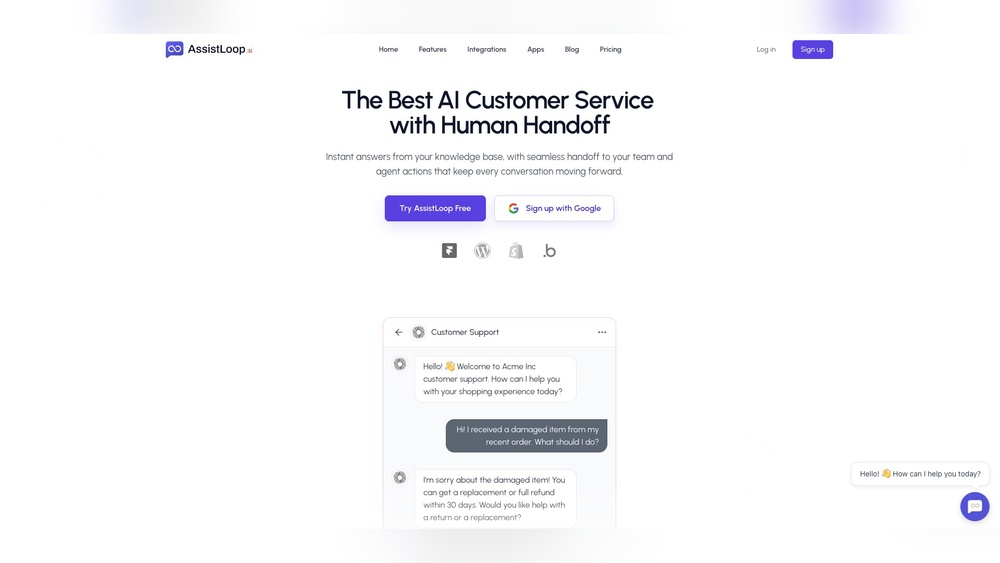
How to Automate Customer Support Using Assistloop for Faster Results
Customer support is changing fast. Today’s customers expect quick, accurate answers—sometimes at any hour. But hiring more staff or working around the clock is expensive and hard to manage. That’s why many companies are turning to automation to handle routine support tasks. If you want to offer better, faster service and save money, automating your customer support is a smart step.
Assistloop is a new platform that’s making this process easier than ever. It uses artificial intelligence (AI) and smart workflows to manage customer questions, solve problems, and even learn from every conversation. But how does it work in real life? And how can you use Assistloop to automate your own customer support without losing the “human touch”? Let’s break down the entire process, from start to finish.
Why Automate Customer Support?
Before getting into Assistloop, it’s important to understand why businesses are moving toward automation.
Customers want instant help. Over 60% of people say they’ll switch brands after just one bad experience. Long wait times and slow replies are the main reasons.
Support teams are overwhelmed. As your company grows, the number of customer questions increases. Repetitive requests—like password resets or order status—can take up to 70% of a support agent’s time.
Costs are rising. Hiring and training customer support agents is expensive. In the US, the average support agent earns about $40,000 per year. If your business grows fast, your costs can skyrocket.
By automating common questions and tasks, companies can give customers instant answers, free up staff to handle complex issues, and control costs. Automation also makes it easier to offer 24/7 support without hiring night shifts or global teams.
What Is Assistloop?
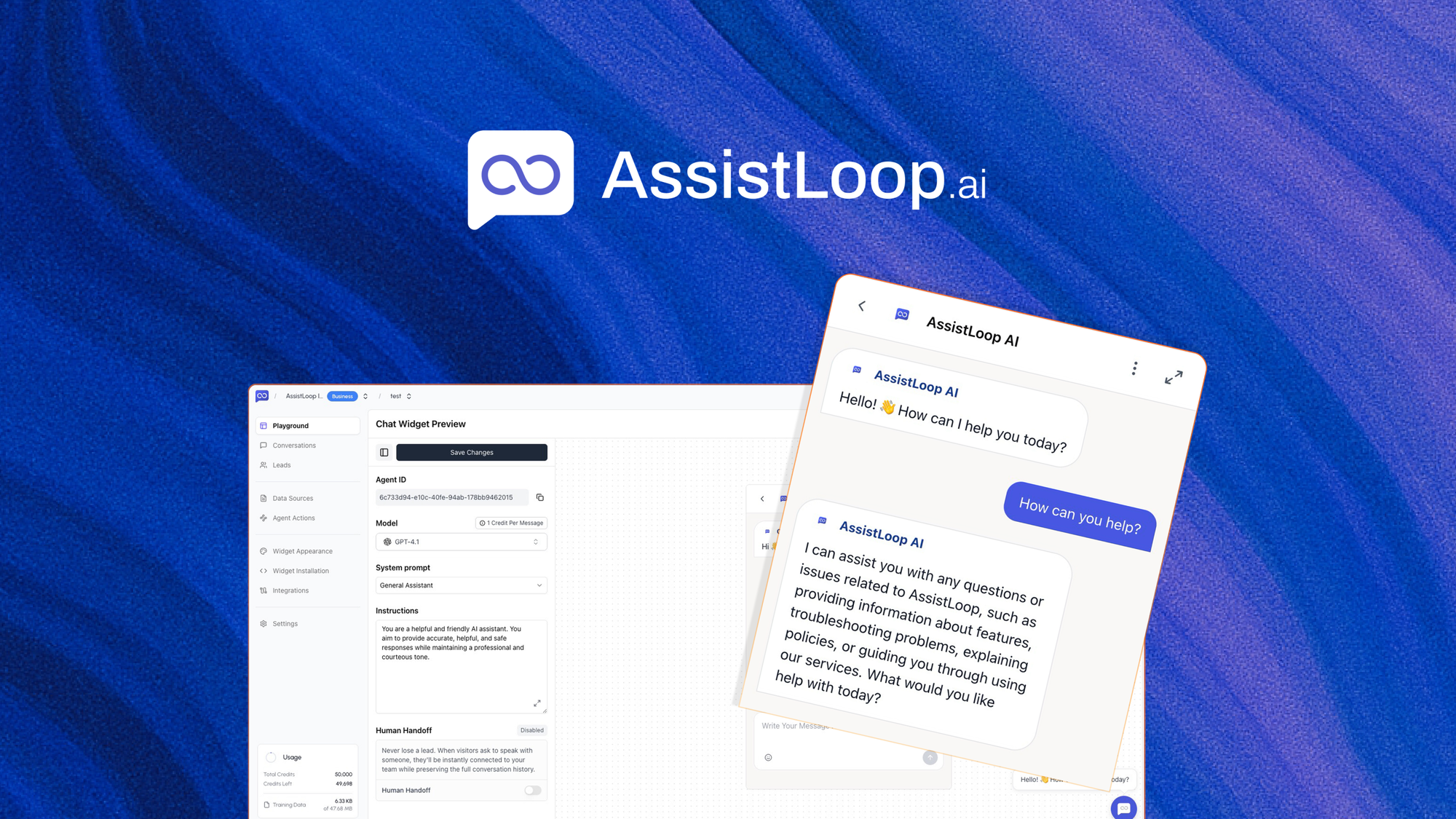
Assistloop is a modern customer support automation platform. It combines artificial intelligence, chatbots, workflow automation, and analytics—all in one place. The goal is to let you handle more support requests with less effort, while still giving customers the help they need.
Some of the key features of Assistloop include:
- AI-powered chatbots that can answer customer questions in real time
- Automated workflows for common tasks (like ticket routing, order tracking, or refunds)
- Human handoff when the AI can’t solve the problem
- Omni-channel support, so you can help customers on chat, email, social media, and more
- Analytics and reporting to track performance and improve over time
Assistloop is designed to be easy to set up, even for small businesses. You don’t need to be a programmer or AI expert to start using it.
Credit: appsumo.com
Getting Started With Assistloop
If you’re new to customer support automation, the first steps can seem confusing. But Assistloop makes it simple to begin.
Step 1: Sign Up And Set Your Goals
Start by creating an Assistloop account. You’ll answer a few questions about your business, the channels you use (like website chat, email, or social media), and your main support needs.
Decide what you want to achieve with automation. For example:
- Reduce response times
- Lower support costs
- Offer 24/7 help
- Free agents from repetitive tasks
Clear goals will help you set up Assistloop in the best way for your business.
Step 2: Map Your Support Processes
Before you automate, you need to understand your current support flow. List out common customer questions and tasks. Examples include:
- “Where is my order?”
- “How can I reset my password?”
- “I want to return my purchase.”
- “Can I speak to an agent?”
Group these into categories like Order Issues, Account Help, and Product Questions. This will help you build smart workflows later.
Step 3: Connect Your Channels
Assistloop works across many channels. Connect your website chat, email inbox, Facebook Messenger, WhatsApp, or any other platforms you use for support. The platform provides guides for each integration, so you can link everything in minutes.
This way, customers get the same level of help whether they contact you on your site or social media.
Step 4: Train The Ai Chatbot
Assistloop’s chatbot learns from your data. Start by feeding it your FAQ pages, knowledge base, and past support tickets. The system uses these to understand your products, policies, and customer needs.
You can also write sample questions and “train” the AI by showing it correct answers. This helps the chatbot get smarter and more accurate over time.
Step 5: Design Automated Workflows
Use Assistloop’s drag-and-drop builder to create workflows for common tasks. For example, you can design a flow for order tracking:
- Customer asks, “Where is my order?”
- Chatbot checks their order number
- System pulls tracking info from your database
- Customer gets an instant update
You can set up similar flows for password resets, returns, cancellations, or any task that follows a set process.
Step 6: Set Human Handoff Rules
No chatbot can solve every problem. Assistloop lets you create rules for when a real person should step in—such as when a customer is frustrated, has a unique question, or requests a human agent. This keeps the experience smooth and avoids customer frustration.
Step 7: Test And Launch
Before going live, test your flows with real users. Ask staff to try the chatbot, follow the workflows, and look for any confusing steps. Adjust as needed. Once everything works well, launch Assistloop for your customers.
Key Features Of Assistloop That Make Automation Easy
Assistloop is popular because it covers all the basics of support automation, but also adds advanced features for growing businesses.
Ai-powered Chatbots
The core of Assistloop is its AI chatbot. Unlike simple bots that only answer fixed questions, Assistloop’s AI understands natural language. It can handle:
- Different ways of asking the same question
- Spelling mistakes or typos
- Multi-step conversations
Example: If a customer types, “I can’t log in, forgot my passwrod,” the AI knows they want a password reset, even with the typo.
Drag-and-drop Workflow Builder
You don’t need to write code to automate tasks. Assistloop’s workflow builder lets you drag steps into place, connect them, and create custom flows for any process.
Benefits include:
- Visual layout makes it easy to see each step
- Reuse flows for similar tasks
- Add conditions (if/then logic) to handle different scenarios
Seamless Human Handoff
Assistloop doesn’t try to replace humans; it supports them. When the AI can’t answer, the chat is handed off to a support agent. The agent can see the full conversation history and jump in without making the customer repeat themselves.
Omni-channel Support
Assistloop brings all your support channels into one dashboard. Whether customers reach out on chat, email, or social media, your team can reply from a single place. This saves time and keeps conversations organized.
Real-time Analytics
You get detailed reports on:
- How many tickets are handled by AI vs. humans
- Average response and resolution times
- Most common customer questions
- Customer satisfaction ratings
These insights help you spot problems, improve workflows, and prove the value of automation.
Smart Integrations
Assistloop connects with popular tools like Shopify, Salesforce, Zendesk, and Slack. This means your chatbot can look up orders, update tickets, or send alerts without manual work.
Data Security And Privacy
Customer data is sensitive. Assistloop follows industry standards for data encryption and privacy. You control what data the AI can access and set permissions for each team member.
Setting Up Automated Workflows: Step-by-step
To get the most from Assistloop, you need to build smart workflows. Here’s a simple guide for automating a common support task: order tracking.
1. Identify The Trigger
Decide what starts the workflow. In this case, it’s when a customer asks, “Where is my order? ” or a similar question.
2. Gather Required Information
The chatbot asks for an order number or email address.
3. Connect To Your Database
Assistloop integrates with your order system (like Shopify or WooCommerce). The workflow pulls tracking info using the customer’s details.
4. Share The Update
The chatbot replies with the tracking link, estimated delivery date, and any shipping notes.
5. Offer Next Steps
If the order is delayed or lost, the workflow can offer options to:
- Contact a human agent
- Start a replacement or refund process
This keeps the customer informed and reduces frustration.
6. Handle Exceptions
If the order isn’t found, the chatbot apologizes and routes the chat to a human agent.
7. Collect Feedback
After solving the problem, the chatbot can ask, “Did this answer your question? ” This feedback helps you improve the workflow.
Example Workflow Table
Here’s a look at how a typical order tracking workflow might be structured in Assistloop:
| Step | Action | Outcome |
|---|---|---|
| 1 | Detect order tracking question | Start workflow |
| 2 | Ask for order number/email | Gather info |
| 3 | Query order system | Retrieve tracking details |
| 4 | Share tracking info | Customer gets update |
| 5 | Offer escalation if needed | Route to human if exception |
| 6 | Collect feedback | Improve workflow |
Comparing Assistloop With Other Support Automation Tools
There are many support automation platforms out there. How does Assistloop compare to other popular options like Zendesk, Intercom, and Freshdesk? Here’s a quick comparison:
| Feature | Assistloop | Zendesk | Intercom | Freshdesk |
|---|---|---|---|---|
| AI Chatbot | Advanced NLP, learns from data | Limited, rule-based | Good, but extra cost | Basic, add-ons available |
| Workflow Builder | Drag-and-drop, no code | Complex, some coding | Visual, but fewer options | Visual, limited customization |
| Human Handoff | Seamless, full chat history | Manual, sometimes clunky | Good, but with delay | Works, but basic |
| Omni-Channel | Yes, all major platforms | Yes | Limited | Yes |
| Integrations | Shopify, Salesforce, more | Many, but paid tiers | Strong, but expensive | Good, but fewer options |
| Pricing | Affordable, scales with use | Higher, complex tiers | Premium pricing | Low cost, add-ons needed |
One non-obvious insight: many “big name” platforms still require coding or expensive consultants to set up advanced automation. With Assistloop, most tasks can be done by regular staff, not IT experts.
Measuring The Impact: Data And Results
Switching to automated support sounds great, but what results can you expect? Let’s look at some data from real businesses using platforms like Assistloop:
- Response times drop from 12 hours to under 1 minute for common questions.
- Up to 80% of tickets can be handled by AI, freeing agents for complex issues.
- Customer satisfaction (CSAT) scores increase by 15–25% when automation is done well.
- Companies can save 30–50% on support costs after automating routine tasks.
Example: An online retailer with 10,000 support tickets per month used Assistloop to automate shipping, returns, and product info. Within three months, they reduced average response time from 6 hours to 2 minutes and saved $7,000 per month in labor costs.
A surprising benefit: as the AI handles more tickets, it learns from each conversation. This means it gets more accurate over time, further reducing the need for human help.
Best Practices For Automating Customer Support With Assistloop
To get the best results, follow these tips:
Start With High-volume, Low-complexity Tasks
Automate the questions you get most often—like order status, password resets, or return policies. These are easy wins and show instant value.
Keep The Language Simple
Customers come from different backgrounds. Write chatbot replies in clear, friendly language. Avoid jargon or technical terms.
Regularly Review And Update Workflows
Check your analytics to see which flows work well and which need improvement. Update your knowledge base and workflows as your products or policies change.
Don’t Hide Human Support
Always make it easy for customers to reach a real person if they need to. This builds trust and avoids frustration.
Collect Feedback
Ask customers if the automated help solved their problem. Use this feedback to refine your AI and workflows.
Train Your Team
Make sure your support agents know how the system works. They should be able to take over conversations smoothly when needed.
Protect Customer Data
Set strict permissions and regularly review who can access sensitive data. Follow privacy laws and best practices.
Common Mistakes To Avoid
Even with a powerful tool like Assistloop, businesses can make mistakes. Here are pitfalls to watch out for:
- Trying to automate everything. Not all problems can be solved by AI. Some customers need empathy or creative solutions.
- Ignoring edge cases. Unique or rare problems still need a human touch. Don’t leave customers stuck in a loop.
- Not updating content. Outdated answers hurt trust. Keep your knowledge base and replies current.
- Overcomplicating workflows. Start simple. Too many steps can confuse users and staff.
- Forgetting about measurement. Track your results and adjust based on real data.
Real-world Example: Automating Returns With Assistloop
Let’s look at how a mid-sized e-commerce company used Assistloop to automate product returns.
The Problem
Returns were the top reason for support contacts. Agents spent 40% of their time handling return requests, which slowed down responses to other questions.
The Solution
The company used Assistloop’s workflow builder to automate the returns process:
- When a customer asked about a return, the chatbot asked for the order number and reason for the return.
- It checked the order in the database to make sure it was eligible for return.
- If eligible, the chatbot generated a return label and emailed it to the customer.
- If not, the chatbot explained the policy and offered to connect the customer to a human agent.
The Results
- 85% of return requests were handled without human help.
- Average handling time dropped from 25 minutes to 3 minutes.
- Agents had more time for complex support and sales chats.
What Beginners Often Miss
One thing new users often overlook: automated flows should always include an option for the customer to explain their unique situation. For example, “My item arrived damaged” needs a different process than “I changed my mind.” Assistloop lets you add decision points, so the AI can route these cases correctly.

Credit: apps.make.com
How To Monitor And Improve Your Automated Support
Launching automation is just the start. To keep things running smoothly, you need to monitor results and make improvements.
Key Metrics To Track
- Resolution rate: What percentage of tickets are solved by AI?
- Average response time: How quickly do customers get answers?
- Escalation rate: How often does the AI hand off to a human?
- Customer satisfaction: Are customers happy with the automated help?
- Feedback and ratings: What do customers say about the experience?
Using Assistloop’s Analytics Tools
Assistloop provides dashboards to track these metrics in real time. You can see which workflows work best, where customers get stuck, and which agents handle the most handoffs.
A/b Testing Workflows
Try different versions of your replies or flows to see which performs better. For example, test two ways of answering shipping questions and measure which gets higher satisfaction scores.
Involving Your Support Team
Ask agents for feedback on the automation. They often see patterns or problems that data alone won’t reveal.
Learning From Industry Leaders
Companies that excel at support automation don’t just “set and forget. ” They make small, regular improvements based on data and customer feedback.
For more on industry benchmarks, check the latest reports from Gartner.
Security And Compliance With Assistloop
Customer trust is critical. When automating support, you must protect customer data and follow all privacy laws.
Data Encryption
Assistloop encrypts all customer data in transit and at rest. This means information is safe from hackers, both when moving and when stored.
Access Controls
You can set permissions for each team member. Only authorized staff can view or edit sensitive data.
Compliance
Assistloop follows global privacy standards like GDPR and CCPA. You can adjust data retention settings to match your company’s policies.
Regular Security Updates
The platform is updated regularly to patch any security risks. You get alerts if there’s any suspicious activity.
Transparency
Assistloop keeps audit logs of all actions. This is useful for tracking who accessed what data and when—important for compliance and trust.
Credit: vercel.com
Scaling Automation As Your Business Grows
As your company grows, your support needs will change. Assistloop is designed to scale easily.
- Add new channels (like SMS or WhatsApp) as you expand
- Increase automation coverage by building new workflows for more tasks
- Support more languages to help global customers
- Integrate with new business tools as your tech stack grows
A common beginner mistake is to “set and forget” automation. As your company launches new products or enters new markets, update your workflows and AI training. This keeps your support fast and accurate at every stage.
How To Maintain The Human Touch In Automated Support
Some businesses worry that automation will make their support feel cold or robotic. But Assistloop is designed to keep conversations friendly.
Tips For A Human-like Experience
- Personalize replies using the customer’s name and order details
- Use natural, warm language in all messages
- Offer empathy, especially for problems or delays
- Always provide an easy way to reach a human agent
Example: Human-like Chatbot Reply
“Hi Sarah! I see your order #12345 is on the way and should arrive by Friday. If you have any more questions or want to talk to a support agent, just let me know!”
This style feels friendly and helpful, even though it’s automated.
Cost-benefit Analysis: Is Assistloop Worth It?
Let’s look at the costs and savings of automating support with Assistloop.
Typical Pricing
While pricing changes over time, Assistloop usually offers:
- A free or low-cost trial for small teams
- Monthly plans based on number of conversations or users
- Discounts for annual payment
Compared to hiring extra agents, automation is almost always cheaper once you have more than 500 support requests per month.
Expected Savings
If your agents earn $20/hour and automation handles 1,000 tickets per month, you could save $5,000–$10,000 per year, even after paying for Assistloop.
Non-obvious Benefit
Automation also reduces staff burnout. Agents spend less time on repetitive tasks and more on interesting, challenging problems. This leads to higher retention and better morale.
Example Table: Automation Savings Estimate
Here’s a rough estimate of support costs with and without automation:
| Support Scenario | Monthly Tickets | Agents Needed | Cost (Without Automation) | Cost (With Automation) |
|---|---|---|---|---|
| Small Business | 500 | 1 | $3,000 | $1,000 |
| Growing Startup | 2,000 | 3 | $9,000 | $3,000 |
| Mid-Sized Company | 10,000 | 10 | $30,000 | $10,000 |
Actual savings depend on your mix of requests, agent salaries, and other factors. But most companies see a 50–70% drop in support costs for automated tasks.
Frequently Asked Questions
What Types Of Customer Support Can Assistloop Automate?
Assistloop can automate any support task that follows a repeatable process. This includes answering FAQs, tracking orders, handling returns, resetting passwords, and more. It can also collect customer information before passing to a human agent for complex cases.
Is Assistloop Suitable For Small Businesses?
Yes, Assistloop is designed for companies of all sizes. Small businesses can start with basic automation and scale up as they grow. The drag-and-drop builder makes setup easy, even without technical skills.
How Does Assistloop Handle Sensitive Customer Data?
Assistloop uses industry-standard encryption and access controls. You decide who can see what data. The platform also complies with major privacy laws like GDPR and CCPA, making it safe for most businesses.
Can Assistloop Work With My Existing Tools?
Yes. Assistloop integrates with popular platforms like Shopify, Salesforce, Zendesk, Slack, and more. You can connect your order system, CRM, or help desk in just a few steps.
How Do I Know If Automation Is Working Well?
Assistloop provides detailed analytics on ticket resolution, response times, customer satisfaction, and more. Regularly check these metrics to spot issues and make improvements.
Automating your customer support with Assistloop can transform your business. You’ll deliver faster, more consistent help to your customers and save time and money along the way. With the right setup and a focus on both technology and empathy, you can create a support experience that keeps customers coming back.


About author









Add comment