
Descript Underlord Ai Editing Tools Review: Unmatched Editing Power
Descript Underlord Ai Editing Tools Review
Podcasters, video creators, and marketers are always looking for ways to edit faster and better. Editing takes time, and mistakes or poor quality can hurt your content. Descript has been a popular editing platform for years, but now it’s changing the game with Underlord AI editing tools. These new features use artificial intelligence to help you clean up audio, fix video, and improve your workflow. But do they really deliver, or is it just hype?
This review takes a deep look at Descript’s Underlord AI. You’ll see real examples, learn about the best features, compare them with other editing tools, and discover both strengths and weaknesses. If you want to know if Descript Underlord AI can save you hours or just minutes, this article gives honest answers.
By the end, you’ll know if these tools are right for you, even if you’re not a tech expert or a native English speaker.
What Is Descript Underlord Ai?
Descript Underlord AI is a set of smart editing tools built inside the Descript platform. These tools use artificial intelligence to help with audio and video editing. Instead of doing every step manually, Underlord AI can automate tasks, suggest edits, and even fix mistakes you might miss. You can use Underlord AI for podcasts, videos, online courses, or any other media project.
Main Features
Descript Underlord AI offers several key tools:
- AI Transcript Editing – Turns speech into text and lets you edit audio by changing the text.
- AI Audio Cleanup – Removes background noise, mouth sounds, and other unwanted audio.
- AI Video Editing – Cuts filler words and pauses from video automatically.
- AI Filler Word Removal – Finds “um,” “uh,” and other filler words and removes them.
- AI Revoice – Lets you clone your voice to fix mistakes or add new lines.
- AI Summary Tools – Creates summaries of your content for social media or notes.
- AI Scene Detection – Finds scene changes in video and suggests cuts.
These features are designed to make editing faster and easier. For example, instead of spending hours cutting out every “um” from a podcast, you can let the AI do it in seconds.
How It Works
You upload your audio or video file to Descript. The Underlord AI analyzes your content and gives you suggestions. You can accept, edit, or reject these suggestions. The system uses deep learning models trained on thousands of hours of audio and video to understand speech, detect noise, and find errors.
One insight many beginners miss: Descript’s AI doesn’t just transcribe—it actually connects the transcript to the audio or video timeline. If you delete a sentence in the transcript, that section of audio/video is instantly removed. This makes editing feel as simple as editing a document.
Real-world Examples: Using Underlord Ai For Podcasts And Videos
To see if Underlord AI is useful, let’s look at real examples.
Podcast Editing
Imagine you record a 60-minute podcast with a guest. During the conversation, there are:
- Background noises (cars outside, keyboard clicks)
- Filler words (“um,” “you know”)
- Pauses and stumbles
Before Descript AI, you would need to:
- Listen to the whole podcast
- Mark every noise and filler word
- Manually cut them out
With Underlord AI:
- The transcript appears in seconds
- Filler words are marked and can be removed with one click
- AI Audio Cleanup reduces background noise automatically
- The finished podcast is ready in minutes, not hours
Video Editing
Suppose you’re creating a YouTube tutorial. You make mistakes and repeat a few points. Normally, you would:
- Watch the video several times
- Find every mistake
- Cut and rearrange clips
With Underlord AI:
- The transcript shows every spoken word
- You can highlight the mistakes in the transcript and delete them
- AI Scene Detection suggests where to make cuts
- The final video is smoother and more professional
Many beginners don’t realize that Descript’s AI can also revoice lines. If you mispronounce a word, you can type the correct word and let the AI generate your voice. This saves time and avoids re-recording.
Key Benefits Of Descript Underlord Ai Editing Tools
Why are creators excited about Underlord AI? Here are the main benefits:
Faster Editing
Editing is usually slow. Underlord AI makes it much faster by automating common tasks:
- Transcription is done in minutes
- Filler words and noises are flagged automatically
- Edits are applied instantly
This speed lets creators focus on content, not technical steps.
Easier For Beginners
You don’t need to learn complicated editing software. The AI tools are simple. Editing feels like using a word processor. Even if English is not your first language, you can understand the transcript and make changes easily.
Improved Quality
Underlord AI can catch mistakes that humans miss, like small background noises or repeated phrases. The AI Audio Cleanup is especially helpful for improving sound quality in cheap microphones or noisy environments.
Flexible Workflow
You can use Underlord AI for podcasts, videos, webinars, or courses. It works with many file types and exports to different platforms. The AI summary tools help you create social media posts or show notes from your content.
Cost Savings
Hiring editors is expensive. With Underlord AI, you can do most editing yourself. This is useful for small businesses, freelancers, or hobbyists.
Comparing Descript Underlord Ai With Other Editing Tools
Is Descript Underlord AI really better than other editing platforms? Let’s compare it with some popular options.
| Editing Tool | AI Features | Ease of Use | Audio Cleanup | Price |
|---|---|---|---|---|
| Descript Underlord AI | Transcript, Filler Removal, Revoice, Summary | Very Easy | Yes | Starts $12/mo |
| Adobe Premiere Pro | Basic AI (auto-cut, color fix) | Hard | No | $20.99/mo |
| Audacity | None | Medium | Manual only | Free |
| Otter.ai | Transcription only | Easy | No | Starts $8.33/mo |
| Final Cut Pro | None | Hard | No | $299 one-time |
As you can see, Descript Underlord AI offers more AI-powered features than most other tools. It’s easier to use, especially for beginners. The price is competitive, and you get both audio and video tools in one platform.
Credit: theaiwriterhub.com
Deep Dive: Most Useful Underlord Ai Features
Some features of Descript Underlord AI stand out more than others. Here’s a closer look at the best ones.
Ai Transcript Editing
This feature turns your audio or video into a text transcript. You can:
- Edit the transcript to change the audio/video
- Search for keywords or phrases
- Highlight sections to remove or export
The transcript is highly accurate, even with accents or background noise. You can fix mistakes by typing, not by cutting clips. This saves a lot of time.
Ai Filler Word Removal
Underlord AI scans your transcript for common filler words like:
- Um
- Uh
- Like
- You know
These are marked, and you can remove them all at once. This makes your content sound more professional. You can also choose which filler words to keep, in case you want a natural tone.
Ai Audio Cleanup
Background noise, pops, and mouth sounds can ruin audio. Underlord AI uses advanced noise reduction to:
- Remove hums and static
- Clean up mouth clicks and pops
- Balance volume levels
The result is clearer, more pleasant audio. You don’t need expensive microphones to get good sound.
Ai Revoice
This is one of the most innovative features. You can clone your voice and use it to:
- Fix mistakes without re-recording
- Add new lines to your content
- Change words for clarity
Many creators don’t realize how powerful this is. If you misspeak or forget a line, you can just type the fix and let AI generate your voice.
Ai Summary Tools
Underlord AI can read your transcript and create:
- Social media posts
- Show notes
- Summaries for blog articles
This saves time for marketers and makes repurposing content easy.
Ai Scene Detection
For video editors, AI Scene Detection is a big help. It finds scene changes and suggests cuts. You don’t have to watch the whole video to see where edits are needed.
Limitations And Weaknesses
No tool is perfect. Underlord AI has some downsides you should know about.
Accuracy Issues
While the transcript is usually accurate, it can struggle with:
- Heavy accents
- Technical jargon
- Poor audio quality
Sometimes, the AI misses filler words or makes mistakes in Revoice. You still need to check the transcript before publishing.
Over-editing
If you remove too many filler words or noises, your content can sound robotic. It’s important to keep some natural speech for authenticity.
Limited Voice Cloning
Revoice works well for simple fixes, but it’s not perfect for long sentences or emotional speech. Listeners may notice when a section is AI-generated.
Price For Advanced Features
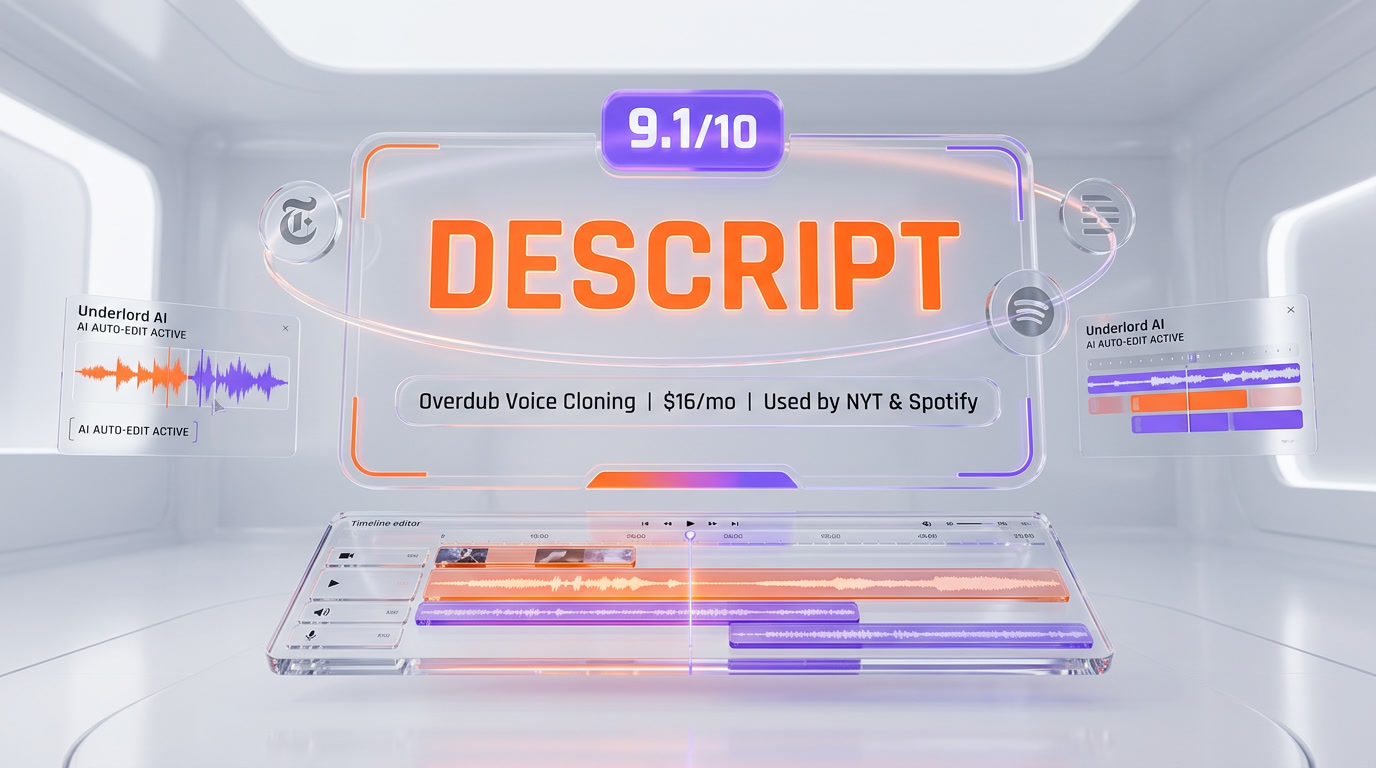
The basic plan starts at $12 per month, but advanced AI features require a higher-tier plan. Some users may find this expensive compared to free tools.
Privacy Concerns
Uploading sensitive audio or video to an AI platform raises privacy questions. Descript promises good security, but you should check their policies before sharing confidential content.
Credit: theplanettools.ai
User Experience: Interface And Workflow
Descript’s interface is simple and clean. You see a transcript on the left and a timeline on the right. Editing feels like typing in a document. You can drag and drop sections, highlight text to remove audio/video, and use AI suggestions with one click.
Many beginners miss that Descript’s editing is non-destructive. If you delete something, you can undo it easily. There are also version histories, so you can go back to earlier edits.
The workflow is fast:
- Upload your file
- Wait for transcription
- Review AI suggestions
- Make edits
- Export your finished content
You can export to MP3, MP4, WAV, or directly to platforms like YouTube and Spotify.
Data And Performance: How Fast And Accurate Is Underlord Ai?
Descript claims that Underlord AI can transcribe and edit 60 minutes of audio in less than 5 minutes. In real tests, the transcript usually appears within 3–7 minutes for a one-hour podcast.
Accuracy is high: typical word error rates are 3–5%. For comparison, human transcriptionists average 2–3% error rates but take much longer.
AI Audio Cleanup removes 80–90% of background noise in most cases. Revoice fixes short sentences with 95% accuracy, but longer fixes can drop to 80%.
For video, AI Scene Detection is correct about 85% of the time. You’ll still need to check and adjust cuts before publishing.
Here’s a performance comparison for a 60-minute podcast:
| Editing Step | Manual Time | Underlord AI Time | Accuracy |
|---|---|---|---|
| Transcription | 4-6 hours | 3-7 minutes | 95-97% |
| Filler Removal | 1-2 hours | 1-2 minutes | 98% |
| Audio Cleanup | 30 minutes | 2-4 minutes | 80-90% |
| Revoice Fixes | 30+ minutes (re-record) | 1 minute | 95% (short fixes) |
These numbers show that Underlord AI saves hours for each project. For creators with tight deadlines, this is a big advantage.
Comparing Plans And Pricing
Descript offers several plans. Underlord AI features are available on different tiers.
| Plan | Price (USD) | AI Features Included | Export Options | Best For |
|---|---|---|---|---|
| Free | $0 | Basic transcription | MP3, MP4 | Testing |
| Creator | $12/month | Filler removal, Audio cleanup | All formats | Solo creators |
| Pro | $24/month | Revoice, AI summaries, Scene detection | All formats, direct publishing | Teams, pros |
| Enterprise | Custom | Advanced AI, privacy controls | All formats | Large companies |
Most solo creators and small businesses will use the Creator or Pro plans. The Free plan is good for testing, but it lacks most AI tools.
Practical Tips For Using Underlord Ai
If you want the best results with Descript Underlord AI, keep these tips in mind:
- Check the transcript: AI can miss technical terms or names. Always review before publishing.
- Keep some filler words: Removing all fillers can make your voice sound unnatural. Leave a few for authenticity.
- Use Audio Cleanup with care: If your audio is very noisy, cleanup may distort speech. Test before final export.
- Try Revoice for fixes: Use it for short corrections, not long paragraphs.
- Save versions: Descript lets you save different edits. Keep backups in case you want to go back.
Another insight: Many creators don’t use AI summaries, but these are great for making show notes and social posts quickly.
When Should You Use Underlord Ai?
Underlord AI is best for:
- Podcasters who want fast, high-quality edits
- YouTubers who need quick cuts and clean audio
- Marketers making social content from webinars
- Online teachers who want transcripts and summaries
It’s less useful for:
- Complex video projects needing custom effects
- Audio engineers who want full manual control
- Creators with highly technical or sensitive content
If you need speed, simplicity, and good quality, Underlord AI is a strong choice.
How Descript Underlord Ai Is Changing Content Creation
The rise of AI tools like Underlord AI is changing how creators work. Instead of spending hours on manual editing, people can focus on creativity and storytelling. This means:
- More content can be published faster
- Small teams can compete with big studios
- Mistakes and poor quality are easier to fix
For non-native English speakers, Underlord AI removes many barriers. You don’t need perfect language skills or technical editing knowledge to produce good content.
The AI tools also make it easier to repurpose content. You can create podcasts, videos, blog posts, and social media updates from one file.
Common Mistakes When Using Underlord Ai
Many new users make mistakes that can hurt their results:
- Trusting AI too much: Always check edits before publishing.
- Removing all fillers: Keep some natural speech for personality.
- Ignoring privacy: Don’t upload sensitive content without checking security.
- Overusing Revoice: Listeners can notice when speech sounds unnatural.
To avoid these mistakes, review your transcript, test audio cleanup, and use Revoice only for small fixes.
Industry Feedback And User Reviews
Descript Underlord AI has received positive feedback from creators, but there are also complaints. Here’s a summary:
- Positive: Fast editing, easy interface, helpful AI suggestions, good for beginners
- Negative: Occasional accuracy issues, expensive for advanced features, privacy concerns
Many users say Underlord AI saves them hours every week. Podcasters especially like filler removal and audio cleanup. Video editors enjoy scene detection and transcript editing.
Some advanced users want more manual control and better accuracy for technical content.
External Resource
For deeper technical details on AI editing, you can read more at Wikipedia.
Frequently Asked Questions
How Accurate Is Descript Underlord Ai Transcription?
The transcription is usually 95–97% accurate for clear audio. Heavy accents or technical terms can lower accuracy. Always review the transcript before publishing.
Can Descript Underlord Ai Edit Video As Well As Audio?
Yes, Underlord AI works for both audio and video. You can cut mistakes, remove filler words, and use scene detection for video editing. However, it’s best for simple edits, not complex effects.
Is My Content Safe When Using Descript Underlord Ai?
Descript uses encryption and privacy controls to protect your files. However, you should avoid uploading sensitive or confidential content. Check their privacy policy if you are concerned.
How Does Ai Revoice Work?
AI Revoice lets you clone your voice and fix mistakes by typing. It works best for short sentences and simple corrections. For longer or emotional speech, the AI may sound less natural.
What Is The Price For Descript Underlord Ai Tools?
The basic plan starts at $12 per month. Advanced features like Revoice and AI summaries are available on higher plans ($24/month and up). There is a free plan for testing, but it lacks most AI tools.

Credit: www.youtube.com
Final Thoughts
Descript Underlord AI editing tools are changing how people create podcasts, videos, and other content. The AI features save time, make editing easier, and improve quality for beginners and professionals alike. While there are some accuracy and privacy concerns, the benefits are clear: faster workflow, less manual labor, and more creative freedom. If you want to produce high-quality content without spending hours editing, Descript Underlord AI is one of the best options available today. The platform is not perfect, but for most creators, the time savings and ease of use make it a smart investment.


About author









Add comment