

Robomotion RPA vs UiPath for Small Business: Ultimate Comparison
Robomotion Rpa Vs Uipath For Small Business: An In-depth Comparison
Automation is changing how small businesses operate. Many tasks that took hours each week can now be completed in minutes—without human error. This is possible thanks to robotic process automation, or RPA. Two names often come up for small businesses: Robomotion RPA and UiPath. Both platforms promise to save time and money, but they are not the same. Choosing the right solution matters, especially for small teams with limited resources.
This article gives you a clear, detailed comparison of Robomotion RPA and UiPath from a small business perspective. We will look at features, pricing, ease of use, support, security, real-world examples, and more. By the end, you will have a strong understanding of which tool may fit your needs—and the confidence to make a smart decision.
What Is Robotic Process Automation (rpa)?
RPA uses software robots (“bots”) to perform repetitive tasks. Think about copying data between systems, processing invoices, sending emails, or updating records. Instead of people clicking buttons and typing, bots handle these steps automatically. RPA works across different apps, even if they don’t connect directly.
For small businesses, this means:
- Saving time on manual work
- Reducing errors from busy staff
- Lowering costs by automating without hiring more people
- Improving customer service by speeding up responses
RPA is not just for big companies. Many small firms use it for accounting, HR, marketing, and customer support.
Overview: Robomotion Rpa And Uipath
Let’s briefly introduce each platform before diving deeper.
Robomotion Rpa
Robomotion is a cloud-first RPA platform. It focuses on making automation simple for smaller teams. Robomotion offers both cloud and on-premises options. Its main promise is: “RPA for everyone”—with an interface designed to be easy, even for non-technical users.
Uipath
UiPath is one of the largest RPA providers in the world. It offers a wide range of tools, from simple automation to advanced artificial intelligence (AI) features. UiPath is used by large enterprises, but it also has solutions for small and medium businesses.
Its platform can run bots on desktops, servers, or the cloud.
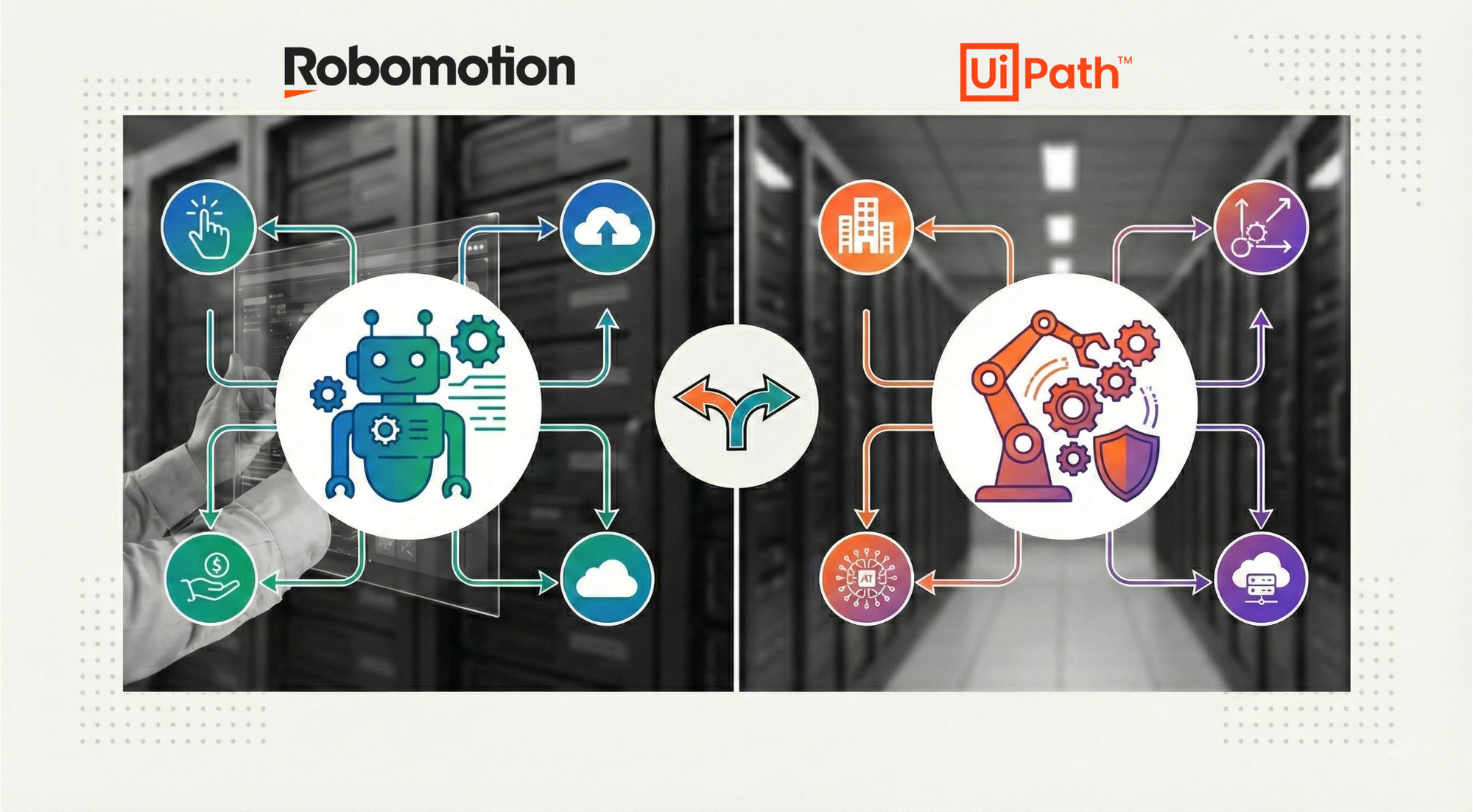
Both tools let you build workflows, connect different apps, and automate business tasks. But how do they compare for a small business use case? Let’s break it down.
Credit: robomotion.io
Feature Comparison: Robomotion Rpa Vs Uipath
Features are the heart of any automation platform. Here’s how Robomotion and UiPath stack up on core capabilities.
| Feature | Robomotion RPA | UiPath |
|---|---|---|
| Cloud Support | Native (core focus) | Available (strong support) |
| On-Premises Option | Yes | Yes |
| Drag-and-Drop Workflow Builder | Yes (intuitive) | Yes (feature-rich) |
| Pre-Built Templates | Yes | Extensive library |
| AI Capabilities | Basic (optional add-ons) | Advanced (integrated) |
| API Integrations | Good selection | Extensive |
| Desktop Automation | Yes | Yes |
| Web Automation | Yes | Yes |
| Mobile Automation | Limited | Available (advanced) |
| Marketplace/Community | Growing | Large, active |
Key Takeaways
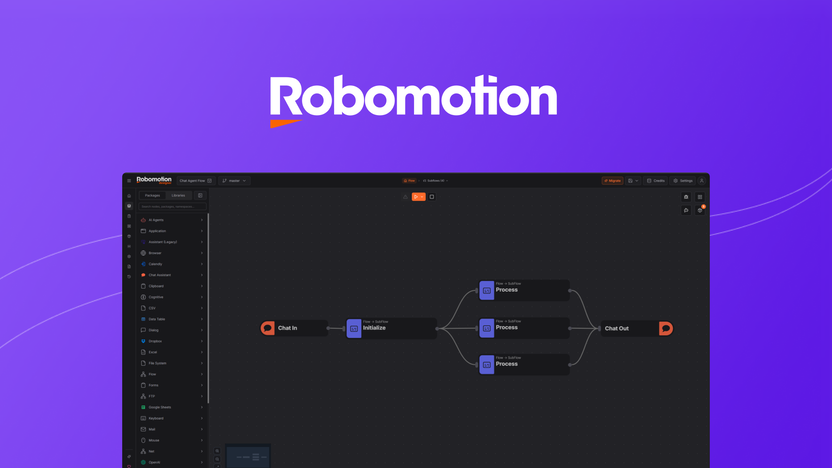
- Robomotion RPA is strong on core automation and easy for beginners. It covers the basics well.
- UiPath has more advanced features, especially in AI and integration, but can feel complex for new users.
Non-obvious insight: Many small businesses never use the most advanced AI features of UiPath, so don’t pay extra for what you don’t need.
Pricing: What Will You Pay?
Pricing is a major factor for small business owners. RPA solutions can be expensive, but both Robomotion and UiPath offer plans for smaller teams.
Robomotion Rpa Pricing
Robomotion keeps things simple:
- Free tier: Run one bot with limited features.
- Starter: Around $49/month per bot (as of 2026). Includes core features, cloud hosting, and basic support.
- Professional: Higher tiers add more bots, advanced features, and priority support.
You can pay monthly or annually. There’s no need to buy extra servers if you use the cloud version.
Uipath Pricing
UiPath’s pricing is more complex:
- Community Plan: Free for individuals and very small teams (limited features).
- Business Plans: Start around $420/month for attended bots, with extra costs for additional users, add-ons, and AI features.
- Enterprise Plans: Custom pricing for larger deployments.
UiPath sometimes requires extra infrastructure, especially for on-premises solutions.
Side-by-side Pricing
| Plan | Robomotion RPA | UiPath |
|---|---|---|
| Free Tier | Yes (1 bot) | Yes (for dev/testing) |
| Entry Paid Plan | $49/month per bot | $420/month per bot |
| Annual Billing Discount | Yes | Yes |
| Support Included | Basic, upgradeable | Basic, upgradeable |
| Extra Add-Ons | Few, clear pricing | Many, can add up |
Hidden Costs To Watch For
- UiPath’s extra features (AI, advanced analytics) may require higher-tier licenses.
- Robomotion’s pricing is more predictable, but advanced features may require moving up a tier.
Non-obvious insight: For simple automation, Robomotion’s lower price can be a huge benefit. However, UiPath’s free community plan is a good way to experiment before committing.
Ease Of Use: Getting Started Quickly
A platform is only useful if your team can actually use it. Small businesses often lack dedicated IT staff, so ease of use is critical.
Robomotion Rpa
- Setup: Fast cloud onboarding—start in minutes.
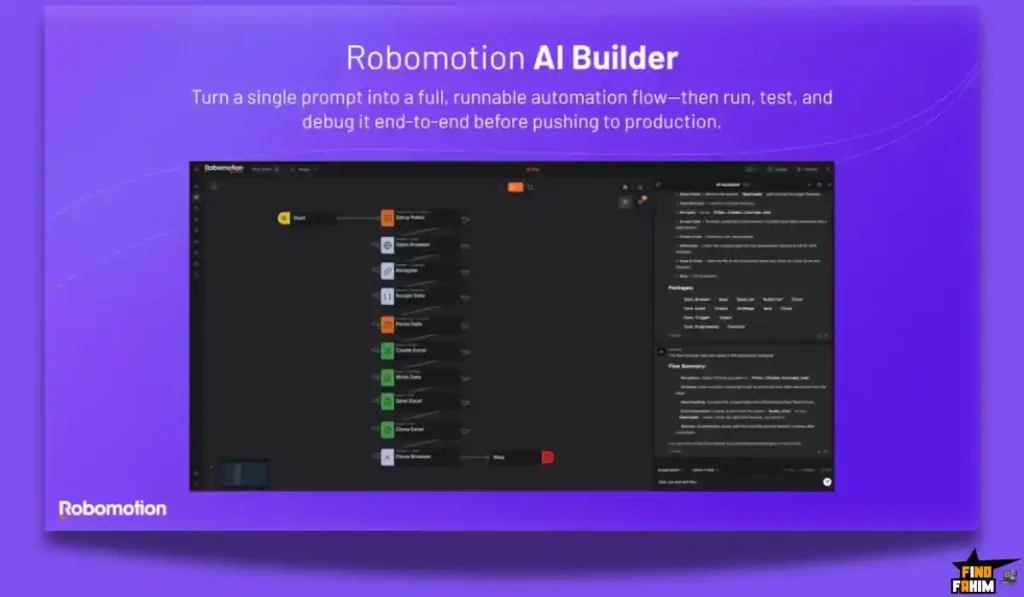
- Workflow Design: Drag-and-drop builder, visual interface.
- Learning Curve: Designed for beginners, with clear guides.
- Error Handling: Simple, with helpful tips and clear messages.
- Support: Step-by-step tutorials, responsive help.
Uipath
- Setup: More steps, especially for on-premises.
- Workflow Design: Drag-and-drop studio, but with many advanced options.
- Learning Curve: Steeper, especially for complex workflows.
- Error Handling: Advanced debugging tools, but can be overwhelming.
- Support: Extensive docs, academy, and community forums.
Real-world Example
A small accounting firm wanted to automate invoice data entry. With Robomotion, they built a working bot in a few hours using templates. With UiPath, they needed a few days to learn the interface and set up the environment, but gained more flexibility in the long run.
Tip: If your team prefers visual tools and has little coding experience, Robomotion might feel more comfortable.
Integration: Connecting Your Apps
Automation is powerful when it connects the tools you use every day. Both platforms support major business apps, but there are differences.
Robomotion Rpa
- Connectors: Google Workspace, Microsoft 365, Slack, Trello, and more.
- API Support: REST, SOAP, and custom scripts.
- File Automation: PDFs, Excel, CSV, and common file types.
- Marketplace: Smaller, but growing.
Uipath
- Connectors: Hundreds of built-in connectors, including SAP, Salesforce, Oracle, and legacy systems.
- API Support: Advanced, supports complex integrations.
- File Automation: Advanced document understanding, OCR, and more.
- Marketplace: Large, with many pre-built solutions.
Integration Table
| Integration Type | Robomotion RPA | UiPath |
|---|---|---|
| Popular Cloud Apps | Most major ones | Extensive |
| Legacy Systems | Limited | Strong support |
| AI/ML Integration | Basic | Advanced |
| Custom Scripting | Python, JS | VB, C#, Python |
Insight: For most small businesses using common SaaS apps, both platforms will work. If you need to connect to old or unusual systems, UiPath may offer more options.
Security And Compliance
Handling business data safely is vital, especially with customer or financial information.
Robomotion Rpa
- Cloud Security: Data encrypted in transit and at rest.
- User Roles: Simple access controls for small teams.
- Audit Logs: Track who did what and when.
- Compliance: Follows industry best practices (GDPR, ISO standards).
Uipath
- Cloud and On-Premises: Enterprise-grade security, detailed controls.
- User Roles: Fine-grained permissions, multi-factor authentication.
- Audit Logs: Advanced, meets strict compliance needs.
- Certifications: Multiple global certifications (SOC 2, ISO 27001).
Practical Example
A small medical office used Robomotion to automate appointment scheduling. The platform’s built-in encryption kept patient data safe, but they needed to check compliance with local health regulations. UiPath offered more detailed controls, but required more setup.
Tip: Always check if your industry has special data rules. Both platforms are secure, but UiPath offers more options for strict compliance.
Customer Support And Community
When you run into issues, quick help is important.
Robomotion Rpa
- Support Options: Email, chat, and help center.
- Response Time: Quick for paid plans.
- Community: Growing, but smaller than UiPath.
- Training: Guides, basic tutorials, webinars.
Uipath
- Support Options: Email, phone, chat, and ticketing.
- Response Time: Varies by plan; enterprise gets priority.
- Community: Huge global forum, many active users.
- Training: UiPath Academy, certifications, in-person events.
Insight
Robomotion’s support feels more personal, which is great for small teams. UiPath’s community is massive, so you can almost always find someone with the same problem.
Credit: appsumo.com
Scalability: Growing With Your Business
Will your chosen RPA platform still work as your business grows?
Robomotion Rpa
- Best For: Small to medium teams.
- Scalability: Easy to add more bots as needed, but may hit limits with very large needs.
- Upgrades: Simple, clear pricing.
Uipath
- Best For: All sizes, including large enterprises.
- Scalability: Built to handle hundreds or thousands of bots.
- Upgrades: Flexible, but higher costs as you scale.
Example
If you plan to stay small or grow slowly, Robomotion will likely meet your needs for years. If you expect rapid expansion or very complex processes, UiPath might offer more runway.
Tip: Overbuying features for “someday” growth can waste money now. Start with what fits your team today.
Real-world Use Cases
Looking at how other small businesses use these platforms can help you imagine your own automation journey.
Robomotion Rpa Use Cases
- Invoice Processing: Automate reading invoices from email, entering data in accounting software, and sending payment reminders.
- Customer Support: Auto-respond to common questions or route tickets to the right team.
- Data Entry: Move information from spreadsheets to web apps without errors.
- Appointment Scheduling: Sync calendars, send confirmations, and update records automatically.
Uipath Use Cases
- Payroll Automation: Handle timesheets, tax forms, and payroll processing with integrations to HR systems.
- Document Management: Scan, sort, and file documents using advanced OCR.
- Sales Reporting: Pull data from multiple sources for up-to-date reports.
- Legacy System Automation: Connect modern apps with old desktop or server systems.
Unique Example
A small travel agency used Robomotion to pull flight prices from different websites and update their offers daily. A similar company used UiPath to connect to an old booking system and modernize their whole workflow.
Insight: Robomotion excels at automating cloud-based tasks quickly. UiPath is better when you need to bridge new and old tech.
Hidden Challenges And Common Mistakes
New users often make mistakes that cost time and money. Here’s what to watch out for:
- Over-automating: Trying to automate every task at once often leads to failure. Start small and expand.
- Ignoring Maintenance: Bots need updates as your business changes. Plan for ongoing checks.
- Security Gaps: Don’t forget to secure passwords, API keys, and sensitive data.
- Underestimating Training: Even “no code” tools need some learning. Set aside time for your team.
- Lack of Clear Goals: Define what success looks like before you start.
Choosing Between Robomotion Rpa And Uipath
How do you decide which platform is right for your small business? Consider these factors:
1. Budget
If you have a tight budget and simple needs, Robomotion RPA is often the better choice. UiPath’s costs can add up quickly as you add features or users.
2. Technical Skills
Robomotion’s interface is easier for beginners. UiPath is powerful but requires more training.
3. Integration Needs
If you use mostly cloud apps like Google Workspace, Trello, or Slack, Robomotion is likely enough. For legacy systems, advanced AI, or custom needs, UiPath is stronger.
4. Growth Plans
Staying small? Robomotion is designed for you. Planning to scale fast or build complex automations? UiPath can grow with you.
5. Support Preferences
Want quick, personal support? Robomotion excels. Prefer a huge community and lots of learning resources? UiPath wins.
Decision Table
| Factor | Best for Robomotion RPA | Best for UiPath |
|---|---|---|
| Budget | Low | Flexible/high |
| Technical Skills | Non-technical users | Tech-savvy users |
| Integration Needs | Modern cloud apps | Legacy/complex systems |
| Growth Plans | Stable/small | Rapid/enterprise |
| Support | Direct, personal | Large community |
Credit: findfahim.com
Getting Started: Next Steps For Small Businesses
If you’re ready to try RPA, here are some practical steps:
- Identify a Simple Process: Choose something repetitive but not mission-critical, like data entry or email sorting.
- Test Both Platforms: Use the free versions to build a small bot in each. See which feels easier.
- Calculate Costs: Estimate how much time and money you’ll save, and compare with each platform’s price.
- Get Feedback: Involve your team early. Their input will help you pick the right fit.
- Plan for Growth: Make sure the tool you choose can handle your future needs.
Hidden tip: Even if you choose Robomotion now, you can always switch to UiPath later if your needs become more complex. RPA is flexible that way.
Frequently Asked Questions
What Is The Main Difference Between Robomotion Rpa And Uipath For Small Businesses?
Robomotion RPA focuses on simplicity and low cost, making it ideal for small teams with basic automation needs. UiPath offers more advanced features, integrations, and scalability, but can be more expensive and complex.
Can I Start Using Rpa Without Coding Experience?
Yes. Both Robomotion RPA and UiPath offer drag-and-drop builders and clear guides. Robomotion is especially friendly for beginners, while UiPath may need a bit more learning for advanced features.
Which Platform Is More Secure For Sensitive Data?
Both platforms are secure. UiPath offers more detailed security controls and global certifications, which may be needed for industries with strict rules. Robomotion meets industry standards and is safe for most small business tasks.
How Much Time Can Rpa Save My Small Business?
It depends on your tasks. Simple automations (like invoice processing or data entry) can save 5–20 hours per week. More complex bots may save even more. The key is to start with the most repetitive work.
Where Can I Find More Resources To Learn About Rpa?
You can find detailed guides, tutorials, and case studies on official sites. For more information, visit the UiPath Academy or Robomotion’s support center.
Choosing the right RPA platform is a big step for any small business. Take your time, start with a clear goal, and remember: the best tool is the one your team will actually use and benefit from. With the right automation partner, you can focus more on growing your business and less on repetitive work.


About author









Add comment