

How to Find Verified Business Emails Using Cleanlist Ai Easily
Finding the right business email address is not just about convenience—it can be the difference between landing a client or being ignored. Many professionals waste hours searching for reliable contact information, only to find their emails bounce back or go to the wrong person. The challenge is even bigger for sales teams, recruiters, and marketers who need verified business emails in volume. That’s where tools like Cleanlist Ai stand out, helping you connect with the people who matter in less time and with more confidence.
This guide will show you exactly how to find verified business emails using Cleanlist Ai. You’ll learn how the platform works, best practices for accurate results, and important tips to avoid common mistakes. Whether you’re new to email finding or looking to sharpen your process, this article has you covered.
Why Finding Verified Business Emails Matters
Email is still a top channel for business communication. But generic contact forms and outdated directories often slow you down. When you find a personal or direct work email, your message is more likely to reach the decision maker. Here’s why verified emails matter:
- Better response rates: Targeted emails get more replies than broad, generic addresses.
- Fewer bounces: Validated emails reduce the risk of hard bounces, which can hurt your sender reputation.
- Saves time: No more guessing or sending follow-up emails to wrong contacts.
- Professional impression: Shows you’ve done your research, building trust from the first touch.
A study by HubSpot found that personalized emails improve click-through rates by 14% and conversion rates by 10%. However, personalization only works if you reach the right inbox.
What Is Cleanlist Ai?
Cleanlist Ai is a tool designed to help users quickly find and verify business emails. Unlike manual searching, which often brings mixed results, Cleanlist Ai uses advanced algorithms to deliver accurate, up-to-date contact information. Its main features include:
- Bulk email search: Upload a list of names or companies and get verified emails in minutes.
- Email verification: Checks the deliverability of each email address.
- Data enrichment: Adds information like job titles, company size, and location.
- API integration: Connects with other tools in your workflow.
What makes Cleanlist Ai stand out is its focus on accuracy and speed. While some tools rely only on pattern guessing, Cleanlist Ai combines public data, proprietary databases, and real-time verification to provide trustworthy results.
How Cleanlist Ai Finds Verified Business Emails
Cleanlist Ai’s process is both simple and powerful. Here’s how it works step by step:
1. Input Your Search Criteria
You start by entering the information you have—this could be a company name, a domain, or a list of people’s names. Cleanlist Ai supports:
- Single searches: For individual contacts.
- Bulk uploads: Via CSV or spreadsheet for multiple contacts.
2. Data Matching And Pattern Recognition
Cleanlist Ai scans multiple sources to match the data you provided. It uses:
- Public records: Company websites, professional profiles, social networks.
- Email patterns: Many companies use standard formats (like firstname.lastname@company.com).
- Proprietary databases: Built from previous searches and partnerships.
3. Real-time Email Verification
Every email found is checked for deliverability. Cleanlist Ai performs these steps:
- SMTP checks: Tests if the email server will accept messages.
- Syntax validation: Ensures the address is correctly formatted.
- Domain status: Verifies the domain is active and can receive emails.
4. Data Enrichment (optional)
If you want more details, Cleanlist Ai can add extra data—like the person’s role or company size—helping you tailor your message.
5. Export And Use
Once verified, you can export the emails to your CRM, marketing tool, or download them in your preferred format.
Key Features Of Cleanlist Ai
Understanding what sets Cleanlist Ai apart will help you use it more effectively.
| Feature | Benefit | Typical Use Case |
|---|---|---|
| Bulk Search | Find hundreds of emails at once | Sales team prospecting |
| Email Verification | Reduce bounce rate | Improving email campaign deliverability |
| Data Enrichment | Adds context to contacts | Personalized outreach |
| API Access | Automate email finding | Integrating into existing workflow |
| GDPR Compliance | Data privacy assurance | Legal and regulated industries |
Credit: appsumo.com
Getting Started With Cleanlist Ai
Setting up Cleanlist Ai is straightforward. Here’s a step-by-step process to get you going:
Sign Up And Choose A Plan
Start by creating an account on the Cleanlist Ai website. There are usually different plans depending on the number of emails you need to find each month. Some plans offer a free trial or a limited number of free searches, which is great for testing.
Access The Dashboard
Once logged in, you’ll see a dashboard where you can:
- Start a new search
- Upload a list for bulk processing
- View your previous searches and results
- Access the API documentation
Configure Search Settings
Choose the type of search you need:
- Find by domain: Enter a company’s website to find all available business emails.
- Find by name and company: Enter the person’s name and where they work.
- Bulk search: Upload a CSV or Excel file with the information you have.
Start The Search
Click the search button and let Cleanlist Ai process the data. For bulk searches, the time needed depends on the number of records. Usually, results appear within minutes.
Review And Export
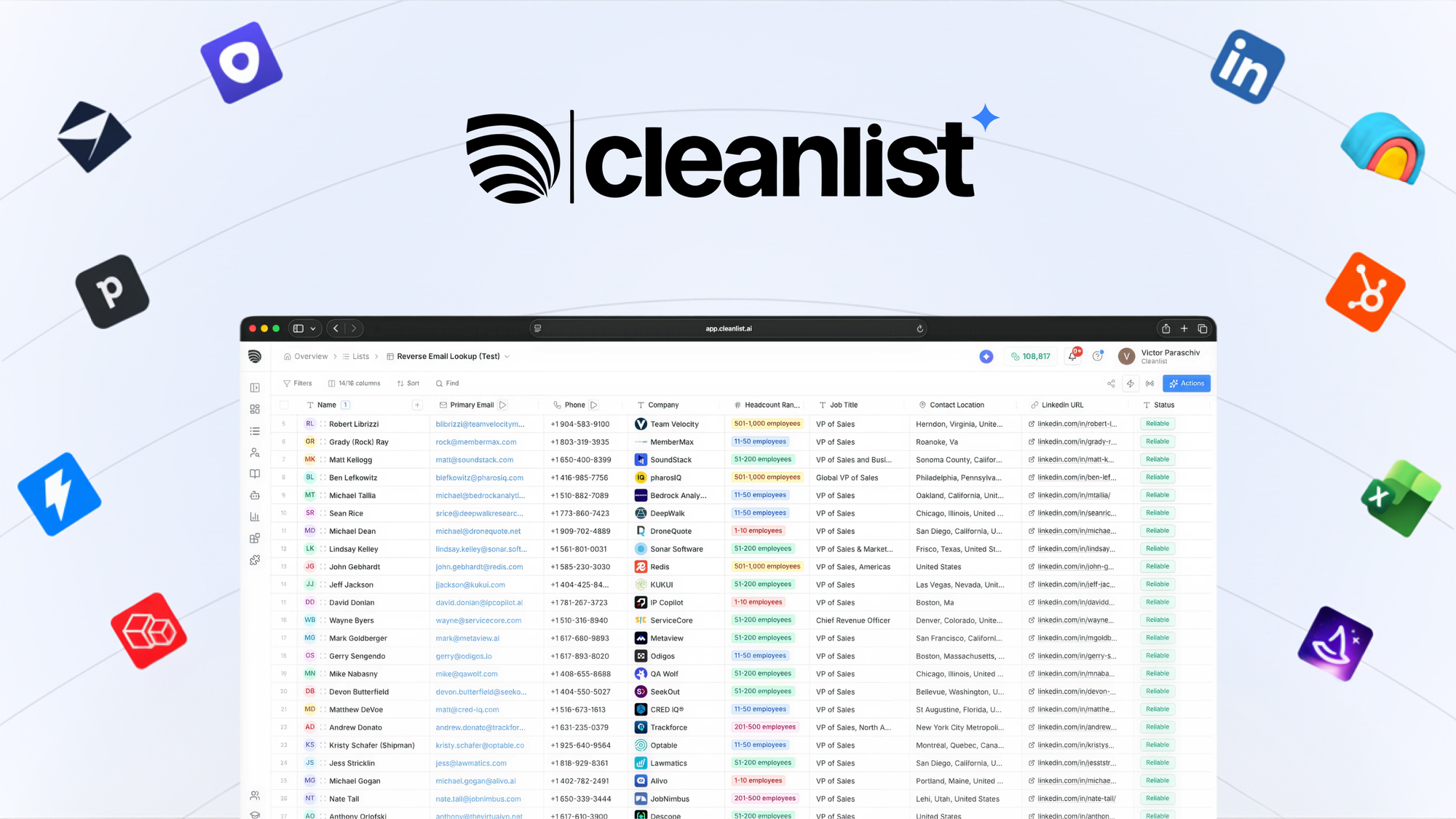
Check the list of emails found. Each result will show:
- Email address
- Verification status (valid, risky, invalid)
- Additional info (if enriched)
Export the results in your preferred file format or send them directly to your CRM.
Practical Example: Using Cleanlist Ai To Find Emails For A B2b Campaign
Suppose you’re a sales manager preparing for a B2B outreach campaign targeting IT managers in medium-sized tech companies. Here’s how Cleanlist Ai can help:
- Build your target list: Gather company names and the names of IT managers from LinkedIn or business directories.
- Upload to Cleanlist Ai: Use the bulk upload feature to add your list.
- Run the search: The platform matches names to company domains and finds the most likely email addresses.
- Verification: Cleanlist Ai checks each email for validity, reducing the risk of bounces.
- Enrichment: Add job titles and company sizes for more personalized emails.
- Export and send: Download your validated list and upload it to your email platform.
This process, which might take days manually, is finished in under an hour with Cleanlist Ai.
Comparing Cleanlist Ai To Other Email Finder Tools
With many email finding tools available, it’s important to see how Cleanlist Ai compares to popular alternatives like Hunter.io, Snov.io, and Voila Norbert. Here’s a side-by-side comparison:
| Tool | Email Verification | Bulk Search | Data Enrichment | API Access | Pricing |
|---|---|---|---|---|---|
| Cleanlist Ai | Yes | Yes | Yes | Yes | Competitive |
| Hunter.io | Yes | Yes | No | Yes | Moderate |
| Snov.io | Yes | Yes | Limited | Yes | Low |
| Voila Norbert | Yes | Yes | No | No | High |
Cleanlist Ai stands out for its comprehensive features and strong verification process. It is especially useful if you need both verified emails and extra data for personalization.
Common Mistakes When Searching For Business Emails
Even with a powerful tool like Cleanlist Ai, mistakes can lead to poor results or wasted time. Here are the most common issues and how to avoid them:
1. Using Outdated Lists
If your contact list is old, people may have changed roles or companies. Always use recent data for best results.
2. Ignoring Verification Status
Sending emails to addresses marked “risky” or “invalid” increases bounce rates. Only use addresses marked as “valid” by Cleanlist Ai.
3. Not Enriching Data
Personalized emails perform better. Don’t skip the enrichment step if you want more replies and engagement.
4. Overlooking Gdpr And Privacy Laws
Make sure your outreach is compliant, especially if contacting people in the EU. Cleanlist Ai helps by flagging risky data, but you should always follow best practices.
5. Bulk Upload Errors
Formatting mistakes in your CSV (like missing columns or typos) can cause failed searches. Double-check your file before uploading.
Credit: findfahim.com
Best Practices For Using Cleanlist Ai Effectively
To get the most value from Cleanlist Ai, follow these proven strategies:
Use Quality Input Data
Start with accurate names, company domains, or job titles. The better your input, the better your results.
Segment Your Searches
Split large lists into smaller groups by industry or role. This allows for targeted outreach and easier management.
Review And Clean Results
Not every email found will be perfect. Review the list and remove any addresses that look suspicious or generic (like info@ or sales@).
Combine With Other Tools
Integrate Cleanlist Ai with your CRM, marketing automation, or sales engagement platform for seamless workflow. The API makes this easy.
Track Your Results
Monitor your email campaigns for bounces and replies. Use this feedback to improve future searches and outreach.
Stay Updated On Email Patterns
Companies sometimes change their email formats. If you notice a drop in accuracy for a certain domain, double-check the pattern or update your input data.
Data Security And Privacy With Cleanlist Ai
Data privacy is a serious concern, especially with regulations like GDPR and CCPA. Cleanlist Ai is built with security in mind:
- Data encryption: All uploads and downloads are encrypted.
- Automatic deletion: Uploaded data is deleted after processing, unless you choose to save it.
- GDPR compliance: Cleanlist Ai follows best practices for handling European data.
- User control: You can delete your search history and results at any time.
When using any email finding tool, always get permission before adding people to ongoing marketing lists. Unsolicited emails can harm your brand and may break the law.
Advanced Tips: Getting More From Cleanlist Ai
Once you’re comfortable with the basics, try these advanced techniques:
Use The Api For Automation
If you do regular email finding, Cleanlist Ai’s API can automate the process. For example, you can:
- Automatically find emails for new LinkedIn leads
- Sync email results directly into your CRM
- Trigger enrichment for new contacts
A/b Test Email Formats
If a company uses several email formats, Cleanlist Ai can test all options and verify which one is correct. This increases your chances of reaching the right person.
Monitor Bounce Rates
Even with verification, some emails may go inactive after a few weeks. Track your bounce rates and refresh your lists every quarter for best results.
Combine With Social Media
Use Cleanlist Ai to find emails, then check the person’s LinkedIn or Twitter for additional insights. This makes your outreach more personal and relevant.
Leverage Data Enrichment
If you’re targeting a specific industry or job level, use enrichment to filter your list. For example, only contact “Director” or above in finance companies.
Real-world Success Stories
Many businesses have seen big improvements in outreach efficiency using Cleanlist Ai. Here are two examples:
Case Study 1: Saas Startup Growth
A SaaS startup wanted to target CTOs at mid-sized companies in the US. Their manual search was slow and often inaccurate. After switching to Cleanlist Ai:
- They increased valid contact rates from 62% to 94%.
- The sales team saved over 12 hours per week.
- Email response rates doubled, leading to more demos booked.
Case Study 2: Recruitment Agency
A recruitment firm needed to find passive candidates and decision-makers in the healthcare sector. By using Cleanlist Ai:
- They identified 30% more verified emails than before.
- Placement rates improved due to better targeting.
- Data enrichment helped recruiters personalize outreach, boosting reply rates.
These examples show that investing in the right tool delivers a real competitive advantage.
Cost And Value: Is Cleanlist Ai Worth It?
Pricing is always a factor. Cleanlist Ai offers several plans, usually based on the number of searches or verified emails per month. Consider:
- Free trial or credits: Many users start with a free trial to test the platform.
- Pay-as-you-go: Good for occasional users.
- Monthly subscriptions: Best for sales teams or agencies with regular needs.
While costs are comparable to other leading tools, the extra accuracy and features often justify the investment. Remember, even one new client gained through better email outreach can cover the cost for months.
When Not To Use Cleanlist Ai
Cleanlist Ai is powerful, but it’s not always the right choice. Avoid using it if:
- You only need a few generic company contacts (like support@ or info@).
- You don’t have the minimum data required (name or company domain).
- You’re reaching out for non-business reasons (like personal or consumer emails).
The tool is designed for B2B professionals who need verified, direct business contacts.
Legal And Ethical Considerations
Finding and using business emails comes with responsibilities. Follow these rules to stay ethical and compliant:
- Respect opt-out requests: If someone asks not to be contacted, honor their request immediately.
- Provide value: Make your outreach relevant and helpful, not spammy.
- Follow CAN-SPAM and GDPR: Always include an unsubscribe option and a clear reason for your email.
For a deeper look at compliance, you can check the official CAN-SPAM Act guide.
How Accurate Is Cleanlist Ai?
Accuracy is a top concern for anyone using an email finder. Cleanlist Ai claims over 90% accuracy for verified emails, which is above industry average. This is possible thanks to:
- Multi-source matching
- Real-time verification
- Continuous database updates
No tool is perfect, but regular updates and verification steps mean you can trust most addresses found by Cleanlist Ai. As a best practice, always monitor your campaign metrics to catch any changes in performance.
Credit: oppora.ai
Troubleshooting: What To Do If You Can’t Find An Email
Sometimes, even the best tools can’t find a verified email. Here’s what to try:
- Check your input: Make sure names and company details are spelled correctly.
- Try alternate formats: Use common variations (like nicknames or initials).
- Look for public profiles: LinkedIn, company websites, and press releases may list the email.
- Reach out via LinkedIn: If the email isn’t available, send a connection request or message.
- Use enrichment tools: Sometimes a job title or department helps narrow the search.
Persistence pays off, but always respect privacy and avoid guessing or sending to unverified addresses.
Future Trends: The Evolving World Of Email Finding
Email finding tools are becoming smarter every year. Expect to see:
- More AI-driven personalization: Tools will suggest outreach ideas based on contact data.
- Stronger privacy controls: More features to help users stay compliant.
- Integration with voice and chat tools: Finding emails directly from conversations.
- Smarter bounce prevention: Real-time alerts if a contact leaves a company.
Staying up to date with these trends helps you stay ahead in sales, recruiting, or marketing.
Frequently Asked Questions
How Does Cleanlist Ai Verify Email Addresses?
Cleanlist Ai uses several methods: it checks the email format, tests the domain’s mail server, and sometimes sends a “ping” (without delivering a message) to confirm deliverability. This process ensures that only valid, working emails are marked as verified.
Is It Legal To Use Cleanlist Ai For Finding Emails?
Yes, as long as you use the tool for legitimate business outreach and follow privacy laws like GDPR and CAN-SPAM. Always respect opt-out requests and use emails responsibly.
What Happens If Cleanlist Ai Can’t Find An Email?
If no verified email is found, Cleanlist Ai will either leave the field blank or mark the result as “not found. ” You can try adjusting your search details or use other communication channels to reach the person.
Can I Integrate Cleanlist Ai With My Crm Or Marketing Tools?
Absolutely. Cleanlist Ai offers API access and direct integrations with many popular CRMs and automation platforms. This saves time and reduces manual work.
How Often Should I Update My Email Lists?
It’s best to refresh your lists every 3-6 months. People change jobs frequently, and company domains may update their email formats. Regular updates keep your outreach campaigns effective.
Using a tool like Cleanlist Ai changes the way you approach business outreach. Instead of wasting time on bad data, you focus on building relationships and growing your business. With the right strategy and attention to detail, you’ll see better results from every campaign.
Finding verified business emails is no longer a guessing game. With Cleanlist Ai, you have a reliable, efficient, and secure way to connect with the right people—every time.


About author









Add comment