

Notion Ai Vs Obsidian for Personal Knowledge Database: Ultimate Showdown
Notion Ai Vs Obsidian For Personal Knowledge Database
Building a personal knowledge database is a smart way to manage notes, ideas, and learning. Today, two powerful tools compete for the attention of users: Notion AI and Obsidian. Both offer unique strengths, but their approaches are very different. Choosing between them can be confusing, especially if you want to organize information for work, study, or creative projects. This article will help you understand the real differences, show practical examples, and guide you toward the best choice for your needs.
Notion AI and Obsidian are both popular in the note-taking and knowledge management world. But their design, features, and workflows suit different types of users. If you want simple collaboration, strong AI help, or smooth web access, Notion AI seems attractive. If you prefer privacy, powerful linking, and full control of your data, Obsidian stands out. Let’s look deeper at what sets them apart, how they work in real life, and which tool fits your style best.
What Is Notion Ai?
Notion AI is an upgraded version of the classic Notion workspace. It combines note-taking, databases, and productivity tools with artificial intelligence that helps you write, organize, and search. Notion AI is cloud-based, meaning your data is stored online and accessible from any device. Its main features include:
- Smart writing tools powered by AI
- Easy-to-use templates for notes, tasks, and databases
- Collaboration with teams or friends
- Integration with other apps
- Customizable dashboards
Notion AI’s AI features go beyond simple note-taking. The tool can summarize content, generate ideas, correct grammar, and even create outlines for your projects. Its interface is clean and modern, with drag-and-drop blocks for quick editing.
What Is Obsidian?
Obsidian is a local-first knowledge management tool. It works with simple Markdown files stored on your computer. This means your notes stay private and you have full control. Obsidian focuses on linking notes together, creating a web of connected information called a “second brain.” Its main features include:
- Local storage and privacy
- Powerful linking and backlinks
- Plugins to customize features
- Graph view to visualize connections
- Markdown support for simple formatting
Obsidian is fast and flexible. You can use it offline, customize it with plugins, and build complex knowledge systems. It is popular among writers, researchers, and anyone who wants to organize ideas deeply.
Core Differences Between Notion Ai And Obsidian
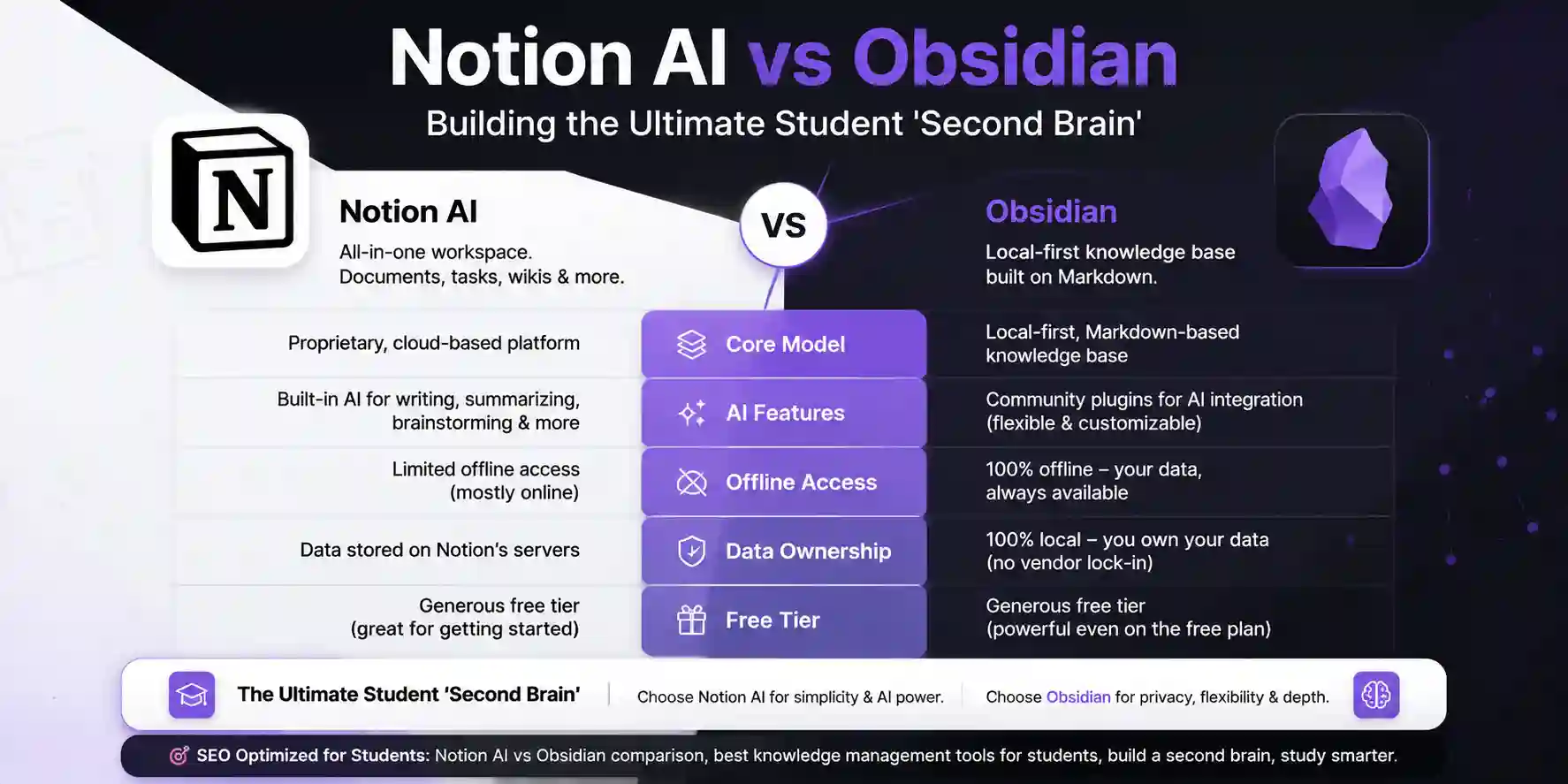
Understanding the basic differences helps you decide which tool fits your needs. Here’s a direct comparison:
| Feature | Notion AI | Obsidian |
|---|---|---|
| Storage | Cloud-based | Local (your device) |
| AI Features | Built-in, advanced | Limited, via plugins |
| Collaboration | Easy, real-time | Possible, but harder |
| Customization | Templates, blocks | Plugins, scripts |
| Pricing | Subscription needed for AI | Free, pay for extras |
| Data Privacy | Stored online | Stored locally |
| Offline Use | Limited | Full |
Notion Ai: Strengths And Weaknesses
Notion AI offers many features for modern knowledge management, but it also has limits. Let’s break down the main strengths and weaknesses.
Strengths
- AI-powered writing and organization: Notion AI can summarize, rewrite, and generate content, making it easier for non-native English users to create clear notes.
- Templates and structure: The platform offers ready-made templates for to-do lists, meeting notes, project trackers, and databases. This saves time and helps beginners.
- Collaboration: You can easily share notes and work with others in real time. This is useful for teams, families, or study groups.
- Integration: Notion AI connects with tools like Google Drive, Slack, and Trello, making it easy to pull information from different places.
- Web access: You can use Notion AI from any browser or device, so your knowledge database is always available.
Weaknesses
- Subscription cost: The AI features require a paid plan, which can be expensive for students or solo users.
- Privacy concerns: Your data is stored on Notion’s servers. Sensitive information may not be fully private.
- Limited offline access: If you lose internet connection, some features stop working.
- Exporting and backups: Exporting your entire database can be tricky, especially with complex setups.
Credit: www.stackexpertise.com
Obsidian: Strengths And Weaknesses
Obsidian has a different approach, focusing on privacy, flexibility, and deep linking. But it also has its own challenges.
Strengths
- Full data control: Your notes are stored on your device. You decide how to back up and protect them.
- Deep linking: Obsidian’s strongest feature is connecting notes. You can link ideas, see backlinks, and build a web of knowledge.
- Customization with plugins: There are hundreds of plugins for extra features, from daily notes to advanced search.
- Offline use: Obsidian works without internet, so you always have access to your database.
- Markdown support: Simple formatting lets you focus on content, not design.
Weaknesses
- Steeper learning curve: Beginners may find Obsidian confusing at first. Linking and plugins require practice.
- Limited collaboration: Sharing notes is possible, but not as easy as Notion AI. You need extra tools or plugins.
- No built-in AI: Obsidian’s AI features depend on third-party plugins, which may not be as strong as Notion AI.
- No web access: You can’t edit your notes from a browser unless you set up syncing.
User Experience And Interface
How you interact with your knowledge database matters a lot. Let’s look at the interfaces and workflows.
Notion Ai Interface
Notion AI uses a block-based editor. Every piece of content (text, image, checklist) is a block you can drag, drop, and organize. The interface feels modern and clean. You can add AI blocks to summarize notes or rewrite text. Templates are easy to use, and searching is fast.
For beginners, Notion AI is friendly. Simple menus guide you. Collaboration is one click away. The AI help is visible and easy to access.
Obsidian Interface
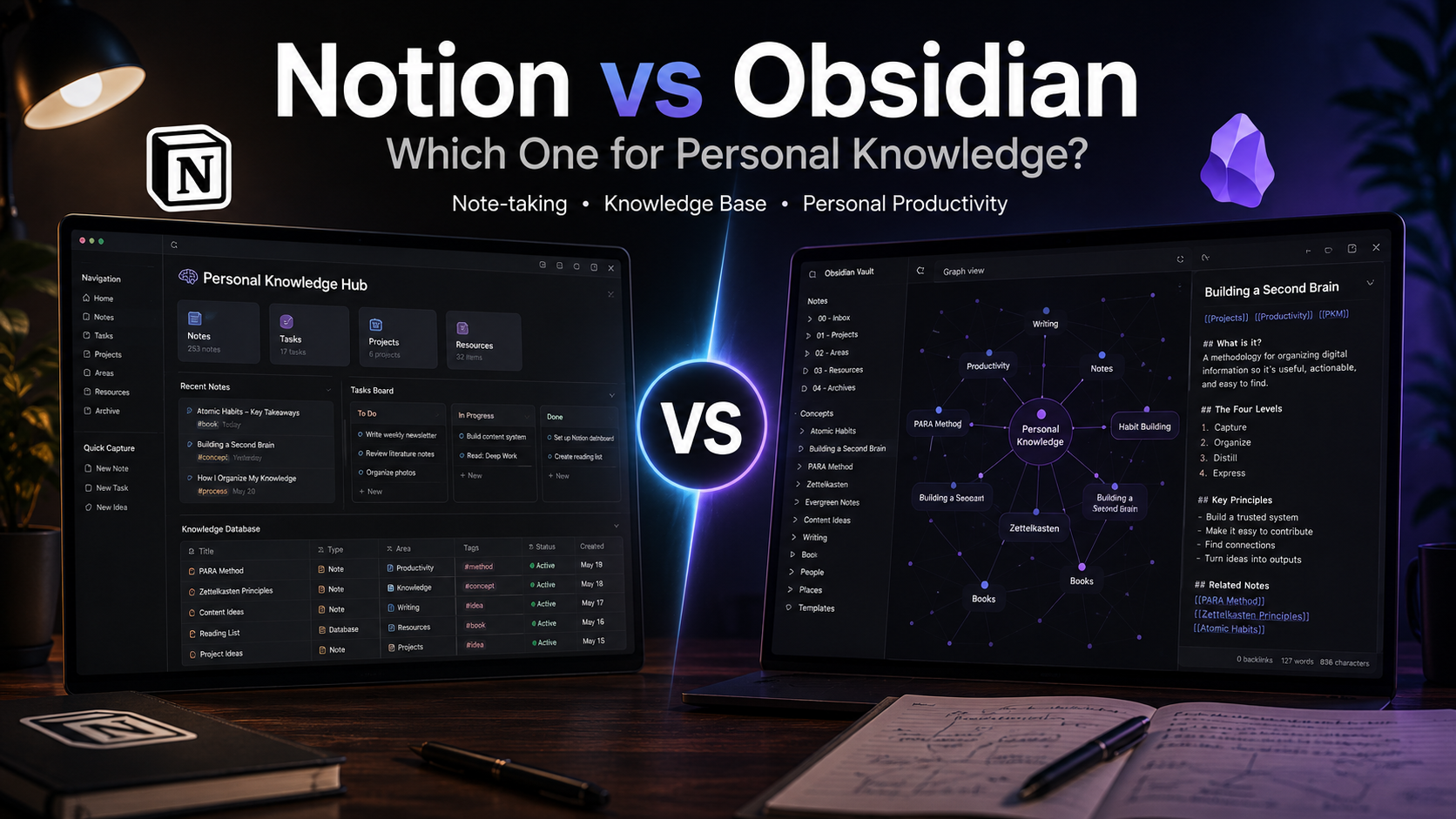
Obsidian’s interface centers on Markdown notes. You write in plain text, add links, and use plugins for extra features. The graph view shows how notes connect. Menus are less obvious, but after practice, you can customize almost everything.
Obsidian feels more technical. The linking system is powerful, but some users need time to learn it. The plugin library is huge, so you can change the interface to fit your style.
Ai Capabilities: Notion Ai Vs Obsidian
The big difference is artificial intelligence. Notion AI has built-in, advanced tools. Obsidian relies on plugins.
| AI Feature | Notion AI | Obsidian |
|---|---|---|
| Summarize notes | Built-in, fast | Possible via plugins |
| Rewrite text | Automatic, easy | Limited, plugin-based |
| Correct grammar | Integrated | Manual or plugin |
| Generate ideas | AI suggestions | Basic, plugin |
| Search and tagging | AI-powered search | Plugin, manual tags |
Notion AI’s tools are always available. You can highlight text and ask the AI to summarize, translate, or rewrite. For users with limited English, this is a big advantage. Obsidian’s plugins can do some of these tasks, but you must install and set them up.
The experience is less smooth.
Privacy And Security
Personal knowledge databases often contain sensitive information. Privacy and security are key factors.
Notion Ai Privacy
Your data is stored on cloud servers. Notion uses encryption, but your notes are managed by a third party. If you care about privacy, this is a risk. Notion’s terms of service explain how your data is handled, but it is not fully under your control.
Obsidian Privacy
Obsidian stores your notes locally. You decide where your files go. You can back up to external drives or encrypted folders. If you want full privacy, Obsidian is a better choice. No one else can access your notes unless you share them.
Non-obvious insight: Many users forget that cloud tools like Notion AI can be affected by outages, hacks, or policy changes. With Obsidian, your database is safe from those risks.

Credit: leadadvisors.com
Customization And Plugins
Both tools allow customization, but the methods are different.
Notion Ai Customization
You use templates and blocks to shape your database. Notion AI offers many layouts for notes, tasks, calendars, and databases. You can build dashboards and link pages. The AI can help you create new templates or organize content.
Customization is easy, but limited to Notion’s system. You cannot write scripts or deep code.
Obsidian Customization
Obsidian is built for advanced users. Its plugin library lets you add features like daily notes, calendar, custom themes, and even AI tools. You can write scripts, change the interface, and automate tasks. The possibilities are huge.
Non-obvious insight: Obsidian plugins are developed by the community. This means updates and support can vary. Notion AI’s features are managed by the company, so they are more stable.
Collaboration And Sharing
How you share and work with others is a big factor.
Notion Ai Collaboration
Notion AI shines here. You can:
- Invite others to your workspace
- Share notes and databases
- Comment and edit in real time
- Assign tasks and deadlines
For groups, Notion AI is easy. You see changes live and communicate inside the platform.
Obsidian Collaboration
Obsidian is designed for solo use. Sharing is possible with plugins or syncing apps, but not as smooth. You can use tools like GitHub or Dropbox to sync notes, but this needs setup.
If you want easy teamwork, Notion AI is better. If you prefer solo work, Obsidian is ideal.
Pricing And Value
Cost matters, especially for students or freelancers.
| Plan | Notion AI (USD) | Obsidian (USD) |
|---|---|---|
| Free tier | Limited (no AI) | Full features (no AI) |
| AI upgrade | $10–$15/month | Plugin, mostly free |
| Team collaboration | $8–$20/month/user | Not built-in |
| Extra features | Included in plans | $50 one-time for advanced publishing |
Notion AI’s best features are behind a paywall. Obsidian is free for personal use, with optional paid extras.
Real-life Examples: How People Use Them
Seeing how real users work with these tools helps you understand their strengths.
Notion Ai Example
Maria is a university student. She uses Notion AI to organize lecture notes, group projects, and reading lists. The AI helps her summarize complex texts and check grammar. She shares notes with classmates, tracks assignments, and uses templates for planning.
Maria likes how easy it is to collaborate. When English is difficult, the AI rewrites her notes for clarity.
Obsidian Example
James is a freelance writer. He uses Obsidian to build a “second brain. ” Every article idea, research note, and draft is linked. He uses plugins for daily notes, calendar, and custom themes. His notes are private, and he backs up to an external drive.
James loves seeing the graph view. It shows how ideas connect, helping him find new angles for writing. He works offline and never worries about privacy.
Practical Tips For Choosing
Choosing between Notion AI and Obsidian depends on your style, needs, and goals. Here are practical tips:
- Privacy first? Choose Obsidian. Your data stays local.
- Easy collaboration? Choose Notion AI. Sharing is simple.
- Need advanced AI? Notion AI has built-in tools.
- Like customization? Obsidian’s plugins offer more freedom.
- Budget? Obsidian is free for most users.
- Offline access? Obsidian works everywhere.
- Learning curve? Notion AI is easier for beginners.
Common mistake: Many users pick a tool based on hype, not needs. Test both before making a final choice.
Advanced Features And Use Cases
Both tools offer advanced features for power users.
Notion Ai Advanced Features
- Database creation: Build custom databases for books, tasks, contacts, and more.
- AI-powered search: Find notes or ideas quickly.
- Automation: Connect Notion AI with Zapier to automate tasks.
- Integration: Pull data from Google Drive, Slack, and other apps.
Obsidian Advanced Features
- Scripting and custom plugins: Write your own tools.
- Graph view: Visualize your knowledge web.
- Advanced search: Find notes by links, tags, or keywords.
- Publishing: Share your notes online with paid add-ons.
Obsidian’s flexibility is unmatched. You can build a knowledge system that fits any workflow.
Learning Curve And Community Support
How easy is it to learn each tool? What support is available?
Notion Ai Learning Curve
Notion AI is designed for beginners. Templates, clear menus, and tutorials help new users. The community is large and active, with forums and YouTube guides.
Obsidian Learning Curve
Obsidian is more complex. Linking, plugins, and Markdown require learning. The community is helpful, but you need patience to master advanced features. Many users share tips on forums and Discord.
Hidden insight: Obsidian’s community often builds new plugins and features. If you want unique tools, this is a plus.
Data Portability And Backup
How easy is it to move or back up your database?
Notion Ai Data Portability
Exporting your database is possible, but not always smooth. Some formatting and links may break. You can export as PDF, CSV, or Markdown.
Obsidian Data Portability
Obsidian uses simple Markdown files. You can copy, move, or back up your database easily. No special software needed.
Non-obvious insight: Obsidian’s use of Markdown means your notes are future-proof. Even if Obsidian disappears, your files stay readable.
Credit: trackstack.tech
Integration With Other Apps
Connecting your knowledge database to other tools can boost productivity.
Notion Ai Integrations
Notion AI offers built-in integrations with:
- Google Drive
- Slack
- Trello
- Zapier
You can pull data, automate tasks, and link databases.
Obsidian Integrations
Obsidian relies on plugins for integration. You can sync with Dropbox, GitHub, or use third-party tools. Some plugins connect to calendar apps or task managers.
If integration is key, Notion AI is easier. Obsidian requires setup.
Accessibility And Language Support
For non-native English users, support for different languages and accessibility is important.
Notion Ai Accessibility
Notion AI offers:
- AI-powered translation
- Simple interface for all devices
- Keyboard shortcuts
The AI can help rewrite notes in clear English, making it easier for learners.
Obsidian Accessibility
Obsidian’s interface is customizable. Plugins can add translation tools, but they are not built-in. The interface is mostly in English, but themes and fonts can be changed.
When To Use Both Together
Some users combine Notion AI and Obsidian. For example, use Notion AI for group projects and Obsidian for private research. You can export notes from Notion AI to Obsidian (as Markdown) if needed.
Combining both tools is possible, but you must manage syncing and formatting.
Which Tool Is Right For You?
Choosing the best tool depends on your goals:
- If you want easy collaboration and advanced AI, Notion AI is best.
- If you want privacy, deep linking, and full control, Obsidian is better.
- If you want customization and plugins, Obsidian wins.
- If you want simple interface and integration, Notion AI is easier.
Test both tools for a week. Notice which feels more natural. The right choice is the one that fits your workflow, not just the features.
Frequently Asked Questions
Is Notion Ai Better Than Obsidian For Beginners?
Notion AI is usually easier for beginners. Its templates and AI help make organizing notes simple. Obsidian is more complex and needs practice.
Can I Use Obsidian Offline?
Yes, Obsidian works fully offline. Your notes are stored locally and you can access them anytime.
Is My Data Safe In Notion Ai?
Notion AI uses encryption, but your data is stored on cloud servers. If privacy is a concern, Obsidian is safer because your notes are local.
Does Obsidian Support Ai Features?
Obsidian does not have built-in AI. You can add basic AI tools with plugins, but they are less advanced than Notion AI.
Can I Move My Notes From Notion Ai To Obsidian?
Yes, you can export Notion AI notes as Markdown and import them into Obsidian. Some formatting may change, but content stays readable.
Building a personal knowledge database is a smart investment. Both Notion AI and Obsidian offer powerful features. Notion AI is perfect for easy collaboration and AI-powered help. Obsidian is ideal for privacy, deep linking, and full control. Test both tools, focus on your workflow, and choose the one that makes learning, working, and organizing information easier for you. For more background on knowledge management tools, visit Wikipedia.


About author









Add comment