

Tidycal Group Bookings vs Calendly Event Types: Full Comparison
For many businesses and professionals, managing appointments and meetings is a daily challenge. If you work with groups—whether running workshops, classes, demos, or client sessions—finding the right online booking tool can save hours of manual coordination. Two of the most popular solutions in this space are Tidycal and Calendly. Each offers special ways to book group meetings, but they go about it differently. Understanding these differences can help you choose the best tool for your needs, avoid common mistakes, and even improve your client experience.
This article gives a deep, practical comparison between Tidycal Group Bookings and Calendly Event Types. You’ll learn how each handles group scheduling, how their features stack up, and which real-life situations suit each platform best. We’ll also look at pricing, user experience, advanced functions, and common traps beginners fall into. If you’re considering one of these tools, or thinking about switching, this is the guide you need.
What Are Tidycal Group Bookings And Calendly Event Types?
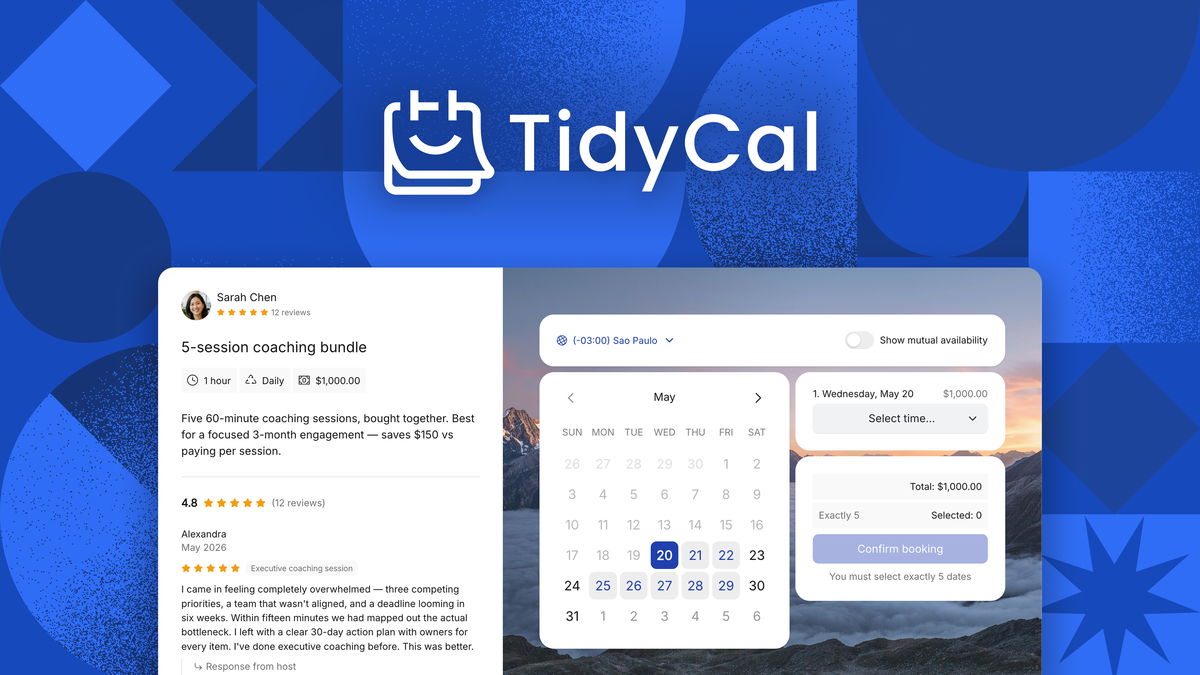
Before diving into the details, it’s good to know what each term means. Tidycal Group Bookings let multiple people sign up for the same time slot. For example, if you run a group yoga class at 10:00 AM, up to 10 people could book that class until it’s full. It’s designed for workshops, webinars, or any event with more than one attendee per slot.
On the other hand, Calendly Event Types are flexible booking templates. Calendly lets you create different types of events—like one-on-one meetings, group sessions, or collective events (where multiple hosts are involved). With group event types, several people can sign up for the same time, similar to Tidycal’s group feature.
At first glance, both seem similar. But under the hood, their approach, features, and limitations differ. Understanding these differences is key if you want to avoid double bookings, missed opportunities, or confusing user experiences.
Core Features Compared
Let’s start by breaking down the main group booking features of both platforms. Here’s a side-by-side look:
| Feature | Tidycal Group Bookings | Calendly Group Event Types |
|---|---|---|
| Group Booking Support | Yes (native feature) | Yes (as Group Event Types) |
| Max Attendees per Slot | Set manually per event | Set manually per event |
| Booking Interface | Simple, minimal steps | Customizable, more options |
| Integrations | Google, Outlook, Zapier | Google, Outlook, Zapier, Teams, Salesforce, more |
| Recurring Group Events | Yes | Yes |
| Payment Collection | Stripe, PayPal | Stripe, PayPal (Pro only) |
| Branding Options | Basic logo & color | Advanced (on paid plans) |
| Reminders & Notifications | Email (basic) | Email, SMS (paid) |
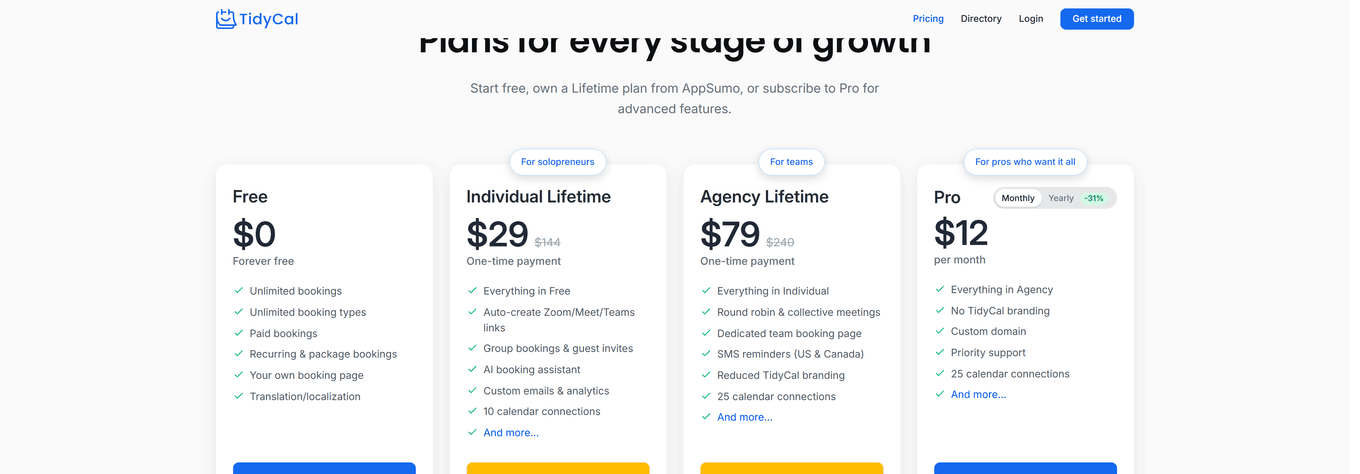
| Price (as of 2026) | One-time fee ($29 lifetime) | Freemium (Free / $10-$16 monthly) |
Both platforms let you set a maximum number of attendees per time slot and collect payments, but Calendly offers more integrations and advanced reminders, especially on paid tiers.
Credit: appsumo.com
Ease Of Use: Booking Experience
How easy is it for your clients or team to book a group session? This is where Tidycal and Calendly take different paths.
Tidycal: Simple, Fast, And Minimal
Tidycal is built on simplicity. When users land on a Tidycal booking page, they see available time slots with a clear label showing the number of spaces left. Booking a slot is a two-step process: pick a time, enter your details, and you’re done. For group events, as soon as the max number is reached, the slot disappears.
This is ideal for non-technical clients, busy teams, or situations where you want zero confusion. It’s also helpful for service businesses—like workshops or classes—where people sign up quickly and don’t need to pick from many options.
Calendly: Flexible, Customizable, But More Steps
Calendly’s process is a bit more involved, especially if you use advanced features. On a Calendly group event page, users see a description, location, and a calendar with available slots. After picking a time, they may be asked for custom information (thanks to Calendly’s powerful form builder). You can even require questions, uploads, or survey answers before confirming.
This is perfect if you need to collect detailed info, filter attendees, or run more complex group events. However, the extra steps can slow things down for simple bookings. It’s also possible to overwhelm users with too many form fields.
Key insight: If you value speed and simplicity, Tidycal has the edge. If you need data collection or custom workflows, Calendly is more powerful.
Setting Up Group Events: Workflow Differences
How do you actually set up a group booking in each tool? Here’s a walkthrough of both processes, with some common pitfalls to watch for.
Creating Group Bookings In Tidycal
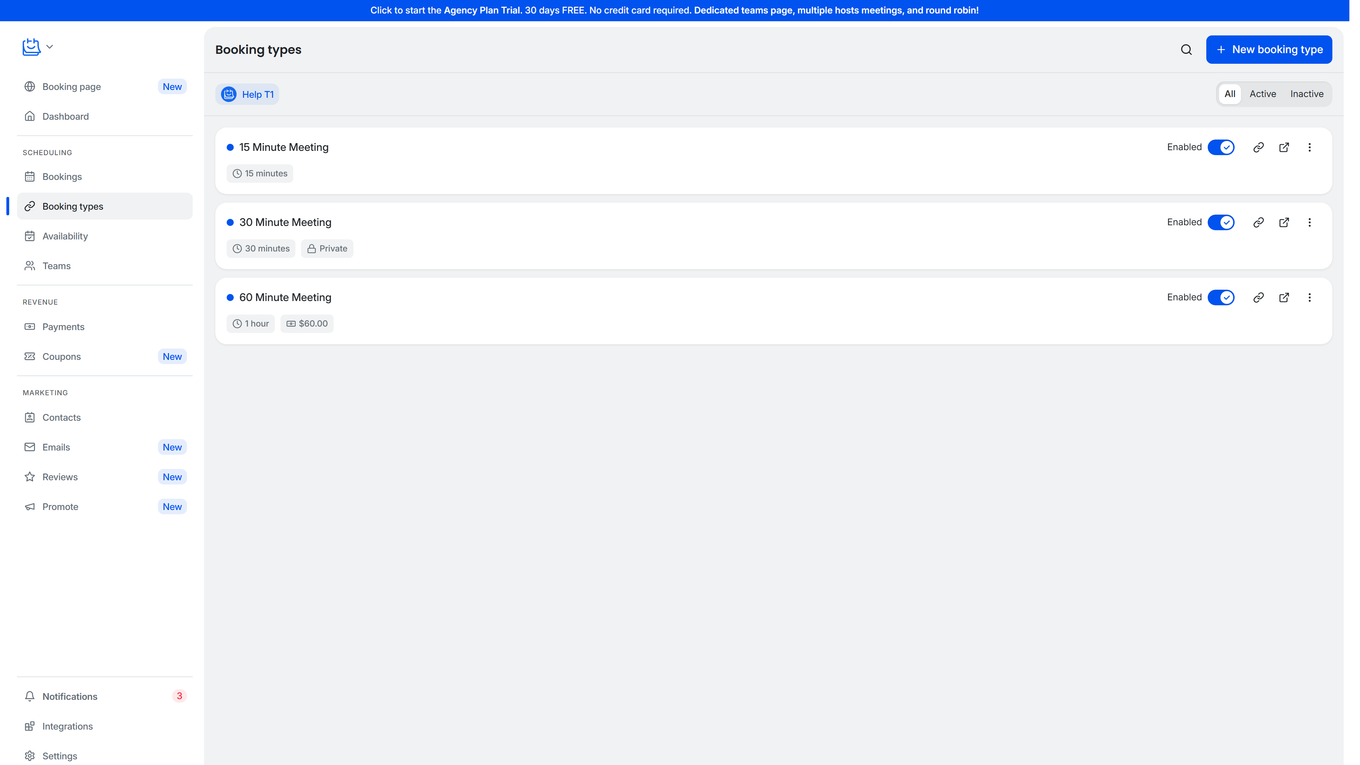
- Create New Booking Type: Click “Add Booking Type” and choose “Group Booking.”
- Set Max Attendees: Enter the maximum number of people per slot.
- Choose Times: Pick recurring days/times or set custom dates.
- Add Questions: You can add simple form fields (name, email, phone).
- Enable Payments: Link Stripe or PayPal if you want to charge.
- Share Link: Send your booking link to clients.
Beginner mistake: Forgetting to set a max attendee number. If you leave it blank, unlimited people can book—a common cause of overbooking.
Setting Up Calendly Group Event Types
- Choose ‘Group Event’: Start a new event and select “Group.”
- Set Max Attendees: Decide how many people per slot.
- Add Event Details: Title, description, location (physical, Zoom, Google Meet, etc. ).
- Customize Form: Add custom questions, file uploads, or required fields.
- Add Payments (Pro Plan): Connect Stripe or PayPal if needed.
- Choose Availability: Set recurring times, date ranges, or one-off events.
- Share Link: Invite users to book.
Beginner mistake: Calendly’s “Collective” or “Round Robin” event types are different from “Group.” New users often choose the wrong type, leading to confusion.
Credit: help.tidycal.com
Pricing And Value For Money
Choosing a booking tool isn’t just about features. Cost matters, especially for small businesses or solo professionals. Here’s a quick comparison:
| Plan | Tidycal | Calendly |
|---|---|---|
| Free Plan | Limited (1 calendar integration, group bookings included) | Limited (no group events on free plan) |
| Paid Plan | One-time $29 (lifetime, all features) | $10/month (Essentials), $16/month (Professional), $20/month (Teams) |
| Payment Collection | Included in paid | Only on Professional or Teams plans |
| SMS Reminders | No | Yes (Professional+) |
| Custom Branding | Logo, basic colors | Advanced, white-label (Teams+) |
Tidycal is attractive if you want a one-time purchase and straightforward features. Calendly is more expensive over time but offers advanced options, especially for growing teams or those needing deep integrations.
Non-obvious insight: If you run many group events but don’t need advanced integrations, Tidycal’s lifetime pricing is a huge cost-saver in the long run.
Integration And Ecosystem
How well does each tool fit into your existing workflow? This is where Calendly often stands out.
Tidycal Integrations
- Calendar: Google Calendar, Outlook, Apple (via iCal feed)
- Payments: Stripe, PayPal
- Automation: Zapier, Pabbly
Tidycal’s integration list is shorter but covers the basics. It’s enough for most solo professionals, coaches, or small teams.
Calendly Integrations
Calendly shines here, especially on paid plans:
- Calendar: Google, Outlook, iCloud, Exchange
- Video: Zoom, Google Meet, Microsoft Teams, Webex
- CRM: Salesforce, HubSpot, Zoho
- Payments: Stripe, PayPal
- Communication: Slack, SMS, email reminders
- Automation: Zapier, Make (Integromat), API access
For companies needing to sync bookings with CRM, automate workflows, or track analytics, Calendly is more powerful. However, this power comes with a steeper learning curve and higher price tag.
Pro tip: If you plan to scale, check integration options before committing. Some users outgrow Tidycal’s basic offerings and end up migrating.
Customization And Branding
Your booking page is often the first impression for new clients. How much can you customize it?
Tidycal
- Logo upload
- Primary/secondary color
- Simple layout
- Custom redirect after booking
- Basic question fields
It’s clean and modern, but you can’t deeply change fonts, layouts, or embed advanced widgets.
Calendly
- Logo, colors, custom domain (on higher plans)
- Advanced form builder
- Conditional logic (Pro+)
- Custom confirmation messages
- Embed on your website
- Remove Calendly branding (Teams plan)
Calendly is better for companies needing a booking page that matches their brand, collects detailed info, or embeds directly on their site.
Beginner insight: Don’t underestimate branding. A booking page that looks like your website can increase trust and reduce drop-off.
Payment Handling For Group Events
If you charge for group sessions, you need smooth payment collection. Here’s how each tool handles it.
Tidycal
- Stripe and PayPal supported
- Payments can be required or optional
- Single price per event
- Receipts sent automatically
- No coupon or discount support (as of 2026)
Calendly
- Stripe and PayPal (Professional+)
- Per-event or per-attendee pricing
- Coupons and discounts
- Payment required to confirm booking
- Multiple currencies
- Integration with CRM/payment tracking
For simple paid events, Tidycal works well. If you need promo codes, complex pricing, or multi-currency support, Calendly is stronger.
Non-obvious insight: Calendly can charge per attendee, which is useful for workshops where each person pays their own way. Tidycal only allows one payment per slot (as of now).
Notifications, Reminders, And Follow-ups
Reminders reduce no-shows and keep everyone on the same page. Here’s what you get:
Tidycal
- Email reminders (customizable timing)
- Confirmation emails
- No SMS
- No follow-up emails
Calendly
- Email reminders
- SMS reminders (paid)
- Follow-up emails after event
- Custom notification content
- Multiple reminders (before and after event)
If you run paid group events, SMS reminders can reduce missed sessions, especially for busy or distracted clients. Calendly’s follow-up emails also help you collect feedback or upsell future events.
Pro tip: Always test your reminder settings before going live. Missing reminders are a common source of frustration for both hosts and attendees.
Real-world Use Cases
Let’s see how each platform fits different types of group events.
Tidycal: Best For
- Fitness classes (yoga, pilates, bootcamps)
- Workshops (art, cooking, language)
- Small business demos
- Coaching groups
- Simple team meetings
If your sessions are regular, have a fixed number of spots, and don’t need deep customization, Tidycal is ideal. Its straightforward booking flow means fewer client questions and less admin work.
Calendly: Best For
- Webinars with detailed registration
- Multi-host meetings (collective/round robin)
- Corporate training sessions
- Client onboarding with forms
- Events requiring payment per attendee
- Large teams with CRM sync
If you need advanced data collection, custom workflows, or integration with marketing tools, Calendly is more suitable.
Data, Security, And Privacy
Both Tidycal and Calendly handle sensitive client data, so it’s important to know how they keep information safe.
Tidycal
- GDPR compliant
- Data stored in the US
- No HIPAA compliance (not for medical use)
- Simple privacy controls
Calendly
- GDPR, CCPA, and SOC 2 compliant
- Data stored in secure US/EU servers
- Single sign-on (SSO) for teams
- Audit logs (Teams plan)
- Not HIPAA compliant
For most non-medical businesses, either tool is safe. If you handle sensitive health data, neither is fully HIPAA-ready.
Pro tip: Always check the privacy settings and data retention policies before collecting personal information.
Reporting And Analytics
Understanding booking patterns helps you grow your business. Here’s what each offers:
Tidycal
- Basic stats: Number of bookings, revenue (if paid), cancellations
- Downloadable CSV export
- No advanced analytics
Calendly
- Detailed analytics dashboard (paid plans)
- Track conversion rates, popular event times
- Integration with Google Analytics and Facebook Pixel
- Export data
- API access for custom reporting
If you want insights into which events are most popular, or need to report to a team, Calendly gives more data. Tidycal’s basic stats are usually enough for solo professionals or small groups.
Credit: help.tidycal.com
User Reviews And Industry Reputation
Both platforms are well-reviewed, but their user bases are different.
Tidycal
- Popular with freelancers, coaches, small business owners
- Praised for simplicity and lifetime pricing
- Some complaints about lack of advanced features
Calendly
- Widely used by companies, sales teams, educators
- Known for deep integrations and scalability
- Some feedback about price increases and feature bloat
According to G2, Calendly ranks higher for enterprise features, while Tidycal leads in value for money.
Common Mistakes And How To Avoid Them
Many new users make the same errors when setting up group bookings.
- Choosing the wrong event type (Calendly): Always use “Group” for group events, not “One-on-one” or “Collective.”
- Forgetting to set attendee limits: This leads to overbooked sessions.
- Not testing the booking flow: Always do a test booking to spot confusing steps.
- Skipping payment setup: Missing payment links can result in lost revenue.
- Over-customizing forms: Too many required fields can scare off users.
- Not syncing calendars: Double bookings happen if you forget to connect your work calendar.
Tip: Start simple, then add features as your needs grow.
Who Should Choose Which? Summary Table
Here’s a quick reference for choosing between the two:
| Best For | Tidycal | Calendly |
|---|---|---|
| Budget-conscious users | ✔️ | ❌ |
| Advanced integrations | ❌ | ✔️ |
| Simple group classes | ✔️ | ✔️ |
| Corporate teams | ❌ | ✔️ |
| Custom branding | Limited | Advanced |
| Detailed forms/questionnaires | ❌ | ✔️ |
| Lifetime pricing | ✔️ | ❌ |
Two Less-obvious Insights To Consider
- Scalability is often overlooked. Tidycal is great for now, but if you plan to hire staff or run big events, check if you’ll outgrow its features.
- Integration with your sales/marketing stack matters more as you grow. Calendly’s CRM and automation options can save massive time for teams, but may be overkill if you’re just starting out.
Practical Decision Guide: Which Should You Pick?
- If you’re a solo entrepreneur running classes or simple group events, Tidycal’s lifetime price and easy setup are hard to beat.
- If you’re part of a growing business, need advanced integrations, or want detailed reporting, Calendly is a safer bet.
- For teams needing complex workflows, custom branding, or multiple hosts per event, Calendly wins.
- For hobbyists or side hustles who want to avoid monthly fees, Tidycal is perfect.
Remember: switching tools later can be a hassle. Think about your needs 1-2 years from now.
Frequently Asked Questions
What Is The Main Difference Between Tidycal Group Bookings And Calendly Group Event Types?
Tidycal Group Bookings are focused on simple, quick group scheduling with a set number of attendees per slot. Calendly Group Event Types offer more customization, form options, and integrations, but can be more complex to set up.
Can Both Tidycal And Calendly Collect Payments For Group Events?
Yes, both support payments via Stripe and PayPal. However, Calendly only allows payments on Professional or higher plans, while Tidycal includes it in its paid (lifetime) plan.
Which Platform Is Better For Teams Or Larger Businesses?
Calendly is better for teams due to its advanced integrations, branding options, analytics, and team scheduling features. Tidycal is more suited for individuals or small businesses.
Can I Embed My Booking Page On My Website With Both Tools?
Yes, both Tidycal and Calendly let you embed booking pages on your website. Calendly offers more customization and branding options for the embedded widget.
Are There Any Risks With Using Free Plans For Group Bookings?
Yes. Calendly’s free plan does not support group events, and Tidycal’s free tier is limited to one calendar integration. Also, some features like payment collection or advanced notifications may be missing on free plans.
When choosing between Tidycal Group Bookings and Calendly Event Types, think about your business size, growth plans, and how much you value simplicity versus flexibility. Both tools are leaders in online scheduling—pick the one that fits you, and you’ll save time, avoid double bookings, and keep your clients happy.


About author









Add comment