

Best Ai Coding Assistants for Web Designers: Top Tools Reviewed
Artificial intelligence is changing the way web designers work, making tasks faster and easier. Today, AI coding assistants are not just a trend—they’re powerful tools that can help web designers write code, fix bugs, and even create designs. If you’re a web designer, you might wonder: which AI coding assistant is best for your needs? With so many choices, it can feel overwhelming. But choosing the right assistant can boost your productivity, help you learn faster, and free up time for creative work.
In this guide, you’ll discover the top AI coding assistants for web designers. We’ll look at how each tool works, what makes them unique, and how they can fit into your daily workflow. You’ll also see real examples, important features, and some hidden details beginners often miss. Whether you’re building websites, working on UI/UX, or creating interactive web apps, these AI tools can help you work smarter—not harder. By the end, you’ll know which assistant matches your style, skills, and goals.
Why Ai Coding Assistants Matter For Web Designers
Web design today is more than just choosing colors and fonts. Designers need to write HTML, CSS, JavaScript, and sometimes even server-side code. Keeping up with new frameworks, accessibility rules, and browser updates is tough. Here’s where AI comes in.
How Ai Coding Assistants Help
- Speed up coding: AI can suggest code snippets or even write full blocks of code, so you spend less time on repetitive tasks.
- Reduce errors: AI can catch bugs, typos, or missing tags before they break your website.
- Learn on the job: These assistants often explain suggestions, helping you understand best practices and new technologies.
- Design smarter: Some tools generate layouts, color schemes, or animations, speeding up the design process.
- Keep projects organized: Many AI tools track changes, document code, and help with team collaboration.
The Rising Demand
According to a 2026 report from Statista, over 40% of developers said they use AI-powered tools daily. For web designers, adoption is growing fast as AI features are integrated into popular code editors and design platforms. The reason is simple: time saved means more time for creativity.
What Makes A Good Ai Coding Assistant For Web Designers?
Not every AI coding assistant is right for web design. Here’s what web designers should look for:
- Front-end language support: Must handle HTML, CSS, JavaScript, and frameworks like React, Vue, or Angular.
- Design awareness: Should understand layout, responsiveness, and accessibility.
- Live preview: Ability to show instant visual results of code changes.
- Customizable suggestions: Should adapt to your coding style and project needs.
- Easy integration: Works with your favorite editors (like VS Code, WebStorm, or browser-based IDEs).
- Security and privacy: Keeps your code and data safe, especially for client projects.
Some assistants focus on writing code, while others help with the creative side—like generating images, animations, or color palettes. The best ones blend these features seamlessly.
Top Ai Coding Assistants For Web Designers
Let’s dive into the leading AI coding assistants that web designers should consider. Each of these tools brings something special to the table, from advanced code completion to design-generation features.
1. Github Copilot
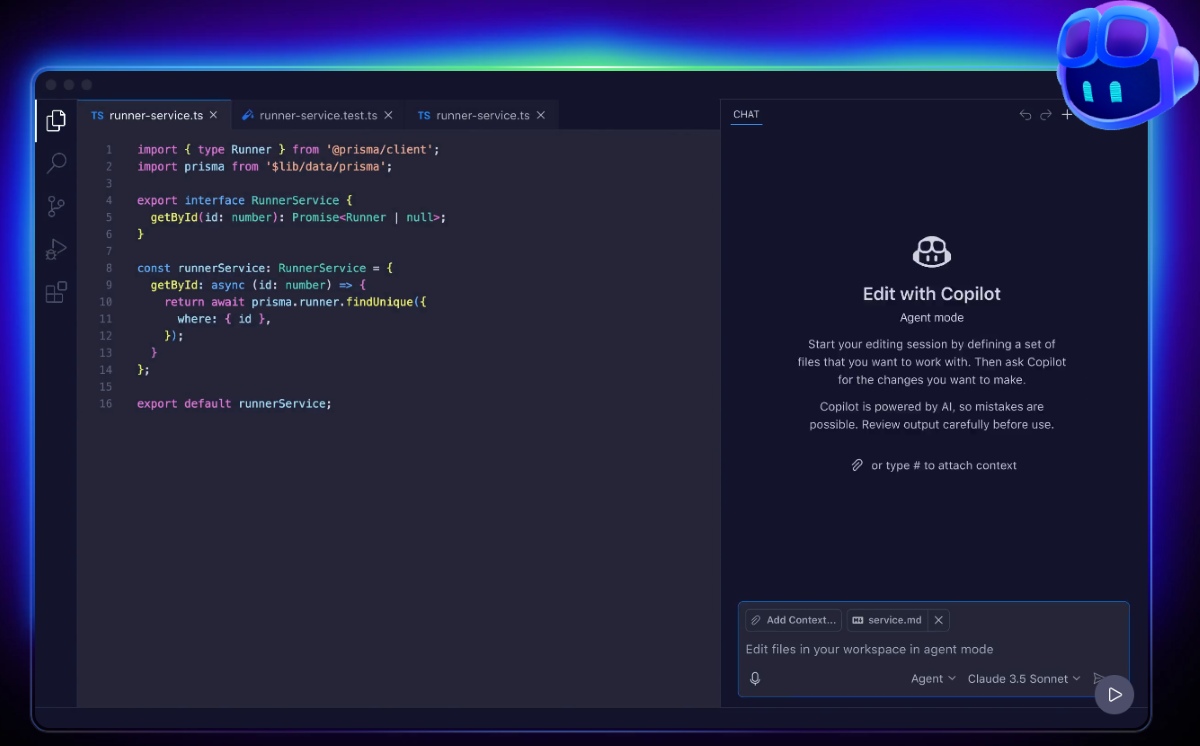
GitHub Copilot is one of the most well-known AI coding assistants. Powered by OpenAI, it suggests code in real time as you type. For web designers, Copilot can write HTML, CSS, JavaScript, and even complex React components.
Key features:
- Context-aware suggestions: Understands your code and offers relevant completions.
- Multi-language support: Works with HTML, CSS, JavaScript, TypeScript, and more.
- Framework knowledge: Familiar with modern frameworks like React, Vue, and Angular.
- Documentation generation: Can write comments and explain code snippets.
- Editor integration: Available as a plugin for VS Code, JetBrains, and Neovim.
Example: If you start writing a responsive navbar, Copilot can finish the structure, add accessibility tags, and even suggest CSS for styling.
Hidden insight: Copilot improves over time as you use it. Many beginners miss that you can guide its suggestions by writing clear comments or partial code.
Pricing: Paid subscription, with a free trial available.
2. Tabnine
Tabnine is a popular AI code completion tool known for its speed and privacy features. It uses generative AI to suggest code as you type, and it’s trusted by many professional teams.
Key features:
- Fast, real-time suggestions: Keeps up with your typing speed.
- Broad language coverage: Supports HTML, CSS, JavaScript, and many other languages.
- Privacy-first: Offers local AI models, so your code stays on your machine.
- Team training: Can be trained on your own codebase for better suggestions.
- IDE compatibility: Works with VS Code, Sublime, Atom, and JetBrains editors.
Example: While building a landing page, Tabnine suggests complete CSS classes and JavaScript functions before you finish typing.
Non-obvious tip: Tabnine can be set to only use your team’s code for training, which is great for maintaining a consistent style across projects.
Pricing: Free plan with basic features; advanced features require a paid subscription.
3. Codeium
Codeium is an AI assistant focused on code completion, refactoring, and documentation. It’s gaining popularity because of its generous free plan and support for many editors.
Key features:
- Autocomplete across languages: HTML, CSS, JavaScript, and more.
- Live code refactoring: Suggests improvements to your code structure.
- Instant documentation: Generates docstrings and code comments.
- Editor plugins: Available for VS Code, JetBrains, and browser-based editors.
Example: When you’re stuck on a CSS grid layout, Codeium can suggest the proper properties and values to achieve your design.
Beginner insight: Codeium’s refactoring suggestions aren’t just about shortening code—they often improve accessibility and maintainability, which are vital for web projects.
Pricing: Free for individuals, with premium plans for teams.
4. Amazon Codewhisperer
Amazon CodeWhisperer is Amazon’s entry into the AI coding space. It’s designed for professional developers but works well for web designers needing fast, accurate code suggestions.
Key features:
- Multi-language support: HTML, CSS, JavaScript, Python, and more.
- Security scans: Checks code for vulnerabilities as you write.
- Contextual suggestions: Learns from your code context.
- AWS integration: Perfect for web apps hosted on AWS.
- IDE support: Available for VS Code, JetBrains, and AWS Cloud9.
Example: If you’re building a web form, CodeWhisperer can suggest both the HTML markup and the JavaScript validation logic.
Insider tip: The built-in security scan can catch common web security issues, like XSS or CSRF risks, which many web designers overlook.
Pricing: Free tier available; advanced features require an AWS account.
5. Cursor
Cursor is a newer AI coding assistant with a strong focus on web development. It uses advanced models to understand your codebase and offer smart suggestions.
Key features:
- Deep project understanding: Learns the structure of your website project.
- Accurate code completion: Excels with JavaScript, React, and TypeScript.
- Code search: Quickly finds functions, components, or styles across large projects.
- Inline explanations: Can explain complex code in plain English.
- Editor integration: Designed primarily for VS Code.
Example: If you’re updating a large React project, Cursor can help you find every related component, suggest updates, and explain changes as you go.
Non-obvious benefit: Cursor’s project scanning can help you spot unused CSS classes or duplicate code—problems that can slow down your site.
Pricing: Free basic version; paid plans for advanced features.
6. Replit Ghostwriter
Replit Ghostwriter is built into the Replit online IDE, making it a great choice for web designers who like to code in the browser.
Key features:
- Instant code completion: Works in-browser, no installation needed.
- Project templates: Start web projects quickly with AI-generated templates.
- Error detection: Points out bugs and suggests fixes in real time.
- Code explanations: Explains AI-generated code so you can learn as you work.
- Multi-language support: HTML, CSS, JavaScript, and back-end languages.
Example: When you paste in a design mockup, Ghostwriter can generate the HTML and CSS structure for you.
Unique advantage: Because Replit is cloud-based, you can collaborate on projects with teammates from anywhere without setup.
Pricing: Free with basic features; paid Replit subscription unlocks full Ghostwriter.
7. Polycoder
Polycoder is an open-source AI code assistant trained on multiple programming languages. It’s designed for those who want more control over their AI assistant.
Key features:
- Open-source model: You can run it locally or customize it.
- Good front-end support: Handles HTML, CSS, JavaScript.
- Privacy-focused: No code leaves your machine.
- Custom training: Advanced users can train on their own data.
- Editor plugins: Works with VS Code and JetBrains.
Example: For complex CSS animations, Polycoder can suggest keyframes and transitions based on your comments.
Hidden insight: Open-source models like Polycoder are ideal if you work on sensitive projects and need total privacy.
Pricing: Free, but requires technical setup.
8. Askcodi
AskCodi is designed to answer coding questions, generate code, and even create UI elements from descriptions.
Key features:
- Conversational interface: Ask in plain English for code or design help.
- Snippet generation: Quickly generates HTML/CSS snippets from a prompt.
- Documentation help: Summarizes or explains code blocks.
- Supports Figma: Can generate Figma-compatible code.
- Browser and IDE plugins: Chrome extension and VS Code support.
Example: Type “Create a responsive two-column layout,” and AskCodi gives you the HTML and CSS instantly.
Beginner tip: Use AskCodi for code reviews—it can explain why a certain approach is better or suggest best practices.
Pricing: Free limited plan; paid plans for more usage.
9. Mutable.ai
Mutable.ai focuses on making code more maintainable and readable. It’s especially good for web designers who work on teams or large projects.
Key features:
- AI refactoring: Cleans up messy HTML, CSS, or JavaScript.
- Code explanation: Breaks down complex code in simple terms.
- Automated testing: Suggests tests for your code.
- Fast onboarding: Helps new team members understand codebases.
- IDE plugins: Works with VS Code and JetBrains.
Example: If your CSS gets too complicated, Mutable.ai can rewrite it for clarity and efficiency.
Advanced benefit: Mutable.ai also helps generate documentation, which is often skipped but crucial for team projects.
Pricing: Free for individuals; paid for teams.
10. Cody By Sourcegraph
Cody is Sourcegraph’s AI assistant, designed for code search and understanding large codebases. It’s a strong pick for web designers working on enterprise projects.
Key features:
- Semantic code search: Finds related code, components, or styles instantly.
- Context-aware suggestions: Adapts to the project’s structure.
- Inline documentation: Explains code in natural language.
- Supports large repositories: Handles big web projects easily.
- Works with: VS Code, JetBrains, and browser.
Example: If you need to change a button style site-wide, Cody shows every related CSS class and helps update them in one go.
Pro tip: Cody’s semantic search is powerful for legacy projects—helpful when you inherit old code.
Pricing: Free plan available; advanced features for enterprise users.
—
To make it easier to compare these top AI coding assistants, here’s a side-by-side feature overview:
| Tool | Front-End Support | IDE Integration | Unique Feature | Pricing |
|---|---|---|---|---|
| GitHub Copilot | HTML, CSS, JS, React, Vue | VS Code, JetBrains, Neovim | Context-aware suggestions | Paid, free trial |
| Tabnine | HTML, CSS, JS, many more | VS Code, JetBrains, Atom, Sublime | Team training, privacy-first | Free, paid plans |
| Codeium | HTML, CSS, JS, more | VS Code, JetBrains, web | Live refactoring | Free, premium |
| Amazon CodeWhisperer | HTML, CSS, JS, Python | VS Code, JetBrains, AWS Cloud9 | Security scans | Free tier, paid |
| Cursor | JS, React, TypeScript | VS Code | Deep project scanning | Free, paid |
| Replit Ghostwriter | HTML, CSS, JS | Replit (web) | Cloud-based, instant start | Free, paid |
| Polycoder | HTML, CSS, JS | VS Code, JetBrains | Open-source, customizable | Free |
| AskCodi | HTML, CSS, JS, Figma | VS Code, Chrome | Conversational code help | Free, paid |
| Mutable.ai | HTML, CSS, JS | VS Code, JetBrains | AI code refactoring | Free, paid |
| Cody by Sourcegraph | HTML, CSS, JS | VS Code, JetBrains, web | Semantic code search | Free, enterprise |
How To Choose The Right Ai Coding Assistant For Your Web Design Workflow
With so many great options, how do you pick the best AI coding assistant for your needs? Consider these key factors:
1. Project Type And Complexity
- Personal or small projects: Tools like Codeium, Polycoder, or Replit Ghostwriter are easy to set up and use for basic websites.
- Large or team-based projects: GitHub Copilot, Tabnine, and Cody by Sourcegraph offer better collaboration, style consistency, and team-focused features.
- Design-heavy projects: AskCodi or Replit Ghostwriter can generate layouts and UI code from text prompts, perfect for designers who want to move fast.
2. Privacy And Security Needs
- If you work on sensitive or private projects, choose a tool that keeps code on your machine. Polycoder and Tabnine (with local setup) are strong here.
- For projects involving client data or proprietary code, always check the tool’s privacy policy.
3. Learning And Documentation
- If you want to improve your coding skills, pick an assistant that explains suggestions or generates documentation. Mutable.ai, Codeium, and AskCodi are especially helpful for beginners.
4. Editor And Workflow Compatibility
- Double-check if your favorite editor is supported. Most tools work with VS Code, but not all support browser-based editors or JetBrains.
- Web-based designers may prefer Replit Ghostwriter or tools with Chrome extensions.
5. Budget And Licensing
- Many assistants offer a free tier, but advanced features or team usage often require payment.
- For companies, look for tools that offer team billing or enterprise support.
6. Unique Features
Some assistants stand out for special reasons:
- Security scanning: Amazon CodeWhisperer protects your site from common threats.
- Semantic search: Cody by Sourcegraph speeds up work on big projects.
- Open-source flexibility: Polycoder allows total customization.
Here’s a quick overview of which tools excel for different needs:
| Use Case | Best Tool(s) | Why? |
|---|---|---|
| Fast code completion | Tabnine, Copilot | Real-time, accurate suggestions |
| Design from text prompts | AskCodi, Replit Ghostwriter | Generates UI code from natural language |
| Large team projects | Copilot, Tabnine, Cody | Collaboration and code style features |
| Open-source & privacy | Polycoder | Customizable and local |
| Learning & explanation | Mutable.ai, Codeium | Simple explanations and code docs |
| Security checks | CodeWhisperer | Automatic vulnerability scans |

Credit: www.creative-tim.com
Real-world Examples: Ai Coding Assistants In Action
Seeing is believing. Here are some specific web design tasks where AI coding assistants shine.
Building A Responsive Navbar
A designer starts typing the HTML structure for a navigation bar. Copilot instantly completes the markup, adds ARIA roles for accessibility, and suggests CSS for mobile responsiveness. The designer tweaks the code, and Copilot adapts its suggestions based on the changes.
Generating A Color Palette And Applying Styles
Using AskCodi, a designer types, “Give me a modern blue and white color palette for a SaaS website. ” AskCodi returns HEX codes, CSS variables, and even a sample stylesheet. This saves time searching for palettes or manually writing repetitive CSS.
Refactoring Messy Css
A team inherits a project with tangled stylesheets. Mutable. ai scans the CSS, removes unused classes, groups similar rules, and rewrites the code for clarity. The AI also generates documentation explaining the major style blocks.
Creating A Landing Page From A Text Prompt
In Replit Ghostwriter, a designer types, “Build a landing page for an app with a hero section, features, and a signup form. ” Ghostwriter generates the HTML and CSS structure, which the designer customizes further.
Debugging Javascript
While adding form validation, Tabnine spots a logic error in the JavaScript and suggests a fix before the designer even tests the code.
Common Mistakes To Avoid When Using Ai Coding Assistants
AI assistants are powerful, but they’re not perfect. Here are some pitfalls to watch out for:
- Accepting code blindly: Always review AI-generated code for logic, security, and accessibility.
- Over-relying on suggestions: Use AI to speed up work, but keep learning the fundamentals.
- Ignoring privacy: Don’t paste sensitive client data into cloud-based tools without checking privacy settings.
- Not customizing settings: Many assistants let you adjust their behavior—take time to set up preferences for your workflow.
- Skipping documentation: AI can generate docs, but always review and add notes specific to your project or team.

Credit: www.creative-tim.com
The Future Of Ai Coding Assistants In Web Design
AI coding assistants are evolving quickly. Soon, you might see assistants that:
- Generate complete websites from wireframes or sketches
- Integrate deeper with design tools like Figma or Adobe XD
- Write more accessible code by default
- Offer real-time collaboration and live code sharing
For web designers, this means less time on repetitive tasks and more energy for design thinking, user experience, and creative challenges.
If you want to see how AI is shaping other areas of tech, check out this AI overview on Wikipedia.
Frequently Asked Questions
What Is An Ai Coding Assistant?
An AI coding assistant is a tool that uses artificial intelligence to help you write, review, and understand code. It can suggest code completions, fix errors, generate documentation, and even create designs based on your input. These tools save time and help you learn as you work.
Can Ai Coding Assistants Replace Human Web Designers?
No. AI coding assistants are designed to support web designers, not replace them. They handle repetitive tasks, suggest best practices, and speed up development, but creativity, problem-solving, and user empathy still require human skill.
Are Ai Coding Assistants Safe For Client Projects?
Most major tools have strong privacy and security policies, but always check before using them on client work. For sensitive projects, use assistants with local or open-source options, like Polycoder or Tabnine’s local mode.
How Do I Integrate An Ai Coding Assistant With My Code Editor?
Most AI coding assistants offer plugins or extensions for popular editors like VS Code, JetBrains, or browser-based IDEs. Install the plugin, log in if needed, and follow the setup instructions. You can usually customize settings to match your workflow.
Do I Need To Know Advanced Coding To Use These Assistants?
No. AI coding assistants are designed to help both beginners and experts. They provide suggestions, explanations, and documentation to support your learning. However, basic coding knowledge helps you get the most value and avoid mistakes.
Web design is moving fast, and AI coding assistants are quickly becoming must-have tools. Choosing the right one can transform how you work—making projects faster, smarter, and more enjoyable. Try a few, experiment, and find the assistant that fits your creative process best.
Credit: saigontechnology.com


About author









Add comment